


A professional email address does more than make you look organised.
It shapes a first impression before someone reads your message. It can affect how legitimate you look to a client, recruiter or prospect. And if you use email for cold outreach, your domain and sending setup can influence whether messages reach the inbox at all.
A name like [email protected] looks clear and credible. A personal email address built around an old nickname, birth year or long string of numbers may not.
For business communication, the best format is usually simple: a real name, a recognisable company domain and no unnecessary extras.
What you’ll learn
- What makes a professional email address look credible
- Professional email address examples for common-name problems
- Which formats make an email address look less professional
- When Gmail is fine and when you need a custom domain
- Why sending-domain setup matters for cold outreach
What makes an email address professional?
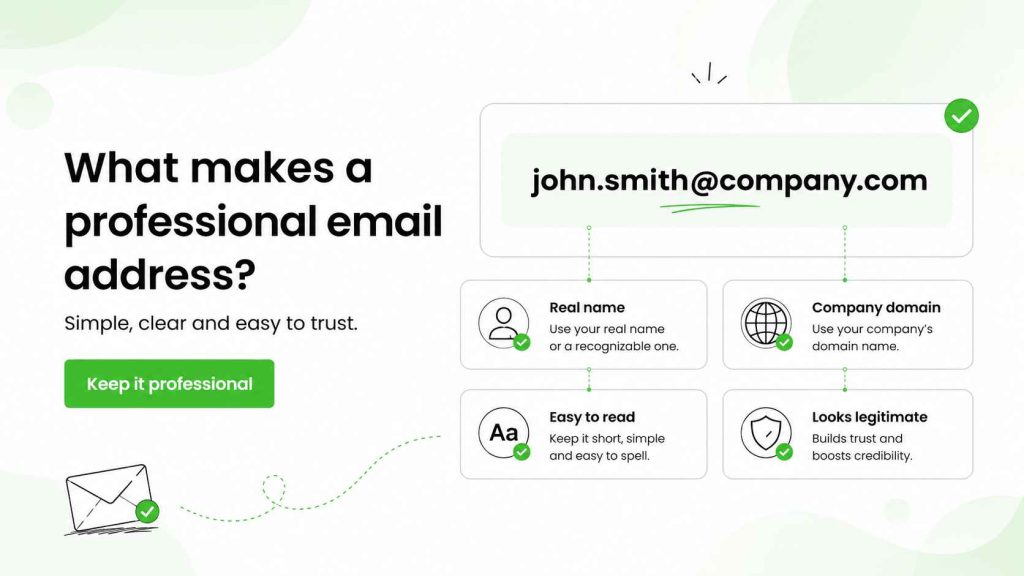
A professional email address is easy to read, easy to remember and clearly connected to the person or business behind it.
For an individual, that usually means using your first name, last name or an initial. For a company, it usually means using a domain name that matches the business name.
The simplest professional email address formats include:
These formats work because they help the recipient quickly understand who sent the email.
A professional email should also match the context. An address for a job application, freelance work or your personal brand may use a personal domain. An email account used for a company should normally use that company’s domain.
The email address you use is part of your professional communication. It does not need to be clever. It needs to look legitimate.
For more help with the rest of the message, see how to write a professional business email, the proper email format and email greetings for every situation.
Professional email address examples and ideas
The best professional email address examples are usually boring in a good way.
They use a clear name and avoid anything that could confuse the recipient.
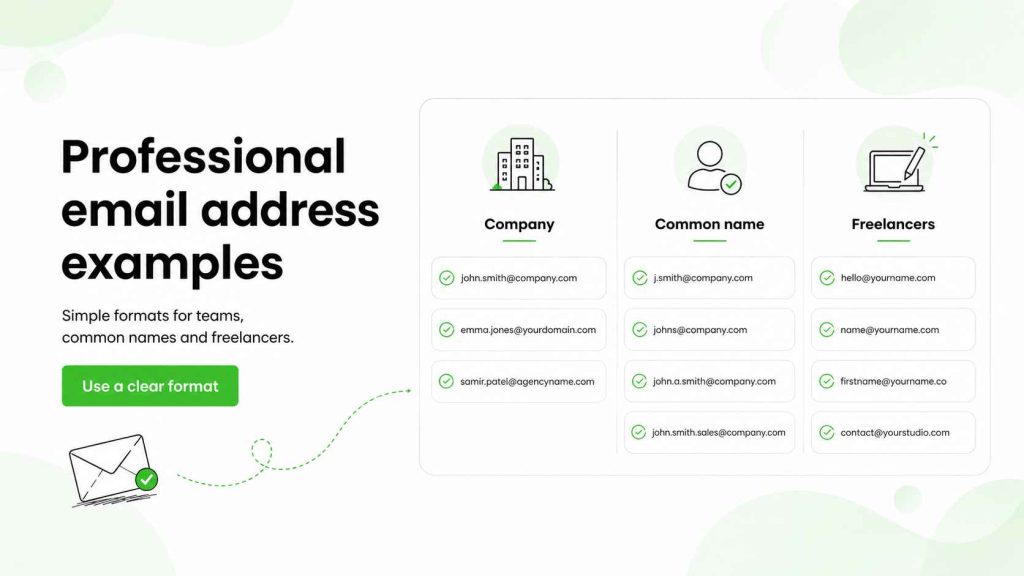
First and last name formats
A full name is usually the strongest option when it is available.
Examples:
Using your first and last name makes the email address easy to connect to your LinkedIn profile, business card or email signature.
This format is especially useful when you want to build a personal professional presence alongside your company.
Professional email address formats for a common name
A common name can make it harder to choose a professional email address.
If [email protected] is already taken, avoid adding a random string of numbers or a year in your email address straight away.
Try a clean variation instead:
Adding a middle initial is often better than adding a birth year. It keeps the format professional and reduces the chance that the email address feels personal rather than business-focused.
For example, [email protected] is easier to trust than [email protected].
Professional email address ideas for freelancers and personal brands
If you work independently, a custom email address can make a stronger first impression than a free email account.
Examples:
A domain-based email address can make a small business look more established. It also gives you more control if you change email provider later.
A personal email on gmail.com can still be fine when you are starting out. But for client work, business purposes or a growing personal brand, using your own domain can add a professional touch.
How to choose a professional email address
When you choose a professional email address, think about how it will look in a crowded inbox.
The recipient should be able to understand three things quickly:
Who is this?
Which company do they represent?
Does this look like a real business email?
That means the name of your email should be clear. Avoid long usernames, many numbers and vague role-based inboxes when you are writing one-to-one.
A good rule is:
Use a real name, a real business domain and a format people can repeat without checking twice.
For example:
is easier to remember than:
The first looks professional. The second may lead to confusion, especially when someone needs to search for important emails later.
You should also consider the email address format across your team. Consistent formats make a company look more organised and make creating and managing email accounts easier.
For example, a business may decide that every sender uses:
That is cleaner than mixing [email protected], [email protected] and [email protected].
Create a professional email address with a custom domain
To create a professional email address for a business, you need two things: a domain name and an email service.
Your domain is the part after the @ symbol. In [email protected], company.com is the domain.
Your email service provider is the tool that hosts the inbox and lets you send emails. Common options include Google Workspace, Microsoft 365 and Zoho Mail. Domain registrars such as GoDaddy can also sell domains and email-related services, though you do not need to buy everything from the same provider.
The practical process is straightforward:
- Purchase a domain name that matches your business name or personal brand.
- Choose an email hosting service.
- Connect the domain to the email service.
- Create an email account for yourself or your team.
- Set up your email on desktop and mobile.
- Add a professional email signature.
This is how to create a business email address that looks consistent with your brand.
For a full outbound-focused setup, see how to set up a domain and mailbox for cold outreach and why teams use a separate mailbox for outbound campaigns.
Gmail, Gmail.com and business email addresses
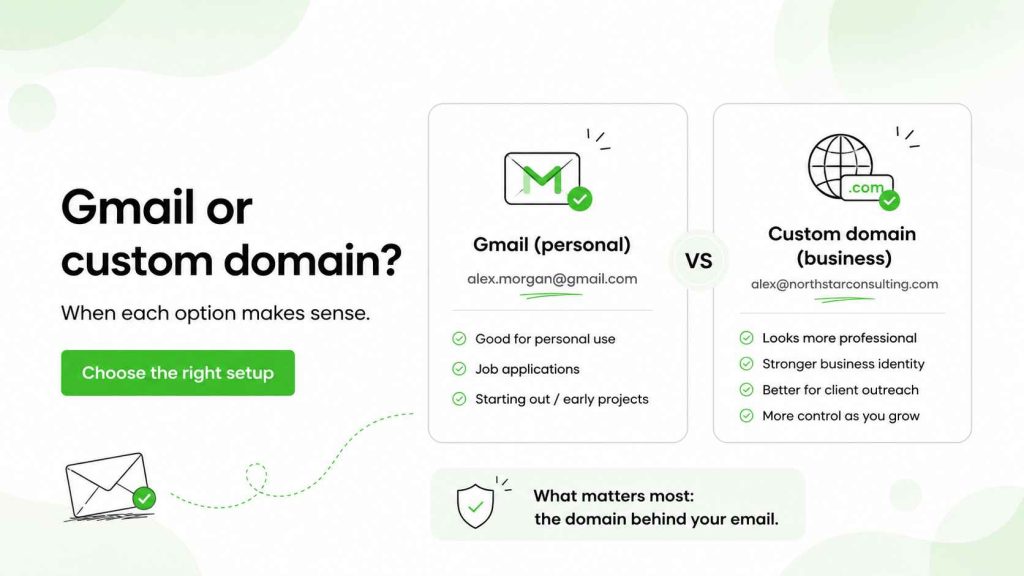
Gmail is one of the most widely used email services for personal and professional communication.
A Gmail address such as [email protected] can be perfectly acceptable for job applications, independent work or early-stage projects. It is familiar, easy to use and often easier to set up than a custom domain.
Still, a gmail.com address is not the same as a business email address on your own domain.
Compare:
with:
The first is personal. The second is domain-based and tied to a business identity.
That difference can matter when you are pitching clients, running a consultancy or sending sales emails. A custom domain often helps you look more established and gives you more flexibility as the business grows.
Gmail or Outlook can both work as the inbox interface. The more important question is whether you are sending from a domain that represents your business clearly.
Woodpecker also has a useful guide on free Gmail versus custom domain email for cold emailing and Gmail tips for cold email senders.
One email address is not always enough
A professional email address should support the work you do, but that does not mean one inbox has to handle every type of email address.
You may keep an old email for newsletters, personal logins and unwanted emails. That can help keep the inbox you use for work focused on client messages, sales conversations and important emails.
For professional communication, it is often useful to have different email addresses for different jobs.
For example, [email protected] may work as a personal email. [email protected] may be the better email address for professional work. A company may also use [email protected] or [email protected] for shared business purposes, while salespeople send from named inboxes.
This is where email aliases can help. An alias lets you receive messages sent to another address without creating a completely separate inbox. You might use [email protected] as an alias that forwards to a named email account, or create aliases for different services and campaigns.
When you create an email address, start with the job it needs to do. For everyday client work, a domain email address with your name is usually the best option. For a company-wide inbox, a role address may make sense. For cold outreach, use a separate sending domain and named sender.
To set up a professional email, you do not need a complicated stack of email solutions. You need a clear company name, a domain you control and an email provider that fits your workflow. A provider like Gmail can host a business inbox through Workspace, while other options can do the same.
You can buy a domain through a registrar, connect it to your email service and create a custom email address in a few steps. The important part is choosing an address that supports professionalism and is easy for clients to recognise.
For someone called John Smith, [email protected] is usually a safer choice than trying to include numbers, a job title or a long label. Only include numbers when a clean variation is unavailable. Otherwise, they can make the address harder to remember and less consistent with the rest of your brand.
Professional email address formats to avoid
A professional email address should not make the recipient wonder whether the sender is legitimate.
That does not mean every email address has to be formal to the point of being dull. It means you should avoid formats that look unprofessional, hard to remember or unrelated to your work.
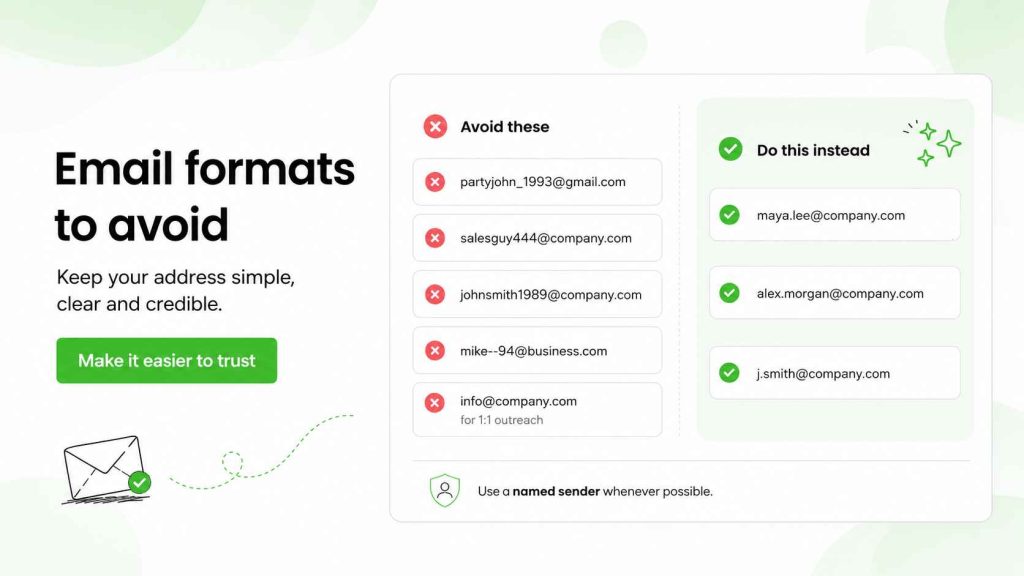
Examples to avoid include:
- nicknames from an old personal email
- a birth year when a cleaner option exists
- a long string of numbers
- multiple underscores, hyphens or repeated punctuation
- vague words that do not show who is writing
- a role address used for personal outreach
Addresses such as [email protected] or [email protected] may be fine for a personal account. They are less useful in professional communication.
A year in your email address is not always a problem. Sometimes it is the only clean option for a common name. But avoid including many numbers if it makes the address feel temporary or difficult to trust.
The same applies to role-based business email addresses like info@, sales@ or contact@.
These addresses have a place. They are useful for website inquiries, support and general inbound communication.
But they are not always ideal when a salesperson wants to start a one-to-one conversation. A prospect is more likely to engage with [email protected] than with [email protected].
A named sender feels more personal. It also makes the email easier to reply to and easier to place in context.
Email address and deliverability: why the domain matters
The email address you use affects trust. The domain behind it affects more than trust.
For cold outreach, your sending domain is part of your technical sending setup. It influences sender reputation, authentication and the way email providers evaluate your messages.
A professional email address alone does not guarantee inbox placement.
You can have a clean email address and still run into spam filters if the domain is new, poorly configured or used for risky sending behaviour.
That is why outbound teams should think about two separate jobs:
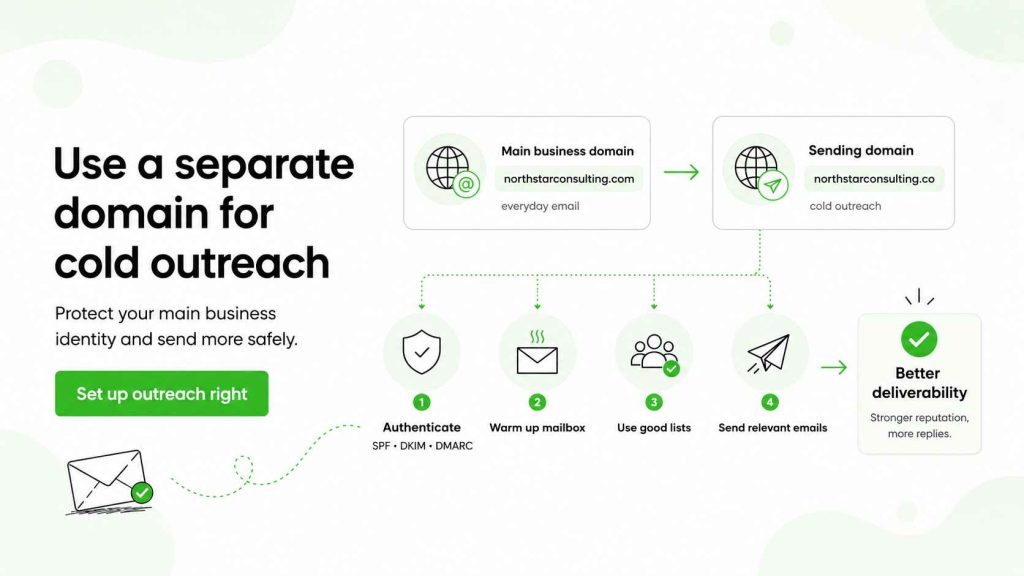
- protecting the main business domain used for everyday email
- setting up a separate domain and mailbox for cold outreach
A separate sending domain helps reduce the risk that outreach activity affects the main domain used for customer communication, support and internal business email.
Woodpecker recommends setting up a separate domain and mailbox for cold outreach, then configuring the right authentication before you start sending. Learn how to set up a cold email domain and mailbox.
SPF, DKIM, DMARC and the professional email address you send from
SPF, DKIM and DMARC are email authentication standards.
They help mailbox providers confirm that you are authorised to send from a domain and that the message has not been altered in transit.
You do not need to become an email infrastructure expert to create a professional email address. But you do need to know that authentication affects deliverability.
A quick version:
- SPF identifies the servers allowed to send from your domain.
- DKIM adds a signed verification to your email.
- DMARC tells mailbox providers how to handle messages that fail authentication.
Without proper authentication, even a legitimate business email may look less trustworthy to spam filters.
For a deeper explanation, read SPF, DKIM and DMARC explained, how to improve cold email deliverability and cold email infrastructure basics.
Why a separate domain can be smarter for cold outreach
Your main business domain is valuable.
It carries your day-to-day communication, invoices, customer emails, team conversations and important relationships.
Cold outreach is different. You send messages to people who may not know you, at a volume that can create more risk if the targeting, list quality or sending pattern is poor.
That is why many sales teams use a separate but related domain for outbound.
For example, a company with the main domain:
northstarconsulting.com
might use a separate sending domain such as:
northstarconsulting.co
or:
getnorthstar.com
The domain should still look legitimate and be easy to connect to the company. Avoid misleading variations that could look like phishing.
Once you use a domain for outbound, take time to set up your email properly. Authenticate it. Warm up the mailbox gradually. Use good lists. Keep the copy relevant.
A new domain with no sending history needs time before it can support meaningful cold outreach. Woodpecker’s guidance recommends warming a fresh sending domain before increasing activity. See how to prepare a cold email campaign.
Helpful resources include how to warm up a domain before email outreach, how to warm up a mailbox and deliverability checks before sending a cold email campaign.
How to make a professional email address work in outreach
A professional email address is the starting point, not the whole system.
To make your email look credible in a prospect’s inbox, combine a named sender, a legitimate domain and a clear message.
A good setup might look like this:
Maya Lee
[email protected]
That is stronger than a vague role address. But it still needs a thoughtful first email.
The message should explain why you are contacting the prospect. It should avoid generic outreach. It should make it easy to reply.
The best sending setup cannot rescue an irrelevant email.
For the messaging side, use how to write a cold email that works, how to personalise cold emails, cold email subject line examples and cold email CTA ideas.
You should also verify addresses before sending. Invalid addresses and hard bounces can harm domain reputation over time. See how email verification works in Woodpecker and how Bouncer supports email verification.
FAQ
What is a good professional email address if your name is taken?
Try a clean variation such as your first initial plus last name, your first name plus middle initial or a short role marker. Avoid adding a long string of numbers when a clearer option is available.
Should a professional email address include your full name?
Not always, but it should make it easy to identify you. A full name works well. A first initial and last name can also work, especially in a larger business with a standard email address format.
Is a custom domain necessary for a professional email?
Not always. A Gmail address can be fine for personal use, early freelance work or job applications. For business purposes, client outreach or a personal brand, a custom domain usually looks more professional and gives you more control.
Choose an email address that looks professional and sends well
A professional email address should be simple, credible and easy to recognise.
Use your real name where possible. Keep the format consistent. Avoid unnecessary numbers and old nicknames. Choose a domain that clearly represents your business.
Then separate the appearance of the email from the sending setup behind it.
For everyday business communication, your main domain may be exactly where you should send from. For cold outreach, a separate sending domain, authenticated mailbox and careful warm-up can help protect your main business identity while giving prospects a more legitimate first impression.
Woodpecker helps teams set up outbound-ready domains and mailboxes, protect sender reputation and manage personalised campaigns from one workflow. Explore cold email domain variations, how to check and improve domain reputation, how to avoid the spam folder, why cold email is not spam and how to safely scale cold email outreach.