


When it comes to outreach, sales engagement platforms may have an edge over tools that “just do email”. However, adding all those extra features for your outreach efforts may not make sense if you want real results, fast. This is the kind of dilemma that is bothering those deciding between Outreach and Yesware.
On the one hand, Outreach is a capable tool for multichannel campaigns, allowing sales teams to do email and LinkedIn outreach in one place. On the other, Yesware is a lightweight tool for sales outreach that works for emails only.
So, which one should you get?
Outreach vs Yesware at a glance
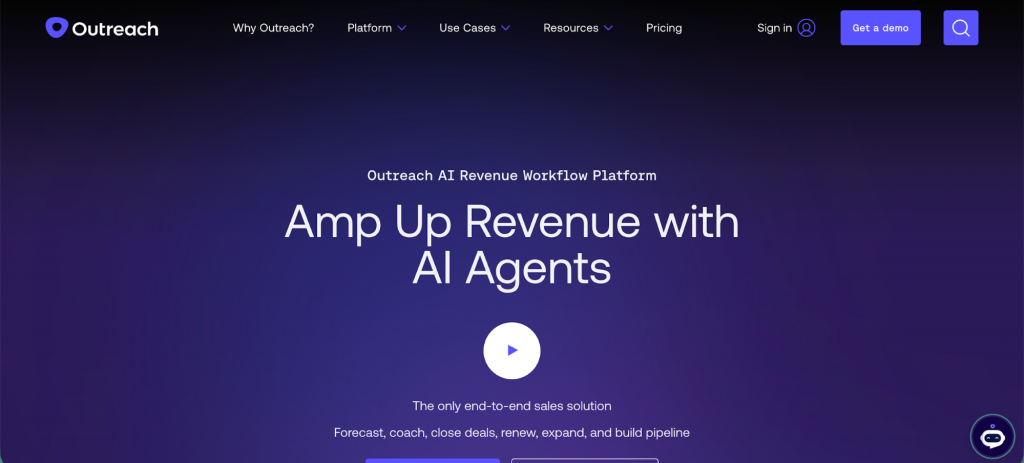
Outreach is a full-fledged sales engagement platform built for teams that run structured cadences, manage multiple sequences, need advanced task and pipeline management, and often work across multiple channels or touchpoints. It aims to be a central hub for outreach, follow-up, tasks, and analytics.
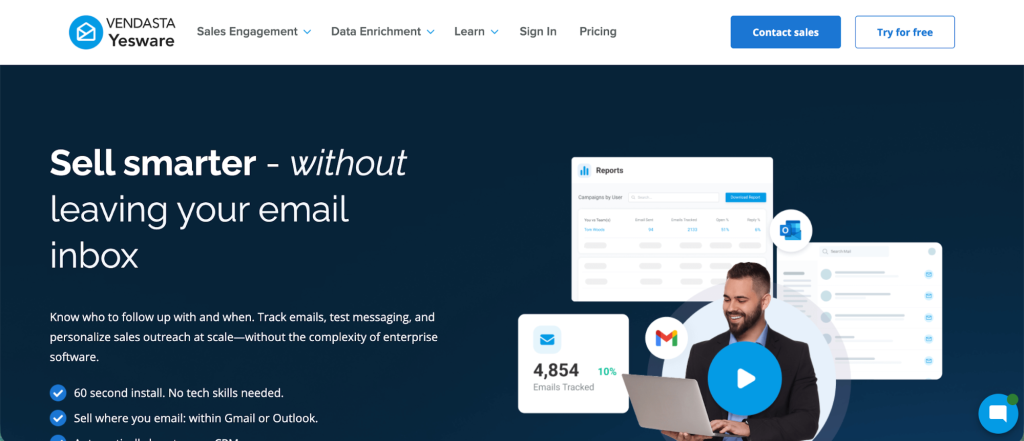
Yesware is more lightweight and inbox-centric. It integrates directly with Gmail or Outlook and offers email tracking, basic campaign/sequence capabilities, email templates, and meeting scheduling. It works well for sales professionals who prefer to stay inside their mailboxes rather than shift to a separate platform.
Get the better alternative to Outreach and Yesware: try Woodpecker for free today.
Key features
We could end the article right here without going into detailed feature ratings and comparisons. Outreach is built for multi channel campaigns, which reflects on its broad scope of features. Consequently, it’s also harder to master and comes with a steeper learning curve.
Yesware is built for emails and while it has more than strong features at a reasonable price, it may feel underwhelming compared to Outreach.
Outreach
- Automated sequences and cadences: Outreach supports multi-step sequences, automated follow-ups, task scheduling, and complex branching logic. That helps sales teams manage outreach campaigns at scale without manual oversight.
- Comprehensive analytics and reporting: It offers analytics across email, calls, tasks, sequence performance, enabling teams to evaluate what works, optimize cadences, and get visibility into pipeline health.
- Task and pipeline management: Beyond email, it helps manage tasks, calls, opportunities, and sales tasks, which is useful when outreach is just part of a broader sales process.
- CRM and tooling integrations: Outreach tends to integrate with CRMs and other sales-stack tools, supporting data flow from outreach to opportunity management and CRM workflows.
- Flexibility for enterprise workflows: Its features make it suitable for larger sales teams, multi-user coordination, and multi-step, multi-touch sales cycles rather than one-off cold emails.
Having said all of this, many users feel overwhelmed by the learning curve in Outreach and underwhelmed by the pricing transparency, so they look at Outreach alternatives instead.
Yesware
- Email tracking (opens, clicks, attachments): Yesware delivers real-time tracking of email opens, link clicks, and attachment views, straight from your inbox, giving you insight into prospect engagement without leaving Gmail or Outlook.
- Email templates and simple campaigns: Users can create and reuse email templates, send basic campaigns, and handle follow-ups, helping streamline outreach without complex setup.
- Meeting scheduler and calendar sync: Yesware includes a scheduler to help prospects book meetings without endless back-and-forth. That helps streamline the scheduling process within outreach.
- CRM integration capabilities: Yesware supports integration with common CRMs (especially via plugins or sync options), enabling sales reps to keep tracking in one place.
- Ease of use and frictionless onboarding: As an add-on to email clients, Yesware often requires no separate platform adoption. That reduces the learning curve and can be picked up quickly by sales reps already used to Gmail/Outlook.
Deliverability, sequences and automation
Neither tool has stellar deliverability features, but they make up for it with the rest of the feature stack.
Because Outreach supports full cadences, automated follow-ups, task scheduling and multi-step sequences, it tends to work better for structured outreach flows, follow-ups, and pipeline management.
Yesware offers simpler automated outreach capabilities directly from your inbox. It handles email tracking, scheduling, and basic campaigns, but lacks deeper automated sequence logic or an advanced pipeline workflow built in.
If you need to manage many leads and multiple data points, follow-ups, tasks, and want to track engagement and pipeline over time, Outreach handles that. If you prefer minimal setup and a lighter-touch way to send tracked email outreach directly from your mailbox, Yesware gives enough to get started.
Integrations
Outreach integrates with CRMs and provides deeper workflow orchestration. It supports task management (features), pipeline tracking, and sales workflows beyond email, which makes it a better choice for teams working across tools and needing structured sales operations.
Outreach integrations include:
- Deep CRM integration: Outreach integrates with major CRM systems, letting teams combine outreach cadences with lead status, deal pipelines, tasks, and opportunity progression. That makes outreach part of a broader sales workflow rather than an isolated channel.
- Cross-channel support beyond email, including calls, tasks, follow-ups, and multi-touch cadences. This supports workflows that combine email with calls or other outreach channels under the same orchestration layer.
- Analytics, reporting, and content management: Outreach supports content templating, cadence performance analytics, custom reporting, and A/B testing. That helps with optimizing outreach sequences and understanding what works across channels and templates.
- Team collaboration and multi-user support: Because Outreach is built for teams, it handles multi-user sequences, shared cadences, task assignments, and centralized workflow management across reps — which fits a more complex stack involving CRM, sales ops, outreach, tasks, and pipeline.
Yesware integrates well with Gmail and Outlook. It also works with various CRM systems (especially via plugins or native integrations) and supports email + calendar + meeting scheduling sync. That makes it practical to manage outreach within existing email and CRM workflows without switching platforms.
Here are some other integrations that Yesware supports:
- CRM sync with Salesforce — Yesware can automatically log email sends, replies, meetings, calls, link clicks etc. into Salesforce records. That removes manual data entry and ensures sales activity stays up to date inside CRM.
- Calendar and scheduling tools: Yesware integrates with Google Calendar / Office365 calendar to enable meeting scheduling, personalized meeting links, buffer times, and calendar invites — all coordinated from the inbox.
- Communication and content tools: Integrations with tools like Zoom (for meeting links), document-sharing/engagement tools such as DocSend (to track document views), and enterprise communication platforms like Microsoft Teams (for sharing reports or notifications) are supported or planned.
- LinkedIn integration: Yesware allows linking to LinkedIn Sales Navigator — giving reps visibility into prospects without leaving the inbox and adding social touches to outreach workflows.
Because of these integration approaches, Outreach tends to be better for complex stacks or sales teams needing end-to-end workflow support. Yesware works well where simplicity, minimal friction, and email-centric workflows matter.
If your team has little experience with sales and outreach platforms, Yesware is going to have a much easier learning curve.
Pricing plans
The pricing plans for the two tools are also completely different.
Yesware pricing opens with a forever free plan, which gives you access to email and attachment tracking with 10 monthly recipients. Not enough to do proper email outreach but enough to give you a taste of what Yesware can do for you.
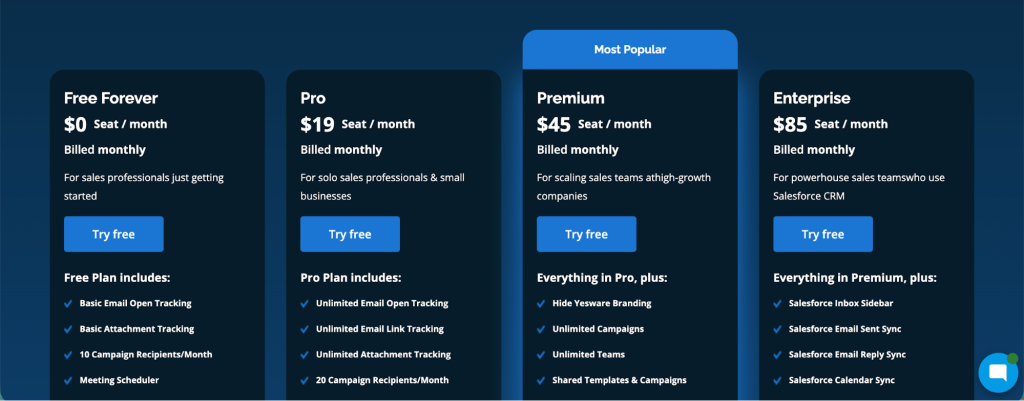
The Pro plan costs $19 per seat per month, and gives you unlimited tracking in all shapes and forms. You get 20 campaign recipients per month, which is not a lot.
The Premium plan costs $45 per month and it’s the one you should look at because it give you unlimited campaigns and teams, on top of all the features from the previous plans. You also get team reporting and templates and a good number of features for team collaboration.
The Enterprise plan is $85 per seat per month, with the biggest change being a strong set of integrations with CRMs such as Salesforce.
Outreach makes it clear from their pricing page that their audience is upmarket. There is no way to find out how much Outreach costs, and your only options are to get a demo or request a price. In either case, you’re going to have to talk with their team.
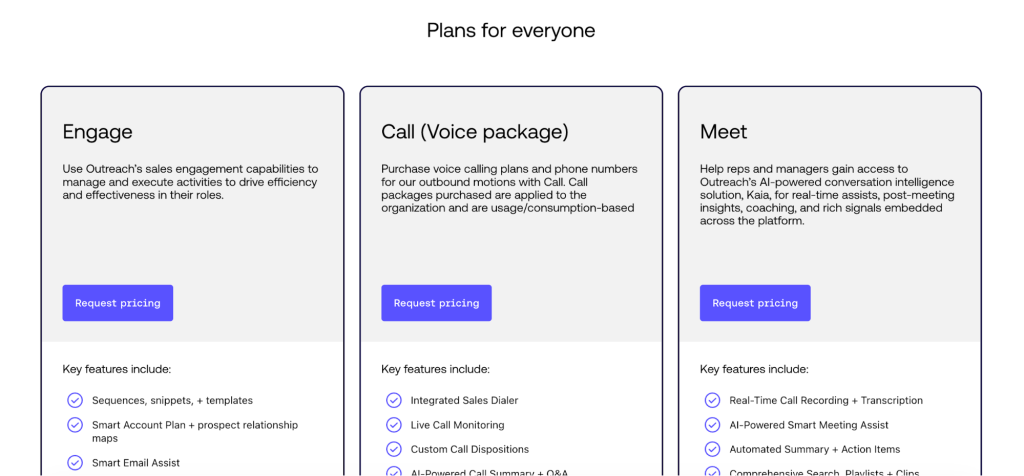
What we do know is that Outreach has three pricing plans:
- Engage (for sequences)
- Call (for intergrating VoIP telephony in your outreach efforts)
- Meet (to get access to all the AI-powered features)
Which tool should you get?
Choose Outreach if you want:
- A full sales engagement platform with advanced sequence and cadence management that goes beyond simple emails
- To manage tasks, calls, follow-ups, pipelines and outreach from a central platform rather than just your inbox
- Strong CRM integration and a tool that fits into a broader sales tech stack
- Analytics and reporting across multiple outreach channels and touchpoints
- A setup that supports enterprise-scale outreach and multi-user teams
Choose Yesware if you want:
- An easy-to-use tool that lives inside Gmail or Outlook without moving to a separate platform
- Email tracking, templates, and basic campaign features for light to medium outreach volume
- Meeting scheduling and email/calendar sync out of the box
- Low friction onboarding and minimal setup overhead
- A budget-friendly option or need for a free/entry-level plan for solo sales reps or small teams
If neither of them work out, we’ve covered plenty of Outreach and Yesware competitors on our blog.
Conclusion
Outreach and Yesware are sales tools built for completely different audiences. Outreach feels like a comprehensive sales engagement suite built for structured cadences, team collaboration, pipeline management and deeper integrations. Yesware feels lighter and more accessible, ideal when you want to stay inside your inbox and run simple tracked email campaigns with minimal overhead.
If your team needs full control, visibility and structure for multi-step sales workflows, Outreach is probably worth the investment. If you only need basic outreach and tracking and prefer simplicity and ease of use, Yesware remains a practical starting point.
But making either choice can make you feel like you missed the mark somewhere. This is where Woodpecker comes in.
With Woodpecker, you can create and scale multichannel sequences, warm up inboxes and get lead information from an accurate business database. You get all the tools in one place to combine email and LinkedIn into a revenue-generating machine.
Try Woodpecker for free today.