


LinkedIn Sales Navigator is the most powerful prospecting tool most B2B sales teams will ever use – and one of the most consistently misunderstood from a pricing and ROI standpoint. Teams either underuse it (paying $120 a month for a fraction of the value), overpay for it (buying Advanced when Core would do), or lock themselves into multi-year enterprise contracts without testing whether the basic plan would have solved their problem.
This guide covers the real 2026 pricing across all three tiers, what you actually get at each level, where the value sits and where the pitfalls are, what to pair Sales Navigator with to close the loop on its biggest limitation, and whether it’s worth the money for your specific situation. Prices quoted below are from LinkedIn’s official Sales Navigator pricing page as of early 2026; regional prices vary, and LinkedIn adjusts pricing periodically.
The three Sales Navigator plans, briefly
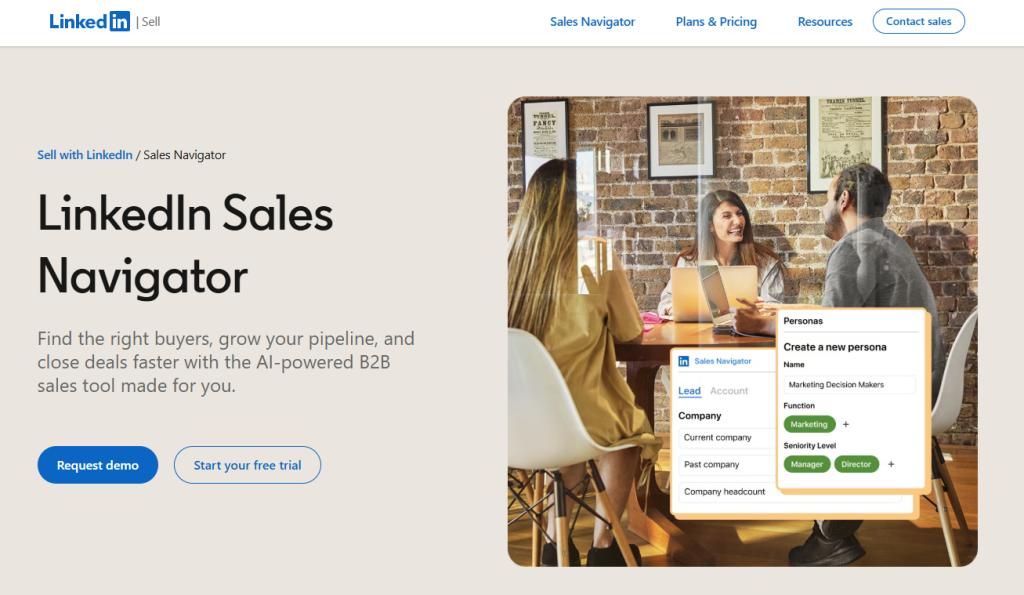
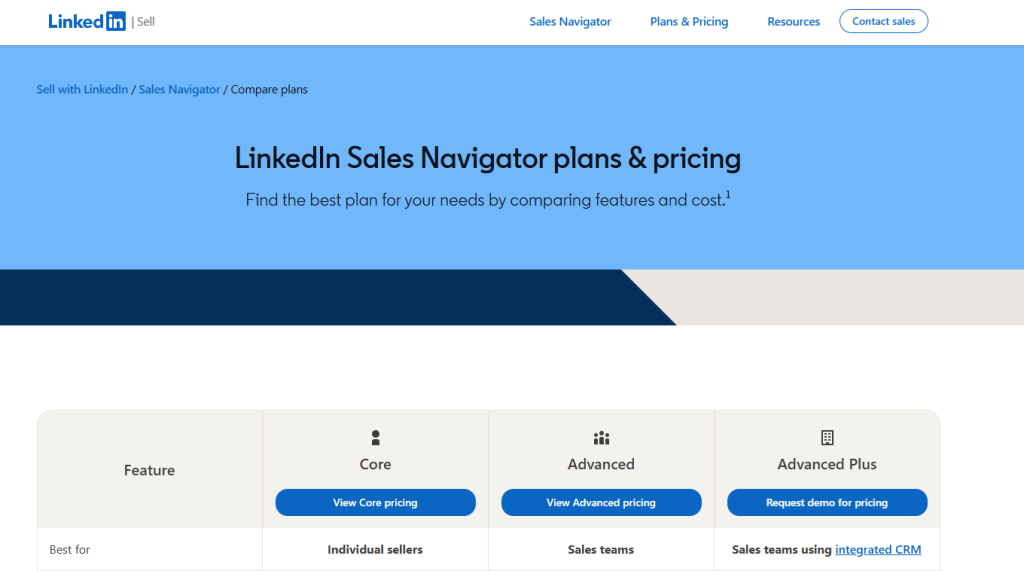
LinkedIn offers three Sales Navigator tiers. The gap between them is real – it’s not just a checklist of features.
Sales Navigator Core – entry level, built for individual sellers and founders doing their own prospecting. $119.99/month (monthly billing) or $1,079.88/year when billed annually (roughly $89.99/month).
Sales Navigator Advanced – for small to mid-sized sales teams needing collaboration features. $159.99/month (monthly) or $1,799.88/year annually (roughly $149.99/month).
Sales Navigator Advanced Plus – enterprise tier with deep CRM integration and custom pricing. Starts around $1,600 per seat per year for smaller contracts; larger deals typically run $11,750 to $26,500+ per year depending on seat count, CRM integration scope, and onboarding requirements. LinkedIn doesn’t publish Advanced Plus pricing publicly – every contract is negotiated.
Annual billing typically saves 20–25% across Core and Advanced. VAT, GST, or other local taxes apply on top of listed prices in most regions. The monthly prices you see at signup may differ slightly from the figures above depending on your country and current promotional pricing.
Our article about doing cols outreach on LinkedIn may help you. Read it here → How to Do a Cold Outreach Campaign on LinkedIn? Practical Tips & Message Examples
Sales Navigator Core: what you actually get for €120.99/month
The Core plan is where most solo sellers, founders, and small teams start. It covers the fundamentals of LinkedIn-based prospecting without the collaboration and CRM integration that justify the higher tiers.
What’s included in Core
50+ advanced search filters. The single biggest reason to buy Sales Navigator. Basic LinkedIn search has maybe eight or nine usable filters; Sales Navigator has more than 50, including seniority level, years in current role, company headcount growth, recent job changes, and dozens of other firmographic and behavioral criteria. For anyone doing serious B2B prospecting, this alone is usually worth the subscription.
50 InMail credits per month. InMails are LinkedIn’s paid message system – the ability to message someone you’re not connected to. Unused InMails roll over for one month only. The open rate on InMails is typically higher than cold email but lower than connection-requested messages from a warm profile.
Lead and account lists. Save up to 10,000 leads and 1,000 accounts. Custom tags, folders, and notes. This is your working prospect database inside Sales Navigator.
Real-time alerts. Job changes, promotions, company news, and prospect activity – all delivered to your homepage. The job-change alert alone is high-value for ABM-style outreach (someone changing roles is often the single strongest buying signal in B2B).
Lead recommendations. Weekly suggestions based on your saved searches and ICP. Quality varies but gets meaningfully better the more data you feed into your saved searches.
Relationship Explorer and Relationship Map. Surface connections between people you know and people you want to reach. Dynamic org charts for target accounts. Useful for accounts where the buying committee has multiple stakeholders.
Who’s viewed your profile (90 days). See everyone who looked at your profile in the last 90 days, including 2nd and 3rd degree connections. Good for identifying warm interest you didn’t know existed.
What’s missing from Core
No team features. No shared lead lists, no TeamLink (leveraging teammates’ connections), no shared CRM sync. Everything you do in Core is siloed to your own account.
Limited CRM integration. You can export some data manually, but Core doesn’t push prospect data into Salesforce, HubSpot, or Dynamics in any meaningful automated way.
No bulk export. The most commonly cited limitation. LinkedIn doesn’t let you export your saved lead lists as CSV – the data stays inside LinkedIn. Workarounds exist (third-party scraping tools are common but exist in a gray zone with LinkedIn’s terms of service), but the platform-level limitation is real.
No Smart Links or Buyer Intent data. These are Advanced-tier features.
Who Core is for
Solo founders doing their own sales. Individual sales reps at companies that haven’t rolled out an enterprise LinkedIn contract. Small agencies doing outreach on behalf of clients. Anyone doing weekly-or-more LinkedIn prospecting who needs more than basic search.
Who should skip Core
If you do LinkedIn prospecting maybe once a month and Premium Business (at $59.99/month) gives you enough filters, skip Core. The $60/month gap is only worth it if you’re using the advanced search filters regularly.
Or maybe you are wondering how to improve sales on LinkedIn? We have some ideas!
Sales Navigator Advanced: what’s worth €148.21/month
Advanced is the tier where most mid-size sales teams land. It adds team collaboration and slightly better CRM integration while keeping the individual-seller features of Core.
What Advanced adds over Core
TeamLink. See which of your teammates is connected to a target prospect. Critical for warm-intro strategies where leveraging existing relationships is part of the motion.
Smart Links. Trackable content links – send a prospect a deck, article, or case study, and see exactly who viewed what and for how long. Good for sales enablement and mid-funnel tracking.
Shared lead lists. Lists can be shared across team members, with comment threads and collaborative notes. Removes the “everyone has their own spreadsheet” problem.
Lead and account lists for teams. Everyone on the team can see team-wide prospect data rather than just their own.
Usage reporting. How many InMails your team is sending, acceptance rates, activity breakdowns. Useful for sales managers measuring adoption and coaching.
Buyer Intent data. Signals that a prospect’s company is showing buying intent for your category. Not as sophisticated as dedicated intent-data platforms like Bombora, but a useful layer of signal on top of standard filtering.
CRM integration (limited). Better than Core’s, but still not full-automated CRM sync. That’s what Advanced Plus is for.
Who Advanced is for
Sales teams of 3–20 people doing coordinated outbound. Teams where shared lead ownership matters. Organizations using Smart Links as part of their mid-funnel process. Managers who need visibility into team LinkedIn activity.
Who should skip Advanced
Solo sellers don’t need it. Even 2-person teams often stay on Core and share access through less formal mechanisms. The jump from Core to Advanced is justified by actual team workflow needs, not hypothetical ones.
Sales Navigator Advanced Plus: the enterprise tier
Advanced Plus is the top-tier plan, with deep CRM integration and enterprise-grade controls. Pricing is fully custom – starts around $1,600 per seat per year for smaller contracts and scales into the $11,750–$26,500+ range per year for enterprise deployments. LinkedIn doesn’t publish these numbers; every contract requires a conversation with a LinkedIn sales rep.
What Advanced Plus adds
Full bi-directional CRM sync. Automated sync with Salesforce, Microsoft Dynamics 365, and (in more recent rollouts) HubSpot. Leads, accounts, activity, notes – all flowing between Sales Navigator and your CRM without manual export.
Lead and contact creation in your CRM from Sales Navigator. Click a button inside Sales Navigator, and the lead is created in Salesforce with full profile data. Huge time saver for SDR and AE workflows.
Advanced admin and security features. SSO (single sign-on), advanced analytics, enterprise-grade user provisioning, audit logs.
Data validation. The CRM sync includes data validation – flags outdated or inaccurate contact data in your CRM based on current LinkedIn profiles.
Relationship intelligence across the team. Aggregated view of which team members have relationships with target accounts across your entire company, not just direct teammates.
Who Advanced Plus is for
Enterprise sales organizations with mature CRM workflows. Teams where Salesforce or Dynamics is the source of truth and manual data entry is a real productivity tax. Organizations with 50+ seats where automation savings justify the higher per-seat cost.
Who should skip Advanced Plus
Almost everyone below enterprise scale. If you’re using HubSpot for a 10-person sales team, Advanced Plus is overkill – third-party tools that connect Sales Navigator Core or Advanced to your CRM will give you 70% of the value at a fraction of the price. Advanced Plus makes sense when the CRM integration is genuinely load-bearing for your workflow, not nice-to-have.
Regional pricing differences
Sales Navigator pricing varies by region. Some approximate figures from LinkedIn’s official pricing page as of early 2026 (prices exclude VAT/GST):
US: Core $119.99/month, Advanced $159.99/month.
UK: Core £99.99/month, Advanced £139.99/month.
EU: Core €120.99/month, Advanced €164.99/month.
Australia: Core AU$179.99/month, Advanced AU$239.99/month.
Annual billing discounts range from roughly 6% to 25% depending on region, plan, and currency. LinkedIn doesn’t publish pricing for every market (INR, BRL, JPY, SGD aren’t listed officially) – always verify at the checkout page for your country.
One pattern worth knowing: LinkedIn has raised Sales Navigator prices consistently over the last four years. Core pricing has moved from roughly $779/year in 2022 to $1,079.88/year in 2026 – an average annual increase of 8–12%. Advanced has climbed faster, closer to 10–15% per year. Lock in annual pricing when rates look reasonable; you’ll likely face another increase next cycle.
Learn also how to target your ideal client on LinkedIn from our guide.
How to reduce your Sales Navigator cost
A few levers that consistently work.
Annual billing. 20–25% off list price in most regions. If you’re committing for the year anyway, monthly billing is just paying LinkedIn a penalty for no reason.
Volume discounts. Buying 5+ seats often unlocks 10–20% off list. 10+ seats can stretch to 25%+ in negotiated deals. LinkedIn has room to move on seat count – ask.
Bundling with other LinkedIn products. Combined contracts with LinkedIn Recruiter, LinkedIn Learning, or LinkedIn Ads typically get 15–25% savings on the bundle. If your organization already uses any of these, roll them together at contract renewal.
Procurement platforms. Enterprise teams negotiating through platforms like Spendflo or Vendr report consistent 15–30% reductions on LinkedIn contracts. Overhead pays for itself at $50K+ contract levels.
Microsoft for Startups. Eligible startups can access 75% off Sales Navigator for the first four months. If your company qualifies, use it.
Annual renewals – negotiate. LinkedIn’s auto-renewal default is the current list price, which is often 8–15% higher than your current rate. Email them before renewal to ask for your existing rate to be maintained. They frequently agree.
Fiscal year-end promos. Q4 (LinkedIn’s fiscal year-end) often brings extra credits, extended trials, or reduced first-year pricing. Worth timing new contracts if flexibility exists.
The Sales Navigator value question: is it worth the money?
The honest answer: it depends entirely on how you use it.
If Sales Navigator is the tool you open daily to identify prospects, save leads, react to job-change alerts, and build target account lists – yes, it’s worth it. One closed B2B deal per quarter typically covers the annual Core cost with substantial margin.
If you bought it six months ago and haven’t logged in this month, no – it’s not worth it. The tool is high-leverage but requires active use. Passive Sales Navigator ownership is just expensive subscription decoration.
The bigger question isn’t “is Sales Navigator worth the price?” It’s “am I building a LinkedIn-based prospecting motion that Sales Navigator actually supports?” Teams that buy Sales Navigator without an underlying prospecting process end up with expensive lead lists they never act on. Teams that build the process first – target account identification, weekly prospecting cadence, multi-touch outreach – typically get strong ROI from the tool.
For a deeper look at what the prospecting process should look like, B2B sales prospecting techniques.
The limitation Sales Navigator doesn’t solve: getting those leads out and into action
Every Sales Navigator review eventually circles to the same critique: the platform is excellent at helping you find prospects and useless at helping you execute outreach to them.
The structural problem is this. Sales Navigator identifies, filters, and lists prospects. It lets you send InMails (up to 50 a month on Core, capped). It gives you alerts about job changes and activity. But the moment you want to reach those prospects through cold email, run a multi-touch sequence, coordinate email and LinkedIn in the same campaign, or send more than 50 messages a month – Sales Navigator doesn’t help. It’s built for the first half of the prospecting motion, not the second.
There’s also the export problem. Sales Navigator doesn’t natively let you export your saved lead lists to CSV. Your prospect data is stuck inside LinkedIn. For any outreach beyond InMail, you need to get the data out somehow – which is where most teams end up with workflow friction.
This is where a dedicated outbound platform closes the loop.
How Woodpecker fits with Sales Navigator
Woodpecker isn’t a Sales Navigator alternative – it’s the execution layer Sales Navigator was missing. The two solve different problems and genuinely complement each other.
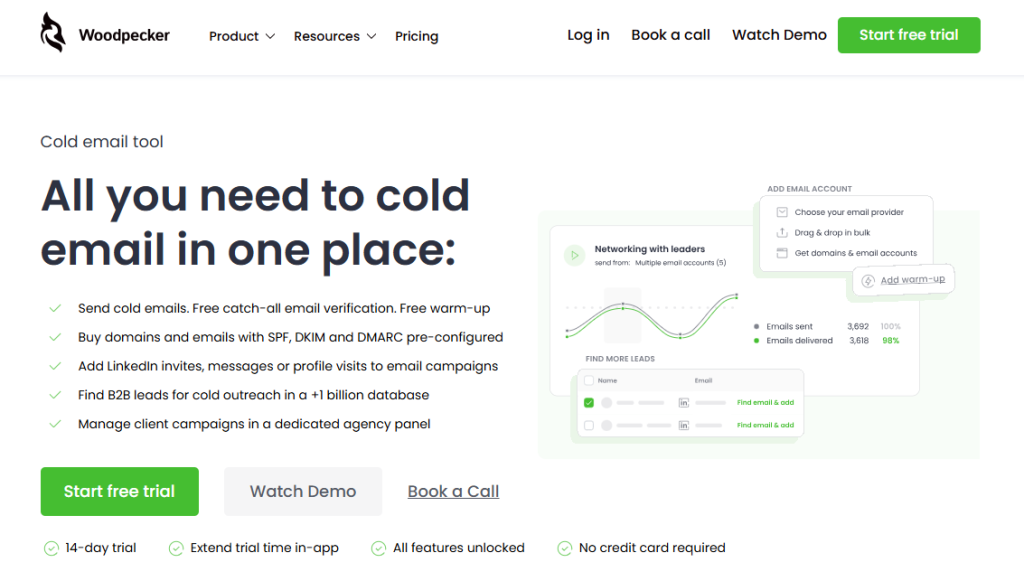
→ Sales Navigator identifies and filters prospects. It surfaces buying signals, job changes, and account-level activity. It gives you 50+ advanced filters nothing else on LinkedIn matches.
→ Woodpecker runs the outreach automation on LinkedIn. Moreover it ensures:
- Multi-step email sequences with conditional logic.
- Free email warmup via partnerships with Warmy and Mailivery.
- Adaptive Sending for inbox rotation.
- Deliverability for continuous reputation tracking.
- Free catch-all email verification.
- Pre-configured domains with SPF, DKIM, and DMARC set up.
- A 1B+ B2B lead database built into the platform for the segments Sales Navigator doesn’t cover well.
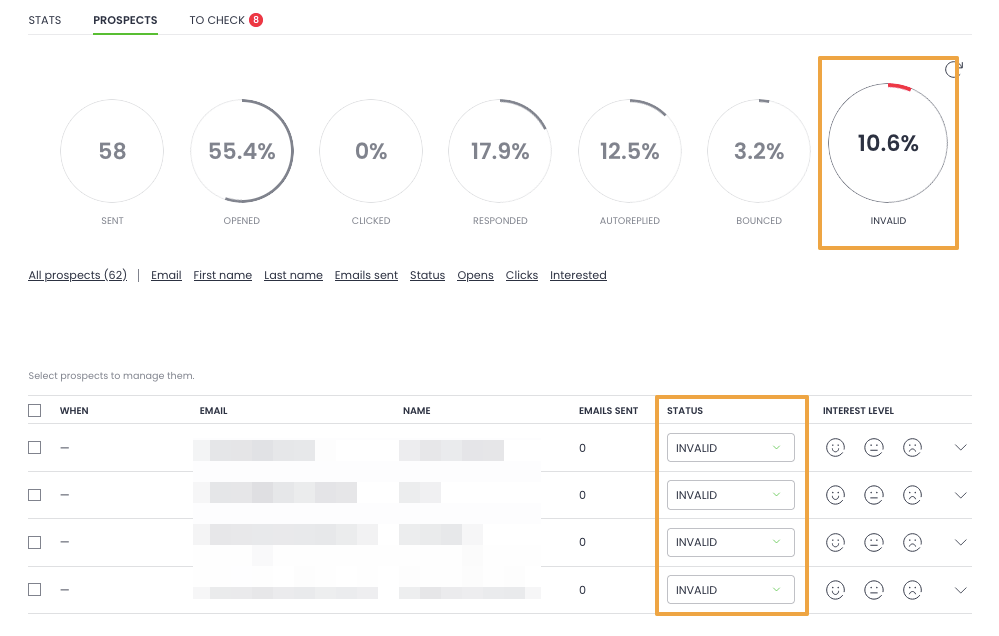
Critically for LinkedIn-heavy motions: Woodpecker integrates LinkedIn touchpoints directly into email sequences.
Profile visits, connection requests, and messages can run as steps inside a Woodpecker campaign alongside email. You’re not coordinating two separate tools – one runs the whole sequence, with email as the workhorse and LinkedIn as the reinforcement layer.
The typical stack pattern for LinkedIn-native B2B outbound in 2026:
Sales Navigator Core ($119.99/month) for prospect identification and filtering.
Woodpecker ($29–39/month starting) for the outreach execution, deliverability, and multi-channel sequencing.
Your CRM (HubSpot, Pipedrive, or Salesforce) as the pipeline layer.
For many teams, Core + Woodpecker + CRM covers the whole prospecting motion at a fraction of the cost of Advanced Plus alone – with better outreach mechanics than anything Advanced Plus offers natively.
Sign up for Woodpecker to run your first campaign with the Sales Navigator leads you’re already paying for.
FAQ
How much does LinkedIn Sales Navigator cost in 2026?
LinkedIn Sales Navigator pricing in 2026 starts at $119.99/month for Core (or $1,079.88/year billed annually, roughly $89.99/month). Advanced is $159.99/month ($1,799.88/year annually). Advanced Plus has custom pricing starting around $1,600 per seat per year, with enterprise deals typically running $11,750–$26,500+ per year depending on seat count and integration scope. Prices exclude VAT/GST.
Is LinkedIn Sales Navigator worth the cost?
It depends on usage. If you’re doing LinkedIn-based prospecting at least weekly and actually using the advanced filters, saved lead lists, and real-time alerts, the Core plan at roughly $1,080/year pays for itself after one or two closed deals. If you bought it six months ago and haven’t logged in this month, it’s not worth it. Active use is the determining factor.
What’s the difference between Sales Navigator Core, Advanced, and Advanced Plus?
Core is for individual sellers and includes advanced search, 50 InMails/month, saved leads, and job-change alerts. Advanced adds team features (TeamLink, Smart Links, shared lead lists, Buyer Intent, usage reporting) for $40/month extra. Advanced Plus adds full CRM sync with Salesforce, Dynamics, or HubSpot, enterprise security, and custom pricing starting around $1,600/seat/year.
Can I get LinkedIn Sales Navigator for free?
No – it’s a paid subscription. LinkedIn does offer a 30-day free trial for Core and Advanced to new users who haven’t had a paid LinkedIn subscription or used a trial in the last 365 days. Microsoft for Startups offers eligible founders 75% off for the first four months, which is effectively a deep discount rather than free.
How can I save money on Sales Navigator?
Five main levers: (1) annual billing saves 20–25% over monthly, (2) volume discounts of 10–25% for 5+ seats, (3) bundle with other LinkedIn products (Recruiter, Learning, Ads) for 15–25% off, (4) use a procurement platform at enterprise scale, (5) time new contracts around LinkedIn’s Q4 fiscal year-end promos. Negotiating at renewal is also effective – LinkedIn’s auto-renewal defaults to current list price, which is often 8–15% above your current rate.
What’s the biggest limitation of Sales Navigator?
The inability to export lead lists natively. Your saved prospect data stays inside LinkedIn, which creates workflow friction when you want to run cold email sequences, coordinate outreach in your CRM, or use the data anywhere else. Advanced Plus solves part of this through CRM sync; Core and Advanced users typically pair Sales Navigator with a separate outreach tool to close the loop.
Is Sales Navigator better than LinkedIn Premium Business?
For sales prospecting, yes – significantly. Premium Business ($59.99/month) gives you 15 InMails and basic filters. Sales Navigator Core ($119.99/month) gives you 50 InMails, 50+ advanced filters, lead lists, real-time alerts, and proper prospecting infrastructure. For anyone doing serious B2B outbound, the extra $60/month is easily justified. Premium Business makes sense if your primary goal is profile visibility and networking rather than prospecting.
Can I use Sales Navigator for cold email?
Not directly – Sales Navigator doesn’t send cold email. It helps you identify and list prospects, and lets you send InMails (limited to 50/month on Core). For actual cold email outreach, you’d pair Sales Navigator with a dedicated cold email platform like Woodpecker, which handles the sequencing, deliverability, personalization, and volume that Sales Navigator can’t.
Does Sales Navigator integrate with my CRM?
Core has very limited CRM integration (manual export only). Advanced adds slightly better integration but still not fully automated. Advanced Plus has full bi-directional sync with Salesforce, Microsoft Dynamics 365, and HubSpot. If deep CRM integration matters, Advanced Plus is the tier that delivers it; otherwise, third-party connectors can fill part of the gap at a lower price point.
How long is the Sales Navigator free trial?
30 days for eligible users. You must not be on any active LinkedIn paid subscription and must not have used a trial in the past 365 days. Payment information is required to start the trial, but LinkedIn sends a reminder email 7 days before it expires and you can cancel before the trial ends to avoid being charged.