


A B2B leads database is a product people buy expecting one thing and get something else. The sales pitch is usually “access to 150 million decision-makers” or similar – a specific, large, impressive number. The actual experience is that the number is real, but the percentage of those contacts that exist, work at the company listed, have the email that’s on file, and fit your specific ICP is a fraction of what the headline suggests. Often a small fraction.
Most B2B leads database articles are written by the vendors themselves, which means they frame the buying decision as “which provider has the biggest and best database?” That question matters less than buyers think. The better questions are: what does high-quality data actually look like, how do you evaluate accuracy honestly before signing a contract, and is a standalone database even the right tool for your situation – or would an integrated platform that includes contact data alongside outreach serve you better?
This guide covers what B2B leads databases actually provide, how to evaluate data quality without getting lied to, what the different tiers of providers cost, the common traps buyers fall into, when a dedicated database makes sense versus when it doesn’t, and how Woodpecker can help – as a platform that includes a 1 billion+ contact database alongside the cold email layer that most teams need anyway.
What a B2B leads database actually is
A B2B leads database is a structured collection of business contact information – names, job titles, emails, phone numbers, company data, and firmographic details – that vendors sell access to on a subscription or pay-as-you-go basis.
The important distinction: you’re not buying the data outright, in most cases. You’re buying access. Typical contracts give you a number of “credits” per month (each credit reveals one contact’s details), seat-based access (flat fee per user), or unlimited access at higher price tiers. The actual data stays with the provider; you export subsets as needed.
What the data usually includes
Person-level records. Full name, job title, seniority level, department, LinkedIn URL, direct email (sometimes), work email, phone number (sometimes direct, sometimes company switchboard), location.
Company-level firmographics. Name, domain, industry, employee count, revenue range, headquarters, recent funding, tech stack, growth signals.
Tip: Learn about a company before sending them a B2B sales email. Here’s why →
Intent and signal data (at higher tiers). Buying intent scores, technology changes, hiring signals, recent news mentions, engagement with category-related content.
What varies between providers
Geographic coverage. Some databases are US-heavy (where data collection is easier legally); others emphasize EU coverage; few do both well. This matters enormously if your ICP is outside North America.
Data freshness. Some providers refresh monthly; others quarterly; others annually. B2B data decays at roughly 3-5% per month as people change roles and companies. Freshness compounds: a database refreshed every 30 days will have roughly 10% stale data by month 3; a database refreshed annually will have 40%+ stale data a year in.
Match rates for email addresses. Providers find email addresses through multiple methods – public scraping, pattern inference (“[email protected]”), verified submissions from users. Methods matter: verified emails have higher deliverability; pattern-inferred emails have higher bounce rates.
Depth of firmographic filtering. Basic providers let you filter by industry, size, and location. Advanced providers let you filter by 50+ criteria including technology stack, recent hiring, funding stage, and content engagement.
How to evaluate B2B data quality honestly (without falling for vendor claims)
Every B2B data vendor quotes accuracy rates between 90-98%. These numbers are marketing averages, not your expected experience. The accuracy rate for your specific ICP, in your specific market, at the moment you use the data is what matters – and that’s usually significantly lower than the headline number.
Here’s how to actually evaluate data quality before signing a contract.
Run a pilot with real ICP data
Ask the vendor for a free sample of 500-1,000 contacts in your exact ICP – not their demo data, your actual target profile. Then verify every email in that sample through an independent tool like NeverBounce, Bouncer, or ZeroBounce. The valid rate on that verification is your real accuracy baseline.
Expect significant gaps from the marketing number. A vendor claiming “97% accuracy” will usually return 75-85% valid when tested against a real ICP in a verification tool. This isn’t dishonesty exactly – their 97% includes broader definitions (syntactically valid, domain exists) than “actually deliverable.” But your campaign cares about the second definition, not the first.
Check data freshness against LinkedIn
Take 20 contacts from the sample. Look each person up on LinkedIn. How many still work at the company the database lists? How many have the job title the database shows?
A good database gets 85%+ of these right. A weak database gets 60-70%. The difference is the difference between campaigns that convert and campaigns that burn sender reputation emailing people who left the company 18 months ago.
Test filtering precision
Build a query in the database with specific criteria – “VPs of Engineering at Series B SaaS companies in California with 50-200 employees.” Export the results. Check whether the returned contacts actually match the filter.
The failure mode here isn’t vendors returning zero contacts – it’s vendors returning too many by loosely interpreting your criteria. “Series B” becomes “has received Series A or later funding at some point.” “50-200 employees” becomes “between 40 and 250 employees.” Precision matters because every non-matching contact in your export is a wasted outreach slot.
Ask about data sources
High-quality databases are clear about where their data comes from: user contributions, public records, partnerships, scraping. Low-quality databases are vague. If the vendor won’t explain their sourcing methodology, that’s usually a signal the sourcing wouldn’t hold up to scrutiny.
General tip: Check if know all email deliverability best practices.
What B2B leads databases cost in 2026
Pricing in this category varies wildly and has become harder to compare in the last two years as vendors shifted toward custom quoting.
Entry-tier databases
Providers like LimeLeads, RocketReach, and various regional players start around $79-200/month for limited credit-based access. Typically 500-5,000 contacts per month depending on tier.
Good for: small teams, specific regional coverage, pay-as-you-go use cases.
Limitations: narrower data depth, less reliable firmographic filtering, sometimes weaker verification.
Mid-tier databases
Kaspr, Seamless.ai, Lead411, Hunter, and similar platforms price between $79-1,200/month per seat depending on features and volume. Credit-based or usage-based common.
Good for: mid-size sales teams, US-focused outbound, mixed prospecting needs.
Limitations: international coverage varies; data freshness can lag; advanced features (intent data, tech stack filtering) often gated to higher tiers.
Enterprise databases
ZoomInfo, Cognism, Dun & Bradstreet, and similar platforms price between $15,000-100,000+/year for enterprise contracts, typically seat-based with volume discounts.
Good for: large sales teams, enterprise ABM motions, mature revenue operations, teams that need deep firmographic and intent data alongside the raw contact info.
Limitations: pricing is often opaque and heavily negotiated; contracts typically include minimum seat commitments; overkill for smaller teams.
Integrated platform databases
Some outbound platforms include their own lead databases as part of the platform – Woodpecker includes a 1 billion+ contact B2B lead database as part of every plan, with no separate credit limits or seat-based add-on pricing. Starting around $29-39/month per slot, depending on tier.
Good for: teams whose primary workflow is cold email outbound, where the database is operationally coupled to the outreach anyway.
Limitations: less specialized than dedicated data providers; integrations into third-party tools are fewer because the data is meant to feed the platform’s own campaigns.
The common traps in buying B2B leads databases
Patterns that show up across buyers who end up unhappy with their database investment. Each one is avoidable if you know to look for it.
Trap 1: Believing the total contact count
A database claiming 400 million contacts sounds impressive compared to one claiming 80 million. But total volume is the least important quality signal. What matters is: how many contacts match your ICP, how many of those are current (correct role, correct company), and how many have verified deliverable emails. A 400 million database with 8% ICP-match accuracy is worse than an 80 million database with 35% ICP-match accuracy.
The fix: Ignore total contact counts entirely in vendor evaluation. Run the pilot described above instead.
Trap 2: Assuming “verified” means deliverable
“Verified email” can mean: syntactically correct, domain has MX records, mailbox existed at some point, mailbox currently accepts mail. Only the last definition matters for cold email campaigns. Many providers use earlier definitions and call it verified.
The fix: Always run the vendor’s sample through a third-party verification tool. Accept the third-party result as truth, not the vendor’s.
Trap 3: Locking into annual contracts without a pilot
Enterprise data providers push annual contracts hard because data pricing is lumpy – they want commitment. The problem: you can’t really evaluate data quality in a 2-week trial against a lightly tested dataset. You need 30-60 days running real campaigns to understand what the database actually delivers.
The fix: Negotiate month-to-month or a 90-day exit clause for the first year. Vendors resist this but often accept it when the alternative is losing the deal. If a vendor won’t accept any pilot-level commitment, that’s usually a signal the data won’t hold up to real use.
Trap 4: Ignoring GDPR and compliance implications
Data sourced from questionable methods (aggressive scraping, unconsented aggregation of personal data, etc.) creates real legal exposure for buyers, particularly for EU outreach. CCPA and similar US state laws are adding complexity. Vendors should be able to explain clearly how their sourcing complies with relevant regulations.
The fix: Ask for written compliance documentation, not verbal assurances. If the vendor hesitates or sends generic materials, treat it as a red flag.
Wondering is cold email illegal? Learn more about the compliance landscape.
Trap 5: Buying the database without the rest of the stack
A database alone doesn’t send outreach. You still need an email sending platform, a CRM for tracking, verification tools, and deliverability infrastructure. Teams that buy an expensive database and underinvest in the sending layer end up with campaigns that don’t reach the inbox – making the database spend wasted.
The fix: Budget for the full stack before committing to a database. If the database cost uses up your outbound budget, downgrade the database and save room for a sending tool with proper deliverability.
Trap 6: Refreshing only at renewal
Data quality isn’t a fixed attribute – it decays continuously. Teams that import a list at contract start and use it for the full year end up with progressively worse campaigns as the data ages. By month 9, significant portions of the list are stale.
The fix: Build a refresh cadence. Monthly top-ups for active campaigns, quarterly re-verification of existing lists, annual full refreshes. Budget for this upfront; it’s operational work, not an afterthought.
Trap 7: Paying enterprise prices for mid-market needs
The enterprise databases (ZoomInfo, Cognism) are genuinely better than mid-tier options – deeper data, better firmographic filtering, richer intent signals. But “better” at $30,000/year versus “adequate” at $3,000/year isn’t worth 10x for most teams. Smaller teams with simpler ICPs rarely extract enough value from enterprise data to justify enterprise pricing.
The fix: Match the tier to your actual needs. A 5-person SDR team probably doesn’t need enterprise data. A 50-person revenue org might. Don’t let vendors sell you up unless the upgrade solves a real problem.
When a dedicated B2B leads database makes sense (and when it doesn’t)
The honest answer depends on your situation.
Dedicated database makes sense when:
Multiple teams need the data. Sales, marketing, customer success, and partnerships all pulling from the same source. The per-seat model works if usage is broad.
Your ICP requires depth most integrated platforms don’t have. Enterprise ABM motions targeting Fortune 500 CTOs with specific tech stacks – that’s where the enterprise data providers genuinely shine.
Intent data is central to your motion. Signal-driven outbound (reaching accounts showing buying intent) requires the intent data layer that dedicated providers offer and integrated platforms usually don’t.
You have data operations capacity. Using a dedicated database well requires someone to build queries, maintain filters, manage refresh cycles, and integrate with the rest of the stack. Teams without that capacity often underuse their database investment.
Integrated platform (with built-in database) makes sense when:
Cold email is your primary outbound channel. If 70%+ of your outbound volume is email, having the database operationally coupled to the sending platform removes integration friction that costs real time.
You’re a small-to-mid-size team. Solo founders, 5-50 person sales organizations, agencies. The per-seat economics of dedicated databases rarely work at this scale, and integrated platforms cover the workflow at a fraction of the cost.
Your ICP is covered by the platform’s data. This varies – some platform databases are strong for US mid-market, weaker for EU enterprise. Test coverage for your specific ICP before committing, same as you would for any database.
You want fewer tools and integrations. Every additional tool in the stack is integration overhead, billing overhead, and training overhead. Consolidating contact data and outreach into one tool simplifies meaningfully.
Interested in automated lead generation? We hope so! Here’s our guide on that topic.
How Woodpecker fits as an integrated platform with built-in B2B leads database
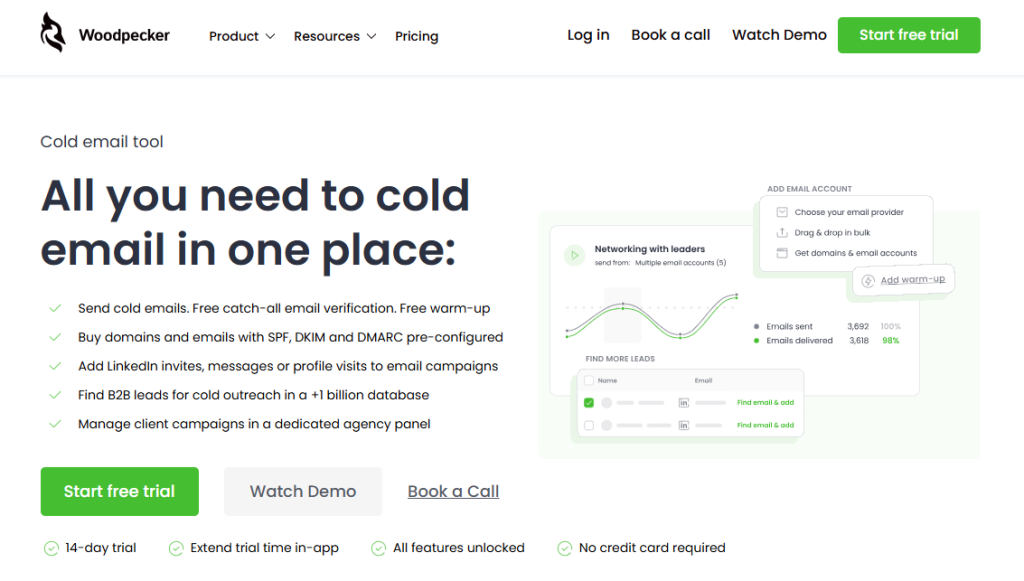
Woodpecker includes a 1 billion+ contact B2B lead database as part of the platform – not as a separate add-on or credit-limited feature. For teams whose primary outbound motion is cold email, this means the contact data and the outreach layer live in one tool.
What Woodpecker provides on the lead database side:
1 billion+ B2B contacts. Filter by firmographic criteria (industry, company size, geography, role, seniority level, and more). Export matching contacts directly into campaigns without intermediate CSV exports or third-party integration work.
Free unlimited catch-all email verification. Every address from the database (or any imported list) is verified before sending. Bad addresses filter out automatically, which prevents the bounce-driven deliverability damage that kills campaigns running on lower-quality data.
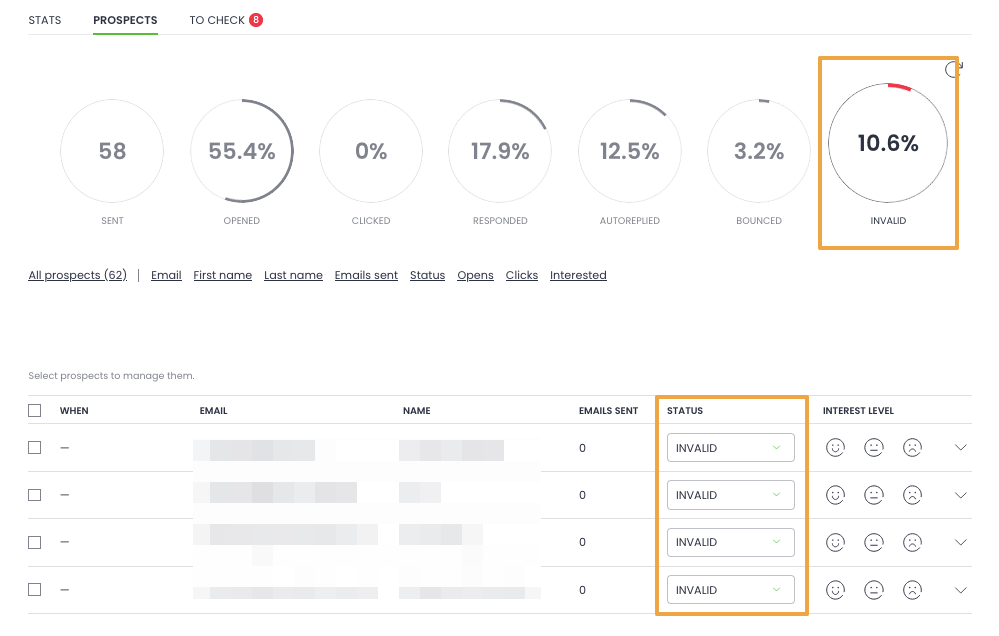
Direct integration with the sending platform. The contacts you identify in the database flow straight into sequence workflows – no CSV export, no CSV re-import, no data mapping between tools. This sounds minor until you’ve lost hours to CSV reconciliation between a database provider and a sending tool.
CRM sync after initial outreach. When contacts from the built-in database engage with your campaigns (opens, clicks, replies, meeting bookings), the engagement data syncs to your CRM (HubSpot, Pipedrive, Salesforce) bidirectionally.
For you: 11 Top B2B Cold Email Templates to Win New Business in 2025
Deliverability infrastructure the data depends on. A clean list from a good database is only as good as the sending infrastructure that activates it. Adaptive Sending (inbox rotation, randomized intervals), Deliverability, and free email warmup via partnerships with Warmy and Mailivery all work with the built-in database to make sure the outreach actually reaches the primary inbox.
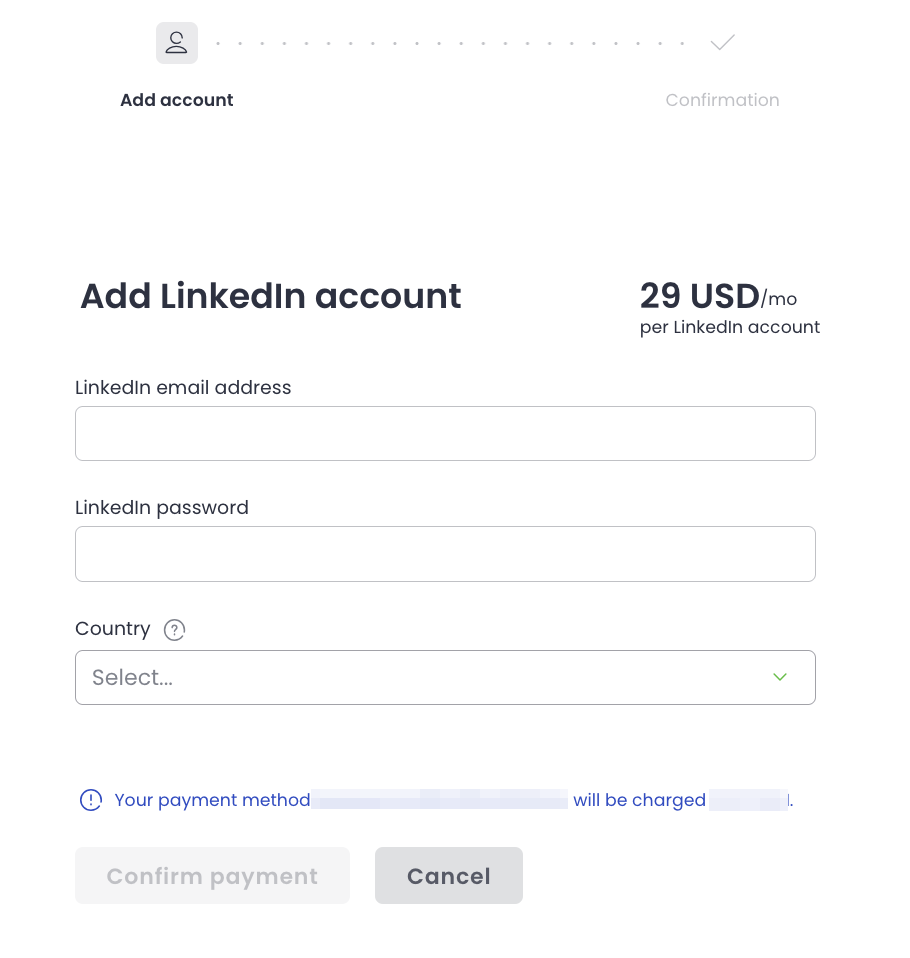
LinkedIn integration for multi-channel activation. Once contacts are selected from the database, Woodpecker can run LinkedIn profile visits, connection requests, and messages as steps inside email sequences. The database doesn’t just feed email – it feeds the full multi-channel motion.
What Woodpecker’s built-in database doesn’t do: it’s not a replacement for enterprise-grade data platforms like ZoomInfo or Cognism if you need deep intent signals, enterprise firmographic depth, or specialized vertical data. Teams with those specific needs typically buy a dedicated database alongside Woodpecker and use Woodpecker as the sending layer. For most mid-market and smaller teams, the built-in database handles the operational workflow well enough that a dedicated provider isn’t needed.
For teams evaluating B2B leads databases as part of a broader outbound motion, sign up to Woodpecker to test the built-in database alongside the sending, deliverability, and CRM integration in one platform.
FAQ
What is a B2B leads database?
A B2B leads database is a structured collection of business contact data – names, job titles, emails, phone numbers, and company firmographics – that vendors sell access to on a subscription or pay-as-you-go basis. You’re typically buying access rather than the raw data, with credit-based or seat-based pricing models depending on provider and tier.
How much does a B2B leads database cost in 2026?
Pricing ranges widely by tier. Entry-tier databases start around $79-200/month with limited credit allocations. Mid-tier providers run $79-1,200/month per seat. Enterprise databases (ZoomInfo, Cognism) typically cost $15,000-100,000+/year with minimum seat commitments. Integrated platforms that include lead databases as part of the product (like Woodpecker, which includes 1B+ contacts) start at $29-39/month per slot.
How do I evaluate B2B database accuracy?
Don’t trust vendor-quoted accuracy numbers. Instead: request a sample of 500-1,000 contacts in your exact ICP, verify every email through an independent tool (NeverBounce, Bouncer, ZeroBounce), cross-check 20 contacts against LinkedIn for current role/company accuracy, and test the database’s filtering precision by exporting against specific criteria and checking matches. The real accuracy for your use case is typically 60-85%, not the 95-98% vendors quote.
Do I need a standalone B2B leads database?
Depends on your situation. Standalone databases make sense for enterprise ABM motions, teams with multiple departments sharing data access, cases where intent data is central to the outbound motion, and organizations with dedicated data ops capacity. Integrated platforms with built-in databases (like Woodpecker’s 1B+ contacts alongside the cold email layer) make sense for smaller teams, email-primary outbound, and organizations wanting fewer tools to manage. Match the tool to the motion.
How does Woodpecker compare to a standalone B2B database?
Woodpecker includes a 1 billion+ contact B2B lead database as part of the platform, with unlimited filtering and no separate credit limits. Combined with free unlimited catch-all email verification, direct integration into email sequences, LinkedIn integration, and the full deliverability infrastructure (Adaptive Sending, free warmup via Warmy and Mailivery), it covers the contact data + outreach execution workflow in one tool. For teams needing deeper firmographic data, specialized intent signals, or enterprise vertical coverage, a dedicated enterprise database (ZoomInfo, Cognism) alongside Woodpecker is the common pattern. For mid-market and smaller teams doing email-primary outbound, the built-in database typically handles the workflow without a separate data provider.