


Most B2B lead generation tool lists are useless. Not because the tools on them are bad – most are fine – but because the format itself is wrong for the problem it’s trying to solve.
“Here are 23 lead generation tools” doesn’t answer the question a buyer actually has. The buyer’s question isn’t “what are the options?” It’s “which tools do I need, in what order, for my specific stage and team size?” A 23-tool list leaves that unanswered and sends you to Google for a second, third, and fourth search before you have anything actionable.
This guide takes a different approach. It maps B2B lead generation into seven functional layers, explains what each one does, shows which types of tools fit each layer, and gives you a framework to decide what you actually need based on your situation. Then it covers where cold email – the layer most teams underinvest in – fits as the connective tissue that turns research into pipeline.
You’ll find: the seven layers of modern B2B lead gen, what each layer does, what kinds of tools handle each one, how to sequence your buying, the common mistakes teams make, and a decision framework for your own stack.
The seven layers of B2B lead generation
Every B2B lead generation motion runs through some version of these seven layers. The tools fit inside the layers. Understanding the layers first makes the tool selection faster and the stack less chaotic.
Layer 1: ICP definition and market intelligence
Before any tool can help, you need to know who you’re trying to reach. ICP (Ideal Customer Profile) work is less about tools and more about thinking – though tools help once the thinking is done.
What this layer does: Defines the profile of companies and people most likely to buy from you. Firmographic criteria (company size, industry, geography, funding stage), technographic criteria (what tools they use), behavioral criteria (recent hiring, expansion signals, technology changes).
Tools that help: Market intelligence platforms like G2, Gartner reviews, and industry-specific data providers for understanding the landscape. Most of the work here is strategic, not tooling-driven.
Common mistake: Skipping this layer entirely and jumping to “buy a list.” The list quality problem downstream is almost always an ICP clarity problem upstream. For the foundational work on ICP, first step to a good outbound prospect base covers the framework.
Layer 2: Prospect data and enrichment
Once you know who to look for, the next layer is finding them – names, emails, phone numbers, LinkedIn profiles, firmographic data, recent signals.
What this layer does: Converts “I want to reach VP Engineering at Series B SaaS companies with 100-500 employees” into an actual list of 2,000 names with verified contact information.
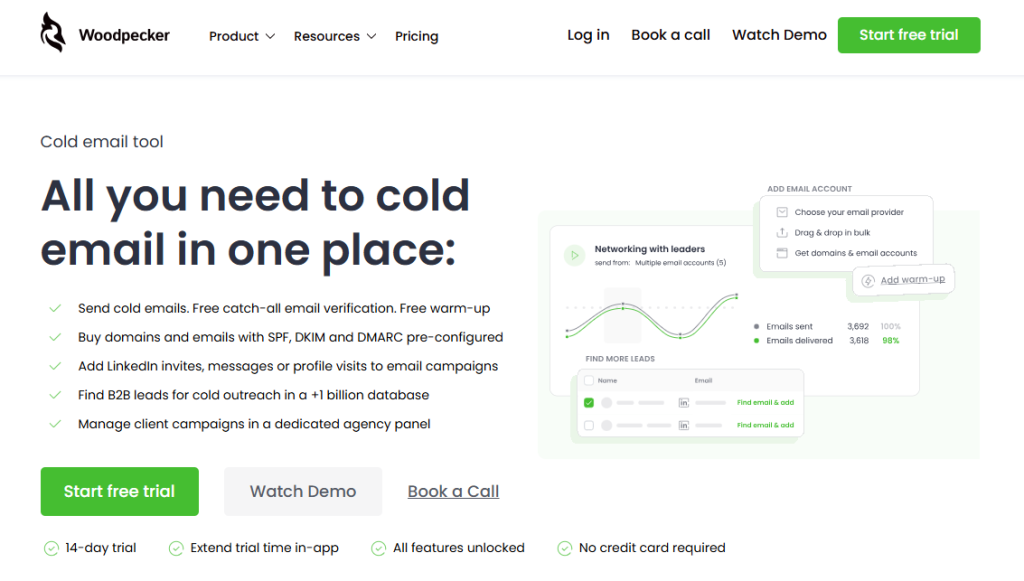
Tools that help: Dedicated B2B data platforms (most have databases ranging from 50M to 1B+ contacts with varying levels of freshness and accuracy). Built-in lead databases inside outbound platforms (Woodpecker includes 1B+ contacts as part of the platform – one less tool to integrate). Enrichment APIs that take a company domain and return firmographic data for your CRM. Coresignal provides company and workforce data for prospect research and enrichment at scale.
Key evaluation criteria: Data freshness (people change roles every 18-24 months; stale databases kill your campaigns), email deliverability rate (verified vs. guessed), coverage in your target market (some databases are US-heavy, others EU-heavy), refresh frequency, and whether the pricing model is usage-based or seat-based.
Common mistake: Paying for the largest database available instead of the most accurate one for your segment. A 500M database with 60% accurate contacts in your target market is worse than a 50M database with 95% accuracy.
Layer 3: Intent and signal detection
The shift in B2B lead generation over the last three years has been toward signals – knowing not just who fits your ICP but when they’re likely to buy. The teams that do this well outperform the teams that don’t by a wide margin.
What this layer does: Surfaces accounts showing buying intent – researching relevant topics, comparing vendors, visiting your website, hiring for relevant roles, announcing initiatives that indicate purchase triggers.
Tools that help: Intent data platforms (Bombora is the most commonly referenced for third-party intent; G2 Buyer Intent for category-specific signals; Cognism-style firmographic platforms increasingly bundle intent; 6sense and Demandbase for account-level intent across the funnel). Website visitor identification tools (Leadfeeder, Albacross, Leadinfo) that tell you which companies are browsing your site even when they don’t fill out a form. Social listening platforms for LinkedIn and Twitter signal detection.
Key evaluation criteria: Signal quality (how specific and actionable the signals are), latency (real-time vs. weekly reports), coverage (US-only or global), and integration with your outbound tools so signals trigger outreach automatically.
Common mistake: Buying intent data without a process to act on it. Intent signals without a tight outreach process are just dashboard decoration.
Layer 4: Inbound capture and conversion
The layer where prospects raise their hand – signing up for a webinar, downloading a guide, starting a trial, submitting a contact form, or opening a conversation.
What this layer does: Turns website traffic and other inbound attention into identified leads with contact information.
Tools that help: Form and landing page builders (Unbounce, Instapage, Typeform) for capturing leads from content offers. Conversational tools (Intercom, Drift, Tidio) for chat-based lead capture. Webinar platforms (Zoom, Livestorm, Demio) for event-based capture. Demo scheduling tools (Calendly, Chili Piper) for bottom-of-funnel capture. SEO tools (Ahrefs, SEMrush) for understanding which content drives conversion.
Key evaluation criteria: Integration with your CRM, conversion rate on actual production forms, mobile experience, and how quickly leads reach your sales team after capture.
Common mistake: Treating inbound capture as separate from outbound. The prospects who showed up on your website are often already in your outbound database – and the two motions should share data and coordinate outreach.
Layer 5: Outbound execution (cold email, cold calling, LinkedIn)
The layer where you proactively reach out to prospects who fit your ICP but haven’t raised their hand yet. This is where most B2B lead generation actually happens, and the layer where tooling decisions have the biggest impact on output.
What this layer does: Executes the actual outreach – sending cold emails, making cold calls, sending LinkedIn messages, running multi-channel sequences – while managing deliverability, sequencing, replies, and handoff to sales.
Where Woodpecker fits?
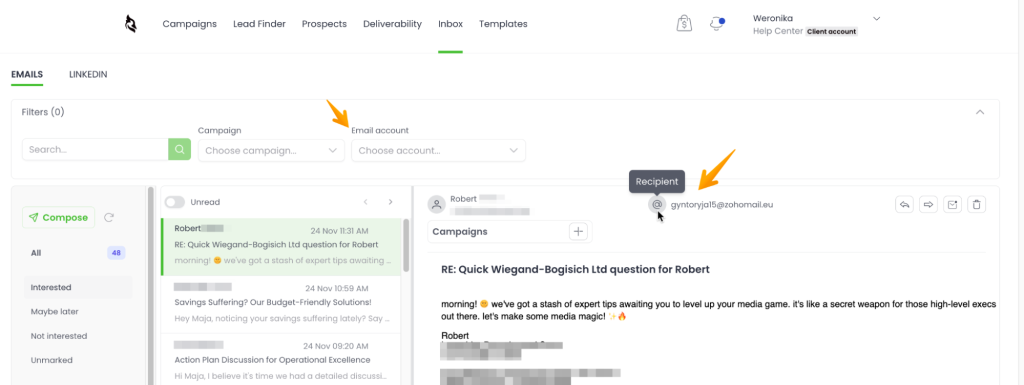
This is Woodpecker’s core category. Multi-step email sequences with conditional logic, free email warmup via Warmy and Mailivery partnerships, Adaptive Sending for inbox rotation, Deliverability for continuous reputation tracking, free catch-all email verification, LinkedIn integration (profile visits, connection requests, messages as sequence steps), pre-configured domain and mailbox purchase with SPF/DKIM/DMARC set up, agency panel for managing multiple client workspaces, and 1B+ B2B lead database built in.
Key evaluation criteria: Deliverability features (warmup, inbox rotation, authentication), sequencing depth (conditional logic, multi-channel), ease of scaling (can one SDR run 10 campaigns or does the tool break down), and integration with CRMs.
Common mistake: Choosing an outreach tool based on UI polish instead of deliverability infrastructure. A beautiful UI that sends your emails to spam is worse than a plain one that lands in the primary inbox.
Layer 6: CRM and pipeline management
The layer that tracks what happens to leads once they’re identified – through qualification, opportunity creation, pipeline stages, and closed/won or closed/lost.
What this layer does: Stores lead data, tracks pipeline stage, manages sales process, generates reports, and coordinates handoffs between marketing, SDR, AE, and customer success.
Tools that help: HubSpot for the small-to-mid-market end (also includes marketing automation and ticketing, which creates some overlap with other layers), Pipedrive for sales-focused teams that want a simpler tool, Salesforce for enterprise. Industry-specific CRMs exist for niches – legal, real estate, healthcare.
Key evaluation criteria: Integrations with the rest of your stack (especially Layer 5), ease of customization, reporting depth, and whether it’s priced per user (most common) or per contact (rarer but matters at scale).
Woodpecker integrates with all three major CRMs: HubSpot, Pipedrive, and Salesforce. Campaign activity, replies, and engagement flow into the CRM as first-class data rather than disconnected activity logs.
Common mistake: Picking a CRM based on features, then realizing the integration with the outbound tool is weak. Integration quality matters more than feature checklists.
Layer 7: Analytics and attribution
The layer that tells you which parts of the lead generation motion are working, which are failing, and where to invest more or less.
What this layer does: Measures conversion rates at each stage, tracks cost per lead and cost per opportunity, attributes revenue to sources, and surfaces where the funnel is leaking.
Tools that help: The CRM itself (Layer 6) for pipeline reporting. Dedicated B2B analytics platforms (depending on scale and complexity). Attribution tools for multi-touch attribution across channels. Web analytics (Google Analytics, Plausible, Mixpanel) for top-of-funnel measurement. BI tools (Looker, Metabase, Mode) for custom reporting across the whole stack.
Key evaluation criteria: Data source coverage (does it pull from everywhere you need?), ease of setup, and whether non-analysts can build useful reports.
Common mistake: Building a dashboard that nobody uses. Analytics tools are only valuable if someone reviews the output regularly and acts on it.
How to sequence your tool buying
Most B2B lead gen stacks get built in the wrong order. Teams buy the CRM first (because they have budget and someone needs a place to put contacts), then a marketing automation tool, then a content tool, then eventually realize they don’t have pipeline and buy an outbound tool last – by which point the rest of the stack is locked into integrations that don’t fit.
A better sequence, working from “no tools” to “full stack”:
Step 1: Identify your top bottleneck. Is the problem “we don’t know who to reach” (Layer 1-2), “we don’t know when to reach them” (Layer 3), “we can’t capture the ones who show up” (Layer 4), or “we can’t generate enough outbound” (Layer 5)? Buy for the bottleneck first, not the layer that has the most vendors chasing you.
Step 2: If outbound is the bottleneck, the sequence is outbound → CRM → everything else. An outbound platform (Layer 5) with built-in lead data (covers half of Layer 2) plus a CRM (Layer 6) is enough for most early-stage B2B teams to start generating pipeline. Intent data, visitor identification, and fancy attribution come later.
Step 3: If inbound is the bottleneck, the sequence is traffic → capture → CRM → outbound. Get the traffic flowing, capture the ones who show interest, put them in a CRM, then layer outbound on top to reach the ones who didn’t convert on their own.
Step 4: Wait on Layer 7 until you have enough pipeline to measure. Analytics tools when you have no pipeline are just empty dashboards. When you’re generating 50+ opportunities a month, attribution starts to matter.
Step 5: Intent data (Layer 3) comes when you’ve exhausted easier segments. Intent data is powerful but expensive. It’s most useful when your outbound motion is already working and you need better prioritization within a saturated ICP.
The sequence isn’t rigid. But it’s a better starting point than buying whatever tool the LinkedIn ads are targeting you with this week.
How many tools do you actually need?
The honest answer varies by stage.
Solo founder or very small team:
- One outbound platform with lead data built in (covers Layers 2 and 5)
- One CRM (Layer 6)
- That’s it. Two tools. Don’t buy more until these are working.
Growing startup (5–20 people in sales/marketing):
- Layer 5 outbound platform
- Layer 6 CRM with marketing automation capabilities (HubSpot tends to win here)
- Layer 4 landing page or form tool
- Layer 7 analytics through the CRM
- Four tools. Still manageable.
Mid-market (20–100 people in revenue operations):
- Everything above, plus:
- Layer 3 intent data
- Layer 4 website visitor identification
- Dedicated Layer 7 attribution tool
- Seven to eight tools. Integration complexity becomes real.
Enterprise:
- All of the above at enterprise scale
- Often custom infrastructure and data warehouses on top
- Dedicated revenue operations team to manage it all
Complexity scales with revenue. But most teams are running enterprise-complexity stacks on startup-size revenue – which is where tool sprawl and integration debt come from.
The common mistakes teams make buying lead generation tools
Patterns that show up again and again.
Buying for features you don’t use yet
Enterprise-tier features in a Series A environment. A/B testing suites with no campaigns running. Predictive lead scoring when you have 50 total leads a month. Pay for the tier you’ll use this quarter, not the tier you might use in 18 months.
Over-indexing on AI features
“AI-powered lead scoring,” “AI-generated outreach,” “AI-enhanced prospecting.” Most of what’s labeled AI in 2026 is either basic automation with a new name or genuinely novel but solving the wrong problem. The core evaluation criterion for any lead gen tool should be whether it produces pipeline – not whether it has AI.
Best AI email marketing tools covers this territory in depth.
Picking tools before mapping the workflow
The “buy first, figure it out later” approach. The opposite works better: spend 60 minutes mapping your actual lead generation workflow, then pick tools that fit the workflow instead of bending the workflow to the tools.
Not accounting for integration cost
A $300/month tool that doesn’t integrate with your CRM costs more in practice than a $500/month tool that does – because the integration work (or lack of it) affects every subsequent workflow decision. Integration quality is a feature, and a critical one.
Stacking too many specialized tools
The temptation: “let’s use the best tool for each layer.” The reality: four ‘best of breed’ tools with weak integrations usually perform worse than one ‘good enough’ platform that handles three of the layers cleanly. Integration friction compounds.
Skipping the outbound layer entirely
The most common mistake in 2026. Teams invest in intent data, CRM, attribution, content marketing, and paid ads – and never build a real outbound motion. Then they wonder why pipeline doesn’t grow. Outbound is almost always the highest-leverage layer for B2B lead gen below enterprise scale, and the layer most teams underinvest in.
Treating lead generation as a one-tool problem
No tool solves B2B lead generation on its own. Tools handle specific layers. The quality of the integrations between them determines how well the whole motion works. If you’re evaluating a tool without thinking about the adjacent tools it needs to work with, you’re missing the point.
How Woodpecker fits in the full B2B lead gen stack
Woodpecker sits in Layer 5 (outbound execution) with built-in capability in Layer 2 (prospect data). For many B2B teams – especially small to mid-sized ones – that combination covers the majority of what lead generation actually requires.
What Woodpecker handles natively:
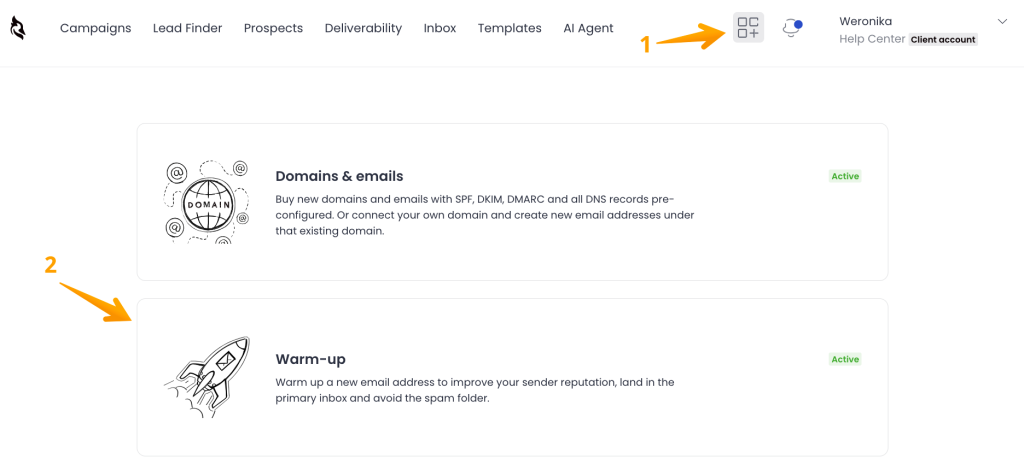
- B2B lead database (1B+ contacts) – Layer 2 without a separate tool
- Email verification (free, unlimited catch-all) – Layer 2 data quality
- Multi-step cold email sequences with conditional logic – Layer 5 execution
- Adaptive Sending, Deliverability – Layer 5 deliverability
- Inbox rotation across multiple mailboxes – Layer 5 scaling
- LinkedIn integration (profile visits, connections, messages) – Layer 5 multi-channel
- Pre-configured domain and mailbox purchase with SPF/DKIM/DMARC – Layer 5 setup
- CRM integrations with HubSpot, Pipedrive, Salesforce – Layer 6 sync
- Agency panel with separate client workspaces and white-label options – for agencies running outbound on behalf of clients
- A/B testing and AI-based reply detection – optimization features
- Free email warmup via Warmy and Mailivery partnerships – Layer 5 infrastructure
What Woodpecker integrates:
- Your CRM (Layer 6): bidirectional sync means the outbound activity becomes proper CRM data
- Landing pages and forms (Layer 4): leads captured from inbound can flow into outbound sequences through CRM or direct integration
- Intent data tools (Layer 3): when a target account shows intent, that signal can trigger a Woodpecker sequence
What Woodpecker doesn’t do, and where you’d use another tool:
- Website visitor identification (dedicated tool for Layer 4)
- Intent data (dedicated platform for Layer 3)
- Inbound form and landing page building (dedicated tool for Layer 4)
- Attribution analytics beyond CRM reporting (dedicated BI or attribution tool)
- Cold calling, SMS, or WhatsApp (Woodpecker focuses on email and LinkedIn)
The value of the combination is that for early-to-mid-stage B2B teams, Woodpecker + a CRM covers most of the lead generation stack in two tools. You’re not managing five integrations to get one campaign out the door. And the deliverability layer – the part of outbound that quietly kills most campaigns – is handled automatically rather than requiring separate tools and manual configuration.
For teams running outbound as their primary lead gen motion, sign up to Woodpecker and run your first campaign with the lead data, sequencing, and deliverability built in.
FAQ
What are B2B lead generation tools?
B2B lead generation tools are software platforms that help businesses find, reach, and convert prospects in other businesses. They span seven functional layers: ICP definition, prospect data, intent detection, inbound capture, outbound execution, CRM/pipeline management, and analytics. Most “lead generation” vendors focus on one or two of these layers, which is why teams often end up with multiple tools.
What’s the best B2B lead generation tool in 2026?
There isn’t a single best tool – the right choice depends on which layer is your bottleneck. If the bottleneck is outbound execution (which it is for most early-to-mid-stage B2B teams), a cold email platform like Woodpecker with built-in lead data and deliverability features covers more of the stack than any other single tool. If the bottleneck is inbound, the answer is different. Start with the bottleneck, not the vendor.
How many lead generation tools does my team actually need?
Solo founders and small teams: two tools (outbound platform with lead data + CRM). Growing startups: four tools. Mid-market: seven or eight. Enterprise: more, plus custom infrastructure. Most teams are overbuilt for their stage – running 10-tool stacks when three would do.
What’s the difference between lead generation and prospecting?
Lead generation is the broader motion – all the activities that produce qualified potential buyers, including inbound (content, SEO, paid, events) and outbound (cold email, cold calling). Prospecting is specifically the outbound side – proactively identifying and reaching out to prospects who fit your ICP. Prospecting is a subset of lead generation. For the specifics, b2b sales prospecting techniques covers the execution layer.
Do I need intent data for B2B lead generation?
Not initially. Intent data is a Layer 3 feature that becomes valuable when your outbound motion is already working and you need better prioritization within a saturated ICP. If you’re still building the basic outbound layer, intent data is premature optimization. Revisit the decision once you have 50+ opportunities a month from basic outbound.
What’s the difference between outbound and inbound lead generation tools?
Outbound tools help you reach prospects who haven’t raised their hand – cold email platforms, cold calling tools, LinkedIn outreach tools. Inbound tools help you capture and convert prospects who already showed interest – landing page builders, form tools, chat platforms, webinar software. The two have different compliance requirements (cold outreach has stricter authentication and deliverability rules) and different best practices. Don’t mix them.
How do I evaluate B2B lead generation tools?
Five criteria in order: (1) does it solve the specific layer bottleneck you have right now, (2) how well does it integrate with the tools you already use or plan to use, (3) does the pricing model scale sensibly with your usage, (4) what’s the deliverability or conversion rate on actual production campaigns, not marketing claims, (5) how quickly can you get from signup to first campaign. Features and AI capabilities are secondary to these.
Can one tool replace my whole lead generation stack?
No. Every “all-in-one” lead generation platform is deeply good at one or two layers and mediocre at the rest. The question isn’t “one tool vs. many” – it’s “which layers do I combine into single tools and which do I keep separate?” For early-stage B2B, combining Layer 2 (data) and Layer 5 (outbound) in a single platform is usually the right move. For enterprise, each layer typically gets its own tool.
How much should I budget for B2B lead generation tools?
For early-stage teams: $200–500/month total across the whole stack. For growing startups: $1,000–3,000/month. Mid-market: $5,000–20,000/month. Enterprise: $50K+/month. These are ranges, not targets. The right number is the one that produces positive ROI on the pipeline it generates – which is harder to measure than people assume.
What’s the biggest mistake teams make buying lead gen tools?
Underinvesting in the outbound execution layer. Teams spend heavily on intent data, content marketing, attribution analytics, and CRM customization – and have nothing running as actual outbound. Outbound is almost always the highest-leverage lead gen motion for B2B teams below enterprise scale, and the layer most teams under-resource. Fix outbound first; optimize everything else second.