


Every cold email campaign that fails for deliverability reasons has a warmup story behind it. Either the sender skipped warmup entirely and started blasting 500 emails a day from a brand-new domain. Or they ran warmup but stopped too early. Or they warmed up the domain but never warmed up the individual mailboxes. Or they used a warmup tool, hit send on the real campaign, and assumed the warmup signals would somehow carry forward without being maintained.
Email warmup is one of those topics where the marketing description and the actual mechanism diverge sharply. The marketing version: “warmup tools build your sender reputation so your emails land in the inbox.” The technical version: warmup is a specific set of signals sent to inbox providers that trains their algorithms to trust you, and those signals only work within specific volume curves, time ranges, and behavioral patterns that most teams get wrong the first time.
This guide covers what email warmup actually does at the mechanism level, how long it takes in realistic conditions, the common mistakes that waste warmup effort, when warmup ends and ongoing deliverability maintenance begins, and how Woodpecker handles warmup through free partnerships with Warmy and Mailivery as part of a broader deliverability stack.
The short version: warmup works when it’s done as part of a full deliverability workflow; warmup fails when it’s treated as a one-time setup step. The tools matter less than the discipline.
What email warmup actually is
Email warmup is the process of gradually building a sending domain’s and mailbox’s reputation with inbox providers — Gmail, Microsoft, Yahoo, and others — before using that domain for real outbound campaigns. The mechanism involves sending and receiving small volumes of legitimate-looking email, with positive engagement signals (opens, replies, folder moves out of spam), at patterns that mimic normal human correspondence.
The purpose isn’t cosmetic. Inbox providers use sender reputation as a primary filter for where incoming mail lands. A brand-new domain with zero sending history looks identical — algorithmically — to a compromised domain being used by a spammer. Warmup is how you distinguish yourself.
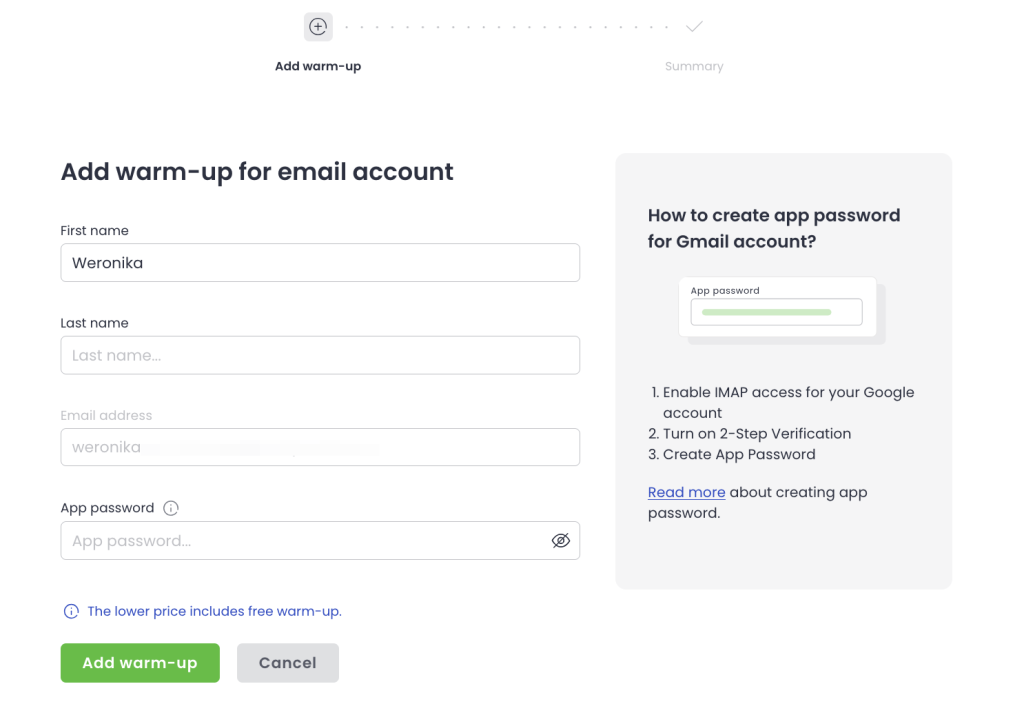
Check how to add warm-ups in Woodpecker:
What inbox providers are actually measuring
The reputation signals that matter most to Gmail, Microsoft, and Yahoo in 2026:
Send volume curves. A domain that goes from zero emails on Monday to 500 emails on Tuesday is a textbook spammer pattern. A domain that ramps from 5 to 20 to 50 to 200 emails over several weeks looks like legitimate growth.
Engagement rates. Opens, replies, and explicit positive signals (marking as important, moving out of spam folder) build reputation. Ignoring, deleting without opening, marking as spam damages it.
Authentication consistency. Properly configured SPF, DKIM, and DMARC records establish that mail claiming to come from your domain actually came from an authorized sender. Mismatches signal spoofing.
Complaint rate. Gmail and Yahoo’s February 2024 bulk sender requirements set a hard ceiling at 0.3% complaint rate for senders over 5,000 messages per day. Exceeding it for any sustained period damages reputation even on otherwise clean lists.
Behavioral consistency. Sudden pattern changes — different send times, different geographies, different link patterns — trigger scrutiny. Gradual changes don’t.
Warmup is specifically designed to build these signals before your domain touches a real campaign
How email warmup actually works under the hood
Warmup tools simulate legitimate email correspondence at a scale and consistency that would be impractical for humans to manage manually. The mechanism is straightforward once you see it.
The warmup network
Warmup services operate networks of connected mailboxes — typically tens of thousands of accounts across major inbox providers. When you connect your domain to a warmup tool, your mailbox joins that network.
The sending pattern
Your mailbox starts sending small volumes of email to other mailboxes in the network. The volume is low at first — often 5-10 emails per day — and ramps gradually over days and weeks. The content is designed to look like normal correspondence: short messages, varied subject lines, natural-language body copy.
The receiving and engagement pattern
Other mailboxes in the network send email to your mailbox. The warmup tool’s automation opens these emails on your behalf, marks some as important, replies to some, and moves any that land in the spam folder back into the inbox. These engagement signals are what actually build reputation — inbox providers watch for positive human-looking behavior, and the warmup network generates it automatically.
The timing
Warmup sends throughout the day at randomized intervals that mimic human behavior. A mailbox that sends 20 emails all within a 10-minute window looks automated; one that sends 20 emails spread across business hours with natural variance looks human. Good warmup tools randomize aggressively.
What inbox providers see
From the inbox provider’s perspective, a warmed-up domain shows: steady volume growth, consistent authentication, high engagement rates, low complaint rates, and behavioral patterns consistent with legitimate use. After enough of this signal over enough time, the domain’s reputation shifts from neutral (new) to positive (trusted).
How long email warmup actually takes
The marketing version of this answer is “2-4 weeks.” The real answer depends on several variables that most guides gloss over.
The minimum realistic warmup period
For a completely new domain with proper authentication in place:
Weeks 1-2: Foundation. Volume ramps from 5-10 to roughly 20-30 emails per day. Engagement signals start building but reputation remains neutral. Sending real campaigns at this stage produces poor inbox placement.
Weeks 2-4: Establishment. Volume reaches 40-80 emails per day via warmup. Reputation starts registering as positive with major inbox providers. Cautious real campaigns at low volume become possible, but high-volume sends still land in spam or promotions tabs.
Weeks 4-8: Confidence. Domain has enough positive history that gradual transition to real campaigns works well. Warmup continues in parallel, but real sending can scale up.
Weeks 8+: Maintenance mode. Warmup continues at reduced volume. Real campaign sending is the primary activity. Deliverability becomes a matter of maintaining what’s been built.
The full arc is roughly 6-8 weeks for a new domain to reach full sender strength. Faster timelines (the “2-week warmup” some vendors advertise) are either inflated marketing or only applicable in specific low-volume use cases.
Variables that extend warmup time
Legacy reputation damage. If the domain was used previously and damaged its reputation, warmup takes significantly longer — potentially 12+ weeks. In extreme cases, starting fresh on a new domain is faster than rehabilitating a damaged one.
Aggressive sending during warmup. Running real campaigns while the domain is still warming up damages the warmup effort. Real sends with real engagement rates (which, for cold email, are usually lower than warmup network engagement rates) drag down reputation.
Sending to low-engagement lists. Even after warmup is complete, sending to lists with high bounce rates or low engagement hurts reputation faster than warmup can repair. The list quality directly affects how long warmup benefits last.
Mailbox provider differences. Google Workspace domains typically warm up faster than Microsoft 365 domains, and both warm up faster than custom IMAP setups. The warmup timeline depends partly on which inbox provider you’re working with.
Ongoing warmup vs. one-time warmup
Warmup isn’t a one-time process that you finish and move on from. Domains that send real campaigns consistently need ongoing warmup signals running in parallel — at lower volumes than during the initial ramp, but continuously. When you stop warmup entirely, reputation gradually drifts toward the average of your real sending, which for cold email is usually lower than the warmup-enhanced average.
Most serious cold email operations run continuous warmup alongside real campaigns indefinitely.
Domain warmup vs. mailbox warmup
A distinction most teams miss, and one that causes real deliverability problems.
Domain warmup builds reputation for the sending domain overall. If you send from [email protected], the reputation work attaches to company.com.
Mailbox warmup builds reputation for a specific sending address. [email protected] has its own reputation, distinct from [email protected] on the same domain.
Both matter. A well-warmed domain with a brand-new mailbox still has some warmup work to do. A well-warmed mailbox on a damaged domain still faces deliverability problems. Serious operations warm both.
When this matters in practice
Adding a new sales rep to an existing domain. Their mailbox needs its own warmup even though the domain is already established. Skipping this step produces “why is John’s email landing in spam when everyone else’s doesn’t?” problems.
Using multiple mailboxes for inbox rotation. If you’re running outreach across 5-10 mailboxes on the same domain to distribute load, each mailbox needs its own warmup.
Recovering from deliverability damage. When a domain’s reputation tanks, the mailboxes inherit some of the damage but have their own recovery paths. Sometimes rotating in a fresh mailbox on a partially-damaged domain is faster than full domain recovery.
The common warmup mistakes that waste the effort
Patterns that show up across teams whose warmup doesn’t produce the expected deliverability improvement.
Mistake 1: Starting real campaigns too early
The warmup has been running for 10 days, the reputation is showing early positive signals, and the pressure to start hitting send on the actual campaign is high. Most teams start too early, see disappointing open rates, and either blame the list or double down on warmup — neither of which addresses the real issue.
The fix: Give warmup at least 3-4 weeks before real sending at any meaningful volume. Early real sends should be at 20-30% of target volume, ramping up over 2-3 additional weeks.
Mistake 2: Stopping warmup after the initial period
Warmup is complete, the domain has reputation, the campaigns are running — so the warmup tool gets disconnected to “save budget.” Two months later, deliverability has degraded noticeably. Reputation decays faster when it isn’t actively maintained.
The fix: Run warmup continuously at reduced volume (roughly 20-40% of the peak warmup volume) alongside real campaigns indefinitely. The cost is small; the deliverability maintenance is significant.
Mistake 3: Warming up without proper authentication
SPF, DKIM, and DMARC need to be correctly configured before warmup starts. Running warmup on an unauthenticated domain produces weak reputation gains because the fundamental trust signal is missing. Gmail and Yahoo’s 2024 requirements made authentication effectively mandatory for any serious sending.
The fix: Verify SPF, DKIM, and DMARC are properly configured and pass validation tests before enabling warmup. This is a 30-minute setup task that pays for itself many times over. Woodpecker includes domain purchasing with pre-configured SPF, DKIM, and DMARC as an option for teams that want to skip the technical setup.
Mistake 4: Treating warmup as deliverability
Warmup builds reputation. Reputation is one of several factors that determine inbox placement. Other factors — content quality, send patterns during real campaigns, list hygiene, ongoing engagement — also matter. Teams that rely on warmup alone and neglect the rest of the deliverability picture see limited results.
The fix: Warmup as part of a full deliverability workflow, not as a substitute for one. Verify every address before sending, maintain careful send patterns, monitor reputation continuously, manage bounces actively.
Learn why emails bounce and meet 10 most common issues to stay away from them.
Mistake 5: Sending warmup from one domain, real campaigns from another
Warmup signals attach to the specific sending domain. If you warm up company.com but then send from company-sales.com, the warmup work was wasted on the wrong asset.
The fix: Warmup runs on the exact domain and mailbox you’ll use for real campaigns. No exceptions.
Mistake 6: Blending opt-in marketing email with cold outreach on the same infrastructure
Warmup and deliverability for cold outreach work on a different model than for opt-in newsletters. Running both from the same domain creates conflicting signals — high-engagement opt-in traffic temporarily masks cold email problems until the cold email volume becomes significant, and then both suffer.
The fix: Separate sending domains for cold outreach and opt-in marketing. Warmup each independently. This is mandatory for any serious cold email operation.
Mistake 7: Using free or unreliable warmup tools for production sending
Low-quality warmup tools send predictable patterns that inbox providers recognize as warmup-network traffic rather than real correspondence. The signals get discounted, and the warmup effort produces weaker reputation gains than expected.
The fix: Use warmup tools with diverse networks, randomized patterns, and proven track records. The difference between a good warmup tool and a low-quality one shows up in real inbox placement rates on the eventual campaigns.
When warmup is and isn’t the right solution
Warmup solves specific problems. It doesn’t solve everything. Worth being clear about what it can and can’t do.
Warmup solves these problems
- Brand-new domain with no reputation. Warmup builds the initial reputation that lets any real campaign work.
- Moving to a new sending domain for cold outreach. Warmup on the new domain before using it for campaigns.
- Adding new mailboxes to an established domain. Warmup brings the new mailboxes up to the domain’s baseline.
- Mild reputation decay from a period of low sending. Warmup reactivates engagement signals that maintain reputation.
Warmup doesn’t solve these problems
- Severe deliverability damage from complaints or spam traps. Recovery requires pause, list cleanup, and time — not warmup. In extreme cases, starting on a new domain is faster.
- Poor list quality causing high bounce rates. Warmup is irrelevant if your list is full of invalid addresses. Verification first, warmup second.
- Content that triggers spam filters. No amount of warmup compensates for subject lines and body copy that read as spam to filters. The content needs fixing, not more warmup.
- Inadequate authentication. Warmup on an unauthenticated domain produces weak results. Fix authentication first.
- Sending patterns that look automated. Even a well-warmed domain lands in spam if it suddenly sends 500 emails at 3am. Send patterns matter continuously, not just during warmup.
The general principle: warmup is necessary but not sufficient for deliverability. It’s one layer in a stack of practices that work together.
How Woodpecker handles email warmup
Woodpecker integrates warmup directly into the platform through partnerships with Warmy and Mailivery — both white-labeled inside the Woodpecker interface, with users choosing which warmup provider they want to run.
What’s included and how it works
Free warmup as part of the platform. Both Warmy and Mailivery warmup are available to Woodpecker users without separate subscription costs. The warmup runs on the same mailboxes that Woodpecker uses for real campaigns, so the reputation work accumulates on exactly the right assets.
User choice between providers. Different warmup providers perform differently depending on mailbox setup and sending patterns. Woodpecker lets users pick which partnership to activate rather than locking into one approach. In practice, many teams test both and stick with whichever produces better inbox placement for their specific setup.
White-labeled integration. The warmup runs in the background of the Woodpecker workflow rather than requiring a separate tool to manage. Connection and configuration happen inside the Woodpecker UI; ongoing warmup operates automatically once enabled.
Warmup as part of the full deliverability stack
Warmup alone doesn’t solve deliverability. Woodpecker provides warmup as part of a full infrastructure layer that includes:
Adaptive Sending. Inbox rotation across multiple mailboxes, randomized send intervals, and automatic throttling to keep send patterns looking natural. Adaptive Sending works in parallel with warmup — warmup builds the baseline reputation, Adaptive Sending maintains it during real campaigns.
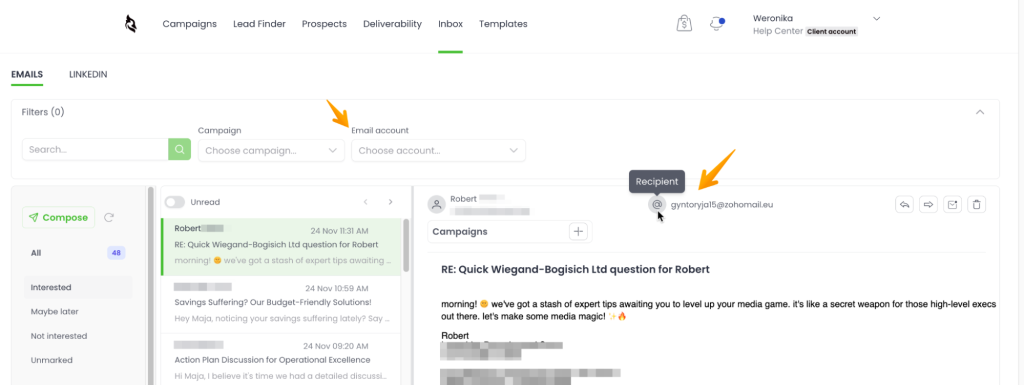
Deliverability. Continuous tracking of inbox placement across major providers. Surfaces reputation drift early, before it becomes a visible problem.
Free unlimited catch-all email verification. Every address is verified before sending. Warmup is wasted if the list is bad — verification prevents that scenario.
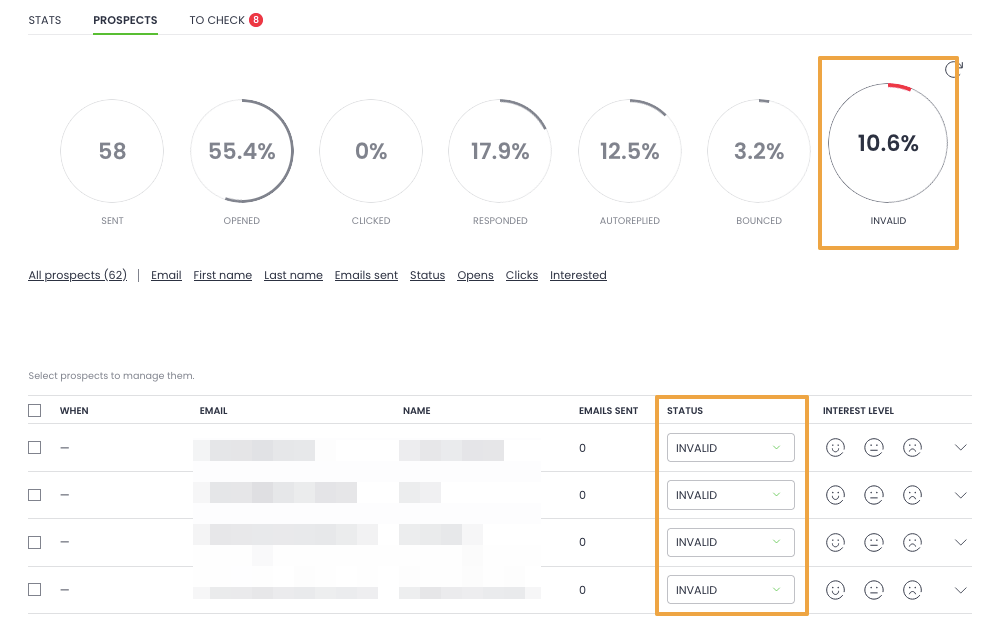
Pre-configured domain purchase option. For teams starting fresh, Woodpecker includes domain purchase with SPF, DKIM, and DMARC authentication pre-configured. The authentication is in place before warmup starts, which is the right order of operations.
Where Woodpecker’s warmup fits in the broader workflow
For teams running cold email as their primary outbound channel, the integrated warmup-plus-deliverability approach removes several points of failure:
- No separate warmup tool to subscribe to, configure, and maintain
- No risk of warmup running on a different mailbox than real sends
- No gap between warmup completion and real campaign start
- No separate dashboard to monitor deliverability alongside warmup
For teams starting a new domain, rotating in additional mailboxes, or running any volume of cold outreach, sign up to Woodpecker to run warmup, verification, sequencing, and more inside a single platform.
FAQ
What is email warmup and why is it necessary?
Email warmup is the process of gradually building a sending domain’s and mailbox’s reputation with inbox providers (Gmail, Microsoft, Yahoo) before using them for real outbound campaigns. It’s necessary because brand-new domains look algorithmically identical to spammer-controlled domains — inbox providers need sending history and positive engagement signals to distinguish legitimate senders from abuse. Skipping warmup typically results in 60-80% of real campaign emails landing in spam.
How long does email warmup take?
Realistic minimum is 3-4 weeks for a new domain to develop enough reputation for cautious real sending. Full reputation strength usually takes 6-8 weeks. Domains with existing reputation damage take longer — sometimes 12+ weeks, or starting fresh is faster. Vendor claims of “2-week warmup” are usually inflated marketing or only apply to very low-volume use cases.
Does email warmup actually work?
Yes, when done correctly. The mechanism is real — inbox providers measure sending behavior, engagement rates, and reputation signals, and warmup specifically targets those signals. But warmup only works as part of a broader deliverability workflow. Skipping authentication, sending to bad lists, or starting real campaigns too early all waste warmup effort regardless of which tool you use.
Do I need to keep warming up my email after the initial warmup period?
Yes. Reputation isn’t a one-time achievement — it decays when sending patterns shift. Serious cold email operations run warmup continuously at reduced volume (20-40% of peak warmup volume) alongside real campaigns indefinitely. Stopping warmup entirely causes gradual reputation decay within weeks or months.
How does Woodpecker’s warmup work?
Woodpecker provides free email warmup through partnerships with Warmy and Mailivery, both white-labeled inside the Woodpecker interface. Users choose which warmup provider to activate, and warmup runs on the same mailboxes used for real campaigns. Warmup integrates with the rest of Woodpecker’s deliverability stack — Adaptive Sending, Deliverability, and free catch-all email verification — so the full deliverability workflow operates inside one platform.