


Dux-Soup is a long-running LinkedIn automation tool for prospecting, profile activity and message campaigns.
It started as a Chrome extension, then expanded into Turbo Dux and Cloud Dux plans with campaign dashboards, CRM integration, inbox features and cloud-based options. That gives Dux-Soup users flexibility, especially when LinkedIn is the main prospecting channel.
Still, Dux-Soup is not the right fit for every sales team.
Some teams want LinkedIn and email outreach in one campaign. Some need a shared workflow across several senders. Others want lead finding, email verification, warm-up and sender infrastructure without stitching together separate automation tools.
This Dux-Soup review 2026 covers where the platform is useful, where it can feel clunky and which Dux-Soup alternatives suit different outreach workflows.
What Dux-Soup does for LinkedIn outreach
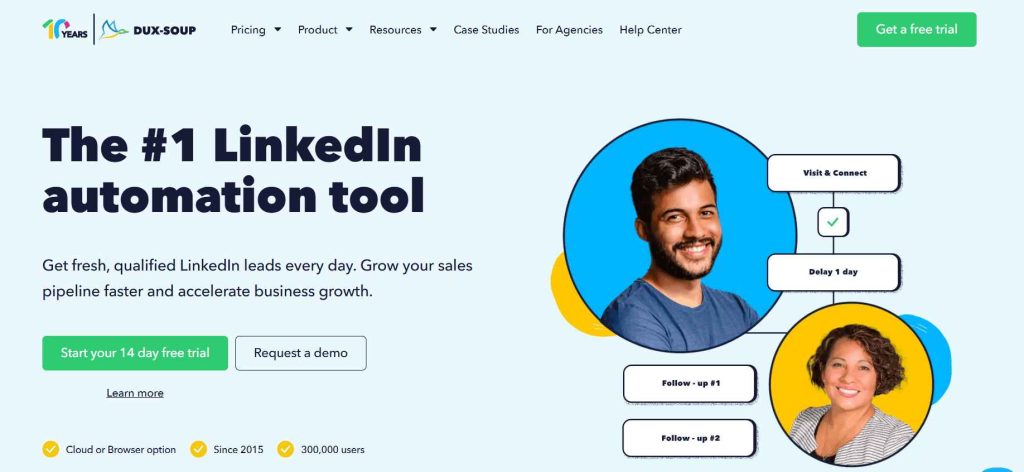
Dux-Soup is a LinkedIn automation platform designed to automate repetitive LinkedIn activities.
The tool can visit profiles, send connection requests, follow up with LinkedIn messages, export prospect data and pass activity into a CRM. It can also work with Sales Navigator or Recruiter searches, which helps users build a targeted list before starting a campaign.
Dux-Soup offers several plans:
- Pro Dux for browser-based LinkedIn automation
- Turbo Dux for drip campaigns, dashboards and CRM workflows
- Cloud Dux for always-on, cloud-based campaign activity
- team plan options for Turbo and Cloud users
Using Dux-Soup can work well when a seller has one LinkedIn account, a narrow target list and a clear process for managing replies.
It becomes harder when LinkedIn is only one part of the outbound process.
A LinkedIn profile visit may create awareness. A connection request may create an opening. But the sales team still needs email addresses, sender setup, email campaigns, lead context and a reliable way to manage the conversation once a prospect responds.
That is why a targeted prospecting workflow should come before any automation.
Dux-Soup pricing, Turbo Dux and Cloud Dux
Dux-Soup pricing is one reason the tool remains popular.
Pro Dux is the lower-cost entry point for users who want a Chrome extension and basic LinkedIn automation. Turbo Dux adds drip campaigns, a dashboard, lead management and deeper integrations. Cloud Dux adds cloud-based campaign activity and a more always-on setup.
This can be a sensible pricing structure for individual users.
The challenge is understanding what your workflow needs beyond LinkedIn.
For example, Turbo Dux may handle LinkedIn drip campaigns and CRM sync, but a team may still need an email finder, contact verification, email outreach software, warm-up and mailbox infrastructure around it.
The tool itself may be affordable. The wider stack can become more expensive and harder to manage.
Dux-Soup pricing may suit you when:
- LinkedIn is your main prospecting channel
- you work from one LinkedIn account
- you want connection requests and messages in a defined campaign
- you already use HubSpot, Pipedrive or Salesforce
- you are comfortable with a Chrome extension workflow
- you want a 14-day free trial before committing
It may be less suitable when the team needs a complete cold outreach platform with LinkedIn, email, verification and deliverability controls in one place.
Dux-Soup features: where the platform is strong
Dux-Soup features are built around LinkedIn prospecting and campaign execution.
The platform can automate profile visits, connection requests and LinkedIn messages. It can also support followup activity, contact management, CRM sync and campaign reporting.
LinkedIn profile activity and connection requests
Dux-Soup can automate LinkedIn profile visits and connection requests at scale.
That can save time for users working through a carefully selected Sales Navigator list. It can also become a weak tactic when the campaign is based only on job titles and geography.
A profile visit or LinkedIn connection does not give the prospect a reason to care.
The message needs a relevant trigger, a useful observation or a credible reason for outreach. The research stage of personalisation can help before the campaign starts.
CRM integration for sales teams
Dux-Soup has direct CRM integration options for platforms such as HubSpot, Pipedrive and Salesforce.
That is useful for sales teams that want LinkedIn activities recorded alongside contact data and opportunities.
A CRM integration is only valuable when it keeps the right context.
For example, sending a profile visit into HubSpot is not enough. The CRM should show why the prospect was selected, which message was sent and whether the person replied or became a qualified opportunity.
A connected CRM workflow helps avoid a setup where LinkedIn activity is logged but nobody knows what to do next.
Turbo Dux campaigns and dashboard controls
Turbo Dux gives users access to campaign statistics, contact management and more structured drip campaigns.
That makes it a more suitable Dux-Soup plan for a user who needs more than a basic Chrome extension.
Still, the workflow can become technical. Users need to decide which LinkedIn actions to automate, how long to wait between steps and when the campaign should stop.
More automation features do not automatically create better outreach.
A short, relevant campaign is usually better than a long sequence of profile visits, connection requests and generic followups.
Cloud Dux for cloud-based LinkedIn automation
Cloud Dux is Dux-Soup’s cloud-based option.
This gives users an alternative to keeping all campaign activity tied to the local Chrome extension. It can be useful when a seller wants always-on LinkedIn outreach and a more central dashboard.
Cloud Dux is still primarily a LinkedIn automation platform.
Teams that need a cloud-based tool for LinkedIn, email campaigns, verification, warm-up and sender infrastructure may prefer a broader outbound platform.
Where Dux-Soup can fall short
Dux-Soup is not a poor product. Its limits come from the type of workflow it supports best.
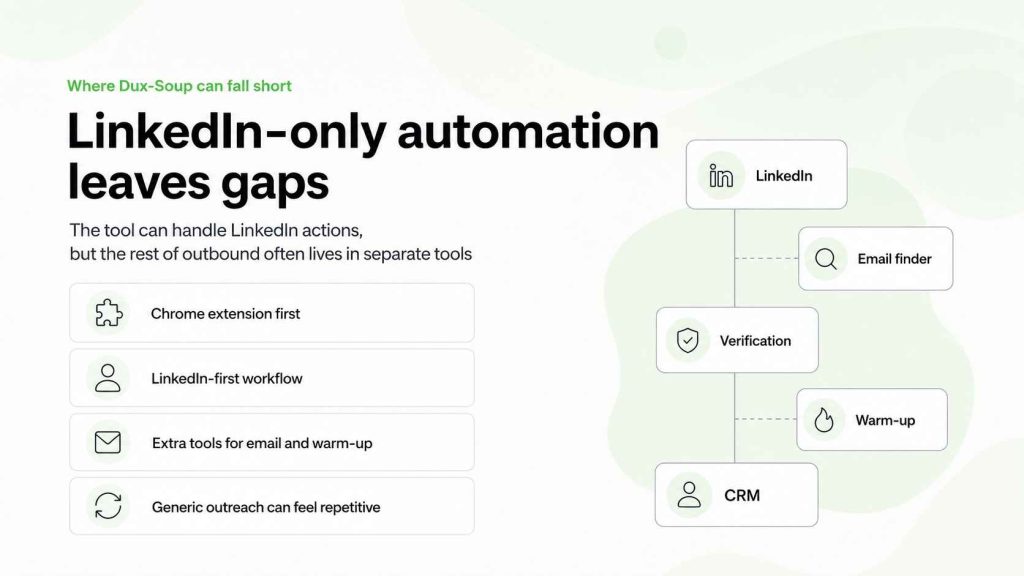
Dux-Soup is a Chrome extension at its core
Dux-Soup is a Chrome extension first, even though Cloud Dux adds a cloud-based option.
That model can be familiar for individual users. It can also feel clunky when several people need to manage campaigns, monitor replies or coordinate outreach across multiple LinkedIn accounts.
A team may end up managing a Chrome extension, a CRM, an email tool and several sender accounts separately.
That is not always a problem. It becomes a problem when the handoffs are unclear.
LinkedIn-only automation does not complete the outbound workflow
Dux-Soup can automate LinkedIn actions, but LinkedIn is not the whole outbound motion.
Most teams also need to find B2B contacts, verify email addresses, prepare domains and mailboxes, run email campaigns, warm up senders and manage replies.
Dux-Soup offers integrations. But an integration is different from having the workflow in one platform.
That difference becomes more visible when a team begins to scale.
The platform can encourage repetitive tasks
Dux-Soup is useful for repetitive tasks. That is part of its appeal.
But a campaign should not automate every step simply because the tool can.
Automated profile visits, connection requests and messages can become easy to spot when they lack personalization. The more the workflow depends on volume, the less likely it is to create useful conversations.
Keep LinkedIn activities measured. Do not use an automation tool as a substitute for human behaviour, account research or a clear reason to write.
Account risk is still a consideration
No LinkedIn automation tool can guarantee that a LinkedIn account will never be restricted or flagged.
A platform may offer throttling, activity limits or campaign controls. That does not remove the risk of your LinkedIn account being flagged when behaviour becomes repetitive, high-volume or disconnected from normal use.
The practical rule is simple: use automation to reduce admin work, not to turn a LinkedIn account into an unlimited sender.
B2B Dux Soup review 2026: pricing, support and full features
This B2B Dux Soup review 2026 is less about whether Dux-Soup can automate LinkedIn activity and more about whether the setup suits the day-to-day work of your sales team.
Dux-Soup offers different levels of access through its Pro, Turbo and Cloud options. The Turbo Dux plan adds fuller campaign controls, dashboards and CRM workflows, while Cloud Dux gives users a more cloud-based setup for LinkedIn activities.
For a solo operator, the full features may be enough. For businesses of any size with several reps, the workflow can become harder to coordinate when LinkedIn campaigns, email outreach, lead data and CRM updates live in separate places.
Before committing, check whether a credit card is required for the free trial, what customer support is included in the plan and whether the CRM integration covers the exact data your team needs.
A LinkedIn automation tool that helps with profile visits and connection requests can save time. It cannot replace a connected outbound workflow.
Dux-Soup vs Waalaxy for LinkedIn sales
Dux-Soup vs Waalaxy is mainly a choice between control and simplicity.
Dux-Soup gives users more detailed campaign configuration, CRM integrations and options around Turbo Dux. Waalaxy is usually easier for people who want a more guided LinkedIn prospecting workflow with templates and fewer settings.
For LinkedIn sales, Dux-Soup can be useful when the team already has a defined process and wants more granular automation.
Waalaxy can fit a smaller team that wants to start with a simpler LinkedIn workflow.
Neither tool replaces LinkedIn Sales Navigator research, a clear ideal customer profile or a relevant message. LinkedIn automation tools like Dux-Soup and Waalaxy should support prospecting, not turn every LinkedIn search into an automated campaign.
Dux Soup vs Dux-Soup alternatives
When comparing Dux Soup vs Dux-Soup alternatives, look beyond the number of LinkedIn actions available.
The best alternative may be a cloud-based LinkedIn platform, a multichannel campaign tool or an outbound system that combines LinkedIn and email. It depends on whether your biggest issue is LinkedIn prospecting, campaign management, CRM visibility or the wider cold outreach process.
Best Dux-Soup alternative: Woodpecker for LinkedIn and email outreach
Woodpecker is the best alternative to Dux-Soup for teams that want LinkedIn outreach and email outreach in one connected workflow.
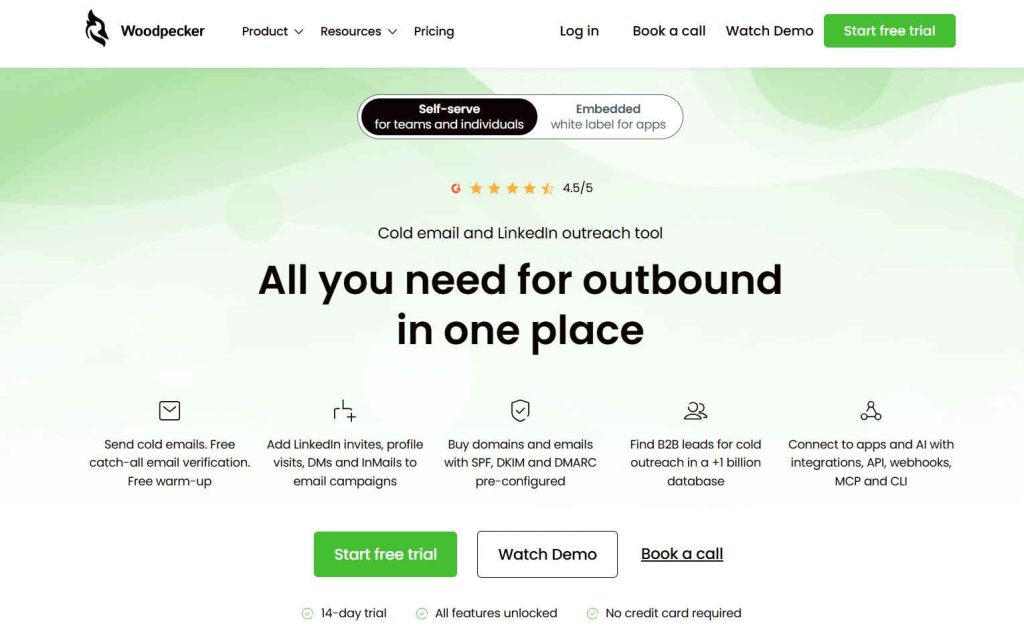
Dux-Soup is a LinkedIn automation tool.
Woodpecker is an outbound platform that combines LinkedIn actions with cold email, lead finding, catch-all verification, warm-up, domains, mailboxes and campaign management.
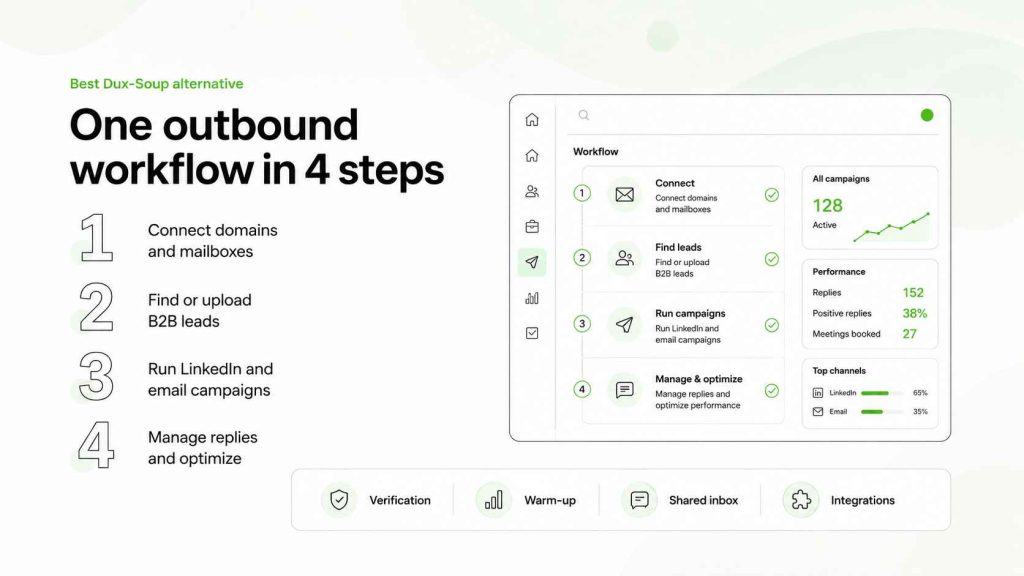
With Woodpecker, a team can:
- find B2B prospects in a lead database
- verify email addresses before sending
- buy domains and mailboxes with SPF, DKIM and DMARC pre-configured
- warm up senders
- run email campaigns
- add LinkedIn profile visits, connection requests, DMs and InMails
- manage responses from a shared inbox
- connect the workflow to a CRM, API, webhooks, MCP and CLI
That makes Woodpecker a better Dux-Soup alternative when LinkedIn is one channel in a wider sales process.
Instead of using Dux-Soup for LinkedIn, another tool for email, another for verification and another for warm-up, the team can manage outreach in one place.
The cold email infrastructure guide shows why sender setup needs attention before campaign volume increases.
LinkedIn and email outreach in one workflow
A good LinkedIn and email workflow gives each channel a different role.
For example:
- Find and research a relevant prospect.
- Verify the email address.
- Use a LinkedIn profile visit or connection request as a light touch.
- Send an email with the real reason for outreach.
- Use a LinkedIn message only when it adds new context.
- Stop the sequence when a prospect replies.
This is more useful than sending the same message across LinkedIn and email on the same day.
A multichannel sales cadence can help teams decide which touch belongs where.
Woodpecker for teams, not just one LinkedIn account
Dux-Soup can work well for one LinkedIn account and one operator.
Woodpecker becomes more useful when several people need visibility into campaigns, replies and prospect status.
A sales manager can review campaign context without checking multiple browser setups. A rep can see the email and LinkedIn history before following up. The inbox remains connected to the campaign instead of becoming a separate task.
This is especially useful for sales teams that need to scale outreach without losing accountability.
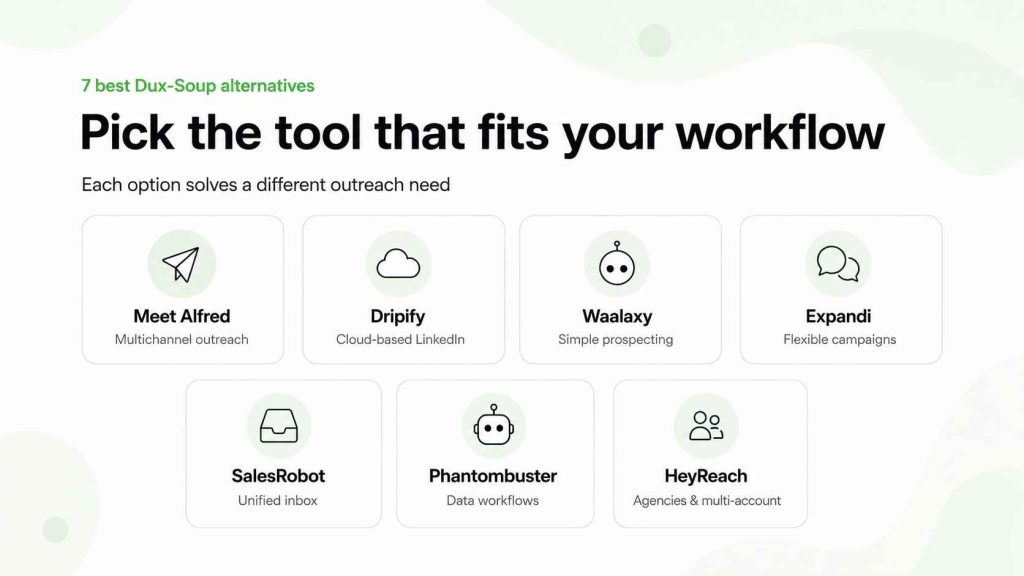
7 best Dux-Soup alternatives by use case
The best Dux-Soup alternative depends on what you are trying to replace.
Some users want a cloud-based LinkedIn tool. Some want multichannel campaigns. Others need an agency workflow, data automation or a more complete cold outreach platform.
Meet Alfred: a multichannel alternative to Dux-Soup
Meet Alfred is a multichannel outreach tool for LinkedIn, email and social selling workflows.
It can support LinkedIn activity, email outreach, campaign templates and team collaboration features. That makes Meet Alfred useful for teams that want more channels than Dux-Soup without moving into a very technical GTM setup.
Meet Alfred may suit you when:
- LinkedIn and email are both part of outreach
- you need team collaboration
- campaign templates are useful
- you want AI-assisted personalization
- a simple multichannel workflow is enough
It is not necessarily the best choice for teams that need strong sender infrastructure or a more complete email outreach platform.
The Meet Alfred review gives more detail on its pricing, workflows and reported limitations.
Dripify: cloud-based LinkedIn automation for smaller teams
Dripify is a cloud-based LinkedIn automation platform designed around LinkedIn prospecting and campaign workflows.
Dripify is a cloud-based tool that helps users automate profile visits, connection requests, LinkedIn messages and followups. It can also support team reporting and Sales Navigator workflows.
Dripify may fit teams that need:
- cloud-based LinkedIn automation
- a clearer dashboard than a Chrome extension
- LinkedIn lead generation
- a free trial
- campaign analytics
- simple prospect management
Unlike Dux-Soup, Dripify does not rely on a browser extension as the centre of the workflow.
But it is still a LinkedIn-first tool. Teams that need full email outreach, deliverability controls and sender infrastructure will need a wider setup.
The Dripify pricing guide explains where it fits beside other LinkedIn automation tools.
Waalaxy: a simpler Dux-Soup alternative for LinkedIn prospecting
Waalaxy is a simpler LinkedIn prospecting tool for users who want templates and beginner-friendly campaigns.
It can be a good option for a seller using one LinkedIn account who wants to send connection requests and messages without building complicated automation rules.
Waalaxy may suit you when:
- you want a beginner-friendly workflow
- LinkedIn prospecting is your main use case
- you need campaign templates
- you want a Chrome extension approach
- you have fewer features to manage
- your LinkedIn account is your main sender identity
Dux-Soup vs Waalaxy often comes down to control.
Dux-Soup gives more granular campaign options. Waalaxy gives a simpler route into LinkedIn automation.
The Waalaxy review and Waalaxy pricing guide can help you compare the two approaches.
Expandi: cloud-based LinkedIn outreach for flexible campaigns
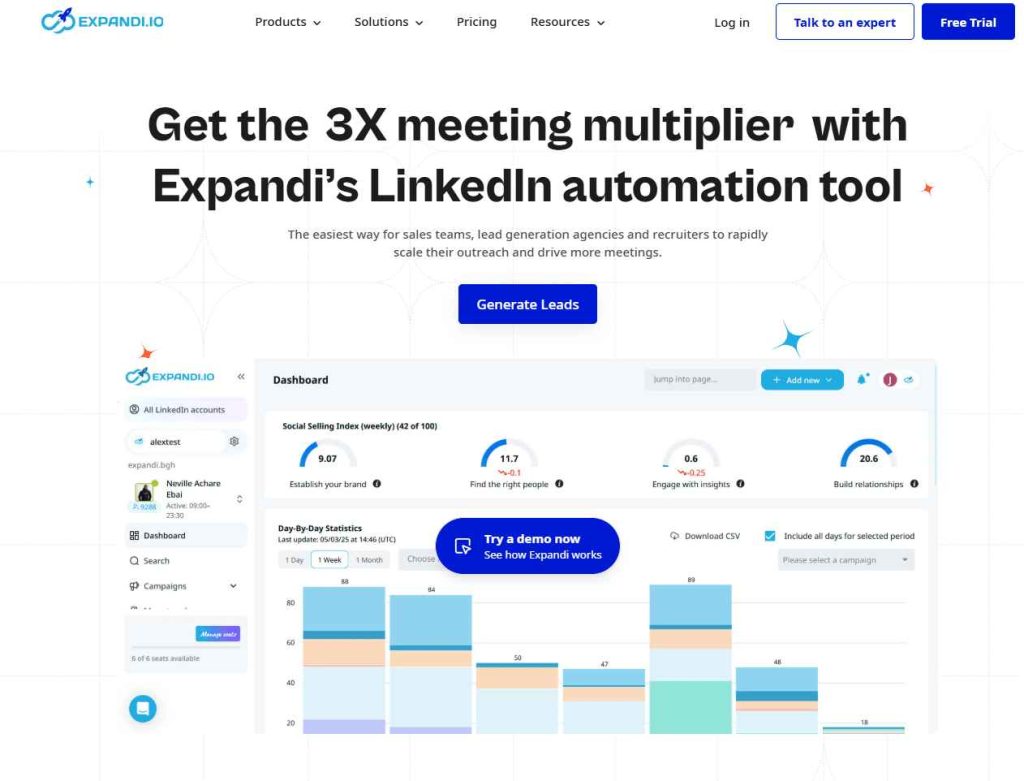
Expandi is a cloud-based LinkedIn automation platform with LinkedIn and email workflow options.
It may be a better Dux-Soup alternative when you want campaign activity to continue without relying on a Chrome extension.
Expandi can support:
- LinkedIn profile visits
- connection requests and messages
- LinkedIn prospecting from Sales Navigator
- message sequences
- cloud-based campaign management
- LinkedIn and email touches
Expandi is a good fit for users who want more flexible cloud-based LinkedIn automation than a browser-led tool.
The trade-off is that it remains focused on LinkedIn workflow execution. It is not the same as a full cold outreach platform with built-in warm-up, catch-all verification and sending infrastructure.
The Expandi overview is useful for a deeper comparison.
SalesRobot: LinkedIn and email outreach with a unified inbox
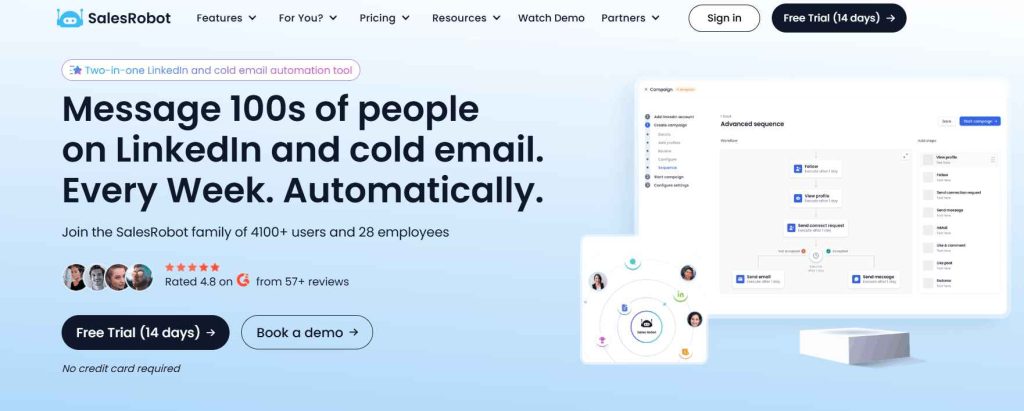
SalesRobot is a cloud-based sales engagement platform that combines LinkedIn and email outreach.
SalesRobot is a cloud-based option for teams that want LinkedIn messages, email sequences, a unified inbox and collaboration features around outreach campaigns.
It may suit sales teams that need:
- LinkedIn and email outreach
- automated LinkedIn activity
- a central inbox
- Sales Navigator integration
- campaign collaboration
- AI support for message writing
SalesRobot can be useful when Dux-Soup users want a more connected LinkedIn and email workflow.
It may be less suitable when email deliverability, mailbox setup and sender infrastructure need to be central to the process.
The SalesRobot overview covers the platform in more detail.
Phantombuster: for data workflows and LinkedIn prospect lists
Phantombuster is different from Dux-Soup.
It is primarily a data automation platform, not a focused LinkedIn outreach tool.
It can help GTM teams extract public data, build prospect lists and automate data workflows across several platforms. That can be useful for creating a CSV file, enriching a list or feeding a CRM.
Phantombuster may suit you when:
- you need data collection and workflow automation
- LinkedIn search is one source of prospect data
- your team can manage more technical tools
- you want custom automations
- prospecting data needs to move into another system
It is not a direct replacement for Dux-Soup campaigns.
Think of it as a supporting system for prospect data, not the main tool for LinkedIn messages and outreach campaign management.
HeyReach: for agencies managing multiple LinkedIn accounts
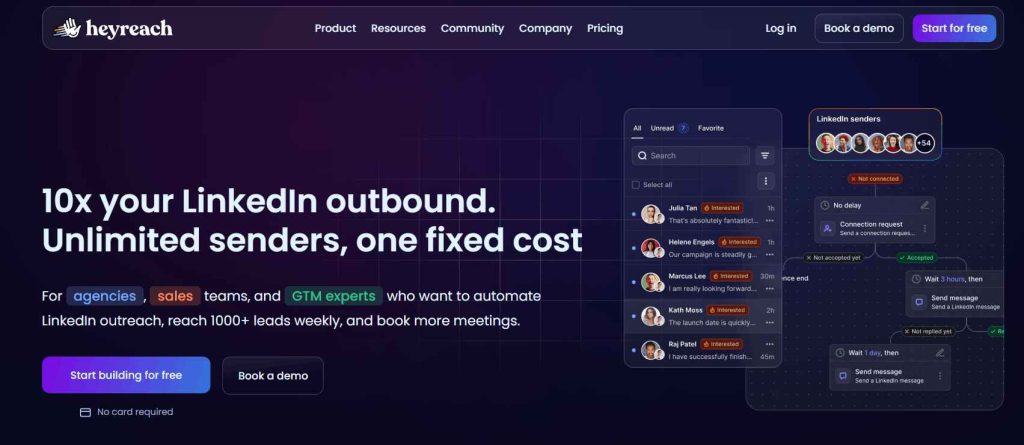
HeyReach is designed for agencies and teams that need to manage multiple LinkedIn accounts simultaneously.
It focuses on sender rotation, client workspaces, multi-account campaign management and a unified inbox.
HeyReach may suit you when:
- agencies manage client accounts
- multiple LinkedIn accounts need campaign oversight
- sender rotation is part of the workflow
- campaigns need client-level reporting
- LinkedIn outreach is a dedicated service
Unlike Dux-Soup, HeyReach is designed around multi-account scaling rather than one person’s Chrome extension.
But it remains LinkedIn-centred. Teams that need email and LinkedIn, verification, warm-up, mailbox setup and outreach management in one platform may find Woodpecker a better fit.
The HeyReach alternatives guide explains this agency-focused comparison in more detail.
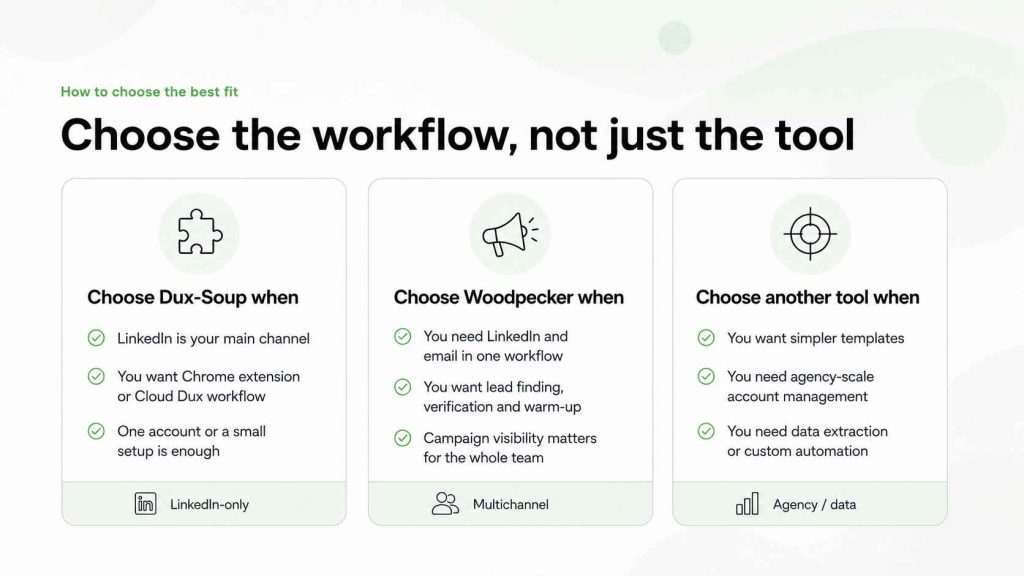
Dux-Soup alternative: how to choose the best fit
Choose Dux-Soup when:
- LinkedIn is your main prospecting channel
- you want a Chrome extension or Cloud Dux workflow
- you need CRM integration with HubSpot, Pipedrive or Salesforce
- Turbo Dux campaigns and dashboards are enough
- you manage one LinkedIn account or a small number of accounts
- you want affordable LinkedIn automation tools
Choose Woodpecker when:
- you need LinkedIn and email in one outbound workflow
- you want lead generation and email verification
- you need warm-up and sender infrastructure
- campaign activity needs to be visible to the whole sales team
- you want a cloud-based tool with shared inbox management
- LinkedIn is part of outbound, not the whole process
Choose Meet Alfred when:
- you need LinkedIn, email and social outreach
- AI personalization and templates are useful
- a multichannel workflow is more important than email infrastructure
Choose Dripify when:
- you want cloud-based LinkedIn automation
- LinkedIn lead generation is the main priority
- you need a guided dashboard and campaign analytics
Choose Waalaxy when:
- you want a simple LinkedIn prospecting workflow
- you prefer templates over advanced settings
- you need a lighter alternative to Dux-Soup
Choose Expandi when:
- you need cloud-based LinkedIn automation
- you want flexible LinkedIn message sequences
- your outreach campaign includes LinkedIn and email
Choose SalesRobot when:
- you want LinkedIn and email outreach
- a unified inbox and team collaboration are priorities
- you need a sales engagement workflow around LinkedIn
Choose Phantombuster when:
- data extraction and custom automation are the main need
- you need to build lists before handing them to an outreach tool
- your team can manage a more technical workflow
FAQ
Is Dux-Soup a LinkedIn automation tool?
Yes. Dux-Soup is a LinkedIn automation tool for activities such as profile visits, connection requests, messages, followups, prospecting and CRM workflows.
Is Dux-Soup cloud-based?
Dux-Soup offers both browser-led and cloud-based options. Pro and Turbo Dux are closely connected to the Chrome extension workflow, while Cloud Dux supports more always-on cloud-based campaign activity.
What is the best alternative to Dux-Soup?
Woodpecker is the best alternative to Dux-Soup for teams that need LinkedIn actions, cold email, lead finding, verification, warm-up and sender infrastructure in one outbound platform. The best fit still depends on whether you need LinkedIn-only automation, multichannel outreach or agency-scale account management.
Is Dux-Soup good for sales teams?
Dux-Soup can work well for sales teams that use LinkedIn as a main prospecting channel and already have a CRM workflow in place. Teams that need email outreach, shared inboxes and sender setup in the same platform may prefer a broader alternative.
Does Dux-Soup work with HubSpot, Pipedrive and Salesforce?
Dux-Soup supports integrations with HubSpot, Pipedrive and Salesforce through its higher-tier plans. That can help teams send LinkedIn campaign data into their CRM.
Choose a workflow, not just a LinkedIn automation tool
Dux-Soup is still a useful LinkedIn automation platform for people who want a low-cost Chrome extension, campaign control and CRM integrations.
It can work especially well when LinkedIn is the main source of leads and the user is comfortable managing the workflow directly.
But a Dux-Soup alternative becomes more attractive when the process includes more than LinkedIn.
Teams that need lead data, verified email addresses, sender warm-up, email campaigns, LinkedIn actions and reply handling in one place will usually benefit from a broader outbound platform.
Start with the right prospect. Build an outreach campaign around a real reason to write. Then use personalised cold email campaigns and safe cold email scaling to create a process that does not depend on volume alone.