


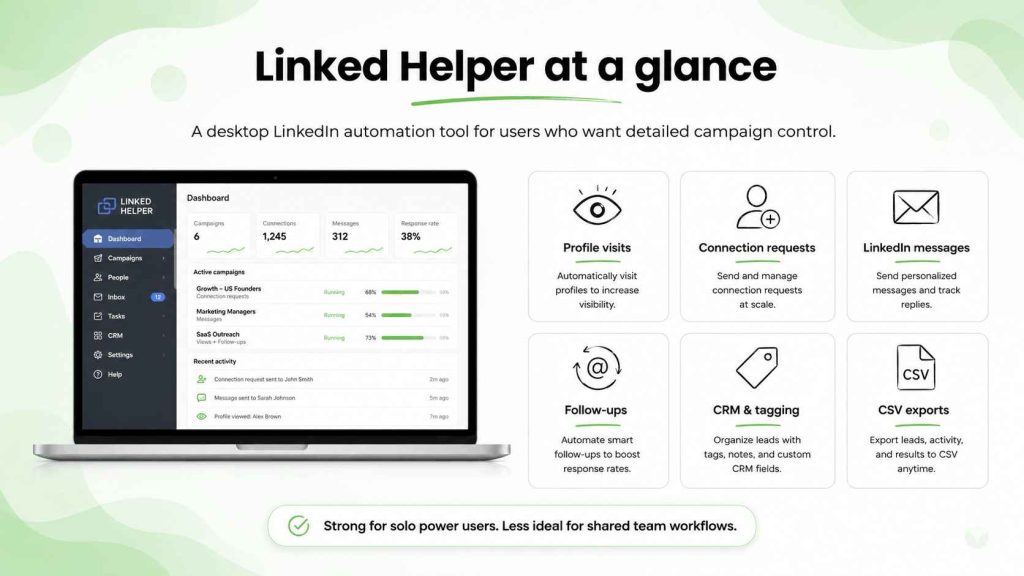
Linked Helper is a popular LinkedIn automation tool for people who want detailed control over campaigns.
It can automate profile visits, connection requests, LinkedIn messages, follow-ups, CSV exports and CRM actions. Linked Helper 2 also includes a built-in CRM, tagging, notes, campaign logic and data credits for contact enrichment.
That combination makes Linked Helper useful for power users.
It can also make the tool harder to run as a team.
Linked Helper is a desktop-based LinkedIn automation tool. Each LinkedIn account needs its own setup. Campaigns depend on the local application rather than a fully cloud-based workflow. That can work for one operator who wants to configure every action. It is less convenient for teams that need LinkedIn and email outreach, shared campaign visibility, sender infrastructure and reply handling in one place.
This Linked Helper review 2026 covers the tool’s strengths, limits and the best Linked Helper alternatives for teams that want a more complete outreach workflow.
What is Linked Helper?
Linked Helper is a LinkedIn helper tool built for lead generation, prospecting and campaign automation.
Linked Helper 2 lets users automate LinkedIn actions such as:
- profile visits
- connection requests
- LinkedIn messages
- InMails
- follow-up message sequences
- endorsements
- group invitations
- CRM exports
- contact tagging
- CSV file exports
The product is designed for people who want more granular automation tools than a simple browser extension provides.
You can build campaigns around Sales Navigator or Recruiter lists, add prospects from a CSV file, segment contacts inside Linked Helper CRM and set conditions for what happens next.
For one person with a clear prospecting workflow, that can be useful.
But Linked Helper does not solve every part of outbound.
It does not give a sales team the same connected email outreach workflow, mailbox preparation, catch-all verification, warm-up and multichannel campaign management that a broader outbound platform can provide.
That distinction becomes important once LinkedIn is only one part of the sales process.
Sales prospecting techniques can help define the account criteria before a campaign starts. Automation is not a substitute for deciding who deserves outreach in the first place.
Linked Helper pricing and what you get
Linked Helper pricing is one of its stronger selling points.
The platform offers a free trial, followed by pricing plans for individual LinkedIn accounts. Linked Helper Standard is aimed at basic LinkedIn outreach and lead generation. Linked Helper Pro adds more advanced features, expanded automation options and deeper workflow controls.
For a solo operator, that can be a cost-effective way to automate LinkedIn activity.
The main limitation is the account model.
A license is tied to a LinkedIn account. A team using several accounts needs separate access and separate campaign management for each sender. That can become harder to coordinate than a cloud-based solution with shared visibility.
Linked Helper pricing may work well when:
- you manage one LinkedIn account
- you want a low-cost automation tool
- you are comfortable with desktop software
- you need detailed campaign controls
- you want a free trial before paying
- you do not need email and LinkedIn outreach in the same workspace
It becomes less attractive when a team needs multiple LinkedIn accounts, shared inbox access, CRM coordination and a clearer outbound workflow across channels.
A pricing page rarely tells you the full cost of a campaign. You also need to consider lead data, email addresses, sender setup, CRM integrations and the time spent managing campaigns.
Linked Helper features: where the tool is strong
Linked Helper has a broad set of LinkedIn automation features.
Its main strength is flexibility.
A user can create message sequences, build conditions, tag prospects, use LinkedIn search lists, export data and connect campaign activity with a CRM. The tool can also support Sales Navigator or Recruiter workflows for users who already rely on LinkedIn search products.
Built-in CRM and prospect management
Linked Helper CRM lets users keep notes, apply tags and organise prospects inside the tool.
That can help when a solo seller is working a list manually and wants to avoid jumping between spreadsheets.
But a built-in CRM is not always enough for a larger sales team.
Once several people own accounts, opportunities and follow-ups, most businesses need a central CRM with shared records, clear ownership and better reporting. A LinkedIn campaign should feed that process rather than create another isolated database.
CRM integrations for outbound teams become more useful once lead generation starts creating real conversations.
Campaign logic and message sequences
Linked Helper can automate LinkedIn actions in sequence.
For example, a campaign may visit a profile, send a connection request, wait for acceptance and then send a LinkedIn message. It can also add actions based on prospect status or campaign rules.
That gives users more control than a one-step LinkedIn tool.
The risk is building long message sequences that feel mechanical.
A campaign should not send connection requests, profile visits and several follow-ups simply because the workflow allows it. The prospect still needs a reason to engage.
Personalised cold emails work on the same principle: a variable is not personalization unless it changes the relevance of the message.
Sales Navigator or Recruiter workflows
Linked Helper can work with Sales Navigator or Recruiter searches, which can help users pull prospect lists into campaign workflows.
That is useful for targeted LinkedIn lead generation.
Still, a Sales Navigator search is not a finished lead list.
Before you automate LinkedIn outreach, review the account, the contact’s role and the potential trigger. A narrow ideal customer profile gives the campaign better inputs than a broad search for every VP or founder in a region.
Advanced features and plugins
Linked Helper uses plugins for several advanced features.
This can make the product flexible for experienced users. It can also create a learning curve.
A user may need to decide which plugin applies, which action belongs in a workflow and how each campaign should behave. That is manageable for someone who enjoys detailed setup. It is less convenient for a sales team that wants a simple, shared process.
Where Linked Helper can fall short
Linked Helper is not a bad tool.
Its limitations mostly come from its desktop-based model and its focus on LinkedIn automation.
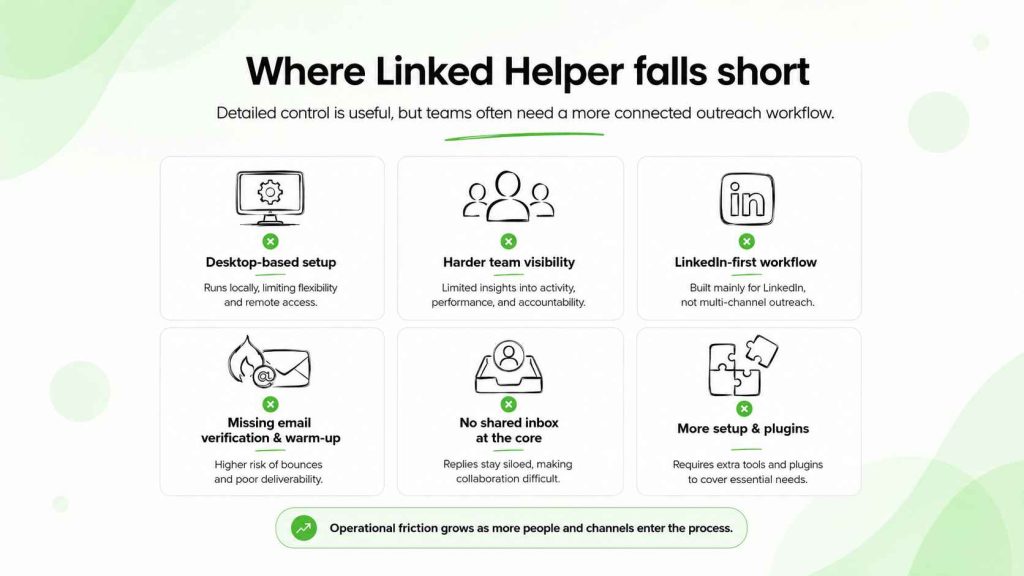
It is not a cloud-based LinkedIn automation platform
Linked Helper is desktop-based rather than fully cloud-based.
That means the local application plays a central role in campaign execution. For some users, that is acceptable. For others, it creates operational friction.
A cloud-based LinkedIn automation tool can be easier for teams that need shared access, campaign continuity and central management.
When several sales reps run outreach campaigns, the workflow should not depend on one person’s desktop setup.
It can create isolated LinkedIn workflows
Linked Helper can support LinkedIn outreach, CRM actions and lead exports.
But many sales teams need more than LinkedIn activity.
They need verified email addresses, sender warm-up, deliverability checks, inbox management, email campaigns and a way to combine LinkedIn and email without repeating the same pitch.
That is where a broader outreach tool can be a better Linked Helper alternative.
Cold email infrastructure needs to be considered before a LinkedIn campaign turns into larger-scale email outreach.
The workflow can become technical
Linked Helper is designed for users who want detailed control.
That means more settings, more choices and more campaign configuration.
For a power user, that can be a benefit.
For small teams, it can become an unnecessary burden. A sales rep may want to spend time researching a prospect and answering replies, not configuring every automation rule inside a desktop app.
Account risk does not disappear
Some LinkedIn automation tools claim they can mimic human behavior or reduce the risk of your LinkedIn account being flagged.
Those claims should be treated carefully.
No tool can guarantee account safety. The risk of your LinkedIn account depends on the overall pattern of use, volume, targeting and behaviour, not on a vendor’s claim that it can mimic human behavior.
Keep activity measured. Avoid repetitive message sequences. Do not treat a LinkedIn account as an unlimited sender.
LinkedIn outreach, inbox and outbound: a Linked Helper review 2026
This LinkedIn Helper review 2026 comes down to a simple question: do you need a detailed desktop tool for LinkedIn, or a shared outbound workflow that includes LinkedIn, email and inbox management?
Linked Helper is a LinkedIn automation tool for users who want to automate messages, connection requests and prospect actions in a structured campaign. Helper is a LinkedIn automation product first. Its built-in CRM, campaign rules and data exports can be useful for a solo operator who wants to work leads on LinkedIn with a lot of control.
Use Linked Helper when that desktop-based setup matches your process.
But LinkedIn Helper alternatives become more attractive when the team needs shared ownership of prospects, a central inbox, HubSpot sync, email outreach and campaign reporting across several people. Tools like Woodpecker, Expandi, Dripify and La Growth Machine solve different versions of that workflow.
For example, Woodpecker gives teams a cloud-based outbound workspace where LinkedIn actions, cold email, verification, warm-up and reply handling sit together. That is a better fit for teams that do not want their LinkedIn campaign to live separately from the wider sales process.
LinkedHelper and affordable LinkedIn automation tools
LinkedHelper remains one of the more affordable LinkedIn automation tools for a user who manages one profile and is happy to use desktop software.
The low entry price can be appealing. But it does not always reflect the full cost of running outreach. Teams may still need an email finder, verification, warm-up, a CRM such as HubSpot and an email outreach platform around it.
That is why the best alternative is not necessarily the cheapest LinkedIn automation software.
It is the platform that helps your team run the full process: find leads on LinkedIn, decide which prospects are relevant, start a campaign, manage replies from one inbox and keep the CRM current.
LinkedIn Helper alternatives: when to explore a different setup
You may want to explore Linked Helper alternatives when:
- more than one person needs campaign visibility
- a separate desktop setup for every LinkedIn account is becoming difficult to manage
- LinkedIn and email outreach need to run in one workflow
- replies need to land in a shared inbox
- HubSpot or another CRM needs more reliable campaign context
- the team wants a cloud-based solution
- the sales process relies on more than LinkedIn actions
In those cases, the best alternative is often a broader outbound platform rather than another tool like Linked Helper with slightly different automation rules.
Best Linked Helper alternative: Woodpecker for LinkedIn and email outreach
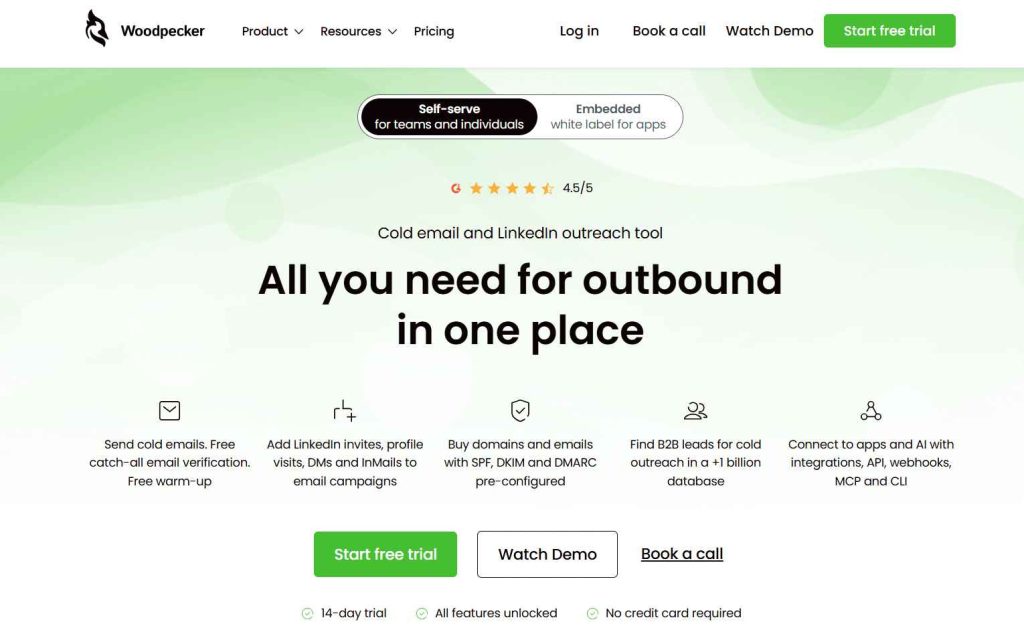
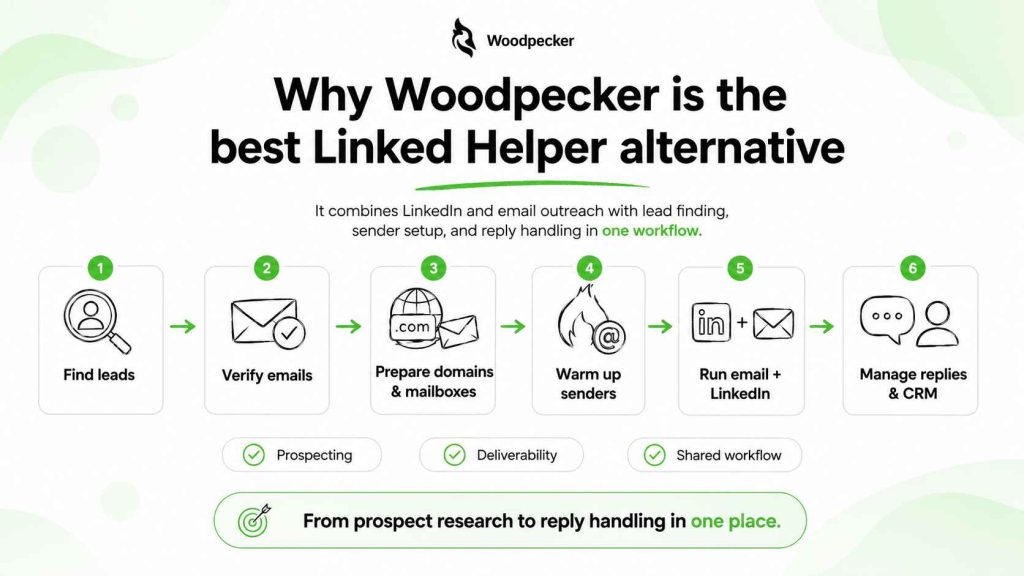
Woodpecker is the best Linked Helper alternative for teams that need LinkedIn and email outreach in one connected workflow.
Linked Helper focuses on LinkedIn campaign automation from a desktop application.
Woodpecker gives sales teams a broader outbound workflow:
- find B2B leads
- verify email addresses
- run catch-all verification
- buy domains and mailboxes with SPF, DKIM and DMARC configured
- warm up sender accounts
- create email campaigns
- add LinkedIn profile visits
- send LinkedIn connection requests
- use LinkedIn DMs and InMails
- manage replies through a shared inbox
- connect outreach to CRM, API, webhooks, MCP and CLI
That makes Woodpecker a better option when LinkedIn is one part of outbound, not the entire process.
A team can combine LinkedIn and email without needing to move between a desktop LinkedIn tool, an email outreach platform, an email finder and separate warm-up software.
LinkedIn and email outreach in one workflow
A useful LinkedIn and email outreach workflow does not repeat the same message across channels.
Instead, each touch should have a purpose.
For example:
- A LinkedIn profile visit makes the sender more familiar.
- A connection request creates a low-pressure first touch.
- An email explains the reason for reaching out.
- A LinkedIn message follows only when it adds useful context.
- An email follow-up brings a new angle, proof point or resource.
That is more effective than sending the same sales pitch through LinkedIn and email on the same day.
Multichannel sales cadences can help teams plan those touches without overwhelming the prospect.
Better campaign control for teams
Woodpecker is also a better fit for teams that need campaign activity visible in one workspace.
A sales manager can see what has been sent, where replies are coming from and which prospects need follow-up. The workflow does not depend on one person managing a desktop tool.
This is especially useful when teams run outreach campaigns across several sender accounts.
You can still keep LinkedIn actions measured. But the broader process, from prospecting to email outreach to reply handling, stays connected.
Cold email sequence planning is easier when the team can see both the message logic and the outreach context in the same place.
Lead generation beyond LinkedIn search
Linked Helper can help users work LinkedIn lists.
Woodpecker can support a broader lead generation process through its B2B database, verification tools and campaign workflow.
That matters when the team needs email finder support, verified email addresses and prospect data beyond LinkedIn profiles.
A LinkedIn profile may be a useful starting point. It is not always the best place to manage the entire outbound process.
Where to find prospects gives teams more options than relying on LinkedIn alone.
Expandi: a cloud-based Linked Helper alternative
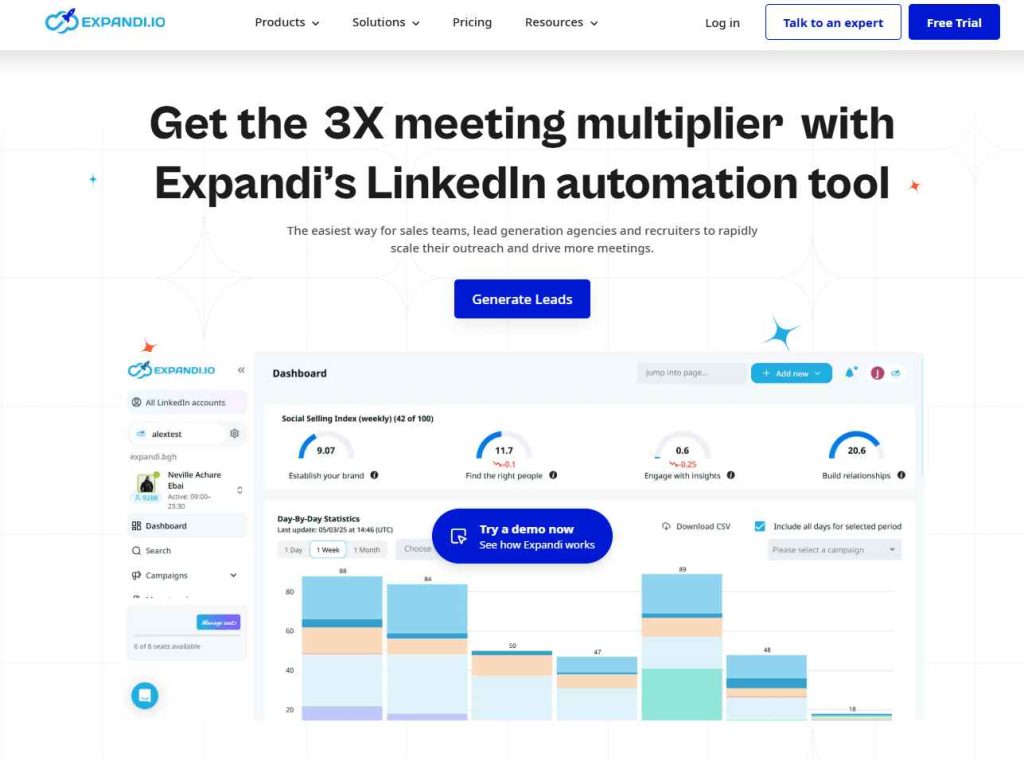
Expandi is one of the closest Linked Helper alternatives for users who want cloud-based LinkedIn automation.
Unlike Linked Helper, Expandi runs as a cloud-based solution. That can make it easier to keep campaigns active without relying on a desktop application.
Expandi supports LinkedIn profile visits, connection requests, messages, follow-ups and campaign workflows. It also supports LinkedIn and email sequences, which makes it more flexible for users who want basic multichannel outreach.
Expandi may fit you when:
- you want cloud-based LinkedIn automation
- you need a simpler setup than Linked Helper
- your campaigns include LinkedIn and email
- you want more campaign flexibility
- you use Sales Navigator for prospecting
- you want a free trial
Expandi is still primarily a LinkedIn automation tool.
If you need warm-up, sender infrastructure, verification and email campaign management in one platform, Woodpecker is the more complete option.
The Expandi review explains its setup in more detail. For a side-by-side LinkedIn tool comparison, see Expandi vs Waalaxy.
Phantombuster: automation tools for data workflows
Phantombuster is different from Linked Helper.
It is not mainly a LinkedIn outreach tool. It is a broader automation platform that can help users automate data collection, workflows and repetitive web tasks.
Phantombuster may suit users who need:
- workflow automation
- data exports
- prospect list building
- LinkedIn-related data tasks
- custom automation tools
- integrations with other systems
It can be useful for GTM operators and technical teams.
But it may be too technical for a sales rep who simply wants a clean campaign workflow.
Phantombuster can help collect data. It does not replace an outreach platform for email campaigns, inbox handling and reply management.
That is why it often works better as a supporting workflow tool than as the main tool for LinkedIn outreach.
Waalaxy: a simpler Linked Helper alternative
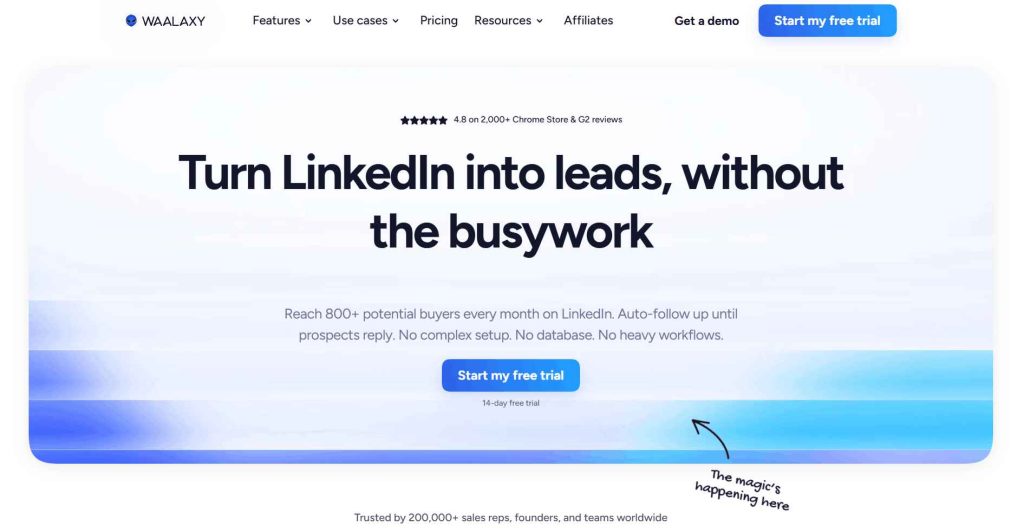
Waalaxy is a LinkedIn outreach tool aimed at people who want a more guided experience.
It offers campaign templates, LinkedIn actions and email additions on some plans. Its browser-based workflow can be easier to understand than Linked Helper’s desktop setup.
Waalaxy may suit you when:
- you use one LinkedIn account
- you want simple campaign templates
- you need basic LinkedIn lead generation
- you want to send connection requests and follow-ups
- you prefer a beginner-friendly workflow
- you want a lighter alternative to Linked Helper
The trade-off is flexibility.
Linked Helper may be better for a power user who wants detailed conditions and advanced features. Waalaxy may be better for a user who wants to launch a simple campaign without configuring every action manually.
The Waalaxy overview and Waalaxy pricing guide can help you compare the actual setup before committing.
Dripify: a LinkedIn automation tool for smaller teams
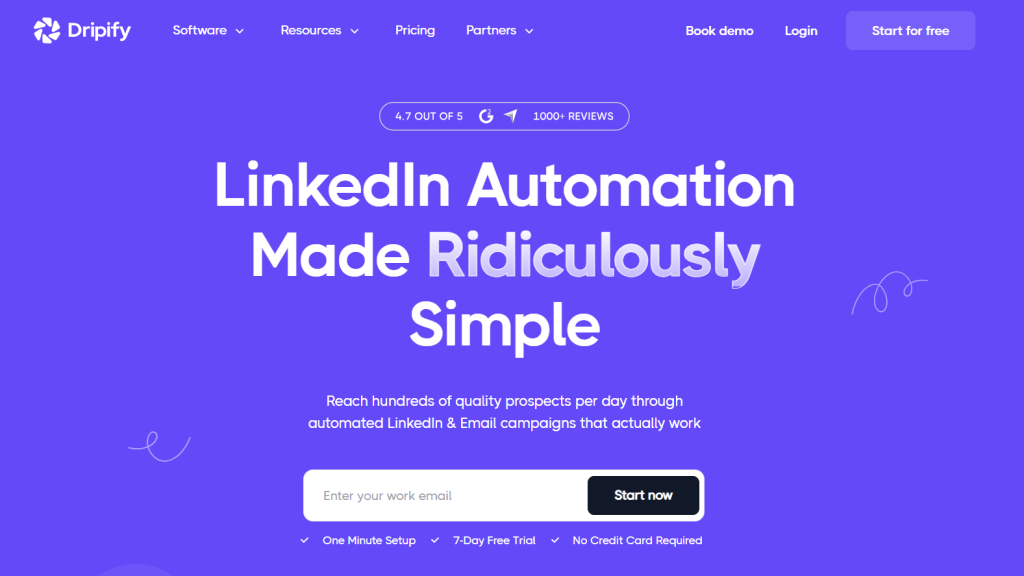
Dripify is another cloud-based LinkedIn automation tool with email outreach support.
It is often used by smaller teams that want to automate LinkedIn profile visits, connection requests, messages and email steps in one campaign.
Dripify may be useful when:
- LinkedIn is a major prospecting channel
- you want a cloud-based solution
- you need campaign analytics
- you want LinkedIn and email outreach
- you need a free trial
- your sales team wants simple workflows
Dripify can help automate LinkedIn outreach. But it does not replace the work of defining a target audience, finding a relevant trigger and creating a message that feels personal.
The Dripify pricing guide and Waalaxy vs Dripify comparison offer more context around its team fit.
La Growth Machine: for LinkedIn and email prospecting
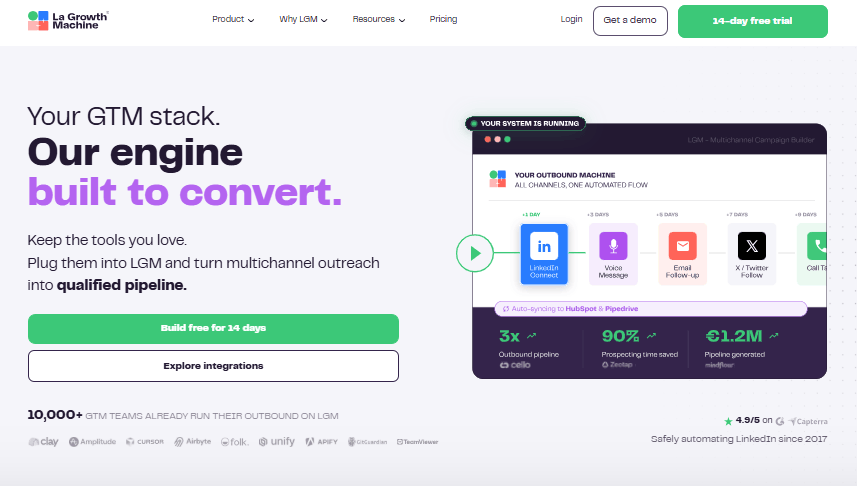
La Growth Machine is built for multichannel prospecting.
It combines LinkedIn actions, email outreach, CRM sync and enrichment-led workflows. That makes it a useful Linked Helper alternative for teams that want LinkedIn and email in a connected sequence.
La Growth Machine may fit teams that need:
- LinkedIn and email outreach
- multichannel campaign workflows
- CRM integrations
- prospect enrichment
- Sales Navigator workflows
- shared campaign visibility
- more than one outreach channel
It is a stronger option than Linked Helper when the team wants a cloud-based workflow and LinkedIn is not the only channel.
It can also add complexity for small teams that only need a simple LinkedIn campaign.
The La Growth Machine alternatives guide helps place it among other multichannel tools.
HeyReach: for multiple LinkedIn accounts
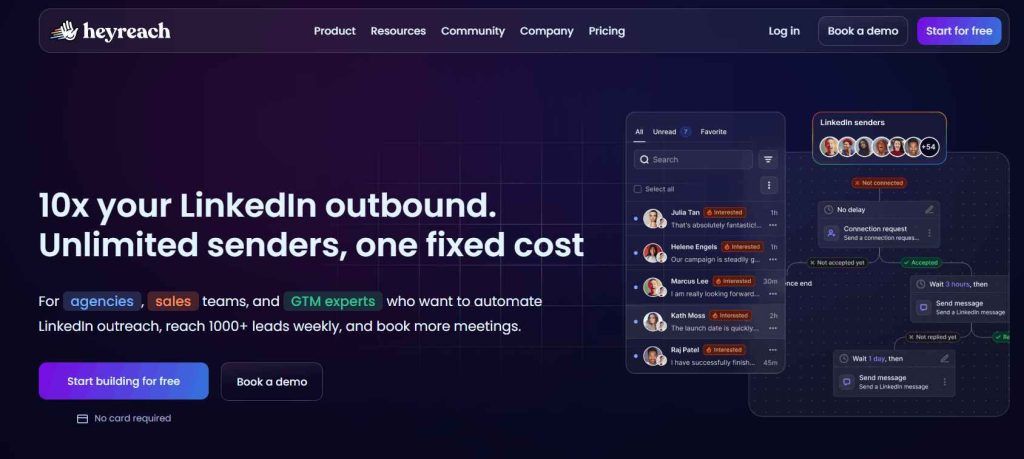
HeyReach is designed for agencies and teams that need to manage multiple LinkedIn accounts simultaneously.
It focuses on multi-account campaign management, sender rotation, workspaces and shared LinkedIn inbox visibility.
HeyReach may be a better Linked Helper alternative when:
- agencies manage client accounts
- several LinkedIn accounts run outreach campaigns
- sender rotation is important
- the team needs a shared inbox
- campaigns need client-level reporting
- LinkedIn outreach is the main outbound channel
Unlike Linked Helper, HeyReach is built around multi-account management rather than one user’s desktop workflow.
The downside is that it remains heavily LinkedIn-centred.
Teams that need email and LinkedIn outreach, verification, warm-up, inbox rotation and sender infrastructure in one workspace may prefer Woodpecker instead.
The HeyReach alternatives guide explains where it fits compared with broader outbound platforms.
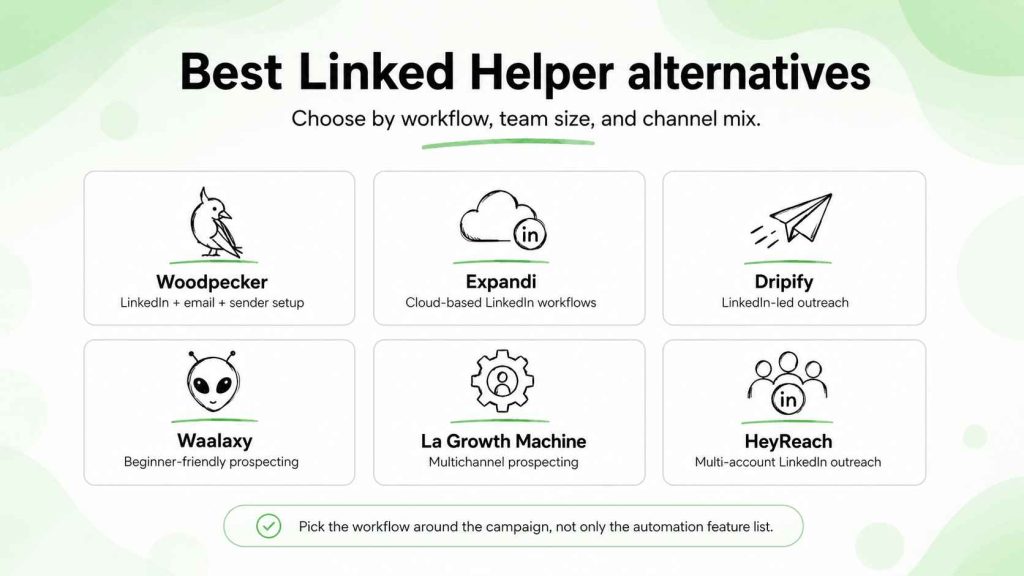
Linked Helper alternatives: how to choose the right tool for LinkedIn
The right LinkedIn automation tool depends on your workflow.
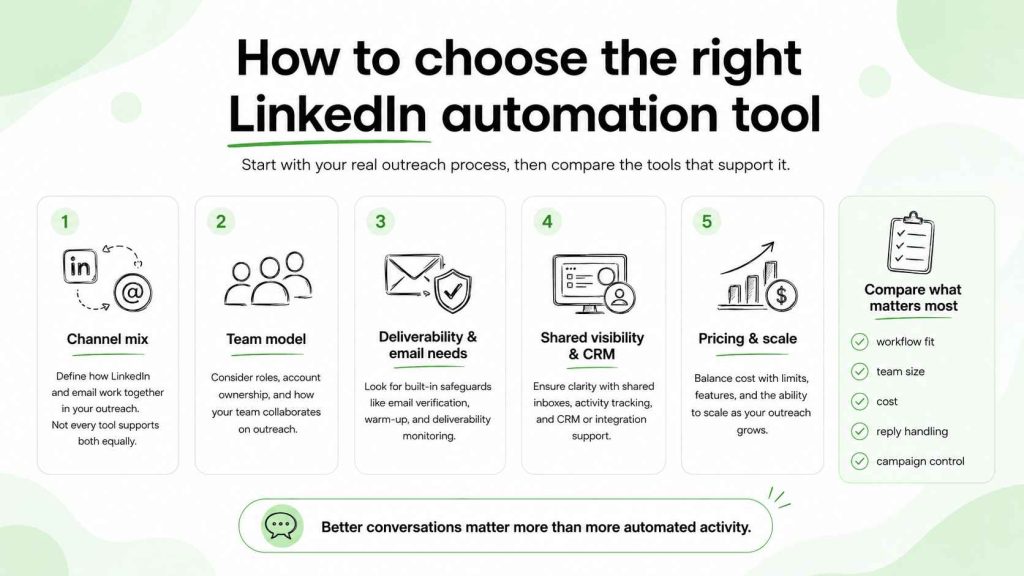
Choose Linked Helper when:
- you want a desktop-based LinkedIn automation tool
- you are comfortable with detailed campaign setup
- you manage one LinkedIn account
- you need lower-cost automation tools
- you want advanced features and built-in CRM controls
- you want to export data to CSV files
Choose Woodpecker when:
- you need LinkedIn and email outreach in one platform
- you want lead finding and email verification
- you need warm-up and sender infrastructure
- you want a cloud-based campaign workflow
- you need shared inbox visibility
- you want CRM integrations and campaign execution in one place
Choose Expandi when:
- you want cloud-based LinkedIn automation
- LinkedIn is a primary channel
- you need flexible campaign workflows
- you want a simpler alternative to Linked Helper
Choose Waalaxy when:
- you want an easy entry into LinkedIn outreach
- campaign templates are useful
- you manage one account
- you do not need advanced workflow controls
Choose Dripify when:
- you want LinkedIn and email outreach
- you need campaign analytics
- your sales team needs a cloud-based workflow
- you want a simple tool for LinkedIn lead generation
Choose La Growth Machine when:
- you need LinkedIn and email prospecting
- you want CRM-centred multichannel outreach
- enrichment and workflow automation are part of the process
Choose HeyReach when:
- you need multiple LinkedIn accounts
- you manage client accounts
- sender rotation and shared workspaces are priorities
- LinkedIn outreach is the main channel
FAQ
Is Linked Helper a good LinkedIn automation tool?
Linked Helper is a capable LinkedIn automation tool for users who want detailed campaign controls, built-in CRM features, data exports and advanced LinkedIn workflows. It can be a good option for power users running one LinkedIn account. Teams may prefer a cloud-based alternative with email outreach and shared campaign visibility.
Is Linked Helper cloud-based?
No. Linked Helper is primarily a desktop-based LinkedIn automation tool. That is one of the main differences between Linked Helper and cloud-based LinkedIn automation platforms such as Woodpecker, Expandi or Dripify.
Is there a free trial for Linked Helper?
Linked Helper offers a free trial so users can test the tool before committing to one of its pricing plans.
What is the best Linked Helper alternative?
Woodpecker is the best Linked Helper alternative for teams that want LinkedIn and email outreach, lead finding, verification, warm-up and sender setup in one platform. Expandi is a strong cloud-based LinkedIn alternative. Waalaxy and Dripify can suit smaller teams. HeyReach is better for agencies managing multiple LinkedIn accounts.
Can Linked Helper automate LinkedIn messages?
Yes. Linked Helper can automate LinkedIn messages, connection requests, profile visits and follow-up message sequences. The campaign should still be based on a real reason to contact the prospect rather than generic automation.
Choose an outreach workflow, not only a LinkedIn tool
Linked Helper is a popular LinkedIn automation tool because it gives users a lot of control at a relatively low price.
That makes sense for someone who wants a desktop-based LinkedIn workflow, advanced campaign logic and detailed automation features.
But the best alternative depends on what happens around the LinkedIn message.
If your team needs email outreach, verified contact data, sender warm-up, deliverability controls, CRM integrations and LinkedIn actions in the same process, Woodpecker offers a more complete outbound workflow.
Start with the right prospect. Build a message around real context. Then use cold email personalization and safe cold email scaling to turn that outreach into useful conversations rather than more automated activity.