


The research on how email endings affect response rates is thinner than most productivity guides pretend. What we do know: emails with clear, specific closings get replies faster than ones without. Beyond that, most of what passes for “best practices” is pattern-matching to what other people do, not evidence.
That’s actually useful. It means the professional email ending isn’t a formula – it’s a set of small judgments about context, relationship, and purpose. Get those judgments right and the ending does real work. Get them wrong and you leave the reader with mild friction: unclear next step, awkward register, or the feeling that you didn’t quite finish the thought.
This guide treats the email ending as what it actually is: three separate layers that have to work together. A closing sentence that lands. A sign-off that matches the register. A signature block that does its job without overdoing it. Most guides mix these up or only cover one. This one covers all three and, more importantly, how they interact – which is where most people actually go wrong.
The three layers of a professional email ending
Every professional email has three distinct endings stacked on top of each other. Most people think of them as one thing. That’s usually the first mistake.
Layer 1 – the closing sentence. The last full sentence of the email body. This is where the email makes its final impression. It’s either prompting action (“Could you confirm by Thursday?”), leaving the door open (“Happy to discuss whenever works for you”), or closing things out (“Thanks again for your time”).
Layer 2 – the sign-off. The short phrase before your name. “Best,” “Regards,” “Sincerely,” “Thanks.” Two or three words that set the emotional register of the email’s end.
Layer 3 – the signature block. Your name, title, and any relevant context. Usually automated and ignored by the sender, but it’s working even when you’re not thinking about it.
When these three layers agree – same register, same level of formality, same energy – the ending reads as intentional. When they disagree, something feels off even if the reader can’t articulate what. A sharp, confident closing line followed by a casual “Cheers!” can undermine the email’s impact. A warm, conversational sign-off attached to a 12-line formal signature block reads as cognitive dissonance.
Let’s take each layer separately, then bring them back together.
Layer 1: The closing sentence
The last sentence of the body does more work than any other sentence in the email. It’s the thing the reader sees immediately before deciding whether to reply, how to reply, and how they feel about the exchange.
The four jobs a closing sentence can do
Every effective closing sentence does exactly one of these four things. The first mistake most writers make is trying to do two at once.
Prompt action. Asks for something specific. Names a deadline or a decision point. “Could you send the signed contract by end of day Thursday?” This is the highest-leverage closing when there’s a concrete next step – and the most commonly avoided because it can feel demanding. It shouldn’t. Specific asks are a kindness to busy readers.
Offer a next step. Softer than prompting action, but moves the conversation forward. “Happy to jump on a call this week if useful.” “I can send the full brief if you want to review in more detail first.” Works when you want to continue but aren’t forcing a response.
Acknowledge the exchange. Closes things out gracefully when nothing specific needs to happen. “Thanks for the quick turnaround on this.” “Appreciate you walking through this with me.” Not every email needs a follow-up. Sometimes the closing is simply the end.
Reset the frame. Harder to execute but sometimes necessary. Used when the thread has drifted, the timeline has slipped, or something needs to be named directly. “I want to be upfront: we’re unlikely to hit the original timeline – here’s what I think is realistic.” This closing is uncomfortable to write and almost always the right move when the situation calls for it.
What makes a closing sentence feel weak
Most closing sentences people write are attempts at “prompt action” that collapse into “offer a next step” out of politeness, which collapses into generic filler out of fatigue. Three patterns show up again and again.
The passive hedge. “Let me know if you have any questions.” “Feel free to reach out.” “Looking forward to hearing your thoughts.” These aren’t offensive. They also do almost no work – they sound like they’re prompting a response but they’re actually leaving everything to the reader’s inertia. If the reader is on the fence, they’ll default to not replying.
The premature gratitude. “Thanks in advance!” is the classic example. It banks the thanks before the reader has agreed to do anything, which reads as either pushy or assuming. “Thanks for considering” works better because it doesn’t presuppose the outcome.
The hope-based closing. “Hope this helps.” “Hope to hear from you soon.” “Hope you have a good week.” Hope is a weak verb in this position. It’s the email equivalent of shrugging. If you mean something specific, say it. If you don’t have anything specific to say, “Thanks” alone is fine.
Rewriting weak closings into strong ones
A practical exercise. Here are closings I see most often in the emails I review, and sharper alternatives for each.
Weak: “Let me know if you have any questions.” Stronger: “Happy to clarify anything specific – or jump on a quick call if easier.”
Weak: “Thanks in advance!” Stronger: “Thanks for considering this – no pressure either way.”
Weak: “Looking forward to your response.” Stronger: “Let me know what you think when you have a chance.”
Weak: “Hope this helps!” Stronger: “Let me know if I’ve missed anything you were looking for.”
Weak: “Just wanted to follow up.” Stronger: “Did this get buried? Happy to resend.”
The stronger versions aren’t dramatically different. They’re just slightly more specific, slightly less passive, and slightly more human. The difference compounds over hundreds of emails.
Layer 2: The sign-off
The sign-off is a single decision: which two or three words separate your last sentence from your name. Everyone thinks they know how to do this. Most people get it slightly wrong in one of two directions – too casual for improving relationship, or so formal it reads as stilted.
The sign-off ladder
Think of sign-offs on a ladder from most formal to most casual. Your job is picking the rung that matches the relationship and the context.
Most formal (first contact with senior stakeholders, legal matters, official correspondence):
- Sincerely
- Yours faithfully
- Respectfully
- With respect
Formal professional (first contact in business contexts, external stakeholders):
- Best regards
- Kind regards
- Regards
- With thanks
Standard professional (established professional relationships, everyday B2B):
- Best
- All the best
- Thanks
- Thank you
Warm professional (colleagues you know well, ongoing relationships):
- Cheers
- Take care
- Talk soon
Casual (internal team, peers, close colleagues):
- Thanks!
- Cheers!
- [Just your name, no sign-off]
The ladder isn’t a rule – it’s a starting point. The right rung depends on context, industry, region, and what you want the reader to feel. Law firms sit higher on the ladder by default. Tech startups sit lower. British contexts lean slightly more formal than American. When in doubt, go one rung higher than your instinct for a first contact, one rung lower for established relationships.
Sign-offs that are stopping working
A few sign-offs have been used so heavily that they’ve lost most of their signal. They’re not wrong – they’ve just become default, which means they communicate nothing specific.
“Best,” – the workhorse. Fine in any professional context. Also invisible. Use when you genuinely don’t want the sign-off to add anything; avoid when you want the email to feel deliberate.
“Regards,” – slightly warmer than “Best” but starting to read as automated. “Best regards” has more weight because the extra word signals care. Bare “Regards” now reads as rushed.
“Cheers,” – common in British professional email and increasingly in American casual professional contexts. Works in tech, creative industries, and startups. Lands awkwardly in finance, law, or traditional corporate contexts.
“Thanks,” – powerful when there’s something specific to thank the reader for. Weak when used as a default. “Thanks” at the end of a request is fine; “Thanks” at the end of an update with nothing to thank for reads as filler.
Sign-offs to avoid in most professional contexts
A short list of sign-offs that almost always land worse than alternatives.
- “Yours truly” – old-fashioned to the point of being jarring in most modern professional contexts.
- “Sent from my iPhone” – makes the recipient wonder why you didn’t edit. Remove this from your default signature.
- “Yours,” alone – ambiguous and slightly dated.
- “Later!” or “Ciao!” – too casual for most professional contexts; fine for internal team emails with established relationships.
- “xoxo” or emoji sign-offs – rarely appropriate in professional email regardless of relationship. The ambiguity they introduce isn’t worth the warmth they add.
Layer 3: The signature block
The signature block is the third ending – the part most people set up once and forget about. It’s doing real work: confirming your identity, providing context for the reader who doesn’t know you, and often giving them a path to call or schedule time with you without hunting for it.
What a professional signature block should include
Essential:
- Your full name (first and last)
- Your title
- Your company
Usually included:
- Direct phone number or scheduling link
- Company website (in some form)
Context-dependent:
- Pronouns (if your organization has adopted them)
- A second line for a specific role or specialization
- Company address (common in Europe, less so in US; required by law in some jurisdictions and for regulated industries)
Usually excluded:
- Inspirational quotes
- Social media icons for every platform
- A second disclaimer longer than the email itself
- Multiple fonts or colors
- Large images or logos
A good signature block is two to four lines. It gives the reader what they need and nothing more.
When your signature block undermines your email
Overlong signature blocks are so common most people have stopped noticing them. But they’re working against the email in two specific ways.
First, they dilute the last thing the reader sees. If your thoughtful three-paragraph email ends with a 10-line signature, the signature is the last impression, not your closing line. That’s usually not what you want.
Second, they slow the reader down. Email recipients scan endings. A clean two-line signature takes half a second to process. A block with quotes, multiple phone numbers, social icons, company branding, and a GDPR footer takes three seconds and buries your actual message.
For a clean benchmark: the email signatures used by executives at well-run companies are almost always shorter than you’d expect. Name, title, company. Maybe a phone number. That’s it.
What about signature graphics and images?
Opinion varies. The case for: they reinforce your brand and make your email look more polished. The case against: they inflate email size, often don’t render properly in mobile clients, can end up in spam filters, and add nothing the text can’t convey. For most professional B2B email, clean text signatures outperform graphics.
It’s not the end of the tips! Read our article about best email signatures for sales emails.
How the three layers work together
Now bring them back together. A professional email ending is strong when the closing sentence, sign-off, and signature block agree on register. It’s weak when they don’t.
Example 1: A well-matched ending
If you have time this week, a 20-minute call would be great – Thursday or Friday afternoon work for me.
Best regards,
Michael Chen Senior Associate, Horizon Advisory [email protected]
The closing sentence makes a specific, flexible ask. “Best regards” sits in the formal-professional range, which matches a first or early-stage contact. The signature is two lines, contains only what matters. All three layers land at roughly the same point on the formality ladder.
Example 2: A mismatched ending
If you have time this week, a 20-minute call would be great – Thursday or Friday afternoon work for me.
Cheers!
Michael Chen Senior Associate, Horizon Advisory | ☎ +1 (415) 555-0147 | 💻 horizon.com/michael “Success is where preparation and opportunity meet.” – Bobby Unser 📍 250 Main St, San Francisco, CA 94105 Please consider the environment before printing this email. 🌱
Same closing sentence, but now it reads as clumsy. “Cheers!” is too casual for a first-contact business request. The signature block is overloaded with icons, a quote, a printing disclaimer, and a postal address that nobody needs. The reader finishes with the disclaimer, not the ask. The email has lost its punch.
The content of the message is identical. The ending is what makes the difference.
Register alignment: a quick check
When writing a professional email, a fast sanity check before sending:
- Does my closing sentence match the formality of the rest of the email?
- Does my sign-off sit at roughly the same point on the ladder as my closing sentence?
- Does my signature block match the register of both, or is it doing too much?
Three questions. Thirty seconds. It catches most of the mismatches that make emails feel slightly off.
Ending professional emails by situation
The framework above applies universally. But specific situations call for specific choices. Here’s how the three layers shift by context.
Ending a first-contact business email
Closing sentence: A modest, specific ask that doesn’t presume interest. Sign-off: “Best regards” or “Kind regards.” Signature: Full name, title, company, direct contact.
The register should sit in the formal-professional range. A first contact is earning the relationship, not presuming it. Skip “Cheers” and anything that reads as familiar.
Ending a follow-up email
Closing sentence: Acknowledge the real world (they’re busy) and make a reply low-cost. Sign-off: Slightly warmer than first contact (“Thanks” or “Best”). Signature: Same as before – consistency matters across a thread.
Don’t escalate the sign-off between emails in the same thread. Keep the register steady.
These articles may help you: how to send a follow-up email after no response or best email closers for sales.
Ending a proposal or deal-close email
Closing sentence: Name the specific next step and who owns it. Sign-off: Match the register you’ve established in the thread. Signature: Keep it the same as previous emails in the thread.
Clarity matters more than warmth here. A confident, specific close (“I’ll send the contract over once you confirm the terms look good”) is doing more work than a soft one.
Ending an email to a senior stakeholder or executive
Closing sentence: Modest ask or appreciative close. Avoid pressure. Sign-off: “With respect” or “Best regards.” Signature: Clean, not overloaded. Senior readers scan; make it easy.
Executives typically reply to emails that are easy to reply to. A clear, short closing works better than an elaborate one.
Ending a job application email
Closing sentence: Confident, next-step-aware, not presumptuous. “I’d welcome the chance to discuss how I could contribute.” Sign-off: “Sincerely” or “Best regards.” Signature: Name, phone, email. Optional LinkedIn.
Ending an apology or sensitive email
Closing sentence: Name the fix and open the door for a conversation if needed. Sign-off: Same register as the rest of the email. Don’t escalate formality just because the topic is sensitive – it reads as performative. Signature: Normal.
The content of the apology matters more than the ending; the ending just shouldn’t undo the content.
Ending an internal email to your team
Closing sentence: Clear action or a “no action needed” note if appropriate. Sign-off: Casual – “Thanks,” “Best,” or just your name. Signature: Often skipped entirely for short internal emails.
Internal email has earned its casual register. Going too formal inside your own team reads as cold.
Common mistakes to avoid
A consolidated list of the most common errors in professional email endings, across all three layers.
Using “Hope this finds you well” at the start and “Hope to hear from you soon” at the end. Both are filler; together they bracket the email in hope, which communicates nothing.
Signing off with a different register than the rest of the email calls for – usually sliding too casual as the email gets long.
Using multiple sign-offs in a forwarded or replied-to thread that accidentally stack (I’ve seen emails that ended with “Best, Thanks, Regards” within three messages because each reply added one).
Leaving stale information in your signature block – old job title, old phone number, “Sent from my iPhone” long after you’ve moved to a desktop client.
Auto-signatures that include “This email may contain confidential information” legal disclaimers on every message, including one-line replies. In regulated industries this is required; elsewhere it’s overkill.
Ending with a signature image that doesn’t render for many recipients, leaving them to wonder who sent the email.
Forgetting to include a sign-off entirely. Just your name after the last sentence can work for internal team email; in external professional email it reads as abrupt.
When email endings matter most: volume contexts
The analysis above works fine when you’re writing an important one-off email. It gets harder when you’re sending 40 or 50 professional emails a week and defaulting to the same “Best,” over and over because you’re tired.
This is the real-world problem most sales, business development, and recruiting professionals face. The emails that matter most are often the ones written when attention is thin. The first email of the day gets a thoughtful ending. By the tenth, everything ends with “Let me know!” and the same three-line signature. That’s not a catastrophe, but over hundreds of emails it adds up – and the mismatch between a thoughtful body and a fatigued ending is where some emails quietly underperform.
For teams doing this at scale, the fix is partly process. Standardize the signature block once and stop touching it. Build two or three template closing sentences that you can adapt on the fly instead of writing from scratch. Use automation for the sequencing so the email itself can get your full attention.
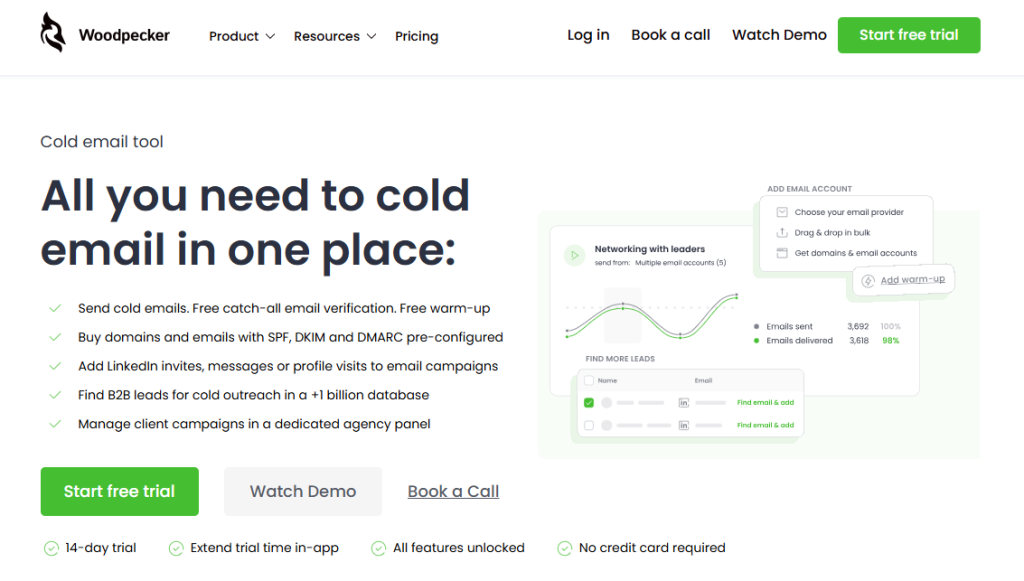
Woodpecker handles that last part: automated outreach sequences with deliverability protection, auto-stop on reply, and personalization that doesn’t collapse under volume. If you’re running B2B email at volume – sales, recruiting, partnerships, agency work – offloading the mechanical parts lets you focus on the writing, which is where the difference is actually made.
Sign up to Woodpecker and see how it runs.
FAQ
How do you politely end a professional email?
A polite professional ending has three parts working together: a closing sentence that either prompts a specific action or acknowledges the exchange without pressure, a sign-off that matches the formality of the relationship (“Best regards” for first contact, “Best” or “Thanks” for established relationships), and a clean signature block with your name, title, and relevant context. Avoid filler closings like “Hope this helps” or “Looking forward to your response” – they read as automated.
What is a good ending sentence for an email?
A good closing sentence does one of four things: prompts a specific action (“Could you confirm by Thursday?”), offers a next step (“Happy to walk through this on a call”), acknowledges the exchange (“Thanks for the quick turnaround”), or resets expectations if needed (“I want to be upfront about the timeline”). Pick one job and do it clearly. Trying to do two at once usually weakens the sentence.
What is the best closing line for a professional email?
There isn’t a single best closing – the best one depends on what the email is trying to do. For action-driven emails, be specific about the ask and the deadline. For open-ended emails, invite continued conversation without pressure. For thank-yous, be specific about what you’re thanking the reader for. The closings that land badly are the generic ones: “Let me know if you have any questions,” “Thanks in advance,” “Just following up.”
What is a good professional email sign-off?
“Best regards” and “Kind regards” work in most professional contexts. “Best” is a widely accepted shorter version for established relationships. “Sincerely” is more formal, appropriate for first contacts with senior stakeholders and for official correspondence. “Thanks” is fine when there’s something specific to thank the reader for. Avoid “Yours truly,” “Cheers” (in formal US contexts), and anything with an exclamation point in serious professional email.
Should I use “Best” or “Sincerely” to end an email?
“Best” works for established professional relationships and everyday B2B correspondence. “Sincerely” is more formal and fits first contacts with senior stakeholders, job application emails, legal correspondence, and official writing. If you’re unsure, “Best regards” sits in the middle and works in most situations.
How do you end an email that requires a response?
Name the specific response you need and ideally a deadline. “Could you confirm by end of day Thursday?” “Let me know which option works – A, B, or neither.” “I’ll assume we’re good to proceed unless I hear otherwise by Friday.” Vague closings like “Let me know your thoughts” produce slower and fewer replies than specific ones.
Is it rude to end an email with just “Thanks”?
No, “Thanks” as a sign-off is standard professional practice, especially when you’ve made a request in the email. “Thanks” works better than “Thanks!” with an exclamation point in most professional contexts. The one context where “Thanks” can feel off is in a purely informational email where you’re not actually thanking the reader for anything – in that case “Best” or “Regards” is more neutral.
What should I avoid when ending a professional email?
Skip “Hope this email finds you well” or “I look forward to your response” – both read as automated. Avoid “Yours truly” unless you’re in a very formal legal context. Don’t use multiple fonts, colors, or graphics in your signature. Cut inspirational quotes. Remove “Sent from my iPhone” if it’s in your default signature. Don’t use emoji sign-offs in external professional email.
How do you end an email to a senior executive?
Keep the closing sentence modest – a specific, modest ask or an appreciative close. Use a formal sign-off like “With respect” or “Best regards.” Keep the signature block clean: name, title, company. Executives scan emails; the easier you make it to respond, the more likely you get a response. Don’t try to build rapport in the sign-off of a first-contact email – the body of the email does that work.
Does ending an email correctly actually matter?
Yes, but not dramatically. The ending won’t save a bad email or sink a great one. What it does: it affects the last impression, influences whether and how quickly the reader replies, and signals how seriously you took the message. Over hundreds of emails, getting the ending right compounds into clearer threads, faster replies, and fewer misunderstandings. Over a single email, the difference is subtle but real.