


A growing class of LinkedIn automation tool options promises to transform traditional LinkedIn grind into a smart process. Two of the most talked‑about platforms are Dripify and Expandi.
These tools promise to save time by running automated LinkedIn campaigns that send connection invites, nurture leads and track responses while you sleep.
But which one truly helps sales teams and recruiters run LinkedIn campaigns without putting their accounts at risk? And could there be an alternative that merges the best parts of both worlds?
In this article we’ll compare Dripify and Expandi point by point.
We’ll look at pricing, key features, outreach campaigns, safety and user experience. We’ll also show you how Woodpecker is better with your specific business objectives than either of these headline tools.
LinkedIn automation in 2026
Using a LinkedIn automation system isn’t just about convenience.
LinkedIn sets strict limits on the number of actions you can take each day to prevent spam and protect users. If you send too many requests, act like a robot or log in from the wrong location, you risk losing your profile.
Good automation software mimics human behavior by inserting random pauses, limiting daily actions and spreading messages over time. These tools sit between you and LinkedIn to manage sequences of LinkedIn tasks that would otherwise require endless clicks.
While technology makes it tempting to send thousands of connection requests, you shouldn’t forget that quality still matters. LinkedIn’s algorithm reacts badly to generic messages that look like spam, so even the best automation platforms must be used sensibly.
The challenge is to balance scale and personalization: send enough invites to keep your pipeline full without ending up with your LinkedIn account banned. As we’ll see, Dripify and Expandi take different approaches to solving this puzzle.
Check this out: cold outreach on LinkedIn – tips and best practices
Dripify – simple automation for growing teams
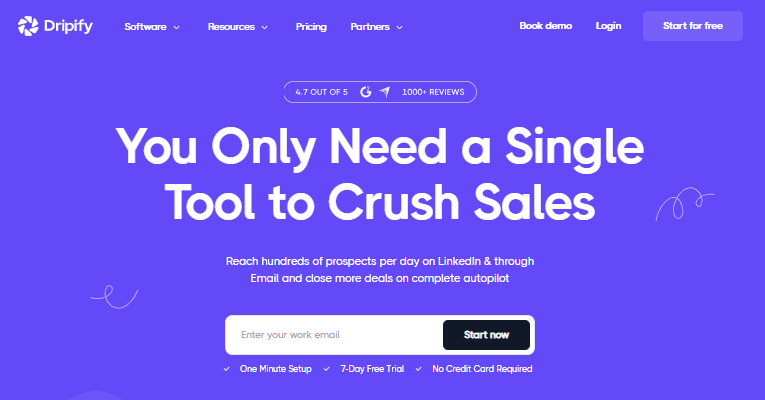
Dripify launched in Ukraine and quickly became a favorite for freelancers, recruiters and startups that want to run multi‑step LinkedIn outreach campaigns without writing code.
Dripify is a combined LinkedIn and email automation platform that streamlines outreach campaigns with drip sequences, an email finder and performance analytics.
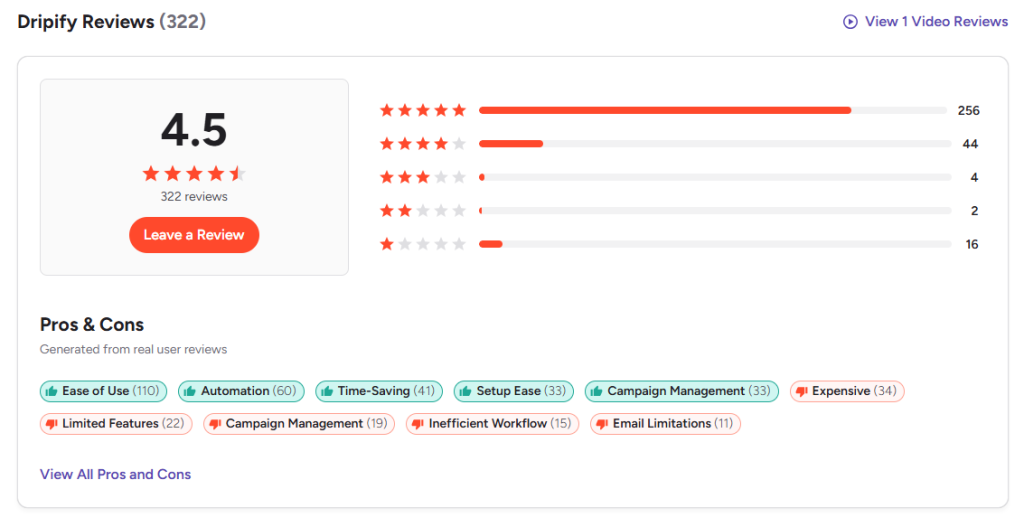
That same source notes that the platform’s user friendly interface and pre‑built templates make launching campaigns easy.
Pricing
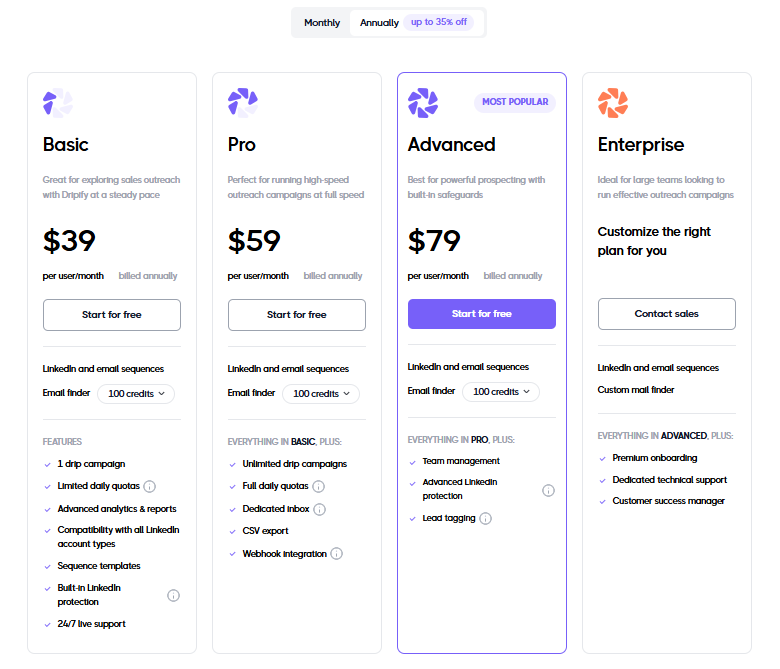
Dripify keeps its plans transparent. The Basic plan costs $39 per user per month when billed annually and includes LinkedIn and email sequences, an integrated email finder with 100 credits, one drip campaign, limited daily quotas and 24/7 support.
Stepping up to the Pro plan ($59 per user per month) adds unlimited drip campaigns, full daily quotas, a dedicated inbox, CSV export and webhook integration.
The Advanced plan ($79 per user per month) brings team management features, advanced LinkedIn protection and lead tagging.
An Enterprise tier is available with custom pricing for premium onboarding and additional support.
A free seven‑day trial lets you test the tool before subscribing.
Features
Dripify combines a visual campaign management builder with LinkedIn and email automation. Its visual campaign builder lets you design sequences using drag‑and‑drop steps.
You can send automated connection requests, follow up with messages, then move prospects into email flows if they don’t respond. The platform supports an integrated email finder with monthly credits, saving you from switching tools to discover LinkedIn contacts.
For those juggling multiple LinkedIn accounts, Dripify includes a dedicated inbox that centralizes messages in one place and uses tags so you can categorize conversations. Higher‑tier plans unlock webhook integration and CSV export, making it easier to sync data with CRM software like HubSpot CRM. Native integrations mean less time fiddling with third party tools, which can reduce friction.
The tool also lets you track campaign performance with basic but detailed analytics. Conversion rates, reply rates and detailed metrics per step are displayed in a dashboard, helping you refine your LinkedIn strategy.
However, the software runs inside your browser. To execute actions the browser window has to stay open. Reviewers caution that editing sequences after launch can be difficult, so plan your outreach efforts carefully.
Dripify’s browser‑based setup may also require more manual oversight than a fully cloud‑based system.
Still, the simplicity and price make it attractive for teams starting with LinkedIn automation. There’s also built‑in compatibility with LinkedIn Basic, LinkedIn Sales Navigator and Recruiter Lite accounts.
Pros and cons
Pros:
- affordable entry price
- easy to learn
- combines LinkedIn and email automation in one environment
- has a dedicated inbox and CRM integrations
- supports sequences with conditions and delays
Cons:
- requires your browser to stay open during runs
- sequences cannot be edited once launched
- email finder credits are limited on lower plans
- there’s less account safety because it lacks dedicated IPs
Dripify is not the best choice if you need to manage multiple LinkedIn accounts on behalf of clients or if you want a fully cloud‑hosted platform.
Expandi – high‑volume automation with safety in mind
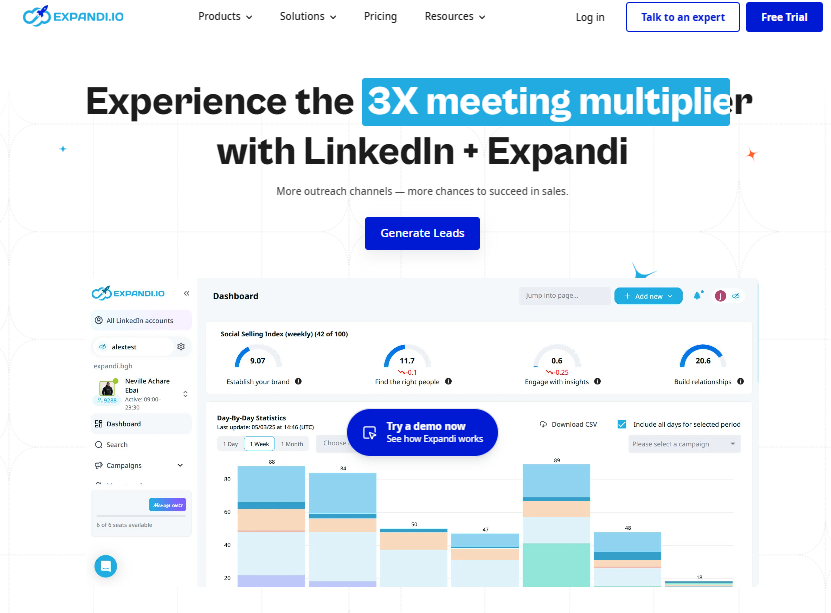
Expandi positions itself as a cloud based automation tool built for large sales teams, agencies and growth hackers.
Founded in 2019, the platform’s mission is to run complex multi channel campaigns while keeping your profile safe.
Expandi uses dedicated IP addresses and smart algorithms to reduce the risk of LinkedIn restrictions.
It can send more than 300 connection requests each week and even tailors sending patterns to mimic human timing.
Pricing
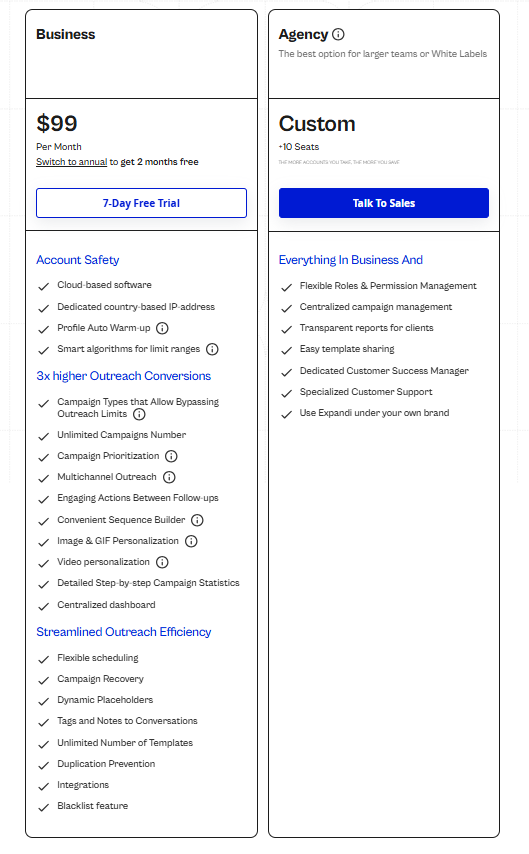
Expandi’s pricing is simple. The Business plan costs $99 per user per month or $79 when billed annually.
It’s a cloud based automation tool that runs independently of your browser and includes unlimited campaigns, dedicated IPs, profile auto account warm up and smart algorithms.
The Agency plan is priced per seat (minimum 10 seats) and adds roles and permissions management, centralized campaign management, transparent client reporting and access to white‑label features.
You’ll need to contact sales for the final quote.
Features
Expandi is built for scale. Campaigns run on remote servers, so you can close your laptop and still keep the outreach running.
Each user gets a dedicated country‑based IP address, which helps protect against LinkedIn flags and keeps activity localized. The platform includes a profile auto warm up feature and smart algorithms for limit ranges to avoid sudden spikes in activity, which reduces the chance of your LinkedIn accounts being throttled or banned.
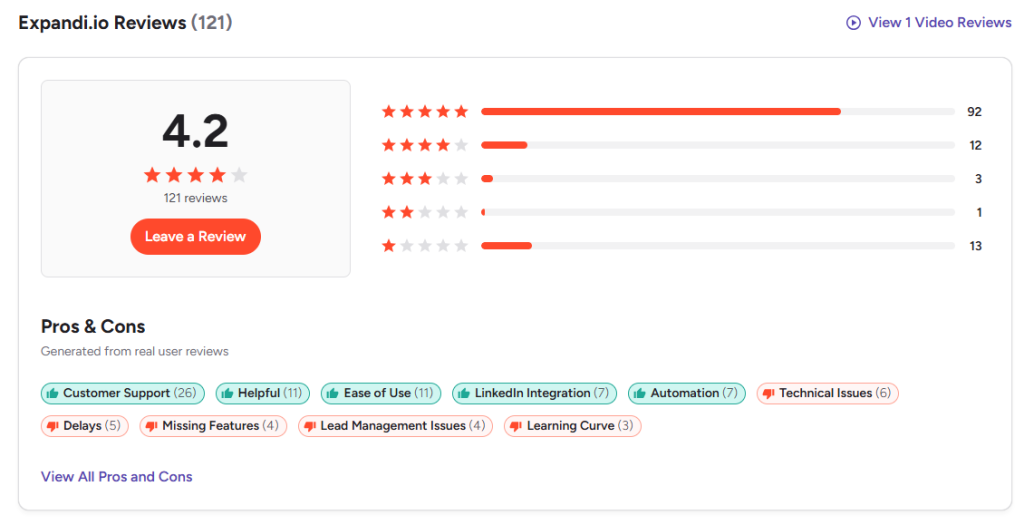
The Business plan supports unlimited drip sequences across LinkedIn and email, along with image and video personalization so you can embed GIFs or short clips in your messages. Expandi also offers workspaces so teams can collaborate and tag one another. However, some users report that the interface, especially after recent updates, is less intuitive than Dripify’s.
The core of Expandi is its multi channel outreach capability. Besides LinkedIn messages, you can insert emails into a sequence, although the tool focuses heavily on LinkedIn. The campaign builder uses conditional logic, enabling you to branch based on prospect behaviour.
For example, if someone accepts your request but doesn’t reply, the tool can send a follow‑up email. Expandi also includes advanced personalization via dynamic fields, custom images and GIFs, plus the ability to run 24/7 without your input.
It integrates primarily via webhooks and Zapier, so if you need native CRM connections you might need additional configuration.
Pros and cons
Pros:
- extremely safe due to dedicated IPs
- can send high volumes of connection requests
- runs continuously without your browser
- supports dynamic images and video for personalized outreach
- good for agencies and teams that handle multiple campaigns simultaneously
Cons:
- higher starting price
- steeper learning curve
- fewer native integrations (relying on webhooks)
- workspace feature can feel buggy
- because of its advanced features, novice users may require additional time to master it
- some reviewers also mention occasional billing issues
Dripify vs Expandi: head‑to‑head comparison
Choosing between these platforms depends on your goals. Dripify is budget‑friendly and easier to set up. Expandi is safer for heavy outreach.
Let’s summarize:
Price (annual billing)
-
Dripify: Basic $39/month, Pro $59/month, Advanced $79/month
-
Expandi: Business $79/month, Agency plan with custom pricing
Platform type
-
Dripify: Browser-based automation tool
-
Expandi: Fully cloud-hosted with dedicated IP addresses
Core channels
-
Dripify: LinkedIn and email
-
Expandi: LinkedIn, email optional
Safety
-
Dripify: Standard protection, no IP rotation
-
Expandi: Country-based IP addresses with auto warm-up
Campaign builder
-
Dripify: Drag-and-drop builder, simple setup, prebuilt templates
-
Expandi: Conditional logic, multiple branches, steeper learning curve
Volume capacity
-
Dripify: Limited daily quotas on lower plans
-
Expandi: 300+ connection invites per week
Personalization
-
Dripify: Basic variables and AI icebreakers
-
Expandi: Dynamic images, GIFs, and video personalization
Native integrations
-
Dripify: HubSpot, Salesforce, Zoho, Pipedrive
-
Expandi: Webhooks and Zapier
Best for
-
Dripify: Freelancers, recruiters, small marketing agencies
-
Expandi: Agencies, large sales teams, business development professionals
Narrative comparison
Dripify’s greatest asset is simplicity.
Its user interface is intuitive, making it a breeze to create drip campaigns even if you have limited technical expertise. It’s ideal for startups seeking to run outreach campaigns quickly and cheaply.
However, the platform’s browser dependence and low daily limits mean it may struggle when scaling cold outreach campaigns across multiple seats. If safety is your top concern, Dripify might not suffice because it doesn’t use dedicated IP rotation.
Expandi flips these strengths and weaknesses.
It excels at high‑volume, multi channel campaigns and strong account safety thanks to dedicated IPs and advanced warming strategies. It can handle high volumes and generate leads at scale.
Yet these features come with complexity. The interface is less intuitive. You may need more time to master the workspace and campaign builder. For teams that need to manage teams, handle inbox management across several accounts and run multiple LinkedIn accounts, Expandi offers more muscle but demands more learning.
Why Woodpecker is a smarter choice in 2026
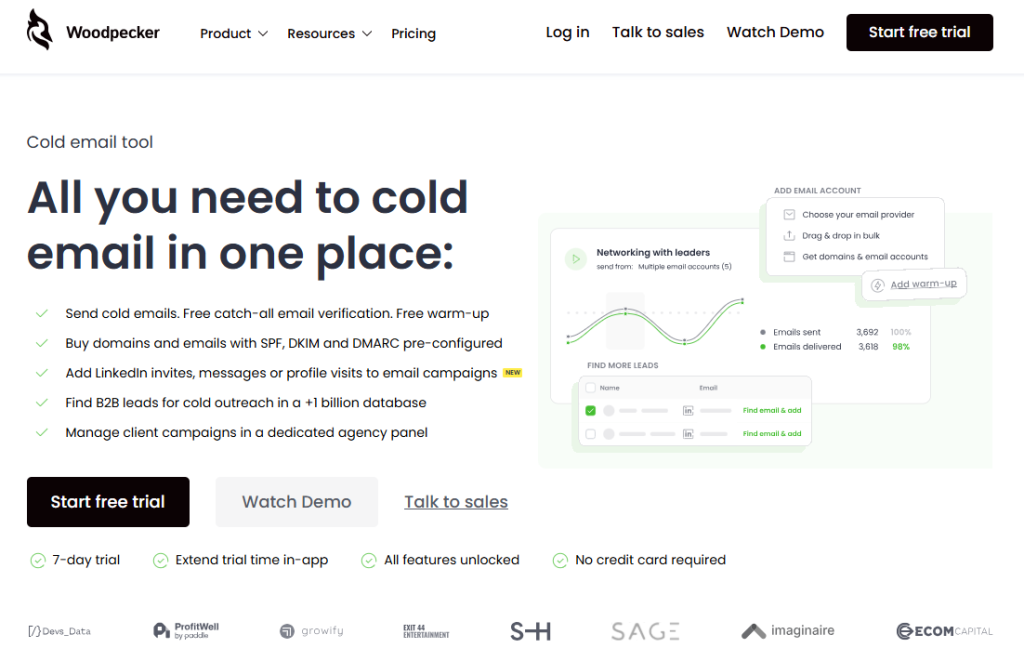
While Dripify and Expandi dominate many discussions, there’s a better platform that combines much of what users enjoy about both tools.
Woodpecker started life as a cold email service back in 2015 but has evolved into a multi‑channel sales engagement system.
It has all you need for cold email in one place and it’s now adding LinkedIn steps to create multi channel outreach. That means you can combine emails with LinkedIn profile views, invites and direct messages without juggling separate tools.
Key differentiators
#1 Complete cold email infrastructure
Woodpecker’s core is cold email. It sends sequences with built‑in randomization and spam‑word checking to keep deliverability high. The platform includes free and unlimited email verification, using catch‑all validation so you don’t waste credits.
It also offers free warm‑ups for your email accounts, with more capacity depending on your plan. This helps you maintain a healthy sender reputation and reduces the risk of your messages landing in spam.
#2 Lead sourcing and domain setup
Woodpecker integrates with data providers like People Data Labs, Prospeo and Dropcontact to help you find B2B leads. You can even purchase domains and email addresses directly through the platform, either on dedicated servers for full control or on shared infrastructure with rotating IPs.
All domains come preconfigured with SPF, DKIM and DMARC records. For non‑technical users or teams pressed for time, this removes the guesswork of DNS setup.
#3 Agency mode
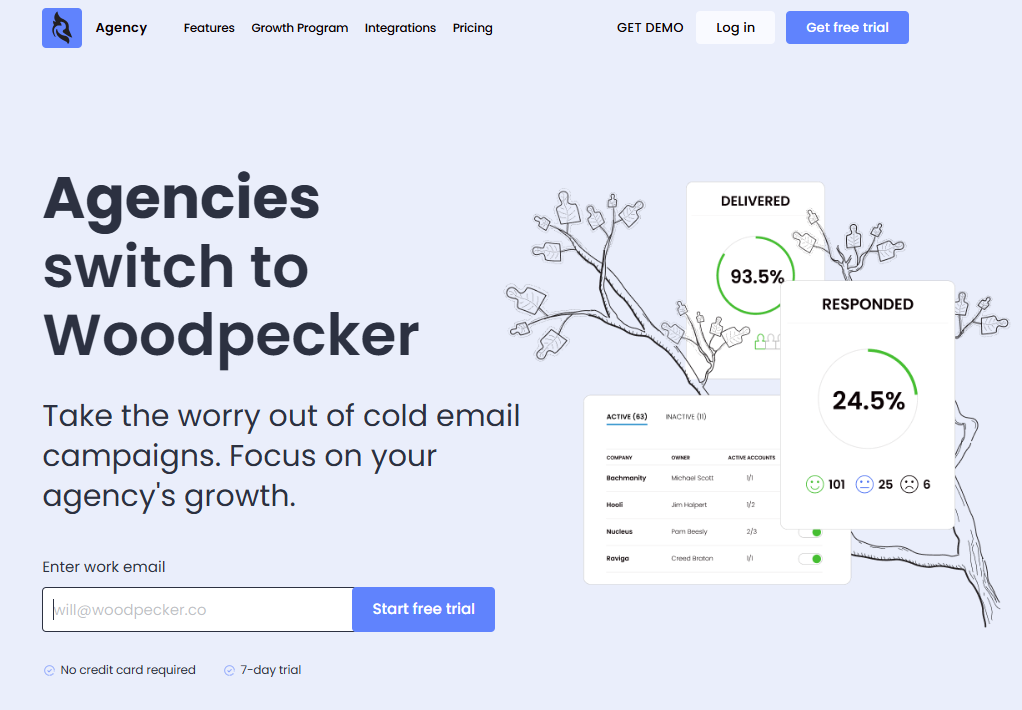
Woodpecker includes a dedicated agency dashboard where you can manage client campaigns, keep databases separate, perform bulk actions (pause, stop or start) and track all client metrics in one panel.
It supports bulk upload of email accounts, domain blacklisting, account‑based selling, multi‑language organization and global blacklists. This dashboard helps agencies manage lead management for multiple accounts without mixing data.
#4 Pricing and fairness
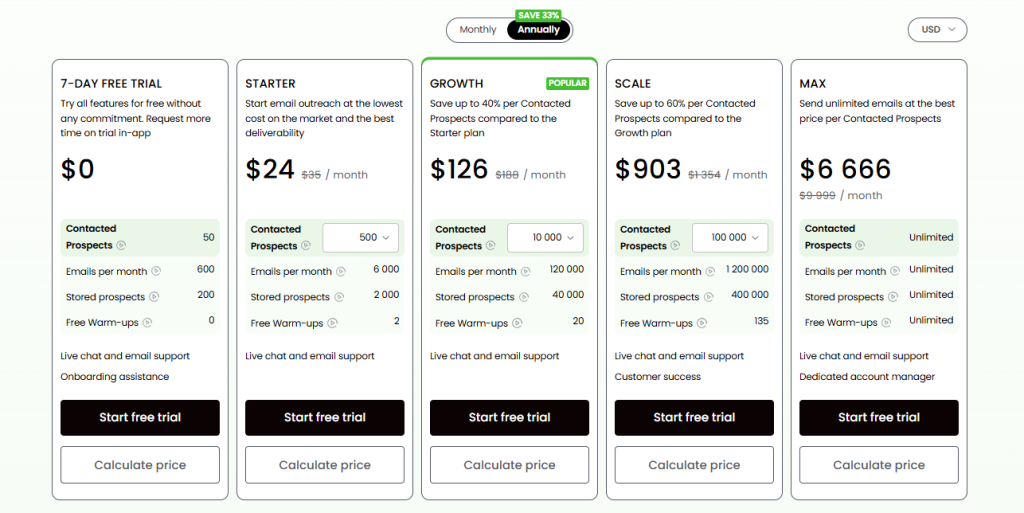
Woodpecker’s pricing is unique: it doesn’t charge per user. You can invite unlimited users and connect unlimited mailboxes without paying extra. All plans share the same feature set. The only differences are consumption limits and account management support.
Transparency is another highlight: there’s a pricing calculator that clearly shows the cost of add‑ons. A LinkedIn slot costs just $29 a month – half the price of many dedicated LinkedIn tools. And the free trial runs for seven days or 50 contacts, whichever comes first.
Woodpecker vs Dripify & Expandi
Woodpecker merges the best of Dripify and Expandi.
Like Dripify, it focuses on simplicity and an intuitive interface. The campaign builder uses drag‑and‑drop steps that feel familiar to non‑coders. Unlike Dripify, it’s not tied to your browser.
The platform runs in the cloud, so your campaigns continue if you shut your laptop. Similar to Expandi, it pays close attention to account safety. Warm‑up features for both email and LinkedIn keep your sending behaviour natural.
Yet its pricing undercuts both competitors: there’s no per‑user fee, and the cost of adding LinkedIn steps ($29 per slot) is far lower than Expandi’s starting price. For teams that want to experiment with cold outreach across email and LinkedIn without committing to high monthly fees, Woodpecker is a compelling choice.
Another advantage is scale.
The company claims that you could send up to 60 million emails per month without slowing down. That capacity positions Woodpecker as a strong option for agencies and large sales tools stacks that require high throughput. Combined with its agency features, Woodpecker can manage teams and handle follow ups across dozens of accounts while keeping deliverability intact.
Finally, because Woodpecker doesn’t restrict features by plan, you don’t need to pay extra for advanced functions like A/B testing, smart conditions or in‑depth analytics.
This addresses a common complaint of Dripify users who need to upgrade tiers to get more sequences or analytics. With Woodpecker, a small business can run automated campaigns with the same functions as a bigger firm, scaling consumption as the pipeline grows.
When to pick Woodpecker
Choose Woodpecker:
- if you’re running cold email outreach at scale and want to blend it with LinkedIn actions
- if you need to handle many accounts and clients
- or if you want transparent pricing that grows with your consumption, not your headcount
It also suits teams seeking a workflow automation platform that keeps sales navigator data in sync with email replies and LinkedIn touches.
Because of its free warm‑up and verification features, Woodpecker is attractive for businesses that are serious about deliverability and lead generation.
While the tool is more email‑centric and lacks some of the deep LinkedIn features of Expandi (for example, there’s no video personalization yet), it covers the essentials and extends your reach beyond a single network.
Final thoughts
So which automation tool should you pick?
If you’re just starting with LinkedIn outreach and want a user friendly interface that doesn’t overwhelm you, Dripify might be the best entry point.
If you need high‑volume LinkedIn prospecting and safety is paramount, Expandi shines.
Woodpecker, meanwhile, combines parts of both while keeping pricing fair. It stands out with unlimited users, multi‑channel sequences, and built‑in deliverability tools. Agencies juggling multiple LinkedIn accounts and companies managing both email and LinkedIn outreach should give it a free try.