
A well-written email is easy to understand before the recipient has finished reading it. The subject sets the expectation, the opening establishes context, the body carries the information and the ending makes the next step clear.
Those parts remain broadly the same across everyday business emails, formal messages, follow-ups and cold outreach. What changes is the tone, length and amount of context the reader already has.
This guide breaks down the main parts of an email, explains how email structure differs from email formatting and shows how the same structure changes across common business situations.
What are the main parts of an email?
A professional email has five core message parts: a subject line, greeting, body, closing and signature. Before those come the addressing fields, such as From, To and CC, which tell the email system and recipient who is involved in the conversation.
| Part | Its job | Example |
| Subject line | Explains what the email concerns | Updated proposal for review |
| Greeting | Addresses the recipient and sets the tone | Hi James, |
| Body | Provides the context and information the recipient needs | I’ve updated the proposal based on Tuesday’s discussion. |
| Closing | States the next step and ends the message | Could you confirm the timeline by Friday? Kind regards, |
| Signature | Identifies the sender | Maria Lopez, Account Manager |
A useful way to judge the complete email is to ask whether the recipient can answer three questions without reconstructing the message: Who is writing? Why are they writing? What, if anything, should I do next?
Email structure and email format are not the same thing
Email structure describes the order and purpose of the message. Email format describes how that information appears on the screen. Paragraph length, spacing, bullets, fonts, links and attachments are formatting choices; the subject, greeting, body and closing belong to the structure.
An email can have all the correct structural parts and still be difficult to read because the body appears as one dense paragraph. The reverse is also possible: a beautifully formatted message may still leave the reader unsure what the sender wants.
For a deeper look at presentation and conventions, Woodpecker has a separate guide to proper professional email format. Here, the focus is on how the parts work together.
Start with the sender and recipient details
The content begins with the subject line, but an email starts with the From and To fields. In business communication, the sender should be easy to identify and the recipient should be the person who is expected to read or act on the message.
A named address such as [email protected] gives an external recipient more context than an unrelated username or a generic mailbox when the conversation is meant to be one-to-one. Woodpecker’s guide to professional email address formats covers the common options and when role-based addresses still make sense.
What are the parts of an email address?
An email address and an email message have different structures. In an address such as [email protected], “anna” is the local part and “company.com” is the domain. The @ symbol separates them.
| Address element | Example | What it represents |
| Local part | anna | The mailbox identifier before @ |
| @ symbol | @ | Separates the local part from the domain |
| Domain | company.com | The domain responsible for receiving mail for the address |
You may also see CC and BCC fields. CC is useful when somebody needs visibility but is not the main recipient. BCC hides the listed recipients from one another and should be used deliberately, particularly when privacy matters.
The visible From, To, CC and Subject area should not be confused with the complete technical email header. Behind the message, email systems add routing and delivery information used to move and authenticate the email.
Write a subject line that sets the right expectation
The subject line should tell the recipient enough to understand what kind of message is waiting for them. In an existing business relationship, clarity usually matters more than curiosity: “Updated onboarding schedule” or “Feedback needed on Q3 campaign” is easier to process than “Quick question” or “Important.”
| Vague | Clearer |
| Quick question | Question about the Q3 campaign budget |
| Update | Updated onboarding schedule |
| Meeting | Agenda for Monday’s project meeting |
| Important | Contract approval needed by Friday |
Cold email is slightly different because the recipient does not already know the context. The subject still needs to be accurate, though. It should signal relevance without relying on false urgency, fake reply prefixes or a promise the email body does not fulfill.
If you are testing subject lines across a large enough campaign, use one meaningful change at a time. Woodpecker’s cold email A/B test calculator can help determine whether the difference between two variants is large enough to treat as meaningful rather than random noise.
Choose a greeting that fits the relationship
A greeting sets the register for the rest of the message. “Hi Maya” works well in most everyday business situations, while “Dear Dr. Patel” may suit a more formal first contact. Colleagues who communicate regularly can often use something even lighter.
There is no need to make the greeting more elaborate than the relationship requires. In fact, a formal salutation followed by very casual copy can feel more awkward than a simple greeting used consistently throughout the email.
| Situation | Possible greeting |
| Everyday business email | Hi Maya, |
| Formal first contact | Dear Ms. Patel, |
| Existing client relationship | Hello David, |
| Internal email | Hi Alex, |
Woodpecker’s email greetings guide has more examples for formal, professional, casual and cold-outreach contexts.
Build the email body around one main purpose
The body should give the recipient enough information to understand the message and respond without asking them to sort through unrelated background. In most professional emails, a useful order is context, essential information and next step.
For example:
Hi Olivia,
I’ve updated the onboarding timeline based on our call yesterday. The first setup session can now take place on Tuesday or Thursday next week.
Which day works better for your team?
Best,
Daniel
Nothing in that message is particularly clever. It works because the reader knows what changed and can answer without searching for the request.
Put information in the right layer
A common formatting problem is trying to fit an entire project into the email itself. If the recipient needs a report, proposal or technical specification, summarize what matters for the decision in the message and place the supporting detail in the document.
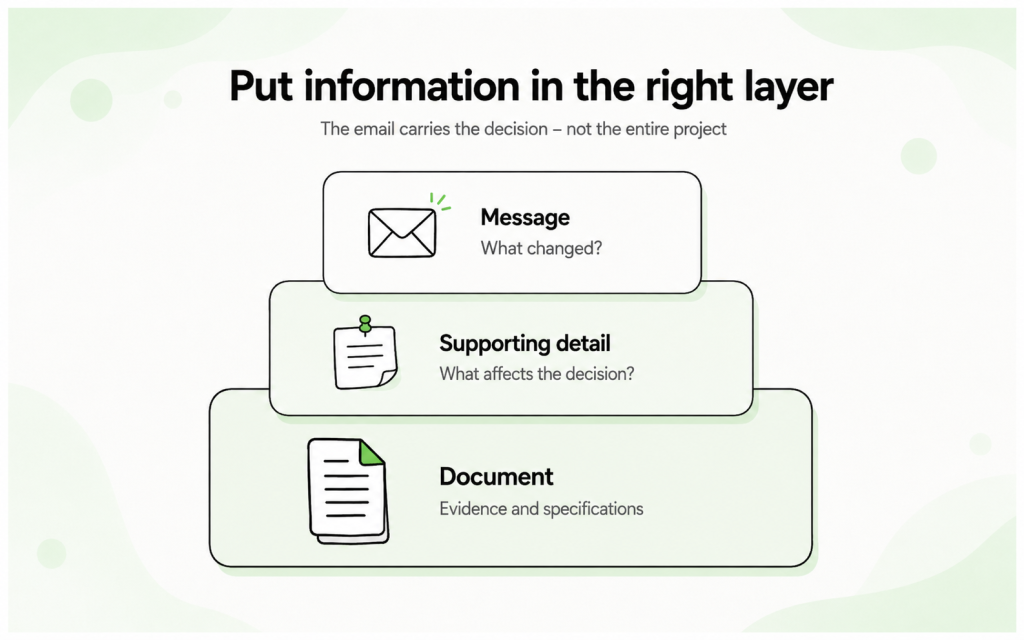
For an attachment, tell the reader what the file is and why it matters. “I’ve attached the revised proposal with the updated launch date and budget” gives more context than simply announcing that a document is attached. The guide to alternatives to “please find attached” covers this in more detail.
Use bullets when the reader needs to scan several items
Bullets help when an email contains several dates, requirements or decisions. They are less useful when a normal sentence would communicate the point more naturally.
For example:
Please review these changes before Thursday:
- the launch has moved to September 8
- the design review will take place on September 1
- final copy is due on August 28
That is easier to scan than burying three dates in one long paragraph.
End with one clear next step
Not every email needs a CTA in the marketing sense, but most business messages should make the expected next action obvious. That action may be approving a document, choosing a meeting time, answering one question or simply noting that no response is required.
The more unrelated requests you add, the more work you give the reader. Compare “Let me know what you think and whether you want a demo, then review the case study and send me the names of everyone attending” with one specific request such as “Could you confirm by Thursday whether the revised timeline works?”
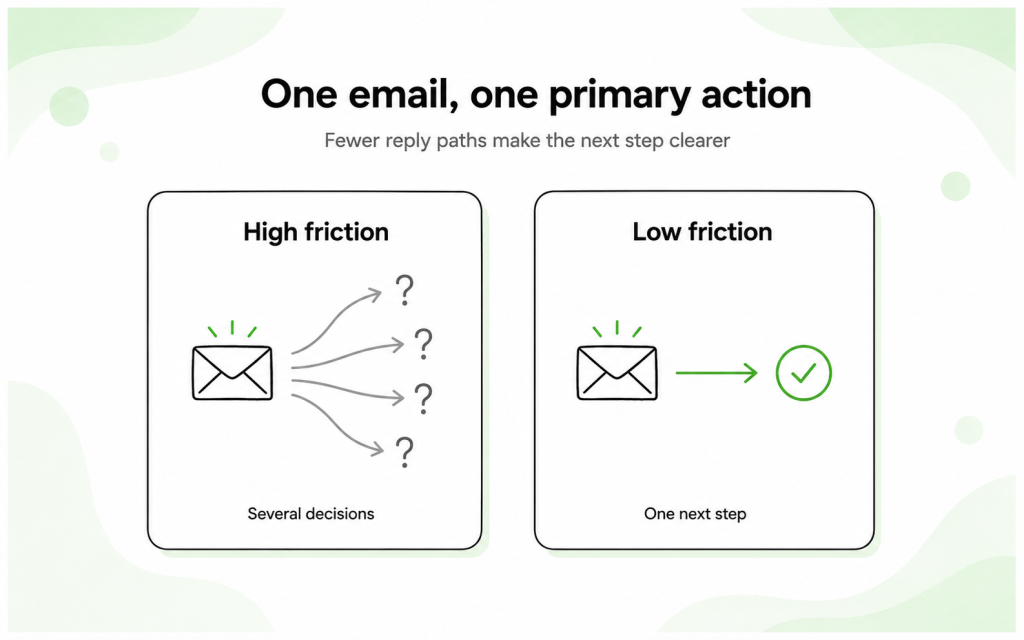
When no action is required, say that too. A line such as “No response needed — I’m sharing this for your records” prevents the recipient from wondering whether they have missed a hidden request.
Finish with a closing and useful signature
The closing should match the tone established at the top of the email. “Kind regards” or “Best regards” work in many professional situations, while “Thanks” or “Best” often fits an established relationship. Formal correspondence may call for “Sincerely.”
The signature then identifies the sender. For an external business email, that may include your name, role, company, direct phone number and website. An internal reply usually needs much less.
Avoid turning the signature into a second marketing email. Several banners, quotes, social icons and competing CTAs can distract from the actual message. Woodpecker’s guide to ending a professional email covers closings and signatures in more depth.
A complete professional email example
Here is how the parts work together in an everyday business email:
Subject: Updated proposal for review
Hi Priya,
Thanks again for the conversation yesterday. I’ve updated the proposal to reflect the revised launch date and the two scope changes we discussed.
The new version is attached. Could you review the changes and let me know by Friday whether the timeline works for your team?
Kind regards,
Daniel Morgan
Account Director
Northstar Digital
The message is professional because it is specific and easy to act on, not because it uses unusually formal language.
How email structure changes with the situation
The five core parts remain useful across most professional emails, but the amount of context and level of formality change. A colleague already knows who you are and what the project is. A cold prospect does not, so more of the message has to establish relevance.
| Element | Everyday business email | Cold email |
| Subject | States the topic or required action | Signals relevant context without clickbait |
| Greeting | Matches an existing relationship | Simple and personal |
| Opening | Can refer to shared work or an earlier discussion | Needs to establish why this person was contacted |
| Body | Provides the information required for the task | Connects one relevant problem or goal with a concise value point |
| Next step | Can be specific and operational | Usually works best as a small, low-pressure ask |
Cold email structure needs a little more discipline
A cold prospect has no obligation to work out why the email matters. The opening needs to establish relevance quickly, and the body should stay focused on one problem or useful observation rather than giving the recipient a full description of your company.
Personalization should change the substance of the message rather than simply adding a first name. Woodpecker’s guide to personalized cold emails gives examples of using account context without turning the message into a long research summary.
Before a sequence goes live, you can paste the message into Woodpecker’s email preview tool to check how the email looks as a complete message. This is useful for spotting awkward line breaks, excessive length or a CTA that gets lost at the bottom.
Check campaign performance without rewriting the structure too quickly
If a cold email is underperforming, do not assume the body structure is automatically responsible. Compare the campaign with Woodpecker’s cold email benchmarks and, more importantly, with your own previous campaigns for a similar audience. Low replies can come from targeting, the offer, deliverability or timing as well as the copy itself.
Remember that structure cannot fix a weak sending setup
For outbound email, the sender address also sits inside a larger technical setup. A professionally written message still needs healthy domains and mailboxes behind it. If you are planning campaign volume, Woodpecker’s cold email infrastructure calculator can estimate how many sending domains and accounts the campaign may need.
Email format examples
Formal business email
Subject: Request for approval of revised project schedule
Dear Ms. Taylor,
I am writing regarding the revised schedule discussed during our meeting on July 30. The attached version includes the requested testing period and moves the proposed launch date to September 8.
Could you confirm by August 12 whether the revised schedule is approved?
Kind regards,
Daniel Morgan
Project Director
Everyday professional email
Subject: Revised project schedule
Hi Laura,
I’ve updated the schedule based on yesterday’s meeting. The new version moves the launch to September 8 and gives the team two additional testing days.
Could you confirm by Tuesday whether the date works for you?
Thanks,
Daniel
Cold email
Subject: Reporting workflow at [Company]
Hi Chris,
I noticed your team is adding analysts across several regions. Teams growing that way often end up spending more time maintaining customer reports than they expected.
Woodpecker helps sales teams run personalized cold email and LinkedIn outreach while keeping sending and reply management in one workflow.
Is improving outbound consistency something you are working on this quarter?
Best,
Sam
Common email structure problems
| Problem | Why it causes friction | Better option |
| Vague subject | The recipient cannot tell what the message concerns | Name the topic, action or relevant context |
| Long opening | The purpose is buried under background | Move the reason for writing closer to the top |
| One dense body paragraph | Important details are hard to scan | Separate ideas or use bullets where appropriate |
| Several unrelated CTAs | The recipient has to decide which request matters | Choose one primary action |
| Overloaded signature | The ending becomes another advertisement | Include only useful identity and contact details |
Email structure checklist
Before sending, read the email once from the recipient’s point of view. You are checking clarity more than style.
- Sender: Is it immediately clear who the email is from?
- Recipient: Are the To, CC and BCC fields correct?
- Subject: Does it accurately describe the topic or action?
- Greeting: Does the tone fit the relationship?
- Opening: Can the reader quickly tell why you are writing?
- Body: Have you included the information needed to understand the message without unnecessary background?
- Action: Is the next step clear?
- Attachments: Did you name and explain any files you included?
- Signature: Does the recipient have enough information to identify you?
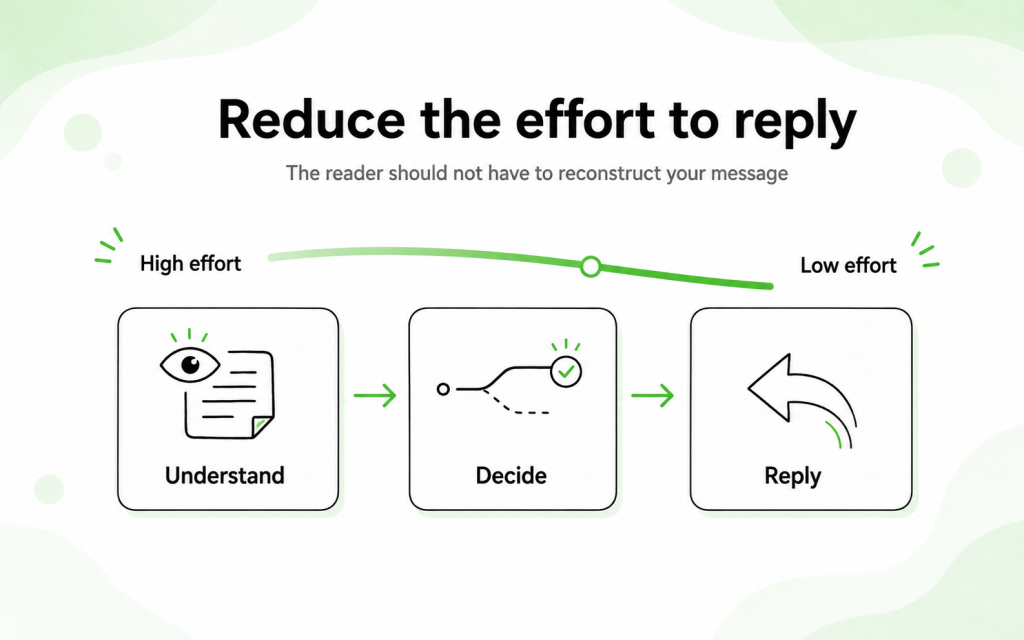
A good email rarely becomes better because you add another paragraph. If the recipient already has enough information to understand, decide and reply, the message is probably finished.
Parts of an email FAQ
What are the five main parts of an email?
The five core parts of the message are the subject line, greeting, body, closing and signature. The From, To, CC and BCC fields sit around the message and identify who is sending and receiving it.
What are the parts of an email address?
An email address contains a local part, the @ symbol and a domain. In [email protected], “anna” is the local part and “company.com” is the domain.
What is the difference between email structure and email format?
Structure describes the order and purpose of the email’s components. Format describes how those components appear, including spacing, paragraph length, bullets, fonts, links and attachments.
What should an email body include?
The body should explain why you are writing, give the recipient the information they need and make the next step clear. For longer messages, separate different ideas into short paragraphs or use bullets for details that need to be scanned.
Does every email need a CTA?
Not every email needs a marketing-style CTA, but the recipient should know what happens next. If you need a response, ask for one clearly. If no response is required, saying so can make the message easier to process.
How long should a professional email be?
There is no fixed word count. Include enough context for the recipient to understand and act, then remove information that does not help with that purpose. A project update may need several short paragraphs, while a confirmation email may need only two sentences.
Should a cold email use the same structure?
Yes, but a cold email has less shared context. The subject and opening need to establish relevance quickly, the body should stay narrow and the requested next step should be proportionate to a first interaction.
Make the email easy to understand and answer
Good email structure is mostly information design. The reader should see the topic, understand the context, find the important details and know what happens next without spending unnecessary effort on the message.
The exact wording can be formal or conversational, and the body can be two sentences or several short paragraphs. What matters is that every part supports the same purpose. When the email has done that, there is usually no reason to keep adding to it.