


If your cold email campaign suddenly stops working, chances are your messages are landing in the spam folder instead of the inbox. That’s where Warmup Inbox enters the picture. It is a warmup tool built to improve email deliverability, protect sender reputation, and help emails land where they belong.
But what do real users actually think?
In this WarmupInbox reviews article, we break down real feedback, highlight pros and cons, and compare it with Woodpecker to see which tool gives better value.
What users love about Warmup Inbox
Warmup Inbox currently holds a 4.6 out of 5 rating based on 47 verified reviews on G2, showing strong overall satisfaction.
So let’s start with the pros first.
#1 Beginner friendly setup and easy start
One of the most common positives in any Warmup Inbox review is how easy it is to start, even for users with little technical experience.
A marketing reviewer said:
“Warmup inbox is easy to implement and use. It delivers as promised. The customer support is excellent.”

This beginner friendly setup makes Warmup Inbox a good choice for solo founders, small teams, and customers who are new to email warmup. Many users start using the tool without needing outside help or technical knowledge.
The setup process connects your email accounts, checks authentication records like SPF and DKIM, and begins warming your inbox automatically. This step is important because missing authentication records can cause spam issues or hurt email reputation.
Once connected, the tool starts sending warm up emails through its network of real inboxes. These interactions help email providers recognize your account as active and trustworthy.
Many users said they could start warming new inboxes within minutes. Others mentioned that even when setup questions came up, the support team responded quickly and helped them complete the process. This makes it easier for users to start outreach without long delays or confusion.
#2 Strong customer support with real people
Another major advantage mentioned in many reviews is the quality of the support team. Users consistently highlight that they can speak with a real person who understands email deliverability problems and responds quickly.
One reviewer shared:
“It has excellent customer service. You talk to a human being, they listen to you and always try to find a solution.”
This kind of direct human support is especially important when dealing with technical setup, inbox issues, or authentication records. Email warmup often involves domain settings, SMTP connections, and provider rules, which can confuse new users.
Another user described their experience when connecting their inbox:
“Lucia was not only super friendly and approachable but also incredibly fast in helping me out… she knew exactly what needed to be done and guided me through the process.”
This shows that Warmup Inbox does not rely only on automated responses. Users can reach a real person who can help solve problems step by step.
Many users said the support team helped them fix setup problems, connect email accounts, and understand deliverability reports. This level of support is especially helpful for solo founders, small teams, and businesses running cold email outreach without technical staff.
Fast and reliable support makes a big difference, especially during the early stages of email warmup, when proper setup directly affects results.
#3 Real improvements in deliverability and open rates
The main reason users choose Warmup Inbox is to improve email deliverability and help cold emails reach the inbox instead of the spam folder. Based on many reviews, most users report clear improvements after using the tool.
One business owner explained:
“Prior to using them, I was having significant issues with deliverability and open rates… Clients weren’t receiving daily communications, or they were going to spam. By using Warmup, I saw huge increases in open rates, dramatic drops in emails being marked as spam and my reputation scores are now in the 90’s.”
This feedback highlights how Warmup Inbox helps rebuild sender reputation and restore trust with email providers. When email accounts are new or inactive, providers often treat them as risky. Warmup Inbox fixes this by sending warm up emails through its network, creating natural engagement over time.
Another reviewer said the platform helped them finally understand and fix their deliverability problems:
“Cleared up all deliverability mysteries. I finally get it! Plus, made the technical aspect of doing it all so easy to implement.”
Users often notice improvements within the first few weeks. These improvements include:
- Higher open rates
- Fewer emails marked as spam
- Better inbox placement
- Stronger domain reputation
This is especially important for businesses running cold email campaigns, where even small improvements in inbox placement can lead to more replies and clients.
#4 Detailed reports and blacklist monitoring
Another strong advantage mentioned in the reviews is the platform’s reporting and monitoring features. These tools help users understand what is happening with their email accounts and whether their sender reputation is improving.
One reviewer noted:
“The best option if you need a lot of control over your email warmup and detailed reports.”

Warmup Inbox includes detailed reports that show how your inbox warmup is progressing. Users can see how many warm up emails were sent, how many were opened, and whether emails land in the inbox or spam folder. This helps users track progress and identify problems early.
One of the most useful features is blacklist monitoring. If your domain or email account appears on a blacklist, your emails may stop reaching the inbox. Warmup Inbox tracks blacklist status and alerts users when problems appear. This helps users take action before deliverability gets worse.
The dashboard also shows reputation data across different email providers. This gives users a clear view of their inbox health in one place.
These reports are especially helpful for enterprise users, agencies, and advanced users managing multiple inboxes. Instead of guessing why emails are not performing well, users can see real data and make informed decisions.
#5 Beginner friendly and useful for basic warm up
Warmup Inbox is especially useful for users who need basic warm up for new inboxes or email accounts with little sending history. This makes it a popular choice among beginners who want to start email outreach safely.
One reviewer said:
“Warmup Inbox is user-friendly and easy to use for beginners.”
This beginner friendly approach helps users understand how email warmup works without needing deep technical knowledge. Instead of manually sending warm up emails, the tool handles the warm up process automatically through its network.
This is important because new inboxes and new domain setups often face higher spam risks. Email providers closely watch new accounts, and sending too many cold emails too quickly can damage sender reputation.
Warmup Inbox helps solve this by gradually increasing sending activity. This helps build trust with email providers and improves the chances that emails land in the inbox.
This makes the tool especially useful for:
- Solo founders launching cold outreach
- Small teams creating new email accounts
- Businesses starting outreach from a new domain
- Users recovering inboxes after spam issues
Many users report seeing improve
The cons: what users don’t like
Even with positive reviews, Warmup Inbox has some drawbacks.
#1 Pricing can get expensive with multiple inboxes
One of the most common complaints is how quickly costs increase when managing multiple inboxes. While the starting price is low for one inbox, the total cost grows as users add more email accounts.
One reviewer explained:
“It can be a bit pricey if you add many inboxes.”
This pricing structure can become a problem for businesses running larger cold email campaigns. Many outreach strategies use several inboxes across multiple domains to protect sender reputation and spread sending volume. Since Warmup Inbox charges per inbox, each additional account increases the monthly cost.
For example, a small team with five inboxes will pay much more than someone using only one inbox. This makes Warmup Inbox less attractive for agencies, enterprise users, and teams managing outreach at scale.
The most expensive plan tiers include advanced features, but smaller businesses may find it difficult to justify the higher cost compared to other services. Some users mentioned they had to carefully choose how many inboxes to warm to control spending.
This pricing model works well for solo founders and small teams, but it may become expensive for users managing many inboxes long term.
#2 Billing and pricing plans can be confusing
Another drawback mentioned is confusion around billing and pricing plans. Some users said it was not always clear which plan to choose or how long they needed to run the service.
One reviewer shared:
“The billing can be initially confusing, trying to work out what packages will work for your particular needs, for how long, and so on.”
This confusion often happens because email warmup is not a one-time process. Users must decide how long to warm their inbox, how many inboxes to connect, and whether to increase sending volume over time. Without prior experience, it can be difficult to know the right plan.
Some users also mentioned that understanding subscription timing, renewal cycles, and when to stop warming required extra attention. This is especially true for businesses managing multiple inboxes or launching new outreach campaigns at different times.
While the support team can help explain pricing and billing questions, the learning curve may slow down users during the early stages. Clearer plan explanations and simpler billing structure would make it easier for new users to choose the right option.
#3 Limited features compared to other tools
Another drawback mentioned is that the platform focuses mainly on inbox warmup and lacks broader outreach and campaign management features found in other tools.
One reviewer pointed this out clearly:
“It doesn’t provide a CRM for Cold Email.”
This limitation means Warmup Inbox works only as a warmup tool, not a complete solution for email outreach. Users still need other tools to manage cold email campaigns, track replies, organize leads, and send outreach sequences.
For example, Warmup Inbox helps warm email accounts and improve sender reputation, but it does not include features like:
- Campaign automation
- Lead management
- Email sequence scheduling
- Reply tracking
- Outreach analytics
Because of this, users often combine Warmup Inbox with other tools to run full outreach operations. This adds extra cost and complexity, especially for businesses managing multiple clients or campaigns.
Some users said the tool works well for warming inboxes but does not replace other services needed for outreach. This makes it less convenient compared to platforms that combine warmup and outreach in one system.
This limitation affects agencies, sales teams, and advanced users the most, since they usually need both warmup and outreach features to manage campaigns efficiently.
#4 Spam and setup problems
While most reviews are positive, a small number of users reported problems related to spam issues and technical setup. These cases are not common, but they highlight situations where the tool did not fully solve deliverability problems.
One reviewer shared a very critical experience:
“It didn’t help—we dealt with a lot of DMARC/spam issues along the way and had to hire a consultant to fix.”
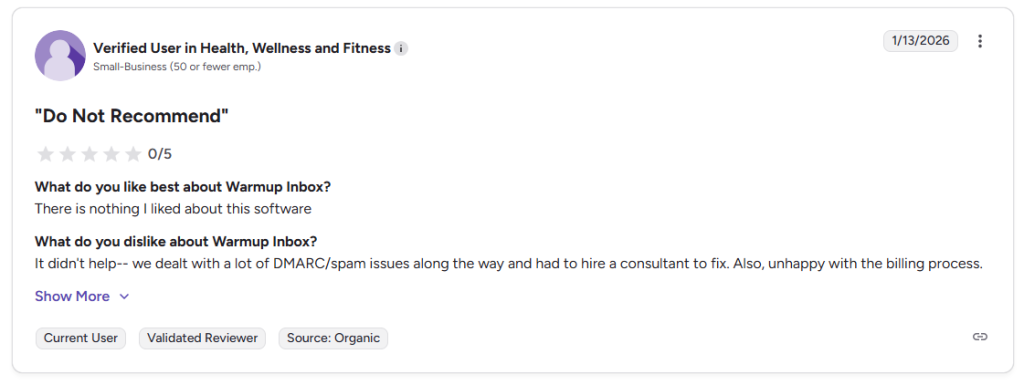
This feedback shows that Warmup Inbox cannot fix every deliverability problem on its own. Email deliverability depends on several factors, including authentication records, domain reputation, email content, and sending behavior. If these technical settings are incorrect, warmup alone may not solve the issue.
Some users also experienced setup challenges, especially when connecting email accounts or configuring domain settings. These problems may involve DNS records, SMTP configuration, or authentication protocols like SPF, DKIM, and DMARC.
Another user mentioned needing help during setup but said the support team helped resolve the issue quickly.
These negative reviews highlight an important point: Warmup Inbox is a useful tool, but it works best when email accounts are properly configured. Users with technical setup problems may need extra help to achieve good results.
For most users, these issues were temporary and resolved during the early setup phase.
Warmup Inbox pricing and plans overview
Warmup Inbox offers several pricing plans, including:
- Basic plan for beginners ($19/inbox/month)
- Pro plan for advanced users ($59/inbox/month)
- Max plan for large teams ($99/inbox/month)
- Pro bundle ($46/inbox/month)
There is a 7 day free trial.
Warmup Inbox vs Woodpecker: Why Woodpecker is the better choice
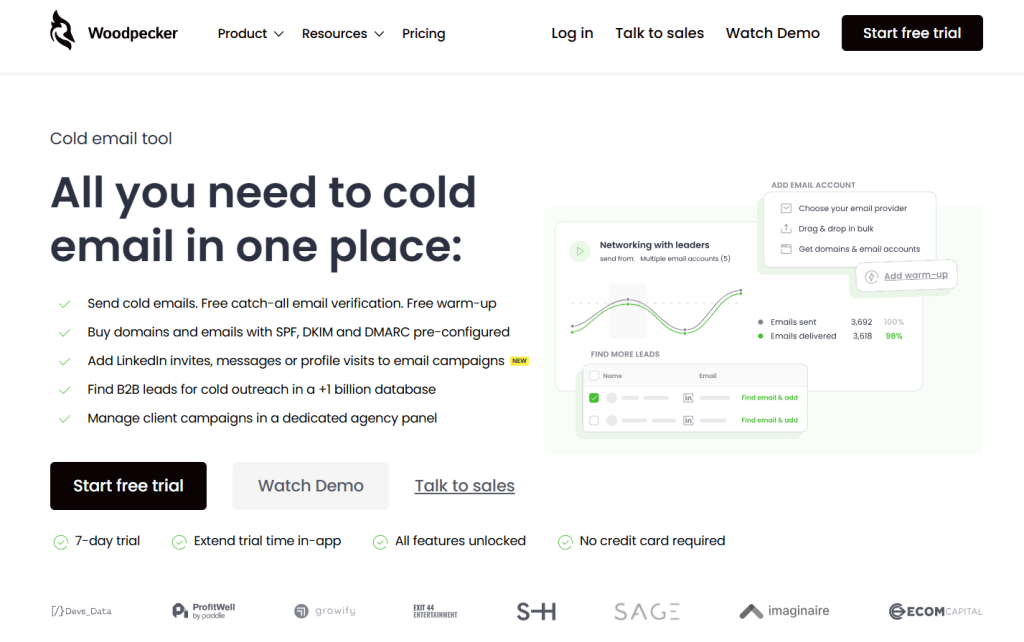
While Warmup Inbox is a solid warmup tool, Woodpecker is a better warmup inbox alternative for most users.
Warmup Inbox focuses only on email warmup.
Woodpecker combines:
- Email warmup
- Email outreach
- Campaign tracking
- Deliverability monitoring
- Reply tracking
This makes Woodpecker more powerful than most other warm up tools.
Woodpecker also includes features Warmup Inbox does not, such as built-in outreach tools and campaign management.
Woodpecker helps users:
- warm inboxes,
- send cold emails,
- track open rates,
- and manage outreach.
Unlike Warmup Inbox, Woodpecker replaces multiple tools with one platform. It’s especially useful for cold outreach and managing clients.
Woodpecker also offers better value for the price you pay compared to Warmup Inbox.
Final verdict: is Warmup Inbox worth it?
Warmup Inbox is a good tool for basic warm up and improving deliverability. However, Woodpecker is the better choice overall.
Woodpecker includes email warmup, outreach, and deliverability tools in one platform. For users serious about cold outreach, Woodpecker delivers better value and better long-term results.
Try it yourself – sign up for a free trial.