


Working as part of the Woodpecker team, I often explore competing tools to understand where they shine and where they might fall short.
In this review I share my impressions of Emailchaser and its pricing for 2026.
Emailchaser is positioned as an all in one solution for outbound marketing, combining prospecting, messaging and tracking in a single place.
I’ll walk you through the two main plans – Basic and Professional – and look at the features that matter to people running cold email campaigns.
After dissecting Emailchaser, I will explain why Woodpecker might still be a better choice.
Cold email campaigns
Emailchaser markets itself to users who want to send cold emails at scale. The platform promises to handle the entire sales process from finding prospects to sending messages and tracking replies.
When I first opened my Emailchaser account, I noticed a clean user interface with clear tabs for leads, campaigns and analytics.
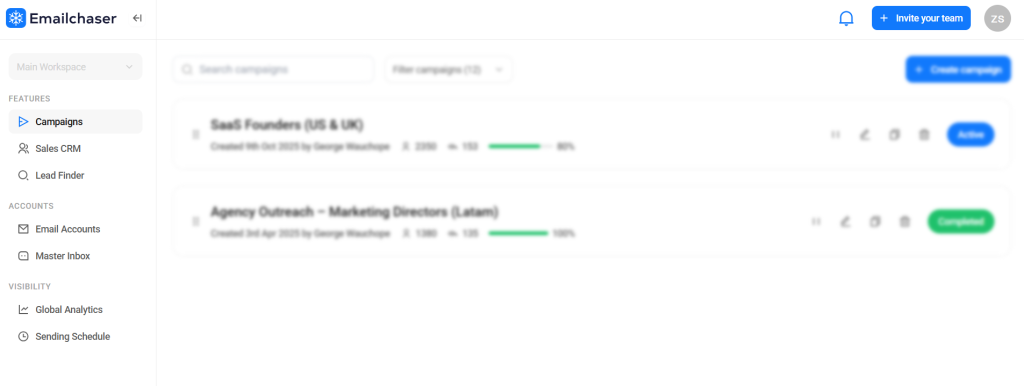
You can start a project, upload a CSV file of prospects, and set up your message sequence. The system sends through Gmail or other SMTP providers and monitors opens and clicks.
While simple enough for beginners, Emailchaser also includes some advanced features like AI spintax for message variation and double email verification to help verify email addresses.
My hope was to see whether the pricing reflects this mix of beginner and pro tools.
Basic plan
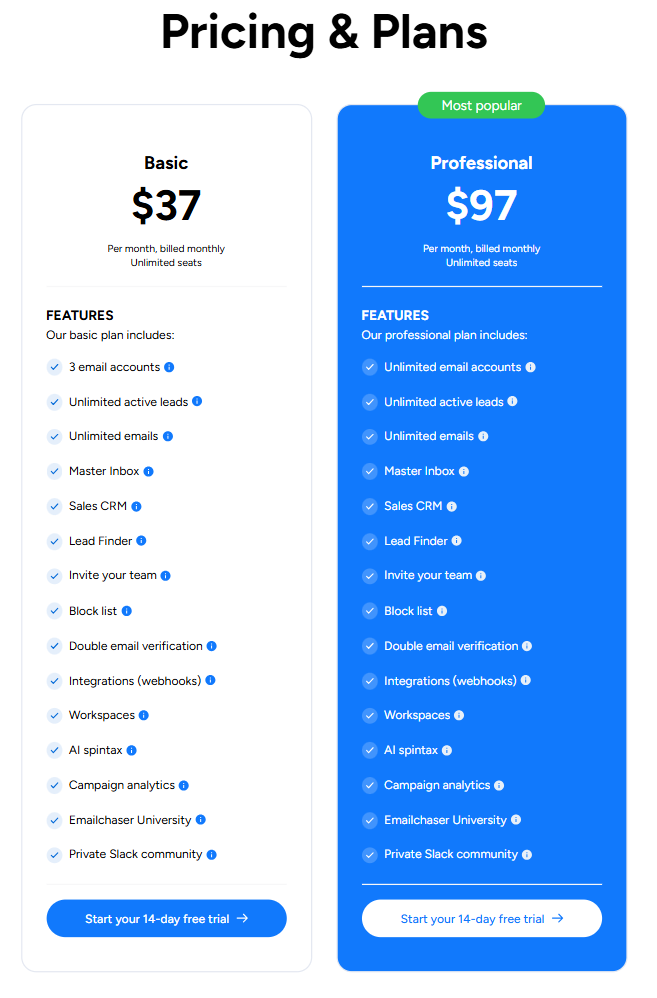
The Basic plan costs $37 per month. It includes three sender email accounts, which means you can manage messages from three domains or addresses.
You also get unlimited active leads, unlimited emails, a Master Inbox and sales CRM. The Master Inbox aggregates replies across senders so that you don’t miss messages.
The CRM is basic but lets you track conversations and deal stages.
The plan comes with a Lead Finder, which helps you search for companies and contacts – results are limited per month. You can also invite team members – seats are unlimited on all tiers – and maintain a block list to suppress domains or addresses.
Another useful element is double email verification, which helps filter out invalid addresses to reduce bounce rates and spam issues.
The plan supports webhooks integrations for simple connections and workspaces for organizing projects. It also includes AI spintax to generate multiple email versions from one template and campaign analytics to track results.
Emailchaser also runs Emailchaser University, a learning hub with tutorials, and provides access to a private Slack community.
There is a 14‑day free trial for the basic plan, so you can explore features without paying.
From my perspective, the basic tier is suitable for sales teams that need to handle a moderate volume of messages from a few domains. The three account limit may be restrictive if you manage multiple brands or clients.
The inclusion of lead search and the ability to invite unlimited teammates is nice, but the plan lacks deeper automation like follow‑up sequences or inbox rotation.
If you want to run more sophisticated outreach campaigns, you might hit the ceiling quickly.
Professional plan
The Professional plan (which is the higher tier) costs $97 per month.
It includes everything in the basic tier plus one key upgrade: unlimited email accounts. The description states the professional tier includes:
- unlimited senders,
- unlimited active leads,
- unlimited emails,
- the Master Inbox,
- Sales CRM,
- Lead Finder,
- invite your team,
- block list,
- double verification,
- integrations via webhooks,
- workspaces,
- AI spintax,
- campaign analytics,
- access to Emailchaser University and the private Slack community.
Essentially, the only difference from the basic tier is the number of sender email accounts you can attach.
This might not justify the price jump for some users. If you only need three addresses, the basic tier already includes the same features. If you manage multiple clients or brands, then the unlimited senders of this tier may be necessary.
I’m surprised there are no additional automations or advanced features to accompany the higher cost.
This top tier also has a 14‑day trial.
I tested it and could add as many senders as I wanted, which is handy for agencies. However, there are no extra features or expanded analytics.
In my opinion, the pricing Emailchaser uses is simple but not flexible. There is no annual discount or volume‑based pricing.
You either pay $37 for three accounts or $97 for unlimited. If there were intermediate tiers, small agencies might choose a mid‑level option.
Also, because there is no warm‑up or advanced follow‑up system, you may still need to purchase other tools to complement your subscription.
Lead finder
Both tiers include a lead finder, an internal database search engine.
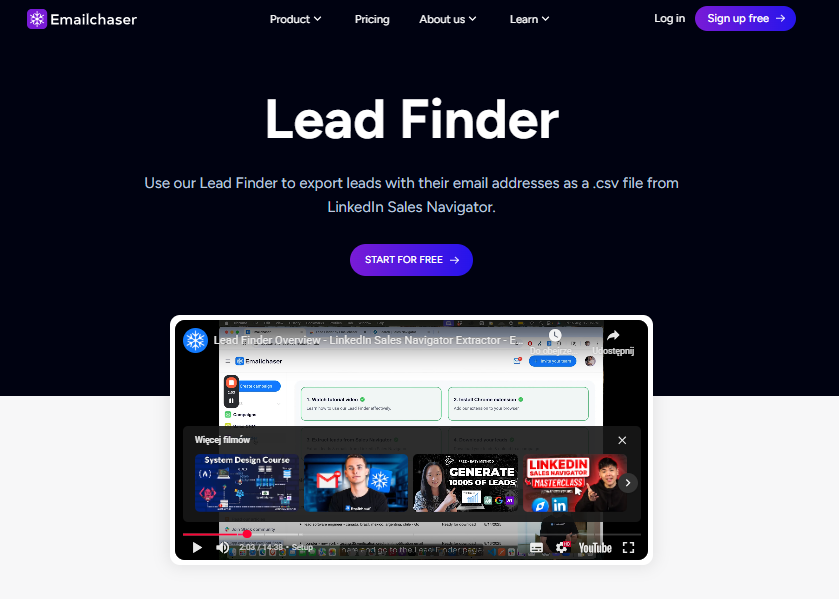
You can look up prospects by job title, company size or industry. This is helpful for building lists without leaving the app.
It’s not as large as specialized lead databases, but for many use cases it saves time.
The results can be exported directly into a campaign or downloaded as a CSV file.
When I tested it, the search returned valid addresses for small and mid‑sized companies. For sales teams starting out, having this built‑in tool reduces the need for other tools.
That said, if you rely heavily on data enrichment or need a Linkedin email finder, you might still need to integrate external services.
Inbox rotation
The plans mention a Master Inbox, which consolidates all replies in one place.
But there is no native inbox rotation or mailbox rotation feature like some advanced platforms.
Instead, you manually manage which addresses send messages.
This is important for deliverability because spreading emails across accounts can protect domain reputation.
Without rotation you may need to monitor your sending manually to keep bounce rates low.
Tools like Woodpecker include mailbox rotation by default, letting you rotate messages automatically across domains to help keep your emails land in the primary inbox.
This is one area where Emailchaser’s basic tier may not have enough capacity.
Cold outreach
Emailchaser positions itself as a tool for cold outreach. You can search for leads, compose sequences and send them from multiple addresses.
The built‑in CRM module helps you keep track of conversations, though it is quite lightweight compared to full CRMs.
You can set tasks, note when to call or send a follow‑up, and move deals through simple stages. This is useful for small teams, but larger businesses might prefer to sync with HubSpot or another CRM.
Emailchaser integrates via webhooks – there are no deep native CRM integrations, so it might take extra steps to connect your pipeline.
If your outreach efforts involve Linkedin outreach or multi‑channel touches, you’ll need separate tools as Emailchaser focuses solely on email.
Create a campaign
To create a campaign, you click a “new campaign” button in the top menu, select your sender account and import leads from the lead finder or by uploading a CSV.
You then write your subject line and message. There’s a toggle to generate AI variations using spintax, which can help you send different email versions to each recipient.
You can also insert personalize emails tags such as first name, company and job title. The campaign builder supports scheduling, but follow‑up logic is limited.
You can send a single follow‑up but cannot build complex conditional sequences.
This simplicity suits basic campaigns but may not be enough for seasoned users who build multi‑step flows. Woodpecker’s builder, by contrast, gives you unlimited stages, delays and rules.
Follow ups
Follow‑ups are essential in cold emailing because they improve the response rate and help you book more meetings.
In Emailchaser you can add one follow‑up message after your initial send, but there is no branching based on opens or clicks.
The tool does not support conditional sequences or rule‑based scheduling. The absence of robust follow‑up options could mean you need to manually track who replied and who needs a nudge.
This can slow down your sales process and increase manual labour.
In contrast, Woodpecker has advanced workflows that automate follow‑ups based on behaviour, such as replies, opens or link clicks. This difference is notable if you rely on sequences to close deals.
Email deliverability
Emailchaser tries to keep deliverability high by combining double email verification, block lists and spintax.
The verification checks an address twice before sending, reducing bounce rates and protecting your domain from spam issues.
The block list lets you exclude domains or names that you don’t want to contact again.
AI spintax generates variations to help avoid repetition and maintain a natural tone.
But the platform lacks a proper warm‑up solution – there is no dedicated warm‑up system to prepare new domains.
For high volumes or new domains you may need to warm manually or use separate services.
Many users look for email deliverability features like warming, inbox rotation and sending limits to make sure messages get through.
In our tool, we handle warm‑up automatically up to your prospect limit, and we also connect unlimited mailboxes, making deliverability easier to manage.
Email finder
In addition to the built‑in lead search, Emailchaser offers an email finder.
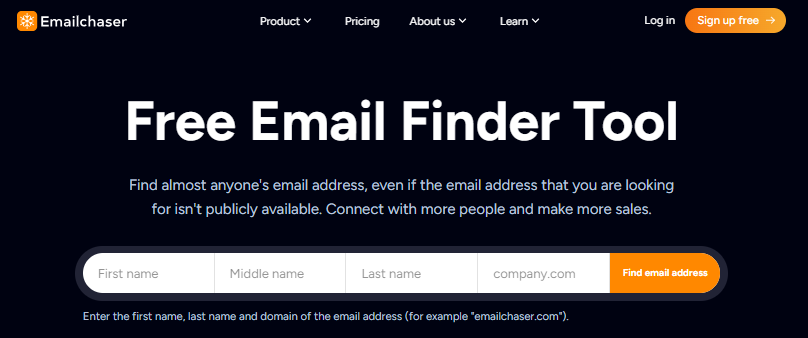
It extracts addresses from websites and social profiles.
It’s especially useful for finding individual email addresses from LinkedIn or company websites, though the accuracy depends on the source.
The feature syncs directly to your account, so you can export leads into your campaigns without manual copy‑paste.
Still, it may not match dedicated tools when it comes to verifying data. If you combine it with Linkedin outreach, you might capture contact details and then write to them, but the process isn’t fully integrated.
For teams that run heavy prospecting, you may end up using a separate data provider anyway.
Woodpecker vs Emailchaser
After reviewing Emailchaser, I can’t help but compare it to our own tool.
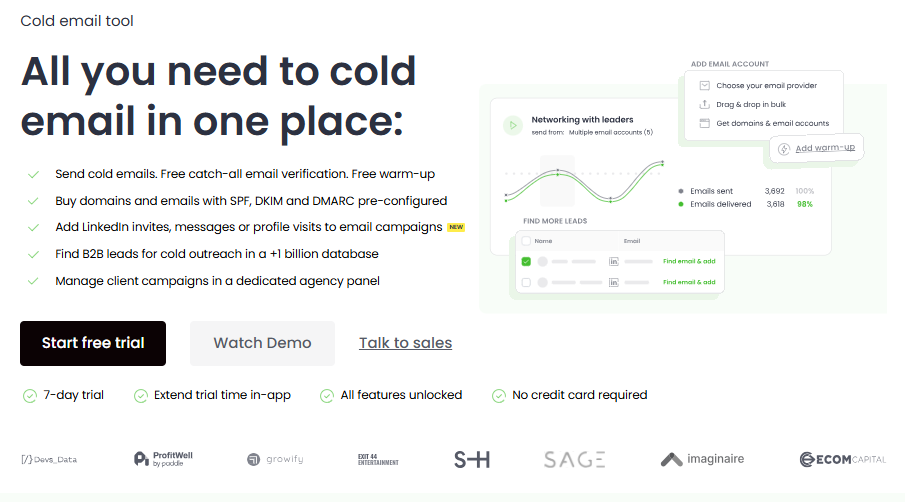
Woodpecker includes unlimited mailboxes across plans, so you don’t need to upgrade just to add more. We also integrate a primary inbox with mailbox rotation, built‑in warm‑up and AI generative content.
Our plans are based on the number of prospects you contact rather than the number of accounts.
The price includes all features:
- unlimited verification,
- warm‑up,
- A/B testing,
- conditional steps,
- CRM,
- LinkedIn module,
- and integration with our B2B database.
We also support agencies with an advanced panel for separate prospect lists and templates. Because we don’t bill per user or mailbox, adding teammates doesn’t cost extra. We also help you buy domains with correct DNS and sender email accounts pre‑configured.
I think potential users should consider how many senders they need and whether they value features like built‑in warm‑up and automation.
If you need unlimited email sending accounts and plan to run simple sequences, Emailchaser’s professional tier might fit.
But if you want an integrated tool for outreach efforts across email and LinkedIn with strong deliverability and automation, Woodpecker may deliver better value.
Our pricing is transparent – we have a 7‑day trial or 50 contacted prospects option. We also support sending from unlimited mailboxes at no extra cost, which is helpful when you need to send thousands of messages.
Final thoughts
Emailchaser keeps pricing straightforward, with only two tiers and a 14‑day free trial for both.
The basic tier is affordable and includes many features, making it suitable for small or mid‑sized businesses.
The professional plan includes mainly unlimited senders and might be necessary for agencies or teams with multiple domains.
The platform is user friendly, the Master Inbox simplifies managing emails, and the lead finder helps start lists quickly. However, the absence of advanced warm‑up, limited follow‑up logic and lack of tiered pricing mean many users will outgrow it quickly.
Woodpecker offers a more robust email outreach solution with strong deliverability, deeper automation and integrated prospecting.
It also bundles LinkedIn actions, which can help improve outreach efforts and expand beyond email.
When evaluating tools, consider your messaging volume, the number of senders you need, and whether you want built‑in warm‑up and automation.
The right choice will depend on your goals, but for many, the flexibility and feature set of Woodpecker could lead to better campaign performance, more meetings and a higher chance to close deals.
You don’t have to trust my word – sign up for a free trial and jugde it yourself.