


Cold email outreach remains a cornerstone strategy for sales teams, agencies, and startups looking to book more meetings and win new customers. Two popular players in this space are SalesBlink and Instantly.
SalesBlink is an all-in-one sales outreach platform with AI assistance and multi-channel sequencing, while Instantly has made waves with its unlimited email sending accounts and deliverability-focused approach.
In this comparison, we’ll break down SalesBlink vs Instantly across several key areas: features, pricing, deliverability performance, integrations, user experience, customer support, and the ideal use cases for each.
Instantly vs SalesBlink: features
SalesBlink is a comprehensive sales engagement platform, essentially a “one-stop shop” for cold outreach. The core capabilities cover everything you need to go from prospect to meeting booked.
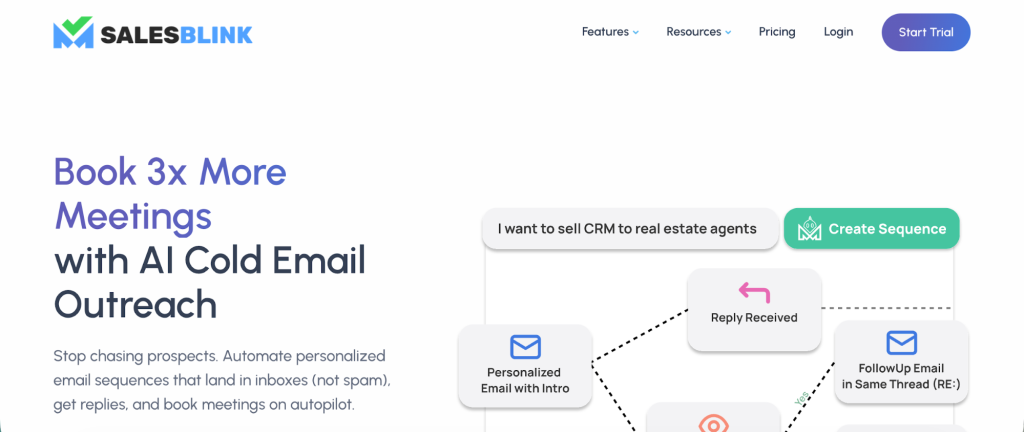
Notable features include:
- Automated email sequences with AI: You can build multi-step campaigns with emails and auto follow up emails that go out on autopilot. SalesBlink’s standout is its BlinkGPT Sales AI, which helps write personalized cold emails and even entire sequences for you.
- Multichannel outreach: Unlike many email-only tools, SalesBlink lets you incorporate LinkedIn touches or phone call tasks into your cadence. For example, a sequence could automatically send an email, wait a few days, then remind you to send a LinkedIn message or place a call, thanks to the built-in LinkedIn integration.
- Lead generation & verification: SalesBlink includes prospecting tools to find leads’ contact information and verify emails. It has an email finder and company search feature to build targeted prospect lists by criteria like industry, title, or location, helping you find professional email addresses and dodge spam filters.
- Email warm-up & deliverability aids: To improve inbox placement, SalesBlink provides a built-in email warm-up service. It automatically sends and engages with a network of emails to warm your sender reputation, warming up your address, domain, and even links before you launch big campaigns.
- Meeting scheduler: SalesBlink has an integrated scheduling tool that syncs with your calendar. You can create a booking link for prospects to pick a meeting time (supports Google Calendar and Outlook integration).
- Unified inbox and CRM-lite: All your campaign replies across multiple email accounts aggregate in a single “unified inbox,” so you can respond to leads without switching accounts.
- Analytics & reporting: The platform provides detailed outreach analytics – open, click, and reply tracking, A/B test results, and sequence-level performance.
In essence, SalesBlink replaces several tools by combining features: you get an email automation tool, an AI writer, a basic lead database, a warm-up service, and even a calendar scheduler under one roof.
Instantly takes a different approach, focusing on volume sending and deliverability while also adding on some all-in-one elements of its own in recent updates.
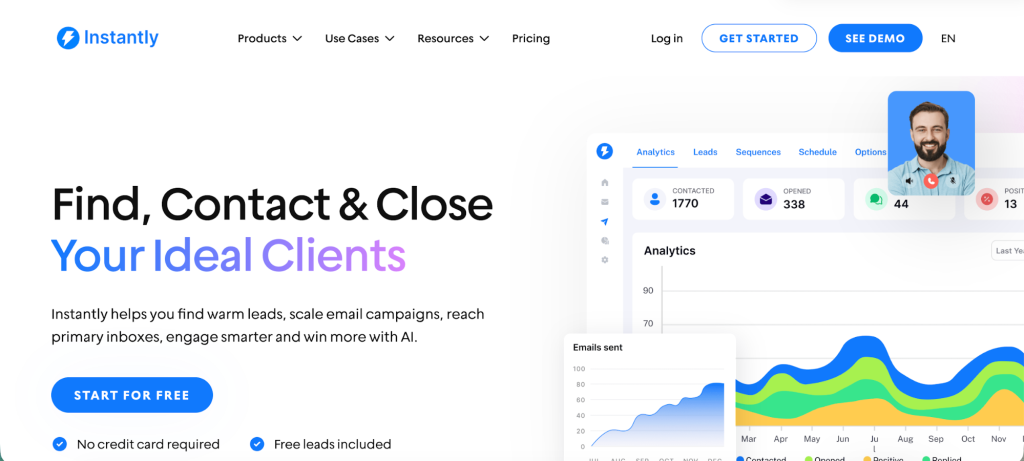
Key features include:
- Unlimited email senders & scaled campaigns: Instantly’s claim to fame is the ability to connect unlimited email accounts to send from, all for a flat subscription cost. This means a single user (or team) can connect dozens of email inboxes (Gmail, Outlook, etc.) and send concurrently, multiplying your reach.
- Automated outreach & basic CRM: At its core, Instantly is an email automation tool – you can create email sequences with follow-ups, set schedules, and let it run. It also introduced an AI-powered, lightweight CRM to manage leads and track deals.
- Deliverability network & warm-up: Instantly places heavy emphasis on helping your emails land in the inbox. Every plan includes unlimited email warm-up – a network of real inboxes that send realistic engagement signals (opens, replies, etc.) to boost your sender reputation.
- B2B lead database & enrichment: To complement its sending capabilities, Instantly provides access to a B2B lead database (over 80–450 million contacts, according to different sources).
- AI tools: Instantly has been integrating AI as well. It supports token-based personalization and AI-generated custom intro lines for your emails. For example, it can automatically create a first-line sentence tailored to each prospect, which can lift reply rates (one user saw replies double from ~3% to over 6% using AI personalization).
- Centralized inbox (Unibox): Similar to SalesBlink, Instantly offers a unified inbox view (they call it “Unibox”) to manage replies from all your connected email accounts in one place.
- Analytics and Optimization: Instantly provides the usual metrics (open, click, reply rates) and also monitors bounce rates and inbox placement. You get a dashboard to see how each campaign and inbox is performing.
Instantly’s feature set is optimized for scaling outreach and maintaining deliverability. It’s praised for being one of the few platforms that offer unlimited inbox rotation, built-in warm-up, and a massive B2B database, all within a single tool. If you need something for LinkedIn outreach, other cold email tools and Instantly alternatives may be a better fit.
However, some of its auxiliary features (like the CRM or campaign builder) are considered basic compared to all-in-one sales engagement tools.
Pricing plans
SalesBlink uses a per-user (per seat) subscription model, with three main tiers (monthly pricing per user):
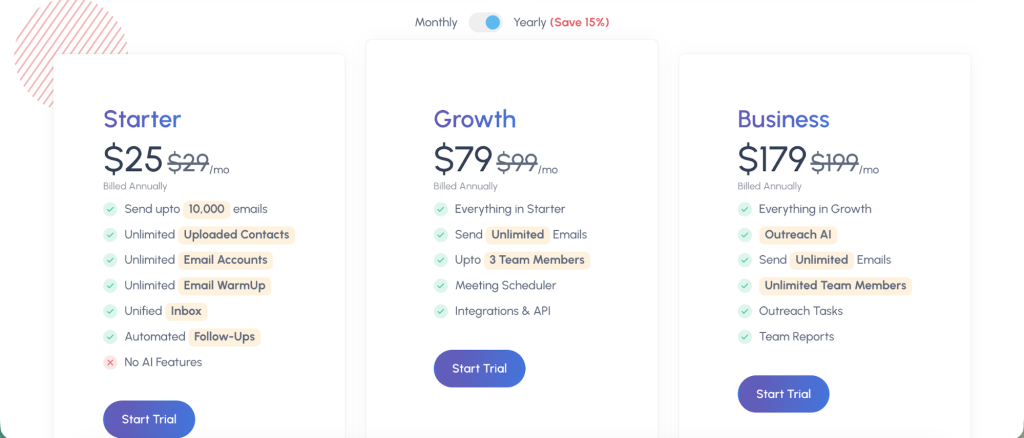
- Starter – $25/month per user (when billed annually, $29 when paid month-to-month): This allows you to send up to 10,000 emails per month from an unlimited number of connected email accounts.
- Growth – $79/month per user (billed annually, $99 monthly): This mid-tier includes everything in Starter, and crucially lifts the sending limit to unlimited emails monthly (within reasonable sending practice – effectively no hard cap). It also adds support for up to 3 team members on the account and unlocks integrations & API access.
- Business – $179/month per user (billed annually, $199 monthly): This is the top tier aimed at larger teams. It includes everything in Growth and adds advanced capabilities: AI-powered outreach (the BlinkGPT AI for email sequences is fully enabled), plus support for unlimited team members (no 3-user cap).
All SalesBlink plans come with a 14-day free trial (no credit card required) so you can test the platform risk-free.
On the other hand, Instantly’s pricing is flat-rate and volume-based, not per seat. This means you pay for a certain plan tier and can have as many users or email accounts as you need under that subscription. As of 2025, Instantly offers a few primary plans for the core Sending & Warmup functionality.
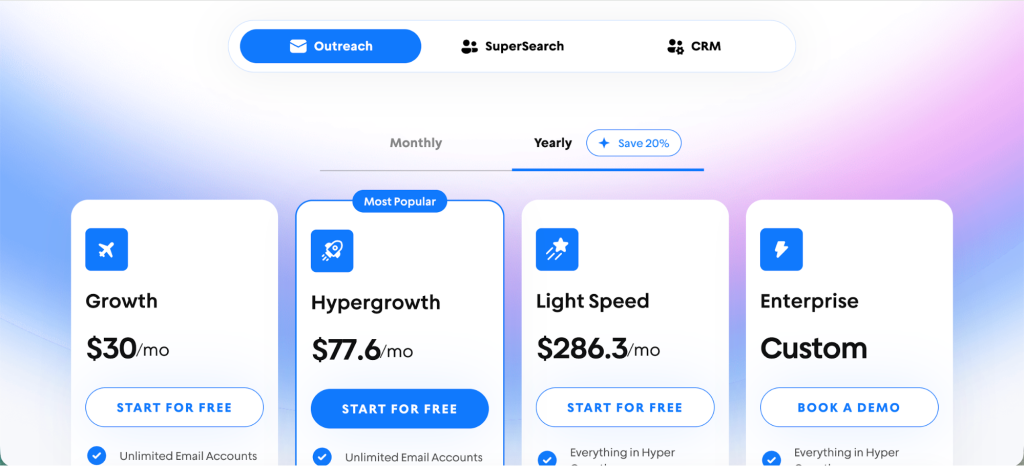
- Growth – around $37/month (monthly billing; as low as ~$30/mo if annual). This is the starter plan. It includes unlimited email accounts and unlimited warm-up (already a big value), but caps you at sending 5,000 emails per month and storing 1,000 contacts/leads in the platform.
- Hypergrowth – $97/month (monthly; ~$77.6 if annual). This is Instantly’s most popular plan for growing teams. It also allows unlimited senders & warm-up, and raises the limits to 100,000 emails per month and 25,000 contacts in the system. Essentially, it’s geared for mid-sized outbound programs or agencies managing multiple campaigns.
- Light Speed – $358/month (monthly; ~$286 if annual). This tier is designed for very large-scale operations. It bumps sending up to 500,000 emails per month and 100,000 contacts. More importantly, Light Speed activates the SISR dedicated IP and server rotation system for you, as described earlier, to keep deliverability high at massive sending volumes.
Instantly also has Lead generation (database) plans, which are separate add-ons if you want their B2B contact database in bulk. These are sometimes called “Leads” or “Credits” plans. For instance, one option was Growth Leads at $47/mo for 1,000 verified leads per month, and higher ones like “Hyperleads” at $197/mo for 10,000 leads.
Email deliverability in cold outreach scenarios
When it comes to cold email marketing, shiny features mean nothing if your emails languish in spam folders. Deliverability is a critical factor.
Both SalesBlink and Instantly recognize this but there are some differences in approach and user experiences.
SalesBlink provides a solid set of deliverability features on paper. As mentioned, it has an email warm-up system built in. This warm-up gradually “seasons” your email address and domain by sending out interactions (emails that get opened, replied to, etc.) to build a positive sender reputation.
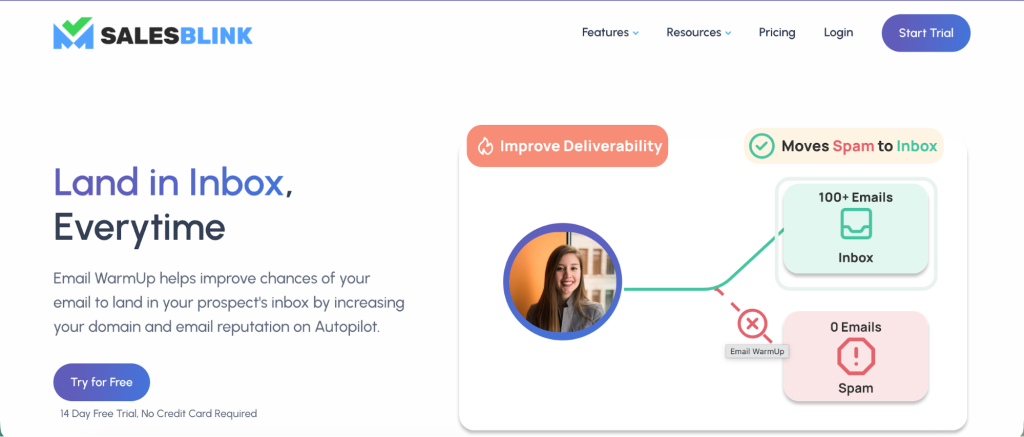
SalesBlink’s warm-up covers various aspects: it warms up your email content (signature, links) and domain, auto-checks DNS settings (SPF, DKIM, DMARC), and ramps up your send volume over time. The platform also offers deliverability reports and a spam assessment tool so you can test if an email might be flagged as spam before you send it.
In practice, user feedback on SalesBlink’s deliverability is mixed. On the positive side, some users have seen improved open and reply rates after using SalesBlink’s warm-up and deliverability tools, noting that their emails landed in inboxes more consistently than before.
One reviewer mentioned, “I particularly appreciate the email warmup feature, which has helped improve my deliverability significantly. My emails are now landing in the primary inbox far more consistently”. This suggests that for at least some, SalesBlink’s warm-up does its job of boosting sender reputation.
The bottom line on SalesBlink’s deliverability is that it has the right features (warm-up, email tracking, etc.), but you should still be cautious and not assume it completely solves deliverability.
When it comes to Instantly, deliverability is arguably Instantly’s strongest suit.
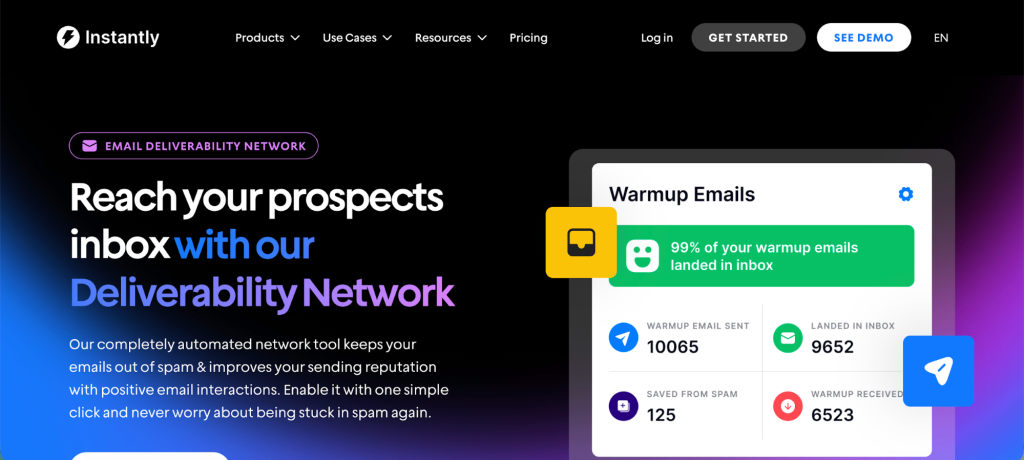
The platform is explicitly designed to maintain inbox placement even at huge sending volumes. Several factors contribute to this:
- Unlimited warm-up pool: Instantly’s warm-up network is extensive and runs automatically for all your connected inboxes. You can start warming new email accounts with genuine-looking interactions before you ever send a single cold email from a Gmail account.
- Volume and rotation strategy: Instantly allows you to spread sends across many inboxes, which naturally keeps per-inbox send volume lower (a positive for deliverability). Moreover, with the SISR system (on higher plans), Instantly proactively manages sending infrastructure: it shards your sending across multiple IPs/servers and rotates them so no single IP gets “burnt out”.
- Reputation and Bounce Control: Instantly includes features like bounce detection and automatically pauses sending if it detects problems. It also has a “Reputation protection” mechanism to ensure one bad domain or list doesn’t tank your entire operation.
- User Reports: Instantly garners praise in user reviews for deliverability. Instantly’s own site features testimonials like “Instantly beats all of them in terms of ease of use, deliverability optimization settings…”
Simply put, Instantly’s deliverability tools are powerful, but you should still use them wisely. Don’t rely on warm-up alone to blast out emails; maintain good sending practices (spacing sends, using quality content, warming new domains gradually).
Overall deliverability verdict: Instantly has a slight edge here for large-scale sending due to its infrastructure and unlimited warm-up approach. SalesBlink is no slouch – it provides the necessary deliverability features and some users do report great deliverability using it – but the occasional inconsistencies suggest it may not be as bulletproof for everyone.
Integrations
In an outbound sales process, no tool is an island. You’ll likely want to connect your email outreach software with other apps, whether your CRM, lead sources, or team communication channels. Here’s how SalesBlink and Instantly compare on integrations:
SalesBlink offers a mix of native integrations and connects to thousands of other apps via Zapier or similar services.
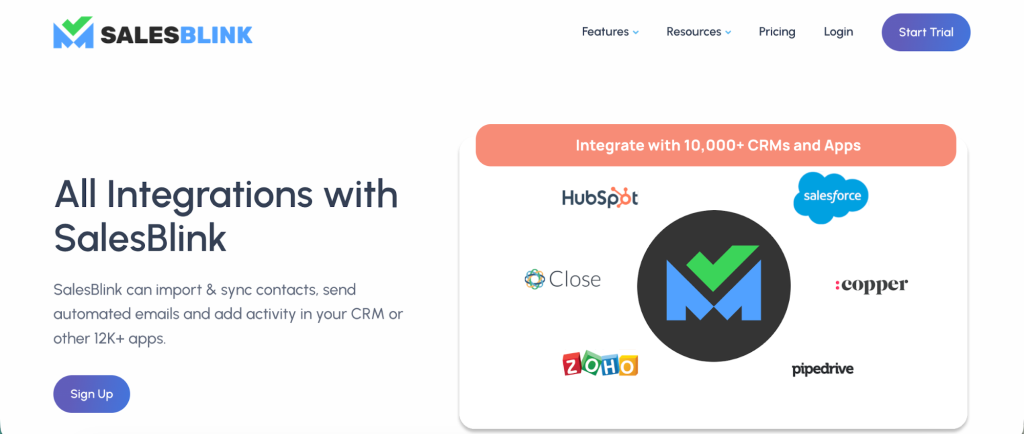
Out-of-the-box, SalesBlink lists integrations with: Gmail and Outlook (for sending emails via those accounts), Google Calendar and Outlook Calendar (to support its meeting scheduler), major CRMs like HubSpot, Pipedrive, and Zoho CRM, Slack (e.g., to get notified of replies or events in a Slack channel), and workflow automation tools like Zapier, Make (Integromat), Integrately, Pabbly Connect, n8n, and Pipedream.
Instantly provides a robust API and webhook support, and it advertises dozens of direct integrations. According to G2, Instantly has 37 integrations, including many popular sales and marketing platforms.
Some notable ones are:
- CRMs: HubSpot, Salesforce (Sales Cloud & Platform), Pipedrive, Zoho CRM, Freshsales – allowing you to push leads or activity into those systems.
- Data tools: Airtable, Google Sheets (via Zapier or native Google Workspace integration), Apollo.io (a popular lead data platform), Clay, Tomba, etc. These could help in enriching or importing leads.
- Communication and productivity: Slack, Telegram Bot (possibly to get alerts), ClickUp (task management), LinkedIn Helper/Sales Navigator (to integrate LinkedIn actions in some workflow), Boomerang for Gmail (email scheduling tool), etc.
- Others: NeverBounce (email verification service), MailScale, Zapier (which opens up connections to countless apps), and even OpenAI/ChatGPT related integrations (for AI content).
Practically, this means Instantly can slot into your existing ecosystem. For example, you could use Zapier to add new Instantly leads to a nurture campaign in your marketing automation tool, or use webhooks to notify your app when someone replies to an email.
User experience
Adopting a new software tool for your team means there will be a learning curve. Let’s compare the user-friendliness and interface design of SalesBlink and Instantly:
SalesBlink provides a modern web interface with an emphasis on visual workflow design. One of the first things users notice is the visual sequence builder – you create campaigns by adding steps on a canvas (email steps, delay timers, conditional branches, task reminders for LinkedIn/calls, etc.).
For someone experienced with sales engagement tools, SalesBlink’s UI feels familiar and fairly intuitive. All your tools (leads, sequences, inbox, etc.) are accessible in one place, which contributes to efficiency.
However, because SalesBlink packs in so many features, it can initially feel like a lot. Some reviewers from small businesses noted the platform can be “a bit overwhelming initially, especially for smaller teams or solo entrepreneurs”.
There’s a depth of functionality – which is great once you learn it, but newcomers might need to invest time to understand all the modules (prospecting, tasks, integrations, etc.). The advanced features (like conditional logic in sequences, or custom tagging and segmentation of leads) may have a learning curve.
Instantly’s design philosophy is “simplicity for scale.” The interface is described as sleek, minimalist, and intuitive – one reviewer likened it to the clean feel of Notion, a modern productivity app. The layout is straightforward: you have sections for Leads, Campaigns, Email Accounts, etc., and setting up a campaign is step-by-step without much clutter.
For users who have tried more complex sales engagement platforms, Instantly can feel refreshing. The ease of connecting inboxes and launching a basic sequence is often praised. In fact, Instantly earned a 4.8/5 overall rating on G2, with ease-of-use being a highlight.
That said, if you are completely new to cold emailing, any tool will have a learning phase. Instantly doesn’t overload you with on-screen tips, which keeps it clean but means you may rely on their help docs or support for certain concepts. For instance, you need to understand how to configure DNS records (SPF, DKIM) for your sending domains – Instantly expects you to do this correctly (they provide guides) to ensure good deliverability.
Customer support
No matter how intuitive a platform is, questions and issues will arise. Good customer support can make your life much easier, especially when your outreach operation is on the line.
SalesBlink earns high marks for its customer support in many reviews. On SoftwareAdvice, users rated its support quality 4.7 out of 5, and on G2, users often mention the responsiveness of the team. SalesBlink offers support via email and chat.
SalesBlink also provides a range of self-serve help: an extensive knowledge base (help docs), tutorial videos, and a blog with cold email best practices. They even have case studies and guides right on their site to help customers succeed.
Being a smaller company (relative to some competitors), SalesBlink seems to put effort into keeping customers happy – likely because they know a bad support experience can turn off users quickly.
That said, not everyone has been pleased: a couple of isolated reviews (like a Trustpilot comment) claimed difficulty reaching support in dire moments (e.g., account access issues). But these appear to be exceptions. The prevailing sentiment is that SalesBlink’s team is accessible and helpful.
Instantly, despite its rapid growth to thousands of users, also has a good reputation for support. They offer support primarily via email and in-app chat. On the entry plan (Growth), you get standard chat support (likely during business hours).
On the higher plans (Hypergrowth and above), Instantly promises “Premium Live Support” – which often means faster responses, possibly 24/7 coverage, or a dedicated rep, and indeed, for enterprise customers, they provide a dedicated account manager and even a shared Slack channel for ongoing support.
Users have noted that Instantly’s support team is fast and actually helpful in resolving issues. Even on Trustpilot, where customers can be brutally honest, Instantly is lauded for the support: e.g., “the support team responds fast and actually helps”.
When it comes to documentation & onboarding, Instantly has a help center with guides on setting up DNS, warming up emails, etc., and they publish content (blog posts, YouTube videos) about best practices.
Since Instantly’s features can get technical (DNS records, etc.), their documentation is crucial and generally well-regarded. SalesBlink, similarly, provides step-by-step onboarding content and even outbound sales playbooks on their blog, which new users can learn from.
In terms of customer success, beyond reactive support, both companies appear to invest in user success. SalesBlink being an all-in-one tool might involve a bit more hand-holding to get a customer fully onboarded (since you might need to learn multiple modules), and their team is reportedly quite engaged in that.
Instantly’s success might revolve more around ensuring users hit deliverability benchmarks and showing them how to optimally add accounts or use the data features.
Which one should you get for your cold email campaigns?
Now that we’ve looked at features, pricing, deliverability, etc., let’s discuss who benefits most from each tool. SalesBlink and Instantly can serve some overlapping needs, but each has particular strengths that align with certain use cases.
Get Salesblink if you need:
- All-in-one convenience for small/medium teams: If you are a small sales team, startup founder, or agency that wants to minimize the number of tools you juggle, SalesBlink is appealing. It’s ideal for those who want an integrated workflow – from finding prospects, to emailing them across multiple channels, to booking meetings – all in one app.
- Multichannel outreach sequences: Teams that believe in touching prospects through multiple channels (not just email) will benefit from SalesBlink’s campaign builder. For example, a sales development rep (SDR) team that routinely uses LinkedIn and phone calls in addition to cold emails can design their playbooks in SalesBlink.
- Personalized outreach with AI assistance: If your goal is highly personalized emails but you lack copywriting resources, SalesBlink’s AI (BlinkGPT) can be a game-changer on the higher plan. It’s useful for small teams who want to scale personalization without hiring extra staff.
- Prospecting & verification: SalesBlink is suitable if you don’t already have a leads database or hunter tool. It can find and verify emails for you. So, a use case is a startup without a list, starting from scratch – they can use SalesBlink to build their list and then immediately outreach.
- Quality over quantity: If you run a boutique lead-gen agency that focuses on smaller, highly personalized campaigns (maybe for high-value B2B clients), SalesBlink’s per-user cost is manageable and its multi-channel capabilities add value to your service.
- Proper support and guidance: Given SalesBlink’s slightly higher-touch approach and strong support, a team that wants more onboarding help and a guided experience might prefer it.
Get Instantly if you need:
- High-volume cold email campaigns: If you need to send a lot of emails – whether it’s to test various markets, or you have huge lead lists – Instantly is built for high volume outreach efforts. It’s perfect for growth hackers and outbound teams who believe in casting a wide net and then narrowing down.
- Cost-conscious plans for agencies and big teams: For agencies that offer cold email as a service or manage campaigns for several clients, Instantly’s flat pricing is extremely attractive. You can handle all clients under one roof (by connecting client-specific email addresses) without paying “per client” or per user.
- A strong focus on deliverability: If your approach to cold email is very data-driven and deliverability-focused – e.g., you purchase multiple fresh domains, set up lots of inboxes, warm them all, and continuously monitor deliverability – Instantly gives you the tools to do that within one platform.
- The use of AI & data at scale: With Instantly’s newer AI and lead database integrations, a use case emerges for companies that want both data and outreach in one.
- Email outreach without the need for phone/LinkedIn steps: If your sales process is primarily via email (perhaps supplemented by a separate SDR doing calls manually or another system for LinkedIn), and you don’t need those steps automated in the same tool, Instantly’s focus on email is not a limitation at all.
- To work globally and in multi-language settings: Instantly’s UI supports multiple languages (as listed on G2: it supports English, Spanish, French, German, even Arabic, etc.)
Both tools can technically serve solopreneurs up to enterprises, but their sweet spots differ. SalesBlink might be best for a small-to-mid team that wants breadth of features and is sending a moderate volume of highly targeted emails. Instantly is best for a data-driven team or agency that wants to maximize output and deliverability while controlling costs, and is comfortable with email-centric workflows.
Don’t make a compromise with your outreach campaigns
Both SalesBlink and Instantly are capable cold email outreach tools, but they are built for slightly different philosophies.
SalesBlink is about providing a rich feature set to cover your outreach end-to-end, effectively becoming a sales engagement hub (with emails, tasks, AI, etc.). Instantly is about enabling extreme scalability and deliverability, making sure you can send large volumes confidently and efficiently.
But what if you just want to send great cold emails, with simple campaign management and complex workflows, all in one tool? Woodpecker gives you all of that plus more for your outreach campaigns. Email verification, sequence builder, warmup features and much more. It’s one of the best Salesblink and Instantly.ai alternatives, especially considering the value for money.
Try Woodpecker and boost email deliverability today, completely free.