


In 2026, it seems like there’s a level playing field for all marketing and sales teams. With contact data readily available, all you have to do is pick up the phone and reach sales leads before the competition does. Salesblink is a tool that can help you get through to more people with AI-based cold email outreach.
Today, we show you what Salesblink is all about. The good, the bad, the pricing and the best alternatives you should consider instead.
What is Salesblink and who is it for?
SalesBlink is a sales outreach platform that helps teams run automated cold email campaigns, manage follow-up sequences, track replies, and improve deliverability. It combines tools for sending bulk emails, warming up inboxes, creating outreach sequences with AI assistance, and keeping replies organized in one place.
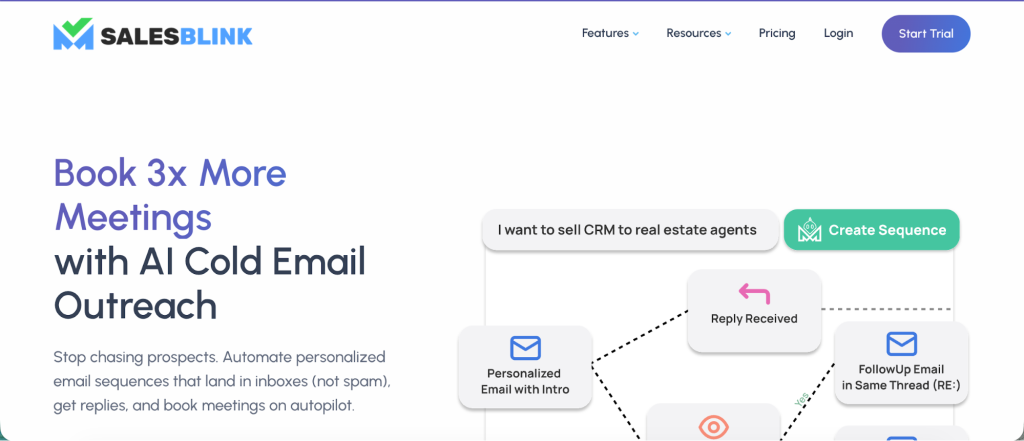
It targets businesses and agencies that use email prospecting as part of their sales process. For solo sellers and small sales teams, it offers entry-level features to automate basic outreach.
Mid-sized teams and companies that send more frequent campaigns can use their higher plans for larger sending capacity and collaboration features.
Lead generation agencies can choose from specialized plans that include client workspaces and whitelabel options so they can run campaigns for multiple clients.
The automation features can seem basic
If you want to create fully automated outreach campaigns with just a few prompts or clicks, Salesblink might fall short. The competition here is pretty stiff, with tools that offer personalized email sequences with just a few inputs and basic instructions.
Here’s what one user had to say:
“While it’s a solid platform, it’s not as “automated” as one might expect. It lacks a high-level AI that can intelligently orchestrate or build out entire sales sequences from a simple prompt. To get truly sophisticated, automated campaigns, you’ll find yourself needing to supplement its capabilities with your favorite external AI engine for content and strategy creation.” – G2 review
So, while it can help you set up the basics for cold outreach, you’ll still have to use your mix of favorite tools for creating cold emails, sequences, and audience segments.
The email warmup feature doesn’t work all that well
Email warmup has become a standard feature in cold email outreach tools as it’s one of the best ways to improve email deliverability. Salesblink offers it in its lowest pricing plan at just $25. The problem is that it’s just not that good. Instead of getting improved deliverability with their outreach efforts, users report that it dropped even more after the warmup.
“The emails I started getting after setting up the warmup feature. The support team tried to help me on how to deal with them but I still am getting emails bounced every day.” – G2 review
“I’m very disappointed with SalesBlink. Their mail warmup system has constant problems — it keeps disabling warmup on its own. Despite contacting their support team several times, they neither resolved the issue nor provided proper replies.
We ended up wasting money for months, and no emails could be sent because the warmup process never completed. This makes the service completely unusable for us. Unfortunately, I cannot recommend SalesBlink based on this experience.” – G2 review
Salesblink has responsive customer support
While some customer accounts are not that favorable (see above), most Salesblink reviews praise the quality of their customer support team. The tool has a user friendly interface, but it can be easy to get stuck if it’s your first time with cold email marketing.
Here’s what the reviews have to say:
“Their team is very knowledgeable about the product. What stands out is that when I ask a question, I get practical, real-world answers on how to set up email campaigns, automations, or whatever task I’m working on. They guide me clearly and efficiently, so I can quickly move on to the next step—no wasting 30 minutes to an hour stuck waiting for help. Overall, their support makes a big difference in keeping my work flowing smoothly.” – G2 review
“The interface is clean, the workflow is well designed, and the support team is fast and responsive. The platform feels lightweight but well-thought-out — you can tell there’s a clear product vision behind it.” – G2 review
The platform has plenty of bugs
Salesblink can help you reach potential clients and customers while dodging the spam folder. And while it’s not the worst tool in the world for personalized outreach, Salesblink is pretty new, and that means being under development. In other words, there are plenty of bugs and errors pointed out in various Salesblink reviews.
“Currently, they have some bugs, and from the update icon on my dash, i can see that the team is releasing updates almost every week. and their support is always helpful.” – G2 review
“Earlier, before important upgrades to the platform, I experienced inconsistencies with some of the features. With the good, well priced plans, I had to have patience to get those issues resolved. Still, some minor things are waiting for updates.” – G2 review
Salesblink pricing
SalesBlink offers a wide range of pricing options, but the structure can feel confusing at first glance. There are two main tiers, one for businesses and one for lead generation agencies. Each tier includes three plans, based on sending volume, collaboration needs, and automation depth.
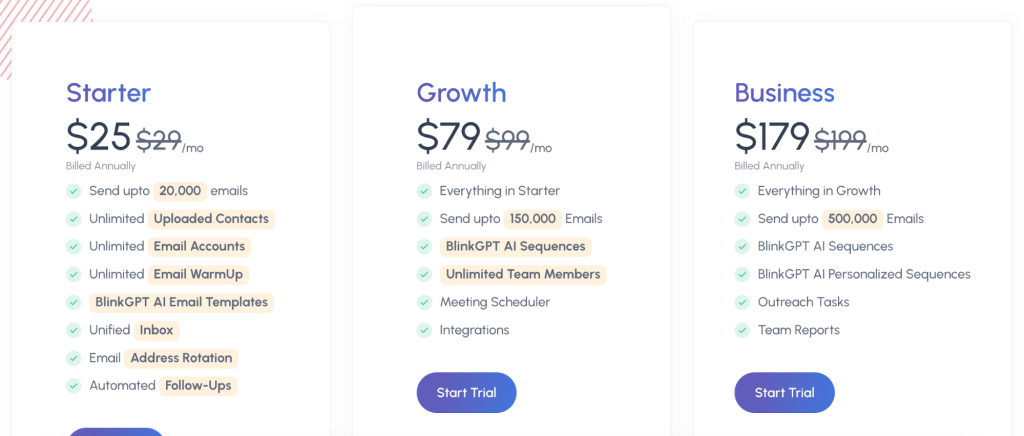
SalesBlink does not offer a free plan. Instead, you get a 14-day free trial with no credit card required. All plans are available on monthly or annual billing, with a discount of around 15 percent when paying yearly.
For businesses, pricing starts with the Starter plan at $25 per month. It covers core cold email features like automated follow-ups, unlimited contacts, unlimited sending accounts, email warm up, and a unified inbox. It suits solo users or small teams starting with outreach.
The Growth plan starts at $79 per month and increases sending limits while adding team collaboration, advanced sequence creation, scheduling, and integrations. It works better for growing teams running multiple campaigns.
The Business plan starts at $179 per month and focuses on high-volume outreach. It adds deeper reporting, task management, and higher monthly email limits, making it a fit for teams that rely heavily on outbound sales.
SalesBlink also offers agency-specific plans starting at $83 per month. These include client workspaces, whitelabel reporting, and higher sending limits. As you move up to Agency Growth and Agency Business, client capacity and monthly email volume increase significantly, reaching up to one million emails per month.
What customers say
For the most part, Salesblink reviews say that the pricing is affordable, given how much time it can save on your outreach strategy and individual outreach emails.
For example:
“Warmup, this is a function to warm up new email addresses that really works, it prevents the cold emails I send from going to the spam folder. The AI email writer saves me a lot of time by making my job easier. The software is easy to use, I quickly understood how it works in less than a week. Its price is comfortable compared to the competition.” – G2 review
“They recently launched an personalization image feature whih is a game changer. Their best USP is pricing, the lifetime deal offer, a complete game changer.” – G2 review
This brings us to another point: Salesblink used to have a lifetime deal in its infancy, but this is no longer available.
Should you get Salesblink for cold email outreach?
SalesBlink can be a reasonable choice if you want an affordable way to run basic cold email campaigns and you are comfortable doing some of the work yourself.
It covers the fundamentals, including sequences, follow ups, inbox management, and a built in warmup option. For solo sellers, early stage teams, or agencies testing new outreach offers, the entry pricing makes it easy to get started without a large commitment.
That said, it is not the best option if your goal is hands-off automation or high reliability at scale. Reviews consistently point out that campaign setup still requires manual effort, and the warmup feature can be inconsistent.
If your business depends heavily on deliverability and predictable sending, those issues can become blockers rather than minor annoyances. The platform is also still maturing, which shows through frequent bugs and feature changes.
In short, SalesBlink works best as a budget-friendly starting point for cold email outreach. If you need deeper automation, more stable warmup, or fewer workarounds, it makes sense to look at more established tools before committing long term.
Get Woodpecker instead
If cold email is something you actually rely on day to day, Woodpecker is the safer pick.
It focuses on doing a few things well rather than trying to be everything at once. You get stable email warmup that runs quietly in the background, so you are not checking every morning to see if it switched itself off or hurt deliverability.
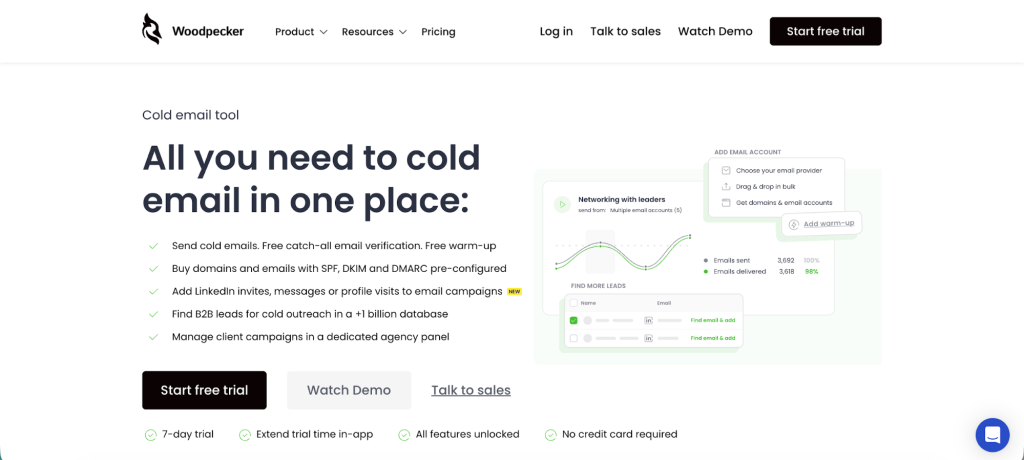
Where SalesBlink often needs extra tools and manual fixes, Woodpecker keeps outreach simple and predictable. Sequences are easy to build, replies automatically stop follow ups, and personalization works without overengineering the setup. You spend less time adjusting campaigns and more time sending emails that actually land.
It also feels more finished. Fewer bugs, fewer surprises, and clearer reporting make it easier to trust when volume starts to matter. For teams that want cold email to run smoothly without constant babysitting, Woodpecker fills the gaps and removes a lot of friction from everyday outreach.
Get started with Woodpecker today for free.