


Cold outreach remains one of the most cost-effective ways to generate B2B leads, but choosing the right platform can make or break your campaigns. Uptics has positioned itself as an all-in-one sales engagement platform, combining cold emails, LinkedIn outreach, calling capabilities, and a built-in CRM in a single interface.
But does it deliver on its promises? In this uptics review, we’ll examine real user experiences, analyze its core features, explore pricing, and compare it with established alternatives like Woodpecker to help you make an informed decision.
What is Uptics?
Uptics is a sales engagement platform designed for small to medium-sized businesses, offering cold email automation, LinkedIn outreach, calling capabilities, and a built-in CRM. The platform aims to consolidate multiple outreach channels into one tool, allowing your entire team to manage their prospecting workflow without switching between different applications.
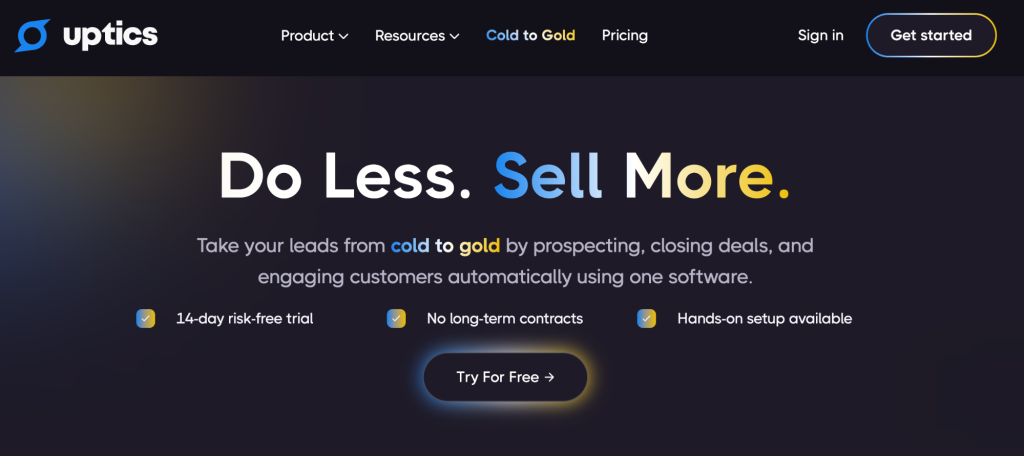
According to data from G2 and Trustpilot, Uptics has received a rating of approximately 4.2 out of 5 stars, with 59 reviews on G2 as of 2025. The software targets sales professionals who want to automate their outreach efforts while maintaining personalization across email, social media, chat, and phone channels.
Core features: What Uptics offers
Email automation and sequences
Uptics allows users to create multi-step email sequences with automated follow-ups based on prospect behavior. You can set up personalized campaigns using merge tags (called “spintax” in Uptics), schedule emails to send during optimal times, and track opens, clicks, and replies.
One Trustpilot reviewer praised the platform’s automation capabilities: “Uptics has streamlined our email prospecting with a user-friendly interface that makes cold outreach efficient. I am impressed by the platform’s automation capabilities and how well it handles personalized email sequences.”
Another user highlighted specific features: “Uptics has been my go to tool for cold emailing and much more over the past 1 year. Its standout features like spintax, multi email sender, the built-in dialer, and a handy CRM system distinctly differentiate it from other software.”
LinkedIn automation and multi-channel outreach
Unlike pure email platforms, Uptics includes LinkedIn automation features alongside email, SMS, and calling capabilities. Users can create tasks to connect with prospects on LinkedIn, though actual message sending capabilities appear limited based on user feedback.
A Trustpilot reviewer explained the multi-channel advantage: “Its excellent that Uptics provides an option to email, send SMS, call, and touch base with prospects on LinkedIn with the tasks all in one place. It has helped me close more deals faster, as I used to use different software for email automation, calling, and LinkedIn prospecting previously.”
However, one independent review noted: “It has some limitations, such as the inability to send messages on LinkedIn and the lack of a drag-and-drop builder.”
Calling and CRM Features
Uptics includes built-in calling capabilities with features like local presence dialing, call recording, and voicemail drop. Sales reps can make calls directly from the platform and automatically record them.
The platform also includes a basic CRM to manage contacts, deals, and pipeline stages without requiring external integrations. This appeals to teams who want to avoid paying for separate software.
One user described this benefit: “The tool itself is great! It’s a proper CRM that is helping me keep organized. Patrick’s trainings have helped me generate more open rates.”
Uptics pricing: what you’ll actually pay
Uptics offers several pricing tiers. According to the latest publicly available information from 2025:
- Free plan for individuals with basic features
- Prospect plan: $79/month (annual billing) for growth marketers
- Engage plan: $159/month (annual billing) for small teams
- Convert plan: $239/month (annual billing) for larger teams
- Enterprise: Custom pricing available
Note that these prices are for annual billing; monthly prices are typically higher (starting around $99/month for the basic paid plan).
One aspect that catches some customers off-guard is the email sending infrastructure. Like all cold email platforms, users need to connect their own email accounts (Google Workspace, Microsoft 365) or purchase additional email addresses to scale their outreach safely and protect deliverability.
Real user experiences: The Good and the Challenging
What users like
All-in-one convenience: Multiple reviewers highlight the advantage of having email, LinkedIn tasks, calling, and CRM in one platform. The consolidation helps streamline workflows and reduces tool sprawl.
Strong customer support: Several reviews mention responsive and knowledgeable support. One Trustpilot user noted: “The team behind Uptics is noteworthy; they respond promptly and go the extra mile by creating cold email tutorials, personalized how-to videos, making complex tasks straightforward.”
Another reviewer emphasized the founder’s involvement: “Not only do they continue to enhance their product with features based on feedback from their users, but their customer support is amazing. Any time I’ve had an issue with a feature, or a product question, I’ve received a response and detailed help in 24 hours or less.”
Continuous improvement: Users appreciate the platform’s evolution and progress. One Trustpilot reviewer shared: “We’ve been using Uptics for a couple of years now and I have only positive things to say. The product has been steadily improving, it fits our needs perfectly, and I look forward to seeing further progress of Uptics and its features!”
Affordable for small teams: Compared to enterprise sales engagement platforms like Outreach or SalesLoft, Uptics offers a more accessible entry point for smaller sales teams.
Common complaints and limitations
Platform reliability issues: Some users report technical problems. The most critical feedback came from a user who stated:

This suggests that while many users have positive experiences with support, there may be inconsistencies in how quickly they respond to different users or that some technical issues take longer to resolve.
Integration limitations: Multiple users mention the need for better integrations. One user explained:

Another user noted:

Learning curve: While many find the interface user-friendly, others mention complexity. One user shared:

These represent minor issues for some users but could be significant obstacles depending on your specific needs and technical expertise.
Need for more automation: One user suggested:

Mobile access: A user requested:

How Uptics solves common sales challenges
The platform’s tagline promises to take leads “from cold to gold” – but how effectively does it deliver on this promise?
Uptics solves several pain points for sales teams:
- Consolidation: Instead of managing separate tools for email, calling, and contact management, everything is covered in one platform
- Automation: The platform enables teams to automate repetitive tasks and focus on high-value activities
- Multi-channel approach: Unlike email-only tools, it allows teams to engage prospects across multiple channels
- Lead nurturing: Built-in sequence capabilities help teams manage new leads and nurture them through the sales process
However, success depends heavily on your industry, business size, and willingness to wait through the learning curve.
Uptics vs. Woodpecker: key differences
If you’re evaluating Uptics, you’re likely considering other cold email platforms as well. Here’s how Uptics compares to Woodpecker, a platform specifically designed for cold email outreach:
Focus and specialization
Uptics positions itself as an all-in-one sales engagement platform, including email, LinkedIn tasks, calling, SMS, and CRM features. This breadth appeals to teams wanting to consolidate tools and manage their entire sales process in one place.
Woodpecker focuses exclusively on cold email and follow-up automation. This specialization means the platform is built specifically to optimize email deliverability, personalization, and campaign management without the complexity of additional channels.
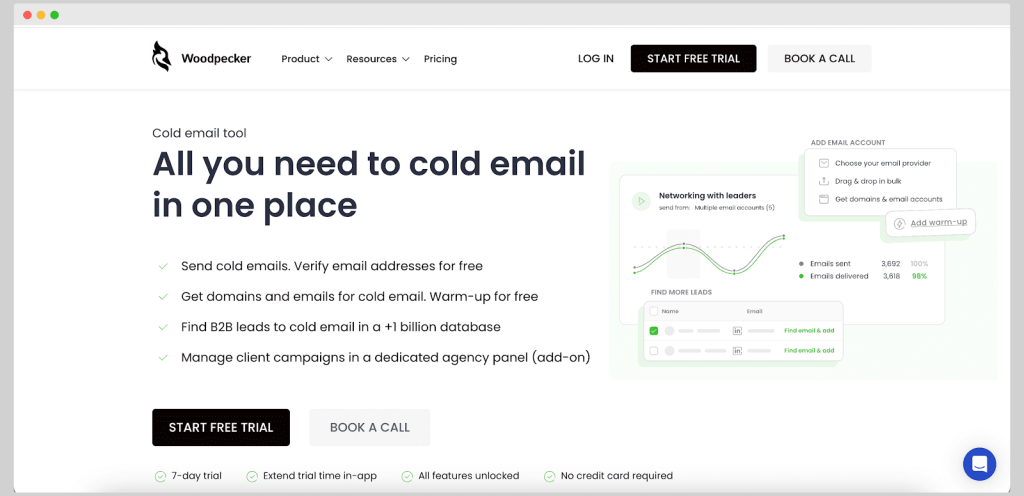
Interestingly, one testimonial on the Uptics website states: “I’ve used several outreach tools over the years, from Outreach, Woodpecker, Outplay, and Lemlist, and Patrick and the Uptics team have easily blown them away.” However, this speaks more to the all-in-one nature rather than email deliverability specifically.
Email deliverability
Woodpecker has built its reputation on deliverability, with features designed to keep your emails out of spam folders:
- Automatic email warm-up to establish sender reputation
- Built-in deliverability monitoring
- Detailed spam score checking
- Dedicated deliverability support team
While Uptics offers email warm-up features and one testimonial mentioned that “the platform itself has improved our email deliverability significantly,” the platform’s focus is spread across multiple channels rather than specialized email infrastructure.
Ease of use
Woodpecker’s interface is designed around one core workflow: creating effective cold email campaigns. This focused approach means less complexity and a shorter learning curve, enabling teams to launch campaigns at the moment they’re ready.
Uptics offers more features, which provides flexibility but also means more complexity. As user reviews indicate regarding the steep learning curve and difficulty finding answers to specific setup questions, the breadth of features can be overwhelming for some users.
Integrations
Woodpecker offers robust integrations with popular CRMs (HubSpot, Pipedrive, Salesforce, etc.) and other sales tools, allowing you to keep your existing tech stack while adding powerful email automation.
Uptics includes a built-in CRM, which reduces the need for integrations but may limit flexibility for teams already committed to other platforms. Multiple user reviews specifically mentioned the desire for better integration capabilities with existing tools.
Agency features
Woodpecker provides dedicated features for agencies, including client management dashboards, white-label options, and multi-client campaign management. This makes it particularly suitable for agencies running outreach campaigns for multiple clients.
Uptics focuses more on individual sales teams rather than agency use cases, though agencies can still use the platform.
Platform stability and performance
Woodpecker has been on the market since 2014, offering proven stability and performance for businesses where reliable email outreach is critical to revenue generation.
While many Uptics users report positive experiences and success with the platform, some reviews mention bugs and platform reliability issues that could be disruptive for businesses heavily dependent on consistent outreach.
Who should consider Uptics?
Uptics makes sense for:
- Small sales teams needing multiple outreach channels (email, calling, LinkedIn tasks, SMS) in one platform
- Businesses without an existing CRM who want basic contact and account management included
- Teams comfortable with a learning curve and willing to invest time in setup and optimization
- Companies doing significant phone outreach alongside email campaigns
- Organizations with patient expectations regarding platform maturity and occasional technical issues
- Sales teams looking to enhance their multi-channel approach and refine their sales process over time
Who might prefer alternatives like Woodpecker?
Consider specialized email platforms like Woodpecker if you:
- Prioritize email deliverability and need proven infrastructure for sending emails that land in inboxes, not spam
- Want simplicity and focus rather than managing multiple outreach channels
- Already have a CRM you’re happy with and need seamless integration
- Run an agency managing campaigns for multiple clients
- Need proven platform stability for business-critical outreach
- Value specialized email expertise over all-in-one convenience
- Want to avoid the learning curve of mastering multiple features simultaneously
- Have limited time to wait for platform issues to be resolved
The benefits and trade-offs
Every platform offers different benefits depending on your specific needs:
Uptics benefits:
- All-in-one consolidation reduces software costs
- Multi-channel capabilities across email, calling, SMS, and LinkedIn
- Built-in CRM for teams without existing solutions
- Continuous feature development and progress
Potential trade-offs:
- Steeper learning curve due to feature breadth
- Some users report platform reliability concerns
- Limited integrations compared to specialized tools
- Email deliverability may not match platforms focused exclusively on this
Woodpecker benefits:
- Laser focus on email deliverability and performance
- Simpler interface designed around one core workflow
- Extensive integrations with existing CRM and sales tools
- Proven track record of stability
- Agency-focused features
Making your decision: questions to ask
Before committing to any cold email platform, consider:
- What’s your primary outreach channel? If email is your main channel, a specialized tool may serve you better than an all-in-one platform.
- How comfortable are you with complexity? Are you willing to invest time learning a platform with many features, or do you need something straightforward?
- What’s your existing tech stack? Will you benefit more from built-in features or from integrations with tools you already use?
- How critical is platform reliability? Can your business tolerate occasional bugs and downtime, or is consistent performance essential to your revenue?
- What does support responsiveness mean to you? While many users praise Uptics support, some report significant delays in getting answers to their questions.
- Do you need multi-channel or email focus? Consider whether your sales process requires calling, SMS, and LinkedIn capabilities, or if email is your primary channel.
Final thoughts
Uptics offers genuine value for teams seeking an all-in-one sales automation platform, particularly those doing multi-channel outreach across email, calling, and LinkedIn. The platform has passionate advocates who appreciate the consolidation, responsive support from the founding team, and continuous improvements enabling them to close gold-level deals.
However, real user feedback reveals important considerations: the platform works best for teams comfortable with technical complexity, willing to troubleshoot occasional technical issues, and not dependent on extensive third-party integrations. Some users report outstanding experiences and success, while others have encountered frustrating bugs and support delays.
If your primary need is cold email outreach with maximum deliverability, proven stability, and simplicity, specialized platforms like Woodpecker may provide better results with less complexity and a shorter time-to-value. This is particularly true for teams who already manage their contacts in an existing CRM and simply need a reliable email outreach solution.
The right choice ultimately depends on whether you value breadth of features over depth of specialization, and whether you’re comfortable with a platform that’s still actively evolving versus one with a longer track record of stability. Both approaches have their place in the industry—it’s about finding which aligns with your team’s specific needs and capabilities.
Want to see how Woodpecker compares in action? Start a free trial to test our deliverability, personalization features, and dedicated email expertise for yourself.