


Choosing the right cold email tool can make or break your outreach strategy.
I work at Woodpecker, and part of my role is to evaluate other platforms so I can advise clients wisely.
GMass is a popular Chrome extension that turns your Gmail account into a mail merge machine. It promises to break Gmail’s sending limits, personalise messages through mail merge campaigns and automate follow‑ups.
However, many businesses find themselves looking for a more dependable solution.
This article compares GMass with Woodpecker and explains why I believe our tool is the best alternative for real cold outreach in 2026.
Gmail account integration: GMass works inside Gmail exactly that
GMass is essentially a Chrome extension that plugs directly into your Gmail inbox. This seamless integration is its main selling point.
You can schedule emails, send mass messages and segment contacts without leaving Gmail. GMass advertises that its distribution technology can break Gmail’s limits and send larger batches than the normal web interface.
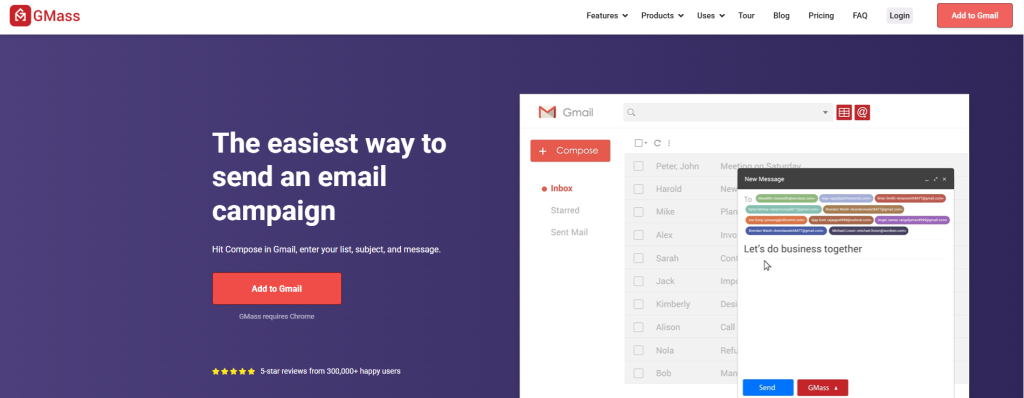
For someone who only sends a few cold emails, this can feel very convenient: click, compose and hit send. A reviewer on G2 noted that GMass’s core structure is present and it “just works seamlessly”.
He appreciated switching from Mailchimp to GMass and was motivated by its authenticity and the advantage of operating inside Gmail.
However, convenience can hide deeper limitations.
Several reviewers mentioned that the onboarding process lacks guidance on creating email lists and the interface feels outdated.
Because GMass lives inside Gmail, you have to manage campaigns within the familiar but cramped Gmail UI. If you’re running outbound teams with complex sequences, this can quickly become cluttered.
Woodpecker takes a different approach. Instead of living inside a Gmail tab, it offers a dedicated dashboard where you can set up campaigns, connect multiple mailboxes and track engagement. This separation makes campaign creation feel organised rather than tacked onto an existing interface.
Our clients appreciate having a clear overview of sequences, contacts and replies without having to juggle labels and filters.
While you still connect your Gmail account or other provider to send messages, you gain the benefit of a purpose‑built interface that’s easier to navigate as your needs evolve.
Google Sheets personalization: turning spreadsheets into personalized mass emails
One of GMass’s headline features is its mail merge with Google Sheets integration.
The tool reads data directly from a spreadsheet and even monitors for new rows to send emails automatically.
This lets you send personalized mass emails by referencing any column in your sheet. GMass also claims to verify your list, test links and fix spam triggers before you send.
For small outreach efforts, this can be handy. But there’s a trade‑off: managing contacts in a spreadsheet means manual upkeep, risk of duplicates and limited segmentation.
A user on G2 said there is a noticeable gap in guidance on how to create email lists. They were impressed with how well GMass handled sending emails from a list but desired more onboarding help.
At Woodpecker we know that spreadsheets are just the starting point. Our platform offers built‑in list management and automatically deduplicates contacts across campaigns. You can import from Google Workspace or CSV and segment based on behaviours.
We also support custom templates with conditional logic, making personalisation flexible without relying on complicated spreadsheets. And because we handle the data inside our system, you reduce mistakes and maintain a clean database for long‑term cold email sequences.
Email deliverability tools & spam score: what GMass offers
Deliverability is one of the biggest concerns for senders.
GMass markets a collection of email deliverability tools, such as an Email Verifier, Email Tester for SPF/DKIM/DMARC checks, SMTP Tester, and Domain Statistics.
They even have a Deliverability Portal that shows open and bounce rates from previous campaigns. The features page also highlights Maximum Deliverability, promising to wind up in the inbox instead of the spam folder.
On paper, these look extensive.
User feedback is mixed. Some reviewers praised GMass’s email tracking and analytics, noting that integration with Gmail added convenience.
Others found that the steep learning curve and limited guidance made it hard to confidently send campaigns. Jessica S., an email copywriter, appreciated the sidebar warnings but said the worst part was the steep learning curve; she needed lots of testing before she could send with confidence. This suggests that while GMass has tools for deliverability, using them effectively requires technical knowledge.

In my experience, deliverability is more than running a spam test. It includes warming up domains, managing sending volumes, rotating mailboxes and maintaining good sender reputation.
Woodpecker embeds deliverability best practices into the platform: we automatically verify email addresses for free, warm up your domain without extra cost and provide deliverability insights that explain why a campaign underperforms.
Our warm‑up algorithm gradually increases sending volume and uses reply‑like interactions to keep messages out of spam filters.
We also guide you through DNS setup for SPF, DKIM and DMARC when you buy a domain through us. With these built‑in safeguards, you don’t need to run separate tests or guess whether your emails land in the primary inbox.
Warm up and multiple inboxes: balancing volume and reputation
GMass introduced MultiSend – an inbox rotation feature that distributes a campaign across multiple sending accounts.
Although the attachments do not explicitly mention MultiSend, their pricing page shows that sequences and follow‑ups are only available on Premium and Professional tiers. This suggests advanced automation features like rotation might not be accessible on the Standard plan.
For teams needing multiple accounts, paying extra to unlock key features can be limiting.
Woodpecker doesn’t restrict mailbox connections: you can connect as many addresses as you need on any plan. This is helpful for high volume outreach where sending from one domain can quickly hit gmail limits. We also offer unlimited users and unlimited warm‑up slots relative to your prospect allowance, which means you can ramp up new addresses whenever your team grows.
Emailchaser (another GMass competitor we reviewed here) claims a warm up feature in its professional plan and unlimited email accounts. However, there are few independent reviews verifying its performance.
In contrast, Woodpecker’s warm‑up is integrated across all plans and even ties into a sales navigator style database for sourcing leads. We also auto warm up new mailboxes by sending and receiving engagement signals so that domains age gracefully.
This automated process helps improve sender reputation without manual intervention.
Tackling deliverability issues: inbox rotation & sender reputation
Deliverability problems often show up as poor inbox placement. GMass’s deliverability portal and domain statistics help you diagnose issues, but there is no built‑in way to correct them automatically.
You might need to sign up for a third‑party warm‑up tool, manage domain reputation yourself, and manually adjust sending behaviour. The SMTP integration lets you use an external server to avoid Gmail limits, but that introduces another layer of complexity.
Users like Jessica S. were overwhelmed by the steep learning curve, highlighting that GMass may not be intuitive for those new to deliverability concepts.
Woodpecker handles deliverability issues with a combination of built‑in warm‑up, automatic domain rotation and catch‑all verification. Because we host your cold emailing infrastructure, you don’t need to worry about SMTP settings or IP rotation.
When we say unlimited mailboxes, we mean you can connect them all and let the system handle inbox rotation, distributing send volume evenly to protect the domain. We also use data from our global network to monitor reputation trends and adjust accordingly.
This is one reason why agencies and large teams prefer Woodpecker: they can scale without babysitting deliverability.
Email outreach & the basic plan: pricing and value
Pricing is a key factor. GMass offers three tiers for individuals: Standard, Premium and Professional.
- At €17 per month (billed annually), the Standard plan includes unlimited contacts and campaigns, mail merge personalisation, free email address verification and custom tracking links. However, sequences and follow‑ups, crucial for automated follow ups, are not available on Standard.
- Premium (€25/month) unlocks sequences and follow‑ups, while Professional (€40/month) adds inbox rotation and high‑priority support.
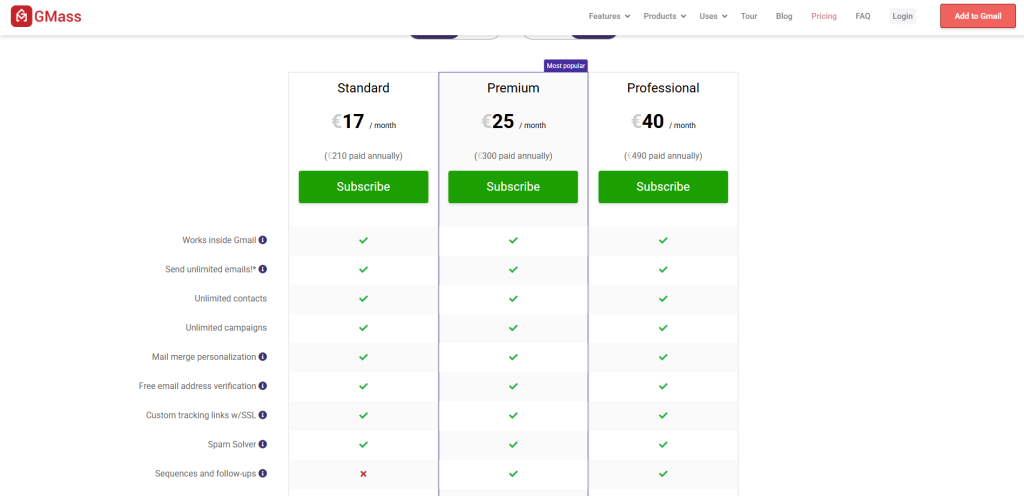
This tiered structure means features that enhance deliverability are kept behind a paywall. GMass does not mention a free plan, but they have a trial period. Because GMass charges per user on the Team plan, costs can grow quickly for sales teams with more members.
Woodpecker’s pricing is based on the number of prospects you contact, not the number of users or mailboxes.
Each plan includes all features, including sequences, warm‑up and deliverability tools, so there’s no need to upgrade to get essential functionality.
We offer transparent pricing plans via an online calculator where you can select your prospect limit and optional add‑ons like LinkedIn slots and extra warm‑ups.
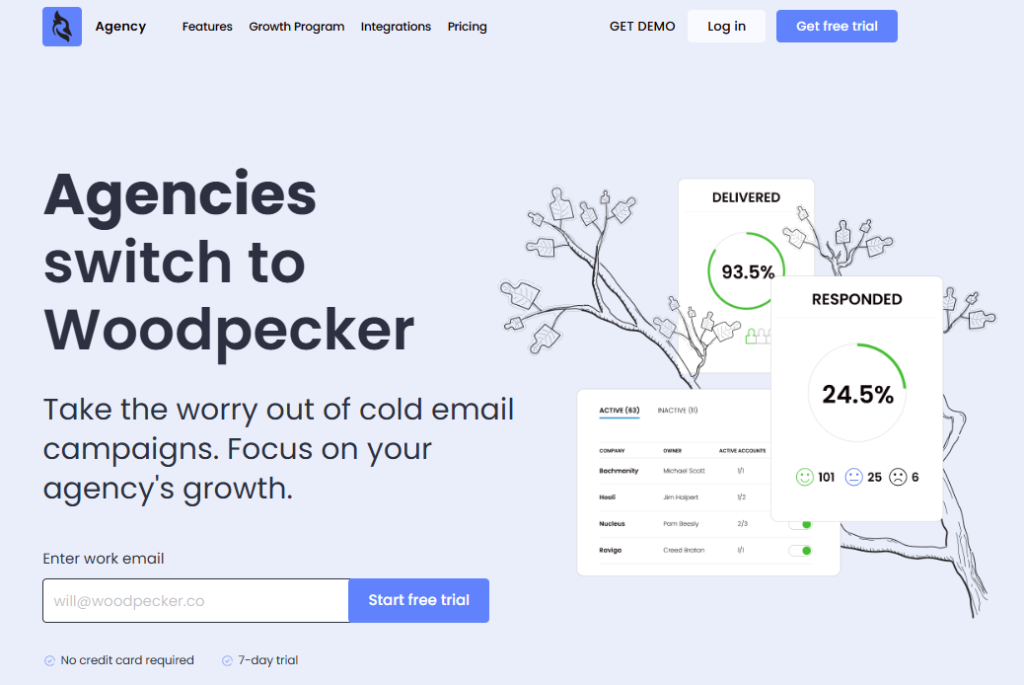
For agencies, we have a dedicated panel that includes client‑level databases, bulk actions and centralised billing. This eliminates the need for custom pricing discussions – you simply choose what fits your pipeline.
User reviews and real‑world experience
Reading through GMass reviews on G2 provides insight into what works and what doesn’t. Jacob F. rated GMass a perfect ten for reliability and loved that the initial setup was fairly easy. He was impressed with how well sending emails from a list works and praised the email tracking feature.
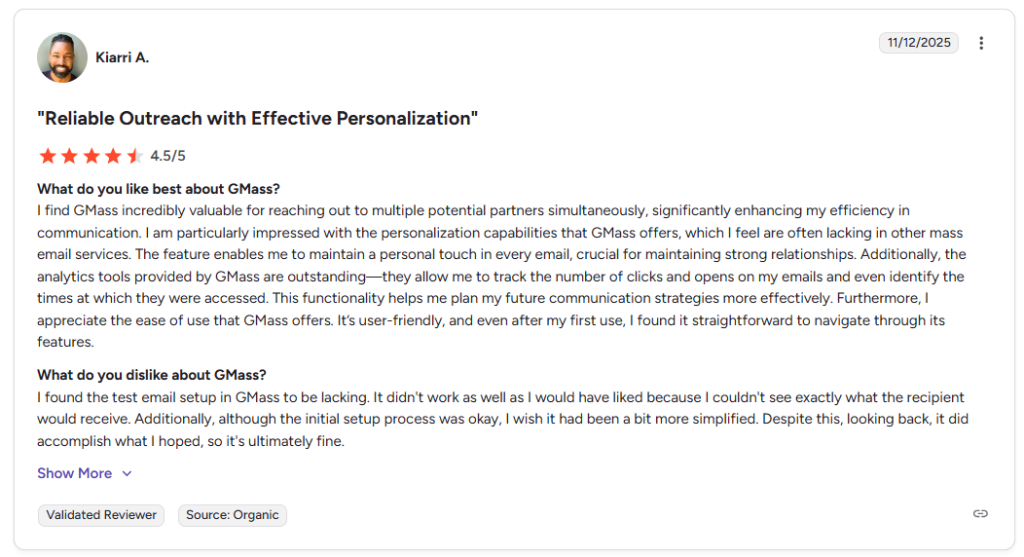
Kiarri A. valued the personalisation capabilities and analytics, noting that GMass helped maintain a personal touch and track clicks and opens.
Kenzie D. described GMass as “affordable, utility, and reliability” with the ability to sort emails into folders like clicked, opened and bounced.
However, Jessica S. felt the steep learning curve overshadowed helpful features. She had to test extensively before she could send with confidence.
Verified user in Consulting mentioned that the aesthetics could be improved.
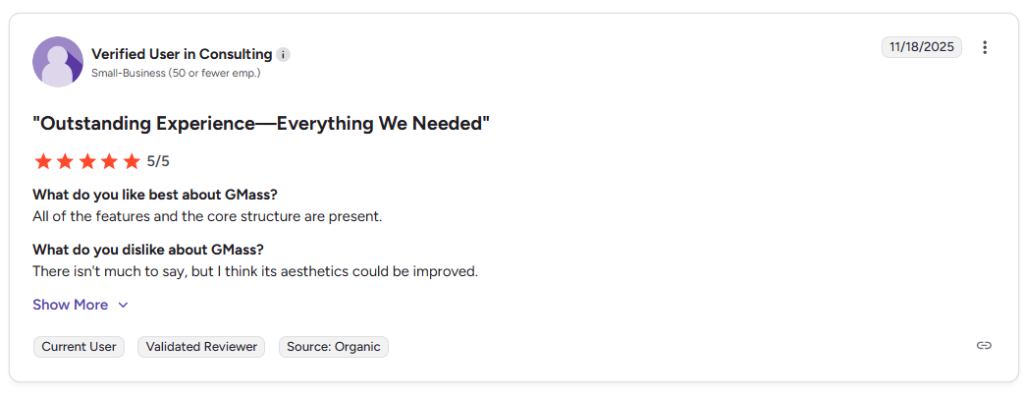
These comments suggest that GMass appeals to users comfortable with Gmail but may frustrate those seeking a polished user friendly interface.
I often speak to prospects who tried GMass and hit a wall when they needed advanced deliverability or multichannel support.
They might have started with GMass due to its low entry price and the convenience of sending cold outreach from Gmail.
But as they scaled, deliverability issues became more common, and they needed to manage multiple domains.
That’s when they turned to Woodpecker. Once inside our platform, they appreciated the dedicated unified inbox, robust analytics and integrated warm‑up.
They also enjoyed our responsive support team and the sense that the tool was built for sales engagement platform needs rather than bolted onto Gmail.
Woodpecker: the better solution for multichannel outreach
I want to emphasize that Woodpecker covers all mandatory steps for cold emailing:
- verifying addresses,
- warming domains,
- sending personalized emails at scale,
- tracking performance,
- and following up.
We include free and unlimited email verification, a warm‑up tool that simulates human interactions and a lead database with over a billion B2B contacts.
You can buy domains with DNS records pre‑configured so you don’t have to worry about domain reputation.
For agencies, our panel offers bulk email account uploads, adaptive sending, a global blacklist and multi‑language templates.
We do not charge per user or per mailbox and the same feature set is available across all plans. If you need LinkedIn outreach, we sell slots for $29 a month, around half the price of competing tools, so you can run multichannel outreach from one system.
Our clients often combine email with LinkedIn touches, phone calls or social sequences. This integrated approach improves response rates because prospects see messages across channels.
GMass and many other tools focus solely on email – they don’t support LinkedIn or phone outreach. By contrast, Woodpecker acts as a central sales engagement platform where you can orchestrate your entire funnel.
With features like built‑in reporting, AI‑assisted copywriting, advanced analytics for each step and reporting features that measure click and open rates across channels, Woodpecker helps you refine your email strategy and scale your pipeline.
Another advantage is our support for auto warm up and unlimited mailboxes. Because deliverability is central to our mission, we take the guesswork out of domain warming and rotation.
You can connect multiple accounts across providers, schedule automated email sequences, and our system will balance volume to protect your reputation.
This is essential for scaling cold email without burning domains. We also provide a detailed report after each campaign and offer API access for custom integrations.
Whether you’re a solo founder sending marketing emails, a small team needing free plan access, or a large agency running hundreds of campaigns, Woodpecker adapts to your growth.
Choose the right tool for your email outreach
GMass turns your Gmail into a cold emailing engine. It’s appealing if you want to run email campaigns from your existing inbox, especially if you already operate within Google’s ecosystem.
It offers features like A/B testing, behavioural segmentation and automated follow ups, but key deliverability options such as inbox rotation are locked behind higher tiers.
The learning curve can be steep, and some users struggle to manage deliverability and list building inside a Gmail plug‑in.
Woodpecker, in my opinion, stands out as the best GMass alternative for 2026. It provides unlimited mailboxes, warm‑up, verification, LinkedIn actions and a unified view of your pipeline.
The pricing is transparent and based on the number of prospects you contact rather than the number of users or accounts.
We support large teams with an agency panel and integrate seamlessly with CRMs and other tools.
Our commitment to deliverability means your emails land in the inbox, and our warm‑up engine protects your domains from damage.
If you are serious about building a reliable cold email tool that scales with your business, Woodpecker deserves your attention. Try it for free now.