


A sales email signature is more than a decorative sign-off. It tells prospects who contacted them, establishes a connection to a real company, and offers a simple way to verify the sender or continue the conversation.
The best sales email signatures are concise, easy to read, and useful even when images are blocked. This guide explains what to include and provides copy-paste examples for sales representatives, SDRs, account executives, founders, and sales managers.
TL;DR
- Include your full name, role, company, and one useful contact method.
- Add no more than one or two relevant links.
- Keep the design simple enough to work without images.
- Match the signature to the sender’s role and the email’s purpose.
- Avoid banners, GIFs, quotations, multiple social icons, and heavy HTML.
- Test the signature on desktop and mobile before using it in a campaign.
What is a sales email signature?
A sales email signature is the block of sender information placed at the end of a sales message. It usually contains the sender’s name, position, company, and selected contact details.
In cold outreach, the signature acts as a compact trust signal. The prospect may not recognize the sender, so the information beneath the message should make it easy to identify the person and verify the company.
A signature should support the email rather than compete with it. If it is longer or more visually prominent than the message itself, it probably contains too much.
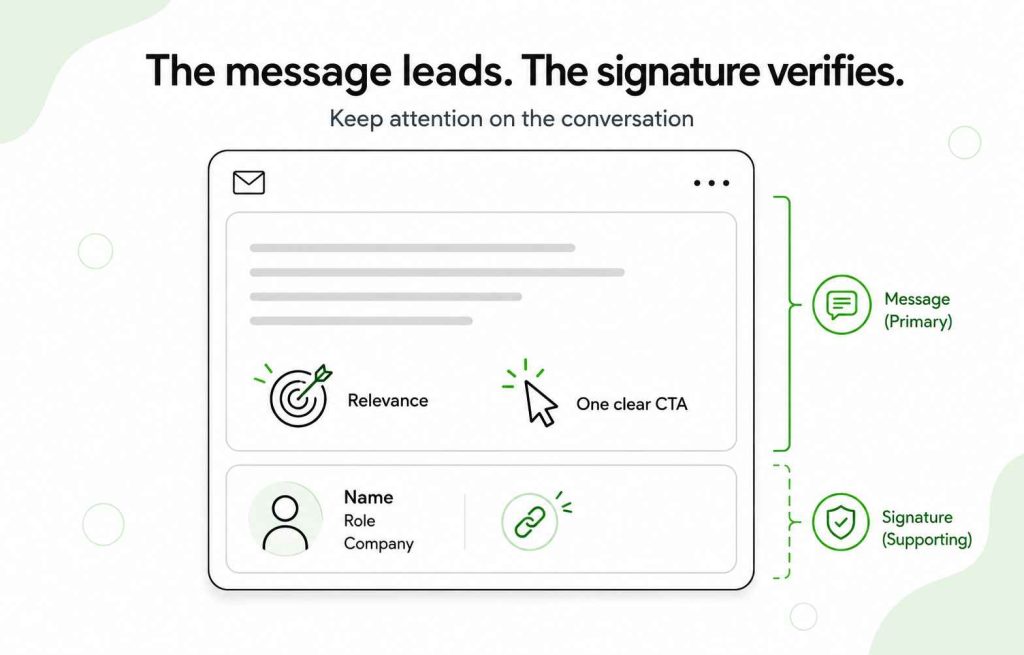
Woodpecker’s guide on how to write a cold email explains how the signature fits with the From line, subject, introduction, value proposition, and CTA.
Why does a sales email signature matter?
A sales email signature answers several questions a prospect may have after reading an unfamiliar message:
- Who sent this?
- What is their role?
- Which company do they represent?
- Is the company legitimate?
- How can I learn more or contact them another way?
Providing that context reduces uncertainty without requiring a long introduction in the email body.
A signature may also create consistency across a sales team. When every representative follows the same basic format, prospects receive recognizable company information regardless of who contacts them.
However, the signature should not become a second sales pitch. Promotional banners, several CTAs, awards, quotations, and multiple links distract from the action requested in the message.
What should a sales email signature include?
Most sales email signatures need only a few elements:
- Full name
- Job title
- Company name
- Company website or another relevant professional link
- Phone number, if calls are common in your sales process
- Business address or other legal information where required
Your email address is optional because the recipient can already reply directly. Social profiles are also optional. Add one only when it gives the prospect meaningful professional context.
Requirements concerning sender identification, business addresses, and opt-out information differ depending on the jurisdiction, recipient, and type of message. Review the applicable rules before launching a campaign. Woodpecker’s legal guide to email outreach provides a starting point, but it is not a substitute for legal advice.
Five key elements of an effective sales email signature
[KEEP THE EXISTING TABLE HERE UNCHANGED]
The table provides a useful baseline, but not every signature needs every optional element. A prospecting signature may be minimal, while a signature used in an established client relationship may include a direct phone number or calendar link.
Eight sales email signature examples you can copy
The following examples use selectable text instead of images. Replace the placeholders and remove any line that does not support the recipient’s next step.
1. Sales representative email signature
Best,
[Full Name]
Sales Representative | [Company Name]
[Company Website]
[Phone Number]
This version gives a prospect enough information to identify the representative and company without adding unnecessary visual elements.
2. SDR email signature
Thanks,
[Full Name]
Sales Development Representative at [Company Name]
[Company Website]
An SDR email signature can remain especially short. The purpose of an initial prospecting email is usually to earn a reply, not direct the recipient toward several external resources.
3. Sales manager email signature
Best regards,
[Full Name]
Sales Manager | [Company Name]
[Phone Number]
Schedule a conversation: [Calendar Link]
A sales manager email signature may include a direct phone number or calendar link when the sender regularly speaks with qualified prospects, clients, or other decision-makers.
The calendar link should remain optional rather than replacing the email’s main CTA. A direct question in the message is often easier to answer than an unexpected booking request.
4. Account executive email signature
Regards,
[Full Name]
Account Executive | [Company Name]
[Company Website]
[Phone Number]
This structure works for account executives managing active opportunities. It provides an alternative contact method without turning the signature into a list of channels.
5. BDR email signature
Best,
[Full Name]
Business Development Representative
[Company Name] | [Company Website]
This example places the company information directly beneath the sender’s role. It works well for short, conversational outreach where a large branded signature would feel out of place.
6. Founder sales email signature
Thanks,
[Full Name]
Founder, [Company Name]
[One-sentence company description]
[Company Website]
Founder-led outreach benefits from a direct, personal signature. Keep the company description specific and short—for example, “Cold email software for B2B sales teams”—rather than using a promotional slogan.
7. Sales consultant email signature
Kind regards,
[Full Name]
Sales Consultant | [Company Name]
[Phone Number]
[LinkedIn Profile or Company Website]
Use either a LinkedIn profile or company website unless both links serve a clear purpose. The recipient should not have to choose between several nearly identical routes to learn about the sender.
8. Minimal sales email signature
[Full Name]
[Role], [Company Name]
[Company Website]
This text-first version is a strong starting point for cold outreach. It is easy to scan, works when images are blocked, and keeps attention on the message.
How to choose the right sales email signature
The best format depends on the sender’s role, target audience, and the relationship with the recipient.
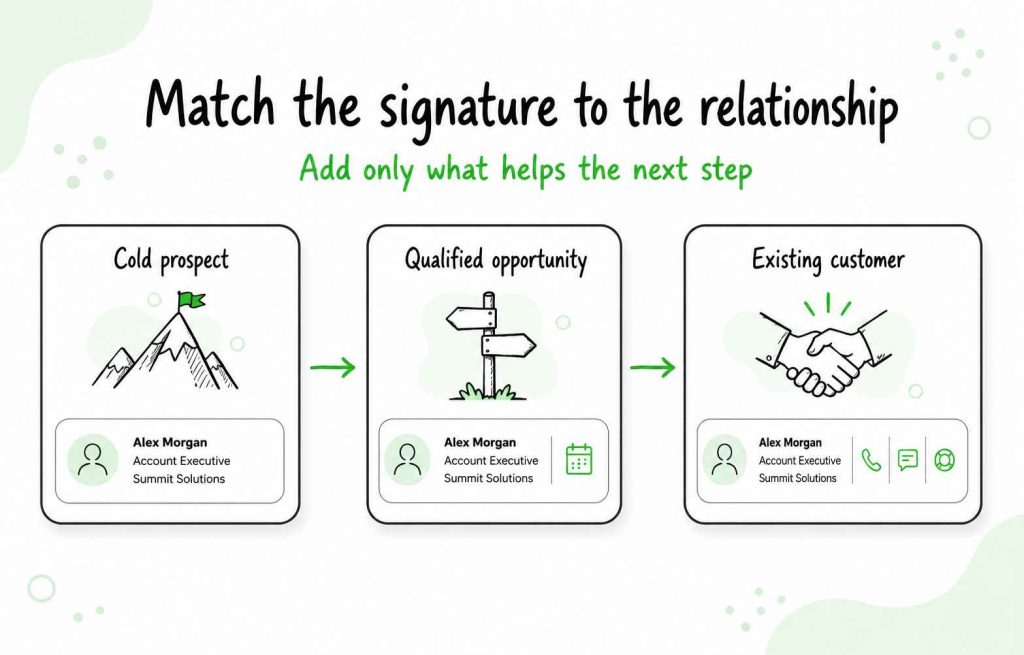
For cold prospects
Use a short, text-first signature containing your name, role, company, and one verification link. A large promotional footer can make a one-to-one cold email resemble a newsletter.
For qualified opportunities
A direct phone number or booking link may be useful once the prospect understands why a conversation is relevant. Avoid adding both if one contact method is enough.
For existing customers
Client-facing signatures may include more contact information because the recipient already knows the sender and may need quick access to phone, support, or scheduling details.
For sales managers
Use a consistent format across the team, but give managers room to include an appropriate direct contact method. A sales manager email signature should still resemble a professional sign-off rather than a promotional landing page.
How to create a deliverability-safe email signature
No individual signature element automatically sends an email to spam. Deliverability depends on the complete message, sender reputation, domain configuration, sending behavior, recipient engagement, and technical setup.
Still, a complicated signature introduces unnecessary risks. More images, links, tracking elements, and HTML create more opportunities for rendering problems and make a personal sales email look promotional.
Start with text
The recipient should understand who you are even if every image fails to load. Do not place your name, role, or contact information exclusively inside a graphic.
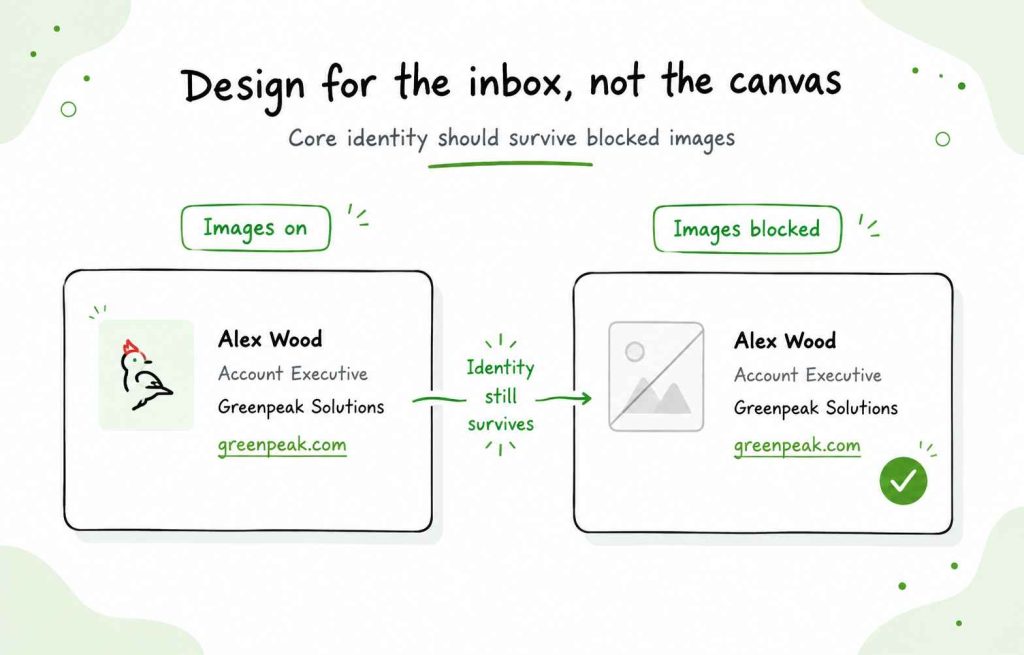
Limit images
A company logo or professional photo is optional, not required. If you use one, keep it small, properly hosted, and secondary to the text.
Some email clients block external images or display them differently. Woodpecker’s guide to embedding images and videos in B2B email explains the compatibility and deliverability considerations.
Use one or two purposeful links
A company website, professional profile, or calendar link may be useful. Five social icons, a promotional banner, several landing pages, and a newsletter link usually add more clutter than value.
Read Woodpecker’s recommendations for adding and tracking links in cold email before tracking a link in every message.
Avoid heavy formatting
Use a standard font, readable size, and limited brand color. Several font families, oversized text, animated GIFs, and elaborate layouts can render inconsistently across email clients.
The guide to using fonts, images, and links in cold email explains why sales messages generally benefit from a simpler format.
Keep the HTML clean
Copied signatures may contain hidden formatting from design tools, websites, or document editors. That code can be much longer than the visible signature and display differently across inboxes.
Use clean HTML or generate the signature through a tool designed for email clients. Then send test messages to several desktop and mobile inboxes.
Check the complete email
A simple signature cannot compensate for poor sender configuration, aggressive volume, weak targeting, or a damaged reputation. Review the full cold email deliverability checklist before launching a campaign.
Should a sales email signature include a CTA?
The main CTA should usually appear in the message body. That is where the sender clearly asks a question or proposes the next step.
A secondary contact option in the signature can still be useful. For example:
Schedule a 15-minute conversation: [Calendar Link]
Only include it when booking a meeting is an appropriate next action. If the email asks the prospect to answer a simple question, a prominent scheduling link may create competing instructions.
For advice on matching the request to the recipient’s level of interest, read Woodpecker’s guide to writing a cold email CTA.
Should you put a photo in a sales email signature?
A photo is optional. It may give the signature a more personal feel, but it also adds an external image that may be blocked, resized, or displayed incorrectly.
For cold outreach, start with a text-only version unless the photo has a clear purpose. If you include one:
- Use a small professional image
- Compress the file
- Host it reliably
- Add descriptive alt text
- Check how it appears on mobile
- Confirm that the signature still makes sense without it
Do not use a large portrait, animated GIF, or image containing essential contact details.
Should you include social media icons?
A social link may be useful when the profile supports the sender’s professional credibility. For example, a salesperson who regularly publishes industry insights may include a LinkedIn profile.
You do not need icons for every network the company uses. Each additional link creates another distraction and makes the email resemble a marketing footer.
A simple text link such as “LinkedIn: [Profile Link]” remains visible even when images are blocked.
How to standardize sales email signatures across a team
A shared template creates consistency without requiring every employee to use an identical set of details.
Define which elements are:
Required
- Full name
- Approved job title
- Company name
- Approved company URL
- Any legally required business information
Optional
- Direct phone number
- Calendar link
- One professional profile
- Small approved logo or photo
Not recommended
- Personal quotations
- Large promotional banners
- Several social icons
- Unapproved fonts or colors
- Several competing CTAs
- Awards and badges without a clear purpose
Test the standard template across the email clients most commonly used by the team and its prospects. Review it periodically so outdated titles, phone numbers, URLs, and promotions do not remain in active campaigns.
Create your sales email signature
Before publishing a new signature, check that:
- Your name and title are accurate
- The company name matches the sending domain
- Every link works
- The signature is readable without images
- The mobile version does not wrap awkwardly
- The HTML does not contain unnecessary code
- The signature does not overpower the message
- Any required identification or address information is present
You can create a simple version using Woodpecker’s free email signature generator. Send several test emails before applying it to an active sales campaign.
FAQ about sales email signatures
What should a sales email signature include?
A sales email signature should usually include the sender’s full name, job title, company name, and one useful contact or verification method. Depending on the message and applicable rules, it may also need a business address or other identification details.
What is the best sales email signature format?
The best format is a short, text-first block that remains useful without images. Start with the sender’s name, role, company, and one relevant link. Add a phone number or calendar link only when it supports the intended next step.
What should a sales manager email signature include?
A sales manager email signature should contain the manager’s name, title, company, and an appropriate contact method. A direct phone number or booking link may be useful when the manager regularly handles qualified prospects, negotiations, or client conversations.
Should you put a photo in an email signature?
A photo is optional. If you include one, use a small, professionally appropriate image and verify that the signature still works when images are blocked. Text-only signatures are often the simplest starting point for cold outreach.
Should a sales email signature have a company logo?
A small company logo can reinforce branding, but it is not essential. The company name and contact information should remain available as text because some email clients block or alter external images.
How many links should a sales email signature contain?
One or two relevant links are usually enough. The company website, calendar, or professional profile may be appropriate depending on the message. Avoid adding several social icons and promotional links without a clear reason.
Should I include my email address in my signature?
Usually, it is unnecessary because the recipient can reply directly to the message. It may still be useful when the email will be forwarded or when the signature is also used in documents and other communication channels.
Can an email signature affect deliverability?
A signature forms part of the complete message. Excessive links, large images, tracking elements, GIFs, and complicated HTML may create compatibility or deliverability concerns. A simple, tested signature reduces unnecessary complexity.
How long should a sales email signature be?
Most sales email signatures need three to five short lines. Include enough information to identify and contact the sender, then remove anything that does not support credibility or the next step.
Make every part of the sales email support the reply
A strong sales email signature establishes credibility without distracting from the conversation. Keep it short, text-first, and consistent with the sender name, company, and email domain.
The signature should answer who you are—not repeat the pitch. Let the message establish relevance, use one clear CTA, and give the prospect an easy reason to reply.