
A B2B database can save hours of prospect research, but only when its data matches the market you actually sell to.
A provider may have hundreds of millions of records and still perform poorly for your ICP. Another may have a smaller footprint but better coverage of the countries, roles or direct dials your team needs. Data freshness, verification, search quality and the workflow after you find a contact usually matter more than the headline database size.
The 12 options below cover several types of B2B data platforms: integrated prospecting tools, enterprise sales intelligence systems, self-service contact databases and API-first data providers. They are not ranked from universally best to worst. Each fits a different sales motion.
Best B2B contact databases in 2026: quick comparison
| Provider | Best fit | Type | Main consideration |
| Woodpecker Lead Finder | Teams moving directly from lead search to cold outreach | Database + outreach | Built around outbound execution rather than deep enterprise intelligence |
| ZoomInfo | Enterprise GTM and RevOps teams | Sales intelligence platform | Broad feature set may be more than a small team needs |
| Apollo.io | SMB and mid-market teams wanting data plus sales workflows | Database + sales engagement | Test accuracy against your own region and ICP |
| Cognism | Teams prospecting heavily in Europe | Sales intelligence | Enterprise-oriented product and buying process |
| Lusha | Fast contact discovery and enrichment | B2B data + signals | Check coverage for your exact personas before scaling |
| RocketReach | Targeted contact lookup across a broad professional dataset | Contact intelligence | Often most useful when you already know who you want to find |
| UpLead | Teams prioritizing real-time email verification | B2B contact database | Less extensive intelligence layer than some enterprise platforms |
| SalesIntel | Teams that value human verification | Sales intelligence | More data depth than many lightweight prospecting tools |
| Lead411 | SMB outbound with contact data and growth signals | B2B database + intent | Best evaluated against your own industry coverage |
| Seamless.AI | High-volume contact search and enrichment | Real-time B2B data platform | Large data claims still need an ICP-specific quality test |
| People Data Labs | Developer, data and RevOps teams | Data APIs and feeds | Less suitable for a rep who wants a simple prospecting UI |
| LinkedIn Sales Navigator | Account research and buyer mapping | Professional network intelligence | Not a traditional email and phone database |
What should you compare before choosing a B2B database?
Start with your ICP rather than the vendor’s homepage. A database can be excellent overall and weak for one country, industry or seniority level. Build a representative sample of accounts you would genuinely contact and test each shortlisted provider against it.
Woodpecker’s ideal customer profile guide can help define that sample before you start comparing tools.
| Criterion | What to test |
| ICP coverage | How many real target companies and contacts can you find? |
| Role accuracy | Do contacts still work at the listed company in the listed role? |
| Email quality | How many addresses can be verified before sending? |
| Phone coverage | Do you get direct numbers in markets where calling matters? |
| Company filters | Can you narrow results using criteria your reps actually use? |
| Signals | Do hiring, funding, intent or job-change signals improve prioritization? |
| Workflow fit | How easily does data move into your CRM and outreach process? |
| Privacy | Can the provider explain its sourcing and privacy processes for your target markets? |
Do not give every category equal weight. A phone-first SDR team cares far more about direct-dial coverage than a founder running email-only outbound. A RevOps team may care more about enrichment, APIs and CRM hygiene than the prospecting interface itself.
1. Woodpecker Lead Finder: best when finding the contact is only the first step
Woodpecker Lead Finder sits inside the same platform used to run cold email campaigns. That changes the workflow compared with buying data in one tool, exporting a CSV, cleaning it and importing it into another system before outreach can begin.
Lead Finder currently provides access to more than one billion B2B contact records. You can search people using filters such as current job title, country, industry, department and seniority, or start with the Companies tab to identify organizations that fit your ICP before finding contacts inside them.
Paid Woodpecker subscriptions currently include free Lead Finder credits, with extra credits available when needed. Email addresses found through Lead Finder are also validated before sending, and potentially risky or personal addresses can be flagged for review.
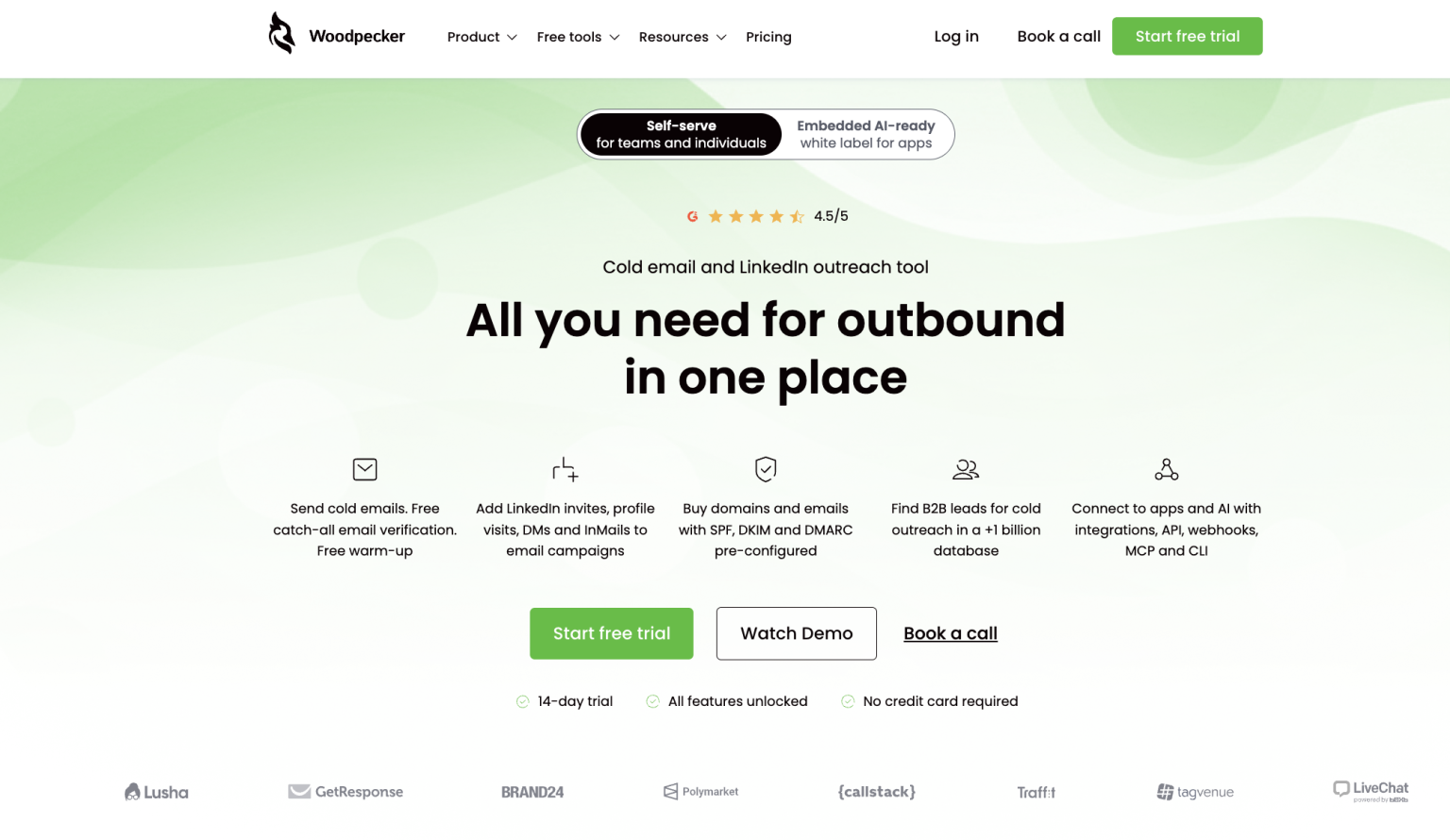
Best fit: sales teams, founders and agencies that want contact discovery closely connected with the outreach workflow.
Consider another option when: your main requirement is deep enterprise account intelligence, specialized intent data or a data layer shared across a large GTM organization.
For a closer look at the category, see Woodpecker’s guide to lead finder software.
How Lead Finder credits work
Lead Finder is credit-based rather than an unlimited extraction tool. The current entry paid plan includes 100 free credits per month, and different actions such as viewing leads, finding emails and enriching records use credits at different rates.

That makes it useful to search carefully rather than pulling large lists before you know which contacts fit the campaign.
2. ZoomInfo: best fit for enterprise GTM intelligence
ZoomInfo has moved well beyond the idea of a simple company directory. Its current platform combines company and contact search with intent signals, org charts, CRM enrichment, workflow automation and AI-based account intelligence.
That depth is useful when several revenue teams rely on the same data layer. RevOps can maintain account records, SDR teams can identify contacts and marketing can work with account segments and intent signals. The same breadth can be excessive for a small team that mainly needs verified emails for one outbound campaign.
Best fit: larger organizations with mature sales operations, account-based selling and several systems that need shared B2B data.
Watch for: buying a broad enterprise platform when the team will use only contact search and exports. Test which features solve a current problem before treating the longest feature list as the best value.
3. Apollo.io: strong self-service data plus sales workflows
Apollo combines a large B2B contact dataset with prospecting filters, enrichment, buying intent and sales engagement functionality. Its current data product advertises more than 240 million contacts and over 65 data attributes and filters.
That makes Apollo attractive to teams that would otherwise buy separate tools for prospect data and basic sequencing. A startup can begin with lead search and expand into enrichment or engagement without immediately building a larger sales stack.
Best fit: startups and mid-market sales teams that want a broad self-service platform rather than enterprise procurement.
Watch for: database-wide accuracy percentages. Even a strong global provider can have uneven coverage across niches and regions. Run a real sample from your ICP before moving a large campaign.
4. Cognism: strong choice for European B2B prospecting
Cognism positions heavily around European B2B data, verified contact information and compliance-focused sales intelligence. Its product combines company and contact data with enrichment, direct dials and sales intelligence features, with particular attention to senior decision-makers in Europe.
That makes it especially relevant for teams where European contact and phone coverage matters more than simply maximizing the global number of records.
Best fit: established sales organizations targeting the UK and European markets, especially when direct-dial coverage and privacy review are important purchasing criteria.
Watch for: assuming “European coverage” means equal performance in every country. Test Poland, Germany, France, the Nordics or whichever markets make up your actual territory separately.
5. Lusha: contact data with a growing signal layer
Lusha combines business emails, direct dials and company records with enrichment and account-level buying signals. The product can work as a fast lookup tool for sales reps, but its 2026 positioning is broader: the platform now supports CRM enrichment, account signals and data access through APIs and AI integrations.
That flexibility makes Lusha interesting for teams that want an accessible contact database now but may later use the same provider for enrichment and signal-driven prospecting.
Best fit: teams that value quick contact discovery and want an intelligence layer without moving immediately into a heavy enterprise platform.
Watch for: using one global accuracy claim as a substitute for testing your roles and regions.
6. RocketReach: useful when you already know who you want to find
RocketReach has very broad professional coverage and supports email, phone and profile research across hundreds of millions of people. Its search and browser tools make it particularly useful for targeted lookups, recruiter-style research and situations where a rep already knows the person or company they want to reach.
It can also support bulk prospecting and enrichment, so it is not limited to one-off searches. Still, its practical strength is easy to understand when you compare it with an intent platform: RocketReach helps answer “How can I contact this person?” more directly than “Which account is entering a buying cycle?”
Best fit: targeted individual research, recruitment and sales teams that often start from a known company or person.
Watch for: expecting a contact lookup platform to replace the account scoring or intent layer of a broader sales intelligence stack.
7. UpLead: straightforward list building with real-time verification
UpLead focuses closely on the core database problem: find contacts using business filters and get usable contact information. Email addresses are verified in real time when contacts are downloaded or exported, with results separated into categories such as valid, accept-all and invalid.
That can be appealing to a team that wants a cleaner prospecting process without buying a large GTM platform around it.
Best fit: smaller and mid-sized teams that care about verified emails and conventional list building.
Watch for: assuming real-time email verification also guarantees every other field in the record is current. Job title and company fit still need attention, especially for strategic accounts.
8. SalesIntel: human verification for higher-confidence contact data
SalesIntel differentiates its data process through human verification. Its current documentation says human-verified contacts are rechecked on a 90-day cycle, with separate verification levels for different records. The platform also includes company intelligence, technographics, intent data and research services.
Human research becomes more valuable when the cost of getting a contact wrong is high. A strategic enterprise account deserves more confidence than a list where every record is treated as interchangeable.
Best fit: sales organizations that value verification depth, buying committee research and contact accuracy for higher-value accounts.
Watch for: paying for a richer research layer when the team mainly needs simple self-service email discovery.
9. Lead411: B2B contact data with growth and intent signals
Lead411 combines verified email addresses and direct phone data with company-level triggers such as hiring, funding and executive changes. It also offers enrichment and intent functionality, making it more than a static list provider.
That mix can work well for lean outbound teams. Instead of creating one large list and contacting every company equally, reps can use business events as another input when deciding who deserves attention first.
Woodpecker’s guide to B2B buying signals explains why a signal should support ICP fit rather than replace it.
Best fit: SMB and mid-market teams combining contact discovery with event and intent-based prioritization.
Watch for: overreacting to a signal. Funding or a new executive can create useful context, but neither proves the company is ready to buy your product.
10. Seamless.AI: high-volume search with real-time data workflows
Seamless.AI positions its Prospector product as a real-time search layer for B2B contact data rather than a static database export. Current product pages combine contact and company search with enrichment, job-change intelligence, buyer intent and API access.
The platform is built for teams that want to search and enrich at high volume, including workflows where contact data needs to feed other GTM systems automatically.
Best fit: outbound and RevOps teams that need large-scale contact search, enrichment and API access.
Watch for: being impressed by database size before measuring usable records for your ICP. A billion-record platform still deserves the same sample test as a smaller one.
11. People Data Labs: best when the data needs to power your own system
People Data Labs is different from the rep-facing prospecting tools above. Its main strength is programmatic access to person and company datasets through APIs and data feeds. Company Search, for example, supports filtering across tens of millions of company profiles using firmographic attributes.
A data engineer can use that infrastructure to enrich an internal product, build a custom prospecting workflow or maintain a proprietary GTM data layer. A salesperson who wants to log in, filter a list and start emailing may find a conventional prospecting platform much simpler.
Best fit: developers, data teams, RevOps and companies building data-heavy products or internal workflows.
Watch for: buying an API-first data product when no one on the team has the technical capacity to implement it.
12. LinkedIn Sales Navigator: a research layer rather than a traditional contact database
Sales Navigator belongs on a B2B prospecting shortlist, but it should be compared honestly. It does not work like a conventional database that reveals large lists of business email addresses and phone numbers. Its strength comes from LinkedIn’s professional graph and the sales-specific research tools built around it.
Advanced search, saved accounts, lead recommendations, account maps, job-change alerts, relationship information and buyer-intent features can help a rep identify the right person and understand the account before outreach starts.
Best fit: account research, relationship mapping and identifying decision-makers.
Watch for: expecting it to replace a verified email database. Many teams pair Sales Navigator with another contact data source rather than choosing between them.
Which B2B database fits your sales motion?
| If your main need is… | Start your shortlist with… |
| Find contacts and launch cold outreach in one workflow | Woodpecker Lead Finder, Apollo |
| Enterprise account and GTM intelligence | ZoomInfo, SalesIntel |
| European B2B prospecting | Cognism, then test Lusha against your exact markets |
| Direct contact research | RocketReach, Lusha, UpLead |
| Signals plus SMB outbound | Lead411 |
| Large-scale real-time search and enrichment | Seamless.AI |
| Data APIs and custom applications | People Data Labs |
| Account research and stakeholder mapping | LinkedIn Sales Navigator |
Run a 50-account test before signing a larger contract
Vendor demos usually show the database at its best. Your own target accounts give you a much more useful test.
Take 50 companies that match your ICP and use the same sample across every provider on the shortlist. Then record the result rather than relying on a general impression of the interface.
| Test | Score |
| Target companies found | __/50 |
| Correct decision-makers found | __% |
| Current role and employer | __% |
| Usable business emails | __% |
| Usable direct phones, if needed | __% |
| Results matching all filters correctly | __% |
| Time from search to campaign-ready list | __ min |
A smaller database that finds 43 of your 50 target accounts with accurate decision-makers may be much more valuable than a massive platform that finds all 50 but returns outdated roles and emails.
Verification still matters after you choose a database
No B2B contact dataset stays perfect. People change jobs, companies change domains and addresses stop accepting mail. The provider should have a clear data-quality process, but your own campaign still needs a final check before sending.
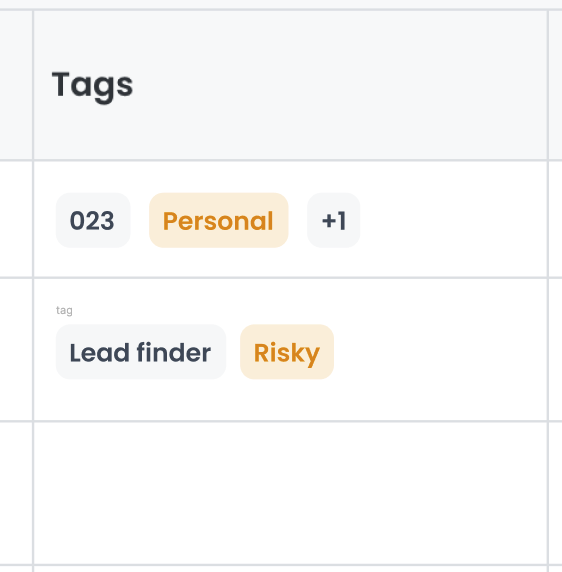
For high-value accounts, verify the person’s current role manually as well. A technically valid email can still belong to someone who is no longer the right buyer.
Check privacy and data sourcing before you scale
A provider calling its data “B2B” does not remove your own responsibilities around personal data and direct marketing. Ask how records are sourced, what privacy information is provided, how individuals can exercise their rights and which regions the provider is designed to support.
If your campaigns include European contacts, review Woodpecker’s GDPR email compliance checklist before assuming that access to a contact automatically gives you permission to use the data in any campaign.
The database is only one part of outbound
Finding the right email address solves the contact problem. It does not solve targeting, copy, sending infrastructure or follow-up.
Once the list is ready, plan the rest of the campaign around four questions.
Can your sending setup support the list?
A database may let you build thousands of contacts in minutes, but that does not mean one mailbox should contact them all. Use Woodpecker’s cold email infrastructure calculator to estimate the domains and email accounts needed for the planned volume.
Does the email look right before it goes out?
Data fields can create awkward personalization when they are missing, too long or simply wrong. Paste a real message with real variables into the email preview tool before launch and check what the prospect will actually see.
Are the results normal for a campaign like yours?
Once you have enough sends, compare reply performance with Woodpecker’s cold email benchmarks. Use benchmarks for context rather than treating them as a quota every campaign must hit.
Did one message variant genuinely perform better?
When the sample is large enough, use the cold email A/B test calculator before declaring a subject line or message the winner after a handful of extra replies.
Common mistakes when buying a B2B contact database
Choosing on record count alone. A database’s total size tells you very little about coverage of your ICP. Test your market instead.
Buying intent features without an intent workflow. Signals are useful only when the sales team knows how they change prioritization or messaging.
Assuming “verified” has one industry-wide definition. Providers use different verification processes. Ask what a label means and still monitor bounces after launch.
Paying for phone data when nobody calls. Data depth has value only when the sales process uses it.
Ignoring exports and integrations. A database that creates two hours of manual cleanup every week can be more expensive operationally than a slightly more costly product with a clean workflow.
Keeping old exports forever. A CSV does not become more accurate with age. Recheck lists before reusing them several months later.
B2B contact database FAQ
What is a B2B contact database?
A B2B contact database is a searchable collection of professional and company information used for prospecting, enrichment and sales research. Depending on the provider, records may include job titles, business emails, direct phone numbers, firmographics, technology data and buying signals.
What is the best B2B contact database?
There is no universal winner. Woodpecker fits teams that want lead discovery tied directly to outbound execution, ZoomInfo suits broader enterprise GTM intelligence, Apollo works well for self-service sales teams and Cognism is a strong option to test for European prospecting. Your own ICP coverage should decide the shortlist.
Which B2B database is best for small businesses?
Small teams usually benefit from products with self-service access and a simple route from data to outreach. Woodpecker Lead Finder, Apollo, UpLead, Lead411 and Lusha are reasonable starting points to test, depending on the data and channels you need.
Which contact database is best for Europe?
Cognism places particular emphasis on European decision-maker coverage and compliance processes, so it belongs on the shortlist. Do not stop there. Test the specific countries and roles you sell to, since performance can vary considerably within Europe.
Is LinkedIn Sales Navigator a B2B contact database?
Not in the traditional sense. Sales Navigator is primarily a sales research and relationship intelligence product built on LinkedIn. It is excellent for identifying accounts and people but is commonly paired with another source when verified business email addresses or direct dials are required.
How accurate are B2B databases?
Accuracy varies with the provider, region, record type and age of the data. Vendor-wide percentages do not tell you how well a database will perform for your ICP. Test a sample of real target accounts and verify the contact details you plan to use.
Should I use more than one B2B data provider?
Sometimes. Enterprise and data-heavy teams may combine sources to improve coverage or add specialist signals. Smaller teams often benefit more from mastering one good source and improving segmentation before adding more data subscriptions.
Buy for your ICP, not the biggest number on the homepage
The best B2B database is the one that consistently returns current, usable contacts inside the accounts your team actually wants to win. Everything else is secondary.
Start with 50 real target companies. Compare coverage, role accuracy, email quality and the work required to move a contact into outreach. That small test will tell you more about the value of a database than a vendor’s total record count ever will.