


Many cold email template articles are written like recipe books. Here’s template 1. Here’s template 2. Copy, paste, send, good luck.
The problem is that cold email isn’t cooking. A recipe works because the ingredients interact predictably. A cold email template works only when you understand why each line is there – which means the templates that read like “just another listicle” produce the worst results when actually used.
This guide goes the other way. Nine templates, each with a full anatomy: why the structure works, what each part is doing, when the template fits, what to change for your situation, and what breaks it. Pick one, understand it, adapt it. Nine templates you actually understand beat a hundred you’ve copy-pasted.
The templates below cover the most common B2B outreach situations: first outreach to a specific company, referral-based outreach, problem-focused outreach, outreach referencing a trigger event, post-content outreach, outreach to senior executives, the “permission” opener, the reverse value-add, and the breakup email. Between them, you have coverage for roughly 90% of B2B cold email scenarios. Use them as starting points, not scripts.
What makes a cold email template work in 2026
Before the templates, three patterns that distinguish templates that produce replies from templates that don’t. Any template missing these is probably already dead on arrival.
Specificity in the opener. Not “I was looking at your company” – a real observation. A line that a reader could reasonably think was written for them. Templates that use generic openers underperform personalized ones by 2–3x on reply rate. The opener is where the template most obviously reveals itself, and where breaking out of template-mode matters most.
One focused ask. Every working cold email asks for one thing. Not “a call or a meeting or a demo or a conversation.” Pick one. Make it specific. The ask is usually either a 15-minute call, a specific question the reader can answer in one sentence, or a small commitment (viewing a short resource).
Permission for the reader to decline. Counterintuitively, the templates that convert best give the reader an easy path to “no.” This removes the pressure that makes people ignore cold email altogether. Phrases like “if this isn’t a priority, no worries” actually raise reply rates because people who are on the fence are more willing to reply when replying costs them nothing.
The templates below share these patterns. When you adapt them, preserve these elements even if you change everything else.
For the foundational mechanics, 10 factors that make cold emails work and 10 golden rules of cold email cover the underlying principles in more depth.
Template 1: The specific observation opener
The workhorse of 2026 cold email. Works when you have meaningful information about the prospect or their company – enough to write a specific first line that couldn’t apply to anyone else.
The template
Subject: Question about [Company]’s [specific thing you observed]
Hi [First Name],
I noticed [Company] recently [specific observation – launched X, hired Y, announced Z, shifted into ABC]. That usually creates [specific downstream challenge] for teams at [their stage].
We’ve worked with [3–5 similar companies] on exactly this. The quick summary: [one specific outcome or method in 1–2 sentences].
Would 15 minutes next week be useful to compare notes? If the timing’s off, happy to check back later.
Thanks, [Your name]
The anatomy
Subject line: specificity earns the open. “Question about [Company]’s European expansion” beats “Quick question” every single time. The prospect knows before opening that the email is about something specific to them, which raises open rate meaningfully.
Line 1: observed detail. This is the line that separates this template from every other cold email in the prospect’s inbox. The observation has to be real – recent funding, a launch, a job posting, a conference talk, a hiring pattern. “I saw you work at [Company]” doesn’t count. “I saw [Company] just launched in Germany” does.
Line 2: downstream connection. The observation only matters if you connect it to a problem they care about. This line is the hypothesis that justifies the email. If your hypothesis is generic (“expansion is hard”), the line fails. If it’s specific (“European expansion usually creates customer support coverage gaps in the first 60 days”), the line earns the next sentence.
Line 3: credibility with proof. Not a full case study – one concrete outcome. “Helped three similar teams cut time-to-launch by 40%” is better than “We work with enterprise clients.”
Line 4: the ask with an out. 15 minutes, specific timeframe, and – critically – permission to decline. The permission clause (“if the timing’s off”) is what actually gets replies from people who’d otherwise ignore.
When to use this template
When you have real information about the prospect’s company and a specific hypothesis about what that information implies. This is the go-to template for any well-researched outbound.
When not to use it
When your “specific observation” is actually generic (“I saw you’re in SaaS”). If you can’t come up with a real observation, use a different template. Faking specificity is worse than skipping it.
Common mistakes
Writing the observation as flattery (“Impressed by your growth!”) rather than analysis. Over-explaining the connection between the observation and the problem. Making the ask too big (a demo instead of a 15-minute call).
Read also 3 steps to personalized cold emails.
Template 2: The referral-based opener
The highest-converting template in cold email, by a wide margin. Reply rates on referral-based outreach can run 3–5x higher than pure cold. Use this whenever you have a warm connection, even a tenuous one.
The template
Subject: [Mutual connection] suggested I reach out
Hi [First Name],
[Mutual connection’s name] mentioned you’d be a good person to talk to about [specific topic]. We worked together on [brief context] last year, and they thought our recent work on [specific thing] might be relevant to what you’re doing at [Company].
The short version: [1–2 sentence summary of the relevant thing].
Would a short call make sense? Happy to work around your calendar. If [mutual connection] had the wrong read, no offense taken.
Thanks, [Your name]
The anatomy
Subject line: name-drop upfront. Make the warm connection obvious before the email is opened. Open rates on this kind of subject line routinely hit 70%+ because curiosity about the shared connection pulls the open.
Line 1: establish the referral legitimately. Be honest about the strength of the connection. “Mentioned you’d be a good person to talk to” is softer and more honest than “suggested we connect.” The prospect will often verify this with the mutual contact – make sure they can.
Line 2: explain the referral’s logic. Why did the mutual connection think this would be relevant? This line is what makes the email feel like a real introduction rather than a cold email with a name attached.
Line 3: proof with relevance. Quick summary of what you do, tied to why the mutual connection thought it mattered.
Line 4: ask with calendar flexibility. The bar is lower for referrals, so you can ask for a call directly without the “15-minute” qualifier. Still offer flexibility.
Line 5: escape valve for the mutual connection. “If [mutual connection] had the wrong read” protects the relationship. If this prospect isn’t a fit, neither of you needs to feel awkward.
When to use this template
Any time you have a shared connection – former colleague, investor in common, mutual client, shared alumni. The connection doesn’t need to be close. It needs to be real.
When not to use it
When you don’t actually have permission from the mutual connection to use their name. Cold-dropping names without authorization is one of the fastest ways to burn both relationships at once.
Common mistakes
Asking for the referral in a way the mutual connection would disavow (“John said you have to talk to me”). Overselling the strength of the connection. Failing to follow up with the mutual connection to close the loop.
Template 3: The problem-focused opener
Works when you’ve identified a specific, painful problem that your ICP reliably has. Less personalized than Template 1 but more scalable – doesn’t require per-prospect research. Best paired with tight segmentation so the problem actually matches the recipient.
The template
Subject: The [specific metric] problem at most [type of company]
Hi [First Name],
Most [type of company] we work with struggle with [specific measurable problem]. Typical symptoms: [symptom 1], [symptom 2], [symptom 3].
The root cause is usually [specific diagnosis], which is a different problem than it looks like on the surface.
We’ve built [tool/method/approach] for exactly this. The short version is [1–2 sentences].
Worth a 15-minute conversation? I can share the full approach whether or not we end up working together.
Thanks, [Your name]
The anatomy
Subject line: name the problem as theirs. Not “help with X” – specifically frames the problem as something the prospect’s type of company has. Makes the prospect want to check whether they’re in the “most” category.
Line 1: social proof via pattern. “Most [type of company] we work with” signals both credibility (you’ve worked with many) and relevance (you might have information about them). The specific symptoms make it testable – the prospect can quickly check whether they recognize themselves.
Line 2: the diagnosis. This line does the real work. If your diagnosis is banal (“communication is hard”), the email fails. If it’s insightful (“the root cause is usually stale data in the CRM, which looks like a sales discipline problem but is actually a data architecture problem”), the prospect is now interested.
Line 3: the solution, briefly. Not a pitch. Just enough to justify the next line.
Line 4: the ask with a gift. Offering to share the full approach whether or not you work together lowers the perceived stakes and increases reply rate meaningfully.
When to use this template
When you have a well-defined ICP with a consistent pain point. Requires you to know your market well enough to diagnose, not just describe, the problem.
When not to use it
When your diagnosis is generic. This template lives or dies on the specificity of the root cause analysis. “Marketing is hard” kills it. “Attribution across multi-touch enterprise cycles is broken because of X” makes it.
Common mistakes
Using this template with a diagnosis that’s actually a symptom (“you’re not generating enough leads”). Making the symptoms too vague. Pitching the solution instead of describing it briefly.
For more on problem-focused framing, copy and prospects covers how to make the copy match the audience.
Template 4: The trigger event opener
Built around a specific, recent event – funding round, new hire, product launch, office opening, executive appointment. Time-sensitive: trigger events have a window of 2–4 weeks before the relevance decays.
The template
Subject: Congrats on [specific event]
Hi [First Name],
Saw the news about [Company]’s [specific event]. Congratulations – that’s a big milestone.
In the first [relevant timeframe] after [event type], we typically see companies wrestling with [specific downstream consequence]. Not because anything’s wrong – it’s just the shape of that kind of transition.
We’ve helped [3–5 similar companies] navigate exactly this. Would a 15-minute conversation in the next two weeks be useful?
Either way, congratulations again.
Thanks, [Your name]
The anatomy
Subject line: congratulate first. Positive opens get higher open rates and create a warm frame for the rest of the email.
Line 1: acknowledge the event genuinely. Don’t skip straight to pitching. The congratulations is a real moment – let it land for a line.
Line 2: the hypothesis tied to the event. “Not because anything’s wrong” is key. You’re not suggesting they have a problem – you’re suggesting a predictable consequence of the event. That framing is less adversarial and more consultative.
Line 3: credibility through pattern. You’ve seen this before. You can help. Here’s the proof.
Line 4: ask with a time window. Trigger events have decay. “In the next two weeks” respects that window and adds gentle urgency.
Line 5: sincere close. End the way you opened. Reinforces that the congratulations was real, not performative.
When to use this template
When the trigger event is recent (under 30 days ideally), public, and has a clear connection to what you do.
When not to use it
When the event isn’t really a trigger. Hiring one marketer is not the same trigger as closing a Series B. Pick events that actually change the company’s needs, not just events that happened.
Common mistakes
Using trigger events that are too old (congratulations on a year-old funding round reads as sloppy research). Forcing connections between the event and your product that don’t exist. Over-claiming about how common the “typical” consequence is.
Template 5: The post-content opener
Works when the prospect has published something – a blog post, a podcast appearance, a conference talk, a LinkedIn post. High-converting because it proves you actually consumed the content before reaching out.
The template
Subject: Your [content type] on [specific topic]
Hi [First Name],
Your recent [content type] on [specific topic] caught my attention – particularly the point about [specific idea they made]. It reminded me of [specific related thing from your work or research].
One question, if you’re open to it: [specific thoughtful question their content raised for you]?
The context, briefly: [1–2 sentences about your work that gives the question weight].
Totally fine if it’s not a good fit for a reply – just wanted to flag the overlap.
Thanks, [Your name]
The anatomy
Subject line: direct reference to their content. Signals you engaged with their work. Open rates on this are typically very high because the prospect recognizes the content reference immediately.
Line 1: specific callback. Has to be specific. “Enjoyed your podcast” doesn’t count. “The point you made about X when discussing Y” proves you listened.
Line 2: the question. Thoughtful, not generic. This is an ask that frames the conversation as peer-to-peer, not sales. The question is the entire point of this email.
Line 3: your context. Enough that the prospect understands why you’re qualified to ask the question. Not a pitch.
Line 4: permission to ignore. Critical. The whole email frame is collegial, not transactional. The permission close reinforces that.
When to use this template
When the prospect has published content you genuinely engaged with and have something specific to say about. Excellent for reaching senior executives, writers, founders, and thought leaders who publish regularly.
When not to use it
When you haven’t actually consumed the content. The specificity requirement is hard to fake, and senior people in your target audience will spot a fake reference immediately.
Common mistakes
Using this template as a trojan horse for a pitch. The first reply to this email should be a conversation about the question you asked, not your product. If the relationship develops, the pitch comes later – not in email #1.
Template 6: The senior executive opener
Written specifically for C-suite and senior leadership. Different register, different length, different ask. Executives filter cold email aggressively and the ones that get through are short, specific, and don’t waste the reader’s time.
The template
Subject: [Their company] + [relevant specific topic]
[First Name] –
Short note. We work with [type of company] on [specific outcome, 4–6 words]. [Company] fits the pattern I usually see benefit from this.
One sentence on why: [specific reason tied to their situation].
15 minutes on your calendar in the next few weeks? If not now, I’ll circle back next quarter.
[Your name]
The anatomy
Subject line: stripped down. Executives get too many “Quick question about X” emails. A terser subject – just two relevant nouns – breaks the pattern.
Greeting with em-dash. Signals the whole email will be short. “Hi [First Name]” is fine; this is slightly more direct.
Line 1: what you do in 4–6 words. No padding, no “helps teams optimize.” Just the specific outcome. If you can’t say it in 4–6 words, the email fails.
Line 2: why this specific prospect. One sentence. Specific. If it’s generic, the email fails.
Line 3: modest ask with a built-in follow-up. 15 minutes, specific window, and the “next quarter” language signals you’re not desperate and you respect their time horizon.
Sign-off: first name only. Executives sign off with just their first name. Matching that register is subtle but noticeable.
When to use this template
First outreach to C-suite, VP-and-above, or other time-scarce senior roles.
When not to use it
When writing to anyone below senior leadership. The terse register reads as cold rather than respectful when applied to someone who’d prefer a more substantive email.
Common mistakes
Making it too long. Explaining what you do in two sentences instead of one phrase. Asking for a demo instead of a conversation. Using the permission clause poorly (for executives, “next quarter” is respectful; “next year” reads as either weird or passive-aggressive).
Template 7: The permission-based opener
An older pattern that’s still effective when used carefully. Asks permission to make a short pitch, which disarms the reader and produces a surprisingly high reply rate – mostly because saying “yes, tell me more” costs the reader nothing.
The template
Subject: Quick question
Hi [First Name],
Would it be crazy to ask for 60 seconds of your attention on something that’s probably relevant to [Company]?
If yes, hit reply and I’ll send a two-paragraph summary. If no, no offense taken – I’ll leave you alone.
Thanks, [Your name]
The anatomy
Subject line: deliberately vague. The curiosity pulls the open. This is the one template where generic works, because the point of the email is to create enough intrigue that the reader has to find out what the question is.
Line 1: the permission ask. Deliberately non-pushy. “Would it be crazy” is softer than “can I ask” and raises the open-to-reply rate because it feels conversational.
Line 2: both options made easy. Yes means a two-paragraph summary (low commitment). No means silence (no social cost).
Sign-off: minimal. The email is short by design; the sign-off should match.
When to use this template
As a third-email in a sequence when earlier direct approaches haven’t worked. Sometimes as a first email when you genuinely have something valuable but can’t easily compress it into a normal cold email format.
When not to use it
Too often. This template has been overused enough that experienced buyers recognize it on sight. Use it sparingly – once in a sequence, not as every outreach.
Common mistakes
Following up the “yes” reply with something that wasn’t worth 60 seconds. The contract in this template is that you’ll deliver a genuinely useful two-paragraph summary. Breaking that contract kills trust and wastes the opportunity.
Template 8: The reverse value-add opener
Instead of asking for time upfront, this template leads with something specifically useful to the prospect – and only then mentions what you do. Longer than most cold emails, but produces disproportionately high engagement when executed well.
The template
Subject: [Specific thing that would be useful to them]
Hi [First Name],
Not a pitch – just something I put together that seemed relevant to [Company]’s situation.
[One paragraph, 3–5 sentences, with an actual useful observation, analysis, or resource specific to them. This is the entire point of the email.]
That’s it. If any of it is useful, great. Happy to walk through the thinking in more detail if you want – we do work in this space, but the point of this email is the above, not a call.
Thanks, [Your name]
The anatomy
Subject line: the value promise. Names the specific useful thing. Not “thought you’d find this interesting” – specify what it is.
Line 1: explicitly not a pitch. Disarms the reader. The frame of the email is gift, not sale.
The middle: actual value. This is where the template succeeds or fails. If the middle isn’t genuinely useful, the whole template collapses. “Useful” means: an insight they didn’t have, a resource they wouldn’t easily find, a piece of analysis specific to their situation.
Closing: the soft mention. “We do work in this space” does the positioning work without turning the email into a pitch. The prospect knows what you do now; whether they follow up is their call.
When to use this template
When you have genuinely valuable, specific content or insight to share. Works particularly well when the prospect is a mid-funnel buyer who needs to see capability before they’ll book a call.
When not to use it
When your “value add” is generic content (a link to your blog post, a generic industry report). The value has to be specific to the prospect or their company.
Common mistakes
Padding the middle with things that aren’t actually useful. Sneaking a pitch into the “not a pitch” email. Using resources that are obviously your own marketing content.
Template 9: The breakup email
The final email in a sequence. Paradoxically, one of the highest-converting emails you’ll send – because removing the pressure often produces the response that earlier pushy emails couldn’t.
The template
Subject: Should I close the loop?
Hi [First Name],
I’ve reached out a few times and haven’t heard back, which usually means one of three things: you’re swamped (likely), it’s not the right moment (also likely), or this isn’t a fit at all (fine, too).
Any chance you could reply with a 1, 2, or 3 so I know which one? Either way, I’ll stop emailing after this.
Thanks for your time, [Your name]
The anatomy
Subject line: the implicit offer to stop. “Close the loop” signals you’re wrapping up, which is less threatening than “following up again.”
Line 1: acknowledge reality. Most prospects who didn’t reply genuinely are swamped. Starting with that assumption shows you’re paying attention and not taking the silence personally.
Line 2: the three-option ask. Reducing the reply to a single digit lowers the friction dramatically. Most people who reply use 1 or 2; a surprising number use 3 and explain why – which is valuable information.
Line 3: the commitment to stop. This is what makes the email work. The commitment is real – if they don’t reply, you actually stop. The commitment is also why people reply.
When to use this template
As the final step in any cold email sequence. Always include a breakup email.
When not to use it
Anywhere but the end. If you send this too early in a sequence, you burn the relationship and create awkwardness if you later resume outreach.
Common mistakes
Not actually stopping after the breakup. If you send a breakup and then keep emailing, you lose trust permanently with the prospects who did reply and with the ones who noticed. The commitment has to be real.
For more on the statistics behind follow-up and why breakup emails work, follow-up statistics covers the data.
What to change when adapting these templates
These templates are starting points, not scripts. Every one needs adaptation. The key parts to change:
The opener. Every template’s first line should be written fresh for your situation. Templated openers collapse the whole email.
The value proposition. Your specific product, method, or outcome. The templates above use placeholders; fill them with what you actually do, specifically.
The ask. 15 minutes is the default; some situations need different asks (a specific question, a short resource, a review).
The register. Senior executives get a different register than mid-level managers. Technical buyers get a different register than commercial buyers. Match the language.
The length. Shorter is almost always better. If you can cut a sentence and still make the point, cut it.
Read real-life examples and get inspired on what to do and what not: Examples of good and cold emails.
Common cold email template mistakes
Patterns that appear across almost every failed campaign.
Using multiple templates from different guides stitched together. The templates in guides like this are written as coherent units – opening, body, ask, close – each part reinforcing the others. Mixing the opener from one, the body from another, and the ask from a third usually breaks the internal logic.
Templating the personalized parts. The observation opener isn’t template-safe. If you template the “I noticed” line, every prospect gets the same email and the template collapses into regular cold email. The personalized parts have to stay personalized.
Shipping the placeholder. “[Company] recently launched X” going out to 300 prospects with the exact string “[Company]” instead of the actual company name. Sounds impossible. Happens constantly. Always preview a test email before launch.
Using every template in every sequence. Each template fits specific situations. A sequence of template 1 → template 3 → template 5 → template 9 is fine if all four fit the prospect. A sequence that throws every template at the same prospect reads as desperate.
Not changing subject lines across follow-ups. If you use the same subject line across a sequence, the follow-ups thread together in most inbox clients, which is fine – but if the first email landed in spam, all the follow-ups do too. Consider whether to reset the thread for high-priority prospects.
How Woodpecker manages template-driven outreach at scale
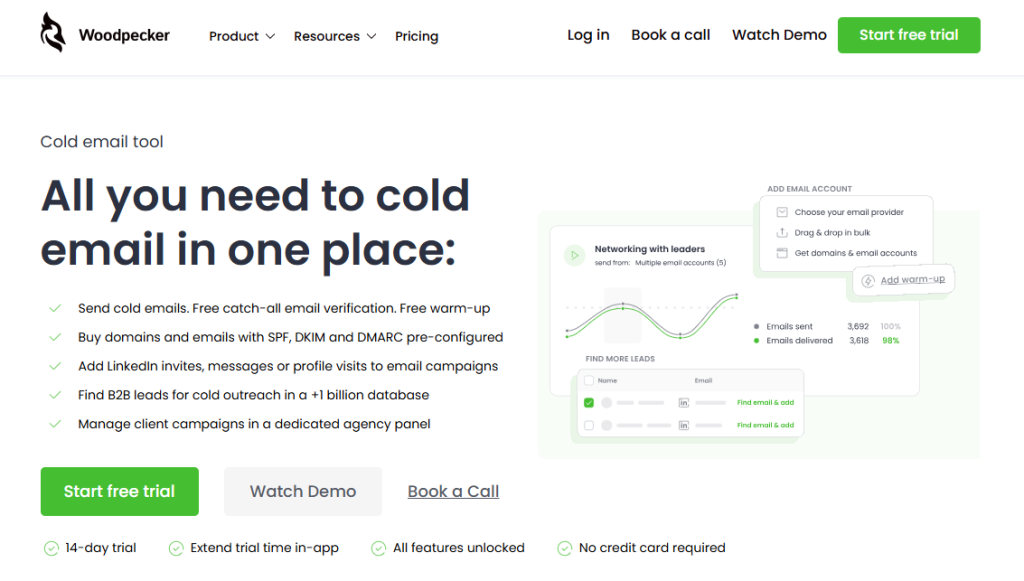
The templates above work for one-off outreach. The challenge comes when you’re running them across hundreds or thousands of prospects simultaneously, with deliverability requirements that didn’t exist three years ago.
What Woodpecker handles for template-based outbound specifically:
Merge fields that pull real data. {{firstname}}, {{company}}, and custom fields for things like the specific observation or trigger event. Fill the personalized parts at send time from your prospect data rather than manual copy-paste.
Spintax for the templated sections. The non-personalized parts of the email can vary across sends using spintax syntax. Reduces the content similarity across a campaign and helps with deliverability. Spintax for cold email guide covers how.
Conditional sequences. Different follow-ups based on whether the prospect opened, clicked, or ignored the previous email. Lets you use templates 1 → 3 → 9 for one prospect and templates 2 → 7 → 9 for another automatically.
Auto-stop on reply. The moment a prospect replies to any template in the sequence, the remaining emails don’t send. Required for the breakup email to work – if you send a breakup after the prospect already replied, trust breaks.
Deliverability features for template-heavy campaigns. Adaptive Sending, inbox rotation, and free email warmup via Warmy and Mailivery partnerships all mean templated campaigns stay in the primary inbox rather than drifting into spam as the sameness accumulates.
Preview before send. You can preview the rendered email for any specific prospect before sending, which catches merge-field failures and awkward spintax combinations before they reach an actual recipient.
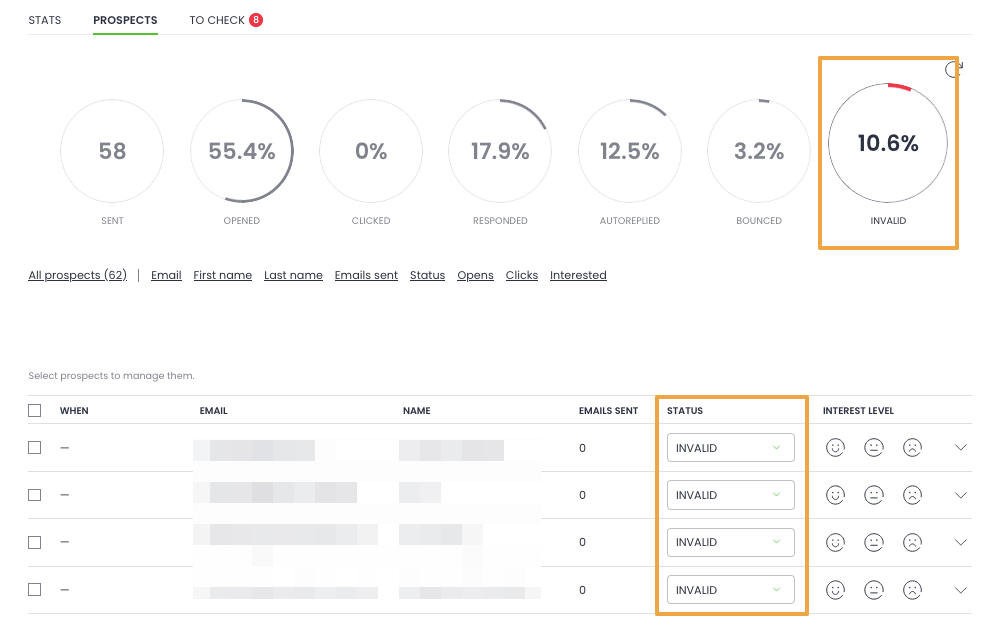
1B+ B2B lead database and free catch-all verification. The prospect data and list hygiene layer, built in. Templates only work when they’re sent to the right people at real, verified addresses.
If you’re running cold email at any real volume, the template writing is only part of the work – the infrastructure to run templated campaigns cleanly is where most teams underinvest.
Sign up to Woodpecker and run templated sequences with deliverability, personalization, and reply management handled.
FAQ
What’s the best cold email template?
There isn’t one – the best template depends on the situation. The specific observation opener (Template 1) is the highest-converting template when you have real information about the prospect. The referral-based opener (Template 2) outperforms everything when you have a shared connection. The trigger event opener (Template 4) wins when something specific and recent happened at the prospect’s company. Match the template to the situation, not the other way around.
How long should a cold email be?
Most high-converting cold emails are between 50 and 150 words. Senior executive outreach tends to be even shorter – often under 75 words. Longer emails (Template 8, the reverse value-add) can work when the length itself is delivering value. The test: if you can remove a sentence and the email still makes its point, remove it.
What should the subject line of a cold email be?
Specific, relevant to the prospect, and under 7 words when possible. “Question about [Company]’s [specific thing]” consistently outperforms “Quick question.” The subject line should give the prospect a reason to open that couldn’t apply to everyone else. Generic subject lines work only in very specific contexts (like Template 7’s permission-based approach).
How many follow-ups should a cold email sequence have?
Three to five additional emails after the initial outreach, for a total of four to six emails across three to four weeks. Fewer than three leaves most of the pipeline on the table; more than six usually generates more unsubscribes than replies. Always end with a breakup email.
What’s the most common mistake in cold email templates?
Using templates without understanding why each line is there. Copy-pasting a template and filling in the blanks without adapting the structure to your specific situation produces emails that read as templated even when the prospect can’t articulate why. Understand the anatomy of the template before you use it.
Do cold email templates still work in 2026?
Yes, but the bar has moved. Generic templates work worse than they did five years ago because prospects have seen them thousands of times. Templates with genuine personalization in the opener and specific diagnosis in the body work as well as they ever did – arguably better, because the contrast with mass-sent bad templates makes them stand out more.
How personalized does a cold email need to be?
Specifically personalized in the opener (first 1–2 sentences). After that, templated body content is fine. The opener is the part prospects use to decide whether to keep reading; if the opener is generic, the rest of the email doesn’t matter. “Personalized in the body but generic in the opener” is the wrong direction – it wastes effort where it doesn’t compound.
Should I A/B test my cold email templates?
Yes, once you have enough volume. A/B testing requires at least a few hundred sends per variant to produce statistically meaningful results. Below that, you’re measuring noise. Most teams underestimate this threshold and draw conclusions from 50-send tests that don’t hold up.
What’s the biggest difference between cold email templates that work vs. ones that don’t?
The ones that work solve a specific problem for the prospect; the ones that don’t describe a product. Working templates lead with observation, diagnosis, or insight. Failing templates lead with “I work at [Company] and we help teams with X.” The direction of the opening sentence is the single biggest predictor of whether the email gets a reply.
How do I avoid sounding templated?
Write the personalized parts fresh every time. Don’t template the opener. Vary your subject lines, your asks, and your closings across a sequence. Read each email out loud before sending – if it sounds formulaic to you, it sounds more formulaic to the prospect. And avoid phrases that signal template mode to experienced readers: “I hope this email finds you well,” “I wanted to reach out because,” “I thought this might be relevant.”